















Warehouse software is now essential for managing growing order volumes and complex inventory. Research shows warehouse management systems can improve inventory accuracy to over 95% and reduce picking errors by up to 40%.
Modern WMS software also improves efficiency by providing real-time visibility, faster fulfilment, and better coordination across warehouse operations, with some studies reporting up to 25–40% gains in processing speed.
For Australian businesses, where labour costs and distribution distances are high, these improvements are critical. WMS adoption can also reduce labour costs by up to 30% while boosting productivity and supply chain efficiency.
Key Takeaways
Best WMS software is assessed by AU support, core features, integrations, scalability, usability, and user reviews.
Warehouse software recommendations should prioritize fit for workflow, integrations, scalability, and reliable support.
Choose warehouse software that matches industry workflows and supports the integrations needed to keep operations connected.

How to Choose the Right WMS for Your Business
A mismatch between software capabilities and operational reality can paralyze workflows, so selecting the best warehouse management software should start with clear segmentation to narrow down the options.
1. By business size
Small businesses with 1 to 50 employees should prioritise usability and low overhead, using warehouse software that is quick to deploy and easy to train so the focus stays on digitising operations.
Mid-market enterprises with 50 to 250 employees need warehouse software that scales with higher transaction volumes and connects smoothly to sales, purchasing, and accounting workflows. Solutions like Cin7, HashMicro, and Datapel are well-suited for this segment, offering multi-location support and integration with accounting systems commonly used in Australia.
Large enterprises with 250+ employees require a system for warehouse oversight built for complex processes, multi-site control, tighter data governance, and advanced optimisation across the supply chain.
2. By industry
Choosing the best WMS software, warehouse management system, or warehouse inventory management software depends on industry needs. Retail and eCommerce businesses need strong integrations with sales channels and shipping systems to keep inventory and fulfilment in sync.
Manufacturing requires tracking for materials and production, while healthcare and perishables need batch, lot, and expiry control. The best warehouse management system helps each industry improve accuracy, efficiency, and compliance.
3. By budget
Budget-conscious options include tools with free plans that help start warehouse operations without upfront spending. Mid-range choices typically offer strong core features at a manageable monthly fee.
Higher-investment platforms cost more but can deliver ROI through labour savings, tighter control, and better inventory optimization at scale.
Safe Work Australia notes employers must consult, cooperate, and coordinate on WHS when making operational changes, which includes implementing warehouse software that alters workflows, device use, or automation processes.
4. By development model
Cloud WMS is hosted by the vendor and accessed via browser or app, making it the faster and lower-cost path for most businesses. It suits operations that need remote visibility across multiple sites, automatic updates, and minimal IT overhead.
On-premise WMS is installed on your own servers and managed internally, giving you full control over data and infrastructure. This suits warehouses with strict data sovereignty requirements, limited internet connectivity, or complex customisation needs that hosted platforms cannot accommodate.
Platforms like HashMicro support both deployment models, which gives growing businesses the flexibility to start on cloud and migrate to on-premise if operational requirements change.
Key Features to Look for in Warehouse Management Software
When vetting potential software, look beyond marketing jargon. The following five features are the technical pillars of the best warehouse management software for a modern, efficient warehouse operation.
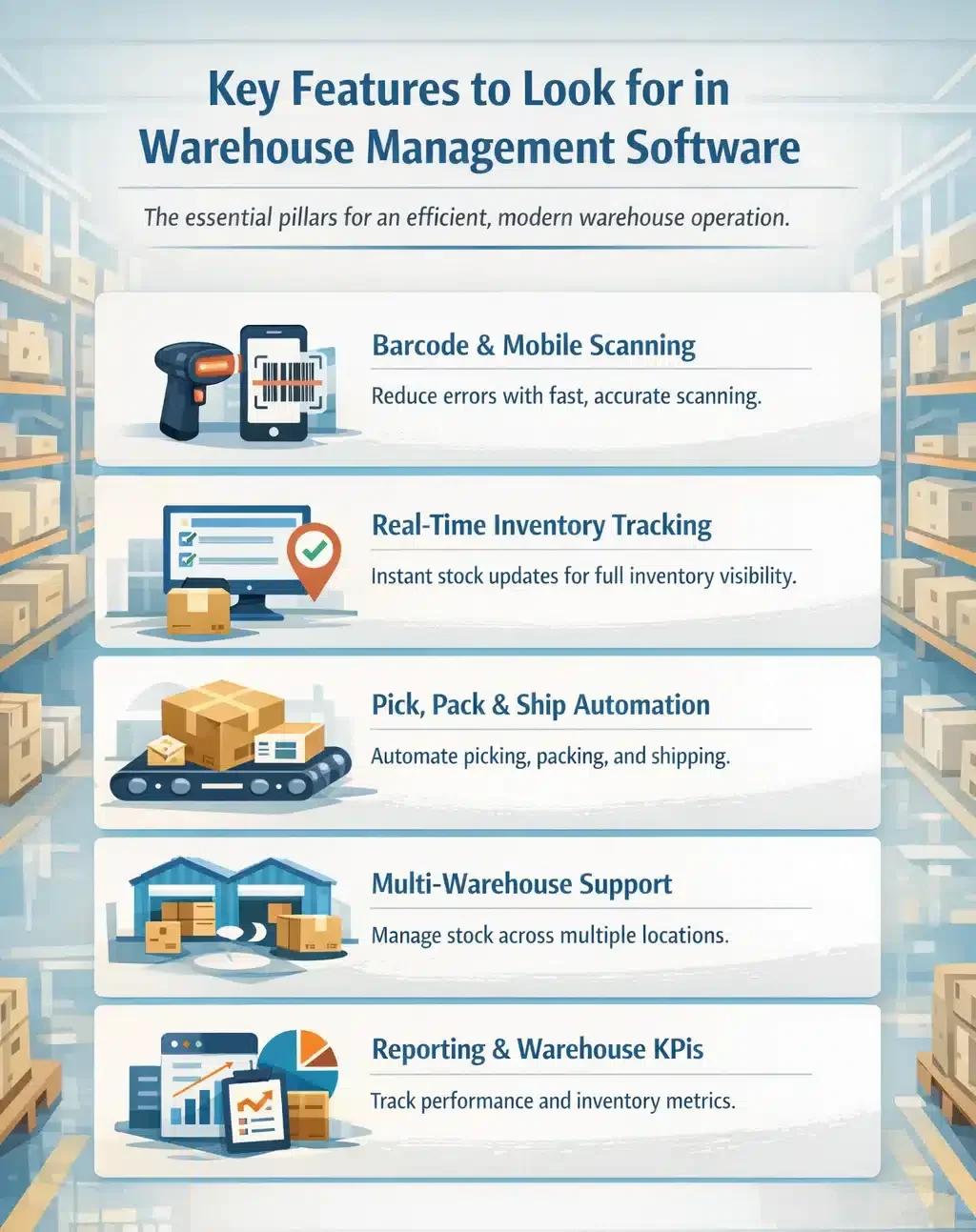
1. Barcode and mobile scanning
Cuts manual input and improves accuracy by validating every scan during receiving, putaway, picking, and packing. Errors are flagged on the spot, reducing mispicks, wrong shipments, and time wasted on rechecking.
2. Real-time inventory tracking
WMS software updates stock instantly after every movement so teams always work from the same numbers. This helps prevent overselling, supports fast replenishment decisions, and keeps inventory visibility consistent across channels and locations.
3. Pick, pack & ship automation
Streamlines fulfilment with directed picking, logical pick sequences, and system-generated packing and shipping steps. Faster label printing and fewer manual tasks reduce lead time and increase daily order capacity.
4. Multi-warehouse & multi-location support
Businesses managing stock across multiple warehouse locations often face inaccurate counts, stock allocation errors, and visibility gaps between sites. Multi-warehouse and multi-location support tracks stock across multiple warehouses, zones, and bins while keeping transfers controlled and traceable. It also helps allocate stock to the right location, improving fulfilment speed and reducing emergency transfers.
5. Reporting & warehouse KPIs
Provides dashboards and reports that highlight warehouse performance and inventory health. Metrics like order cycle time, stock accuracy, and fill rate help identify bottlenecks, improve planning, and keep service levels stable.
Tips for Implementing Warehouse Management Software
A successful warehouse management software rollout starts with clear planning, the right people, and realistic execution. Businesses that treat implementation as an operational project, not just a system setup, usually achieve faster and more sustainable results.
- Define clear goals before implementation:
Start by identifying the specific problems you want the system to solve, such as stock inaccuracies, slow picking, or limited visibility across operations. Clear KPIs help measure whether your WMS Australia strategy is improving performance or if adjustments are needed during the rollout. - Review your current warehouse processes first:
Map your existing receiving, putaway, picking, packing, and dispatch workflows before configuring the platform. A well-structured process ensures your warehouse system can support daily operations efficiently and scale as your business grows. - Clean your data before migration:
Check item codes, stock records, supplier details, location labels, and order data before moving anything into the new platform. This also supports improving stock accuracy across your operations and ensures better data reliability over time. - Plan integrations carefully:
Your solution should connect seamlessly with ERP, accounting, eCommerce, courier, or procurement tools to maintain consistent data across the business. A reliable cloud WMS becomes significantly more valuable when it supports connected workflows rather than isolated functions. - Train staff early and make adoption easy:
Warehouse teams need hands-on training that demonstrates how the system supports their daily responsibilities, not just how features work. Strong onboarding helps teams adopt the platform faster and build confidence in using the new storehouse solution effectively. - Test real warehouse scenarios before go-live:
Run practical tests for receiving, stock transfers, picking, packing, returns, and dispatch to identify potential gaps early. Your system should perform well in real operational conditions, not just in controlled demonstrations. - Prepare for change management, not just system setup:
People are more likely to resist new tools when they don’t understand the purpose or benefits. Businesses can also explore how to restock efficiently to maintain optimal inventory levels and avoid stockouts.
Conclusion
Choosing the right warehouse software in Australia means finding a system that supports your current needs and future growth. The right solution improves visibility and control across receiving, storage, picking, and shipping.
Basic WMS software can handle simple tracking, while advanced systems support multiple warehouses, integrations, and automation. Your choice should depend on order volume, inventory complexity, and growth plans.
When used effectively, warehouse software reduces errors, speeds up fulfilment, improves inventory accuracy, and creates a better customer experience.
Every warehouse setup is different, so we recommend you consult our expert to ensure the system you choose truly fits your operational needs.
Frequently Asked Question
A WMS focuses on warehouse tasks like picking, packing, and shipping, while an ERP manages broader business processes like finance, sales, purchasing, and operations.
Costs vary depending on features and business size. Basic cloud systems may start from low monthly fees, while larger businesses often require custom pricing.
Yes. Most modern warehouse software supports barcode scanners, smartphones, tablets, and handheld devices for faster and more accurate operations.
WMS manages warehouse tasks, IMS tracks inventory, and ERP connects wider business functions like finance, sales, and operations.
Yes, many WMS solutions can manage multiple warehouses across different states with centralised inventory tracking and stock transfers.
WMS can support compliance through better tracking and reporting, but businesses must still meet Safe Work Australia requirements.