













Are you having trouble managing your company’s workforce and resources efficiently? Many Malaysian businesses still rely on manual processes that often cause mistakes in employee data, payroll, and resource allocation. These errors can slow down operations and hurt productivity.
Recent data from MDEC’s 100 Go Digital initiative shows that over 21,000 SMEs across Malaysia have already adopted digital tools to improve their business operations. This clearly shows how resource management software is becoming essential for companies aiming to stay competitive.
Errors such as payroll mistakes or poor staff allocation can cost your business time and money. Luckily, HashMicro HRM Software automates these tasks, making it easier to manage resources accurately and keep your operations running smoothly.
Many businesses in Malaysia have benefited greatly from using these tools. Would you like to learn how your company can do the same?
Key Takeaways
Real-time updates, reporting, and dashboards improve visibility into resource use and help managers make faster, data-driven decisions.
Choosing software should depend on team size, operational complexity, and whether it meets Malaysian compliance needs like payroll and labour laws.
Resource management software offer different strengths, matching the right features to your business goals is the key to getting real value.
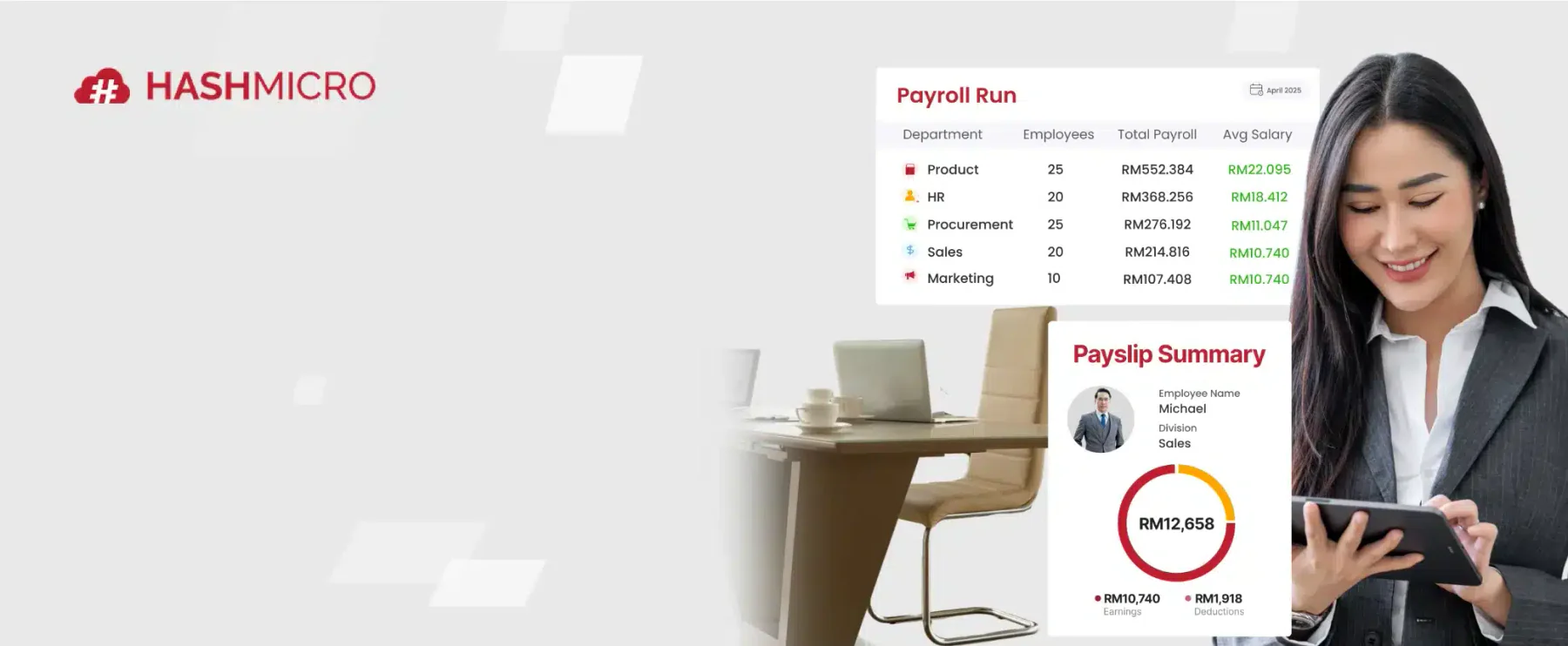
Choosing the right software starts with knowing what a great one looks like. Take a moment to check out the banner below and discover a solution that combines all the key features.
Shorted List Best Resource Management Software
While every tool on the list has something to offer, a few clearly rise above the rest. Below are our top 5 recommendations based on ease of use, scalability, and how well they fit the needs of Malaysian businesses.
 HashMicro

Best Because
Lightweight scheduling tool ideal for creative agencies needing clear team availability and booking visibility.

Best Because
Visual team planning platform built for agencies to forecast capacity and balance workloads across projects.
 Wrike
Wrike
Best Because
Enterprise work management solution with advanced workflows and real-time dashboards for large organizations.
 Paymo
Paymo
Best Because
All-in-one tool perfect for freelancers and small teams combining time tracking, billing, and task planning.
To make your decision even easier, here’s a quick review of every tool so you can see their strengths at a glance. Use this section to narrow down which one fits your business best.
| Software | Quick Review | Key Features | Pricing Model |
|---|---|---|---|
HashMicro |
End-to-end resource management with ERP integration and customizable modules | Task scheduling, payroll integration, KPI tracking, compliance support | Custom Pricing |
Resource Guru |
Simple and visual resource scheduling tool for teams of all sizes | Drag-and-drop scheduling, capacity planning, real-time availability | Custom Pricing |
Float |
Intuitive resource planning and scheduling for agencies and teams | Real-time updates, project forecasting, time tracking | Custom Pricing |
Wrike |
Flexible project and resource management with advanced analytics | Custom dashboards, Gantt charts, time tracking, reporting | Custom Pricing |
Kantata |
Enterprise-grade resource and project management solution | Resource allocation, budget tracking, real-time project monitoring | Custom Pricing |
Paymo |
All-in-one project, resource, and time tracking software | Task management, invoicing, Gantt charts, scheduling | Starts from $5.9/user/month |
Scoro |
Comprehensive business and resource planning platform | Project management, billing, CRM, reporting dashboards | Custom Pricing |
Saviom |
Advanced resource optimization and forecasting software | Capacity planning, skill tracking, portfolio management | Custom Pricing |
ProjectManager |
Cloud-based project and resource management tool | Gantt charts, dashboards, collaboration tools | Starts from $13/user/month |
PeopleHum |
HR-integrated resource management for workforce planning | Performance analytics, talent management, time tracking | Custom Pricing |
Runn |
Real-time resource scheduling and forecasting platform | Capacity planning, project financials, reporting | Custom Pricing |
GreatDayHR |
HR and resource management software with employee engagement tools | Attendance tracking, payroll, employee self-service | Custom Pricing |
Sprout Solutions |
Cloud HR and resource management with payroll automation | Employee management, attendance, compliance tools | Custom Pricing |
miHCM |
End-to-end HR and workforce management solution | Recruitment, payroll, analytics, performance tracking | Custom Pricing |
Finn |
Flexible resource planning with strong analytics and reporting | Real-time tracking, scheduling, dashboards | Custom Pricing |
Deel |
Global workforce and resource management platform | Global payroll, compliance automation, contractor management | Starts from $49/month |
What is Resource Management Software?
Resource management software is a technology designed to help businesses efficiently allocate and manage their resources, such as employees, time, and budgets. It provides task scheduling, time tracking, and performance analysis to streamline operations and improve decision-making.
A study in the International Journal of Enterprise Computing and Business Systems found that Malaysian SMEs significantly improved resource management (4.39/5) and decision-making (4.21/5) after ERP implementation. It also enhanced performance across operational, IT, and strategic areas.
Companies use this software to simplify scheduling, monitor workloads, and reduce errors. It supports functions like time tracking and task assignments, helping teams stay productive and aligned.
Key resource management considerations
When managing resources, there are several key considerations to keep in mind to ensure efficiency and productivity.
- Employee utilization
Understanding how your employees spend their time helps you distribute work more effectively. This ensures no one is underused or overloaded.
- Project scheduling
Proper scheduling helps avoid conflicts and ensures projects stay on track. About 45% of projects fail due to poor scheduling and time management.
- Budget management
Careful tracking of costs helps prevent overspending. It allows for better planning and ensures that resources are used wisely throughout each project.
- Compliance and regulations: Ensuring your business complies with local laws can prevent costly penalties. It’s reported that nearly half of all companies face compliance issues each year, which can slow growth and drain resources.
These factors will help you manage resources more effectively and avoid common pitfalls.
Benefits of Using Resource Management Software

Using resource management software can bring significant advantages to your business operations. Here’s how it helps:
- Improved efficiency
Automating task scheduling and tracking reduces manual errors and streamlines daily workflows. This leads to smoother operations and faster completion of projects.
- Cost savings
Optimizing resource allocation reduces waste and operational costs. Businesses often see a drop in expenses after adopting these tools, simplifying cost management.
- Better project management
Managing projects is easier with proper software. Visibility of progress prevents delays and boosts on-time delivery.
- Enhanced collaboration
Teams can share real-time updates and collaborate effectively, boosting productivity. Many companies find that integrating resource management softwarewith HR solutions enhances teamwork by centralizing employee data and attendance tracking.
- Accurate reporting
Accurate reports on resource use and project status support better decisions. Having reliable data helps leaders plan ahead and allocate resources wisely, which is crucial for growing businesses.
Many Malaysian companies have found these benefits valuable as they face increasing pressure to stay competitive while managing complex projects and teams.
Essential features in resource management software for business
Choosing the right resource management software can greatly improve how your business allocates and manages resources. Here are some key features to consider:
- Task management
Assign and track tasks easily so everyone understands their responsibilities and deadlines, boosting accountability. - Scheduling
Manage employee shifts effectively to avoid conflicts and maintain smooth daily operations. - Time tracking
Record employee work hours accurately, which helps with payroll and client billing processes. - Payroll integration
Integrate with trusted payroll software to automate wage calculations based on actual hours worked, saving time and reducing errors. - Compliance management
Ensure your business adheres to local labour laws and regulations, minimising legal risks. - Reporting and analytics
Access insights into employee performance, project progress, and resource utilisation to make well-informed decisions. - Communication tools
Facilitate seamless collaboration among team members to enhance productivity and keep projects on track.
Selecting resource management software with these features will help you optimise resource allocation and manage your workforce more efficiently, leading to better project outcomes and overall business success.
16 Best Resource Management Software for Businesses in Malaysia
Now that we understand what resource management software is and how it works, let’s explore the available options.
This section will delve into the best 16 resource management software for businesses in Malaysia, highlighting key features and benefits to help you choose the right one.
1. HashMicro’s resource management software
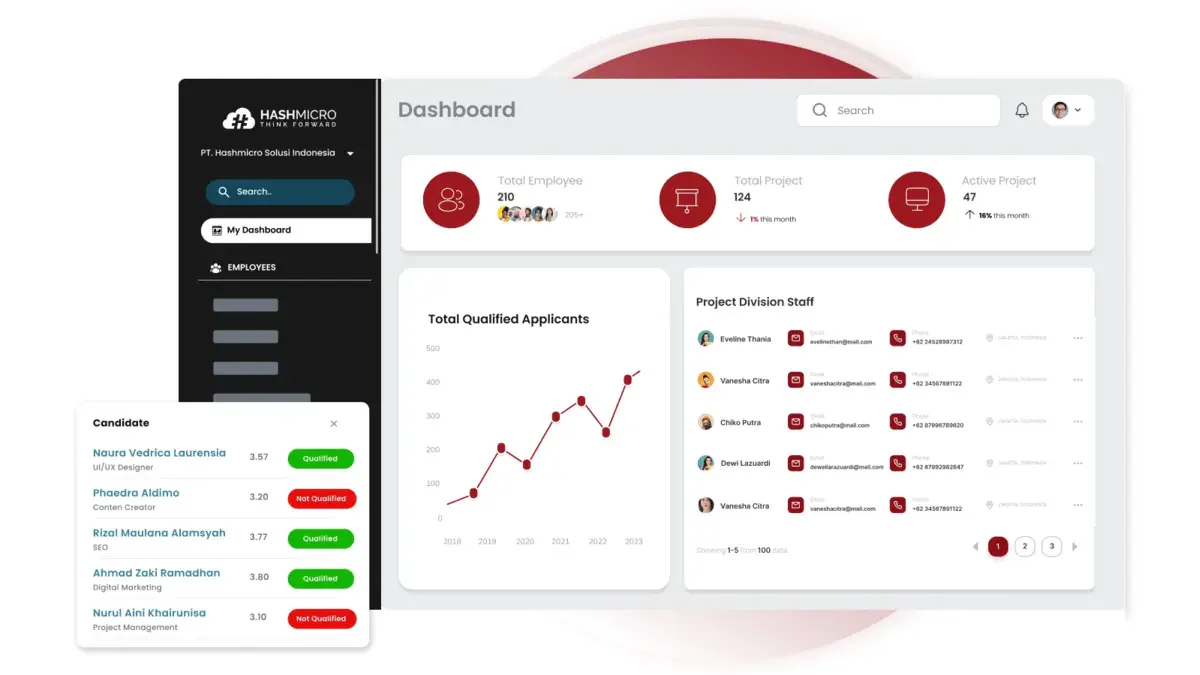
HashMicro’s Resource Management Software is designed to help Malaysian businesses streamline their operations. As part of a comprehensive ERP software, it covers essential features such as task management, payroll integration, and compliance with local labor laws—making it a reliable choice for managing your workforce efficiently.
Interested businesses can try a free demo with no upfront commitment. This allows you to experience the software’s capabilities firsthand and see how it can meet your specific needs before making any decisions.
The software’s resource management capabilities include task assignment, scheduling, and time tracking to ensure your resources are utilised effectively. Its intuitive interface and customizable options, like adding users anytime, make it suitable for businesses of all sizes.
With its user-friendly interface and customizable features, including the ability to add users at any time, HashMicro’s resource management software stands out as the best resource-tracking solution for your business.
Key features:
- Advanced attendance tracking: This feature uses facial recognition and GPS to accurately track employee attendance and location, preventing fraud and ensuring precise records.
- Flexible scheduling management: Dynamically manage employee schedules, creating flexible rosters that accommodate various shifts and work patterns, ensuring optimal staffing levels.
- Comprehensive payroll solutions: Automatically generate accurate payslips for daily and hourly workers, ensuring timely payments and reducing manual payroll errors.
- Efficient approval processes: Streamline approval processes by delegating tasks and setting up automatic follow-up notifications to ensure prompt and efficient approvals without delays.
- Performance and talent tracking: Track employee performance against KPIs to identify top talent and areas for improvement and align goals with organizational objectives.
- Employee development and training: Create and manage employee development plans using e-learning systems to deliver training and track progress, ensuring continuous growth and skill enhancement.
- In-depth performance analysis: Employ the Nine Box Matrix for detailed talent assessment and succession planning.
| Pros | Cons |
|
|
HashMicro offers a transparent pricing scheme that prospective clients can access and download directly from their website. Download the pricing scheme below to gain a clearer understanding of the available packages that best align with your operational goals.
2. Resource Guru
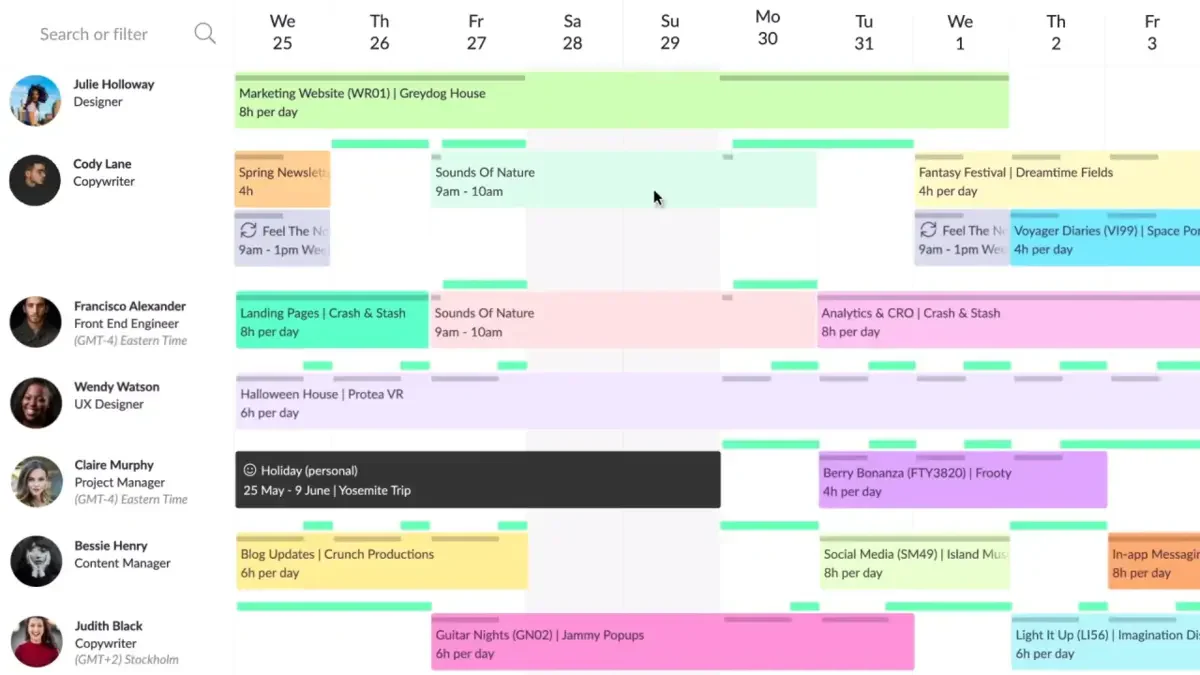
Resource Guru is a comprehensive resource management software designed to help businesses effectively allocate and manage their resources. Its user-friendly design makes scheduling and tracking project resources simple, ensuring optimal utilisation and productivity across teams.
Suitable for companies of all sizes, Resource Guru enhances resource planning software capabilities by providing real-time visibility into resource availability and project timelines. This improves collaboration and allows teams to adjust quickly to changing demands.
Key features:
- Visual resource scheduling: Intuitive drag-and-drop interface for easy scheduling and rescheduling of resources.
- Team collaboration tools: Facilitates seamless communication and collaboration among team members with shared calendars and project boards.
- Capacity planning: Offers insights into resource capacity and workload to prevent overbooking and ensure balanced workloads.
- Leave management: Simplifies leave tracking and management, integrating seamlessly with the scheduling system.
- Real-time availability: Provides real-time updates on resource availability, enabling quick adjustments to schedules.
- Project timelines: Visual project timelines to track project progress and deadlines efficiently.
| Pros | Cons |
|
|
3. Float
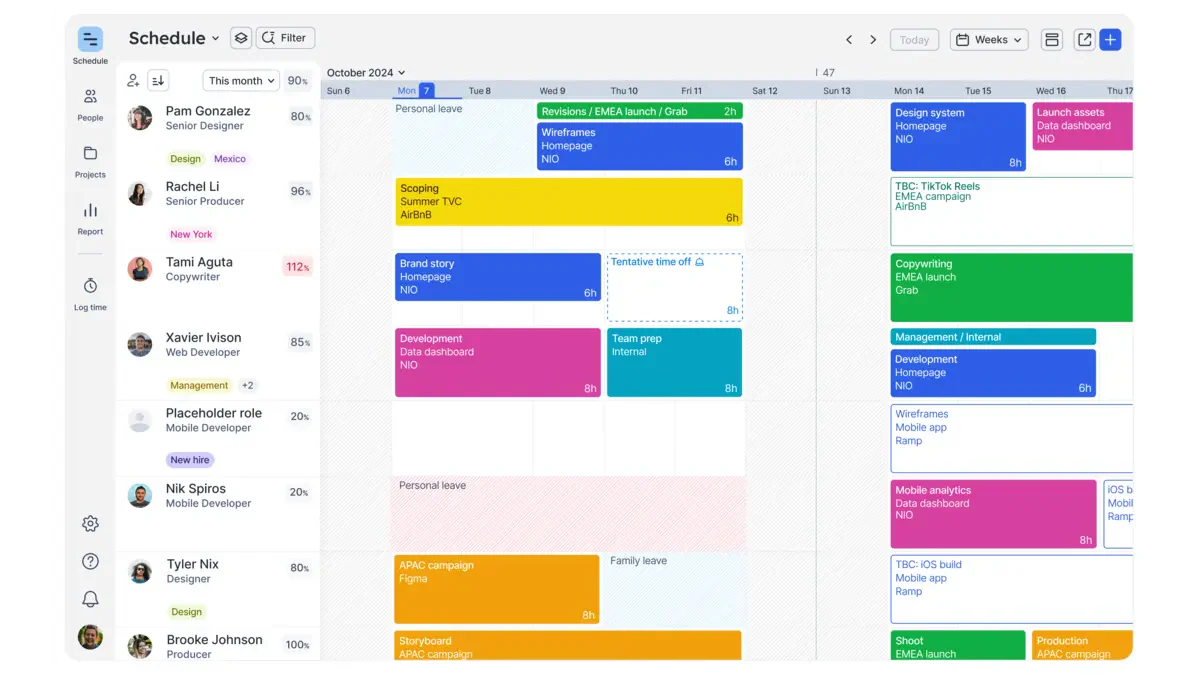
Float is a popular resource management software designed to help teams plan, manage, and track projects and resources with ease. Its visual and intuitive interface simplifies scheduling, making resource allocation transparent and efficient.
Ideal for agencies, studios, and professional firms, Float provides a streamlined solution to ensure resources are optimally assigned, deadlines are met, and team collaboration is enhanced.
Key features:
- Drag-and-drop scheduling: Easily assign tasks and allocate resources with a simple drag-and-drop interface.
- Real-time updates: Keep everyone on the same page with real-time updates and notifications.
- Capacity management: Monitor team capacity and workload to avoid overbooking and burnout.
- Project forecasting: Plan and forecast project timelines and resource needs accurately.
- Integration capabilities: Seamlessly integrate with popular tools like Slack, Asana, and Trello.
- Time tracking: Track actual time spent on tasks and compare it with estimated time to improve future planning.
| Pros | Cons |
|
|
4. Wrike
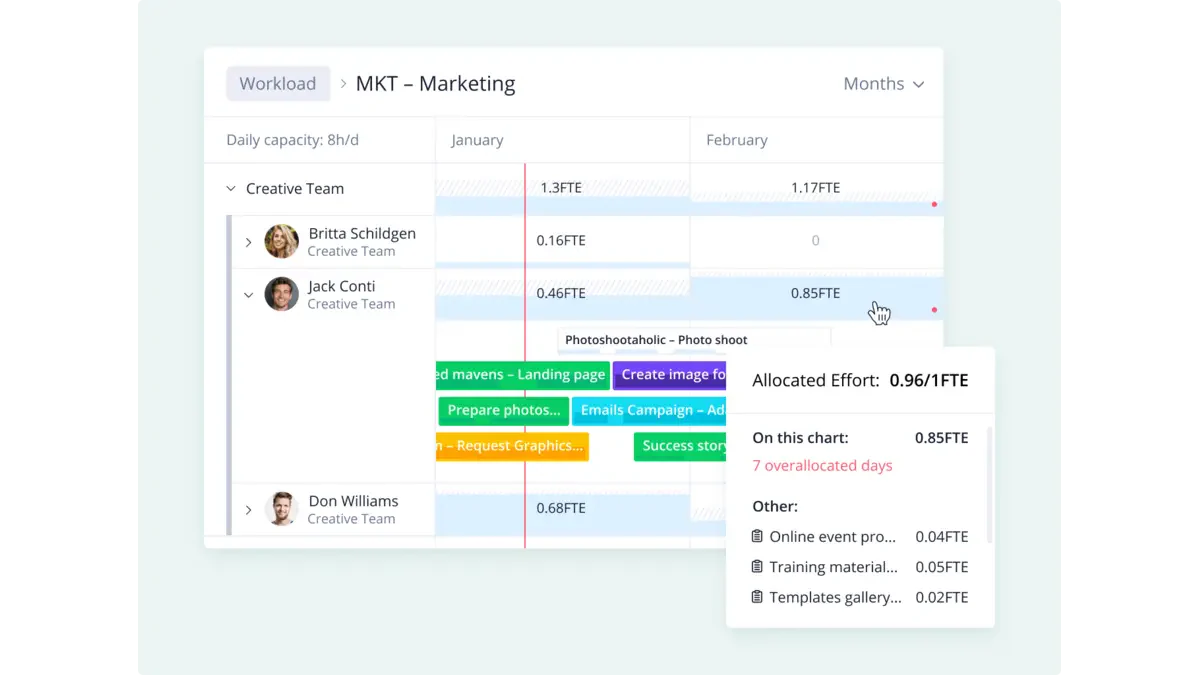
Wrike is a versatile resource management software that helps teams of all sizes improve collaboration and boost productivity. Its comprehensive toolset allows efficient management of tasks, projects, and resources, making it a solid choice for businesses aiming for streamlined operations.
With Wrike, you can customize workflows, track time spent on tasks, and leverage advanced analytics to optimize resource allocation and enhance project outcomes. This flexibility supports better decision-making and efficient resource planning software strategies.
Key features:
- Customizable dashboards: Personalized dashboards that offer a clear view of project progress and team performance.
- Resource management: Tools for planning, allocating, and managing resources effectively, ensuring optimal utilization.
- Time tracking: Integrated time tracking to accurately monitor project timelines and employee work hours.
- Real-time collaboration: Real-time collaboration features include document sharing, comments, and live editing.
- Gantt charts: Interactive Gantt charts for visualizing project timelines and dependencies.
- Advanced reporting: Detailed reporting and analytics to gain insights into project performance and resource usage.
| Pros | Cons |
|
|
5. Kantata
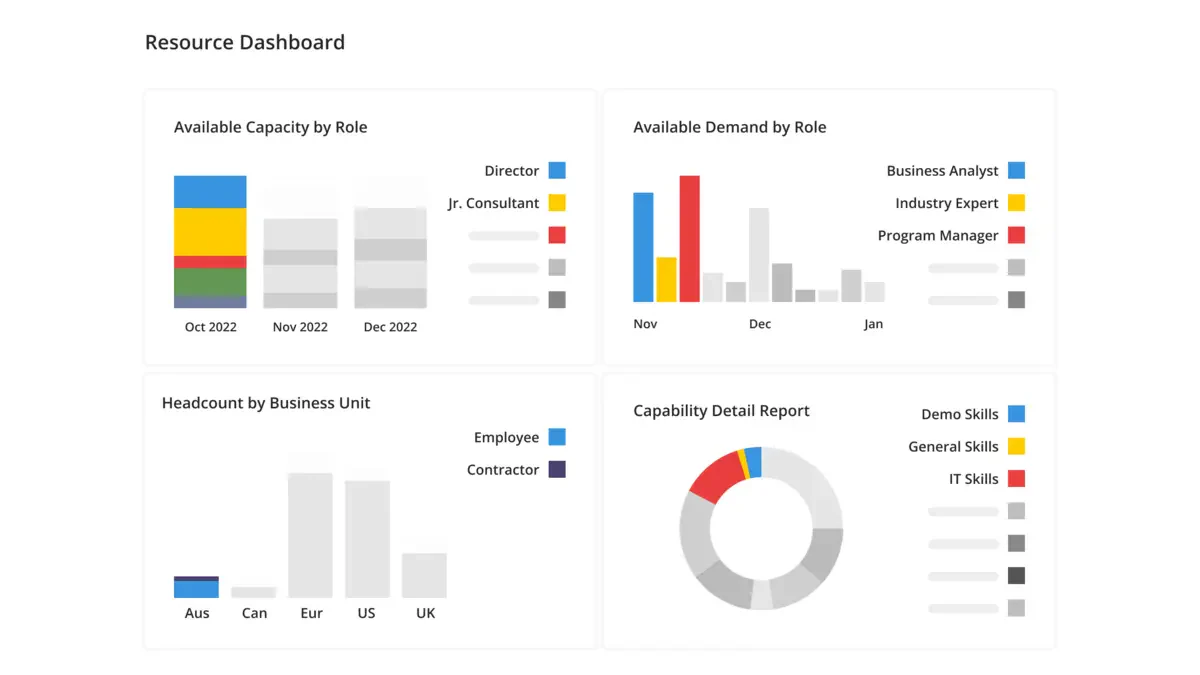
Kantata is a comprehensive resource management software designed to streamline project management, resource allocation, and collaboration for businesses of all sizes.
With a user-friendly interface and powerful features, Kantata helps improve productivity while optimising resource utilisation. This software is well-suited for Malaysian companies seeking efficient enterprise resource management software to support their project workflows.
Key features:
- Resource planning and allocation: Advanced tools for planning and allocating resources across multiple projects, ensuring optimal utilization.
- Project tracking: Real-time project tracking and monitoring to keep all stakeholders updated on progress and potential issues.
- Collaboration tools: Integrated communication and collaboration features that facilitate seamless teamwork and information sharing.
- Reporting and analytics: Comprehensive reporting and analytics capabilities to provide insights into resource usage, project performance, and more.
- Budget management: Tools for managing project budgets, tracking expenses, and ensuring financial control.
- Time tracking: Efficient time tracking features that help monitor employee work hours and project timelines.
| Pros | Cons |
|
|
6. Paymo
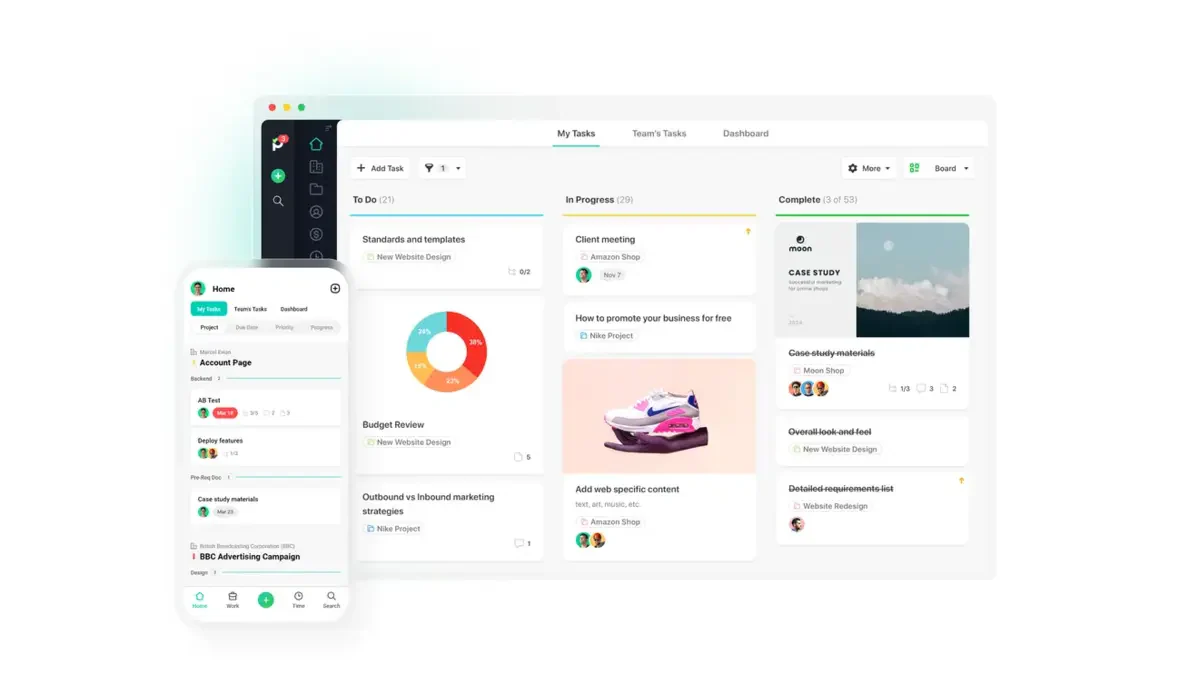
Paymo is comprehensive resource management software designed for small—to medium-sized businesses. It offers an all-in-one solution for project management, task management, time tracking, and invoicing.
This solution simplifies complex workflows and supports efficient resource allocation. It’s especially useful for creative teams, consultants, and service-based businesses handling multiple projects at once.
Key features:
- Task management: Organize and prioritize tasks with detailed to-do lists, milestones, and dependencies to ensure timely project completion.
- Time tracking: Accurately track time spent on tasks and projects using multiple timers and manual entries, facilitating precise billing and productivity analysis.
- Gantt charts: Visualize project timelines and task dependencies to better plan and adjust schedules as needed.
- Resource scheduling: Allocate resources effectively by managing team availability, workload, and capacity, preventing overbooking and burnout.
- Invoicing: Generate and send professional invoices directly from tracked hours and project data, streamlining the billing process.
- Collaborative features: Enhance team collaboration with real-time comments, file sharing, and project discussions, ensuring everyone stays aligned.
| Pros | Cons |
|
|
7. Scoro
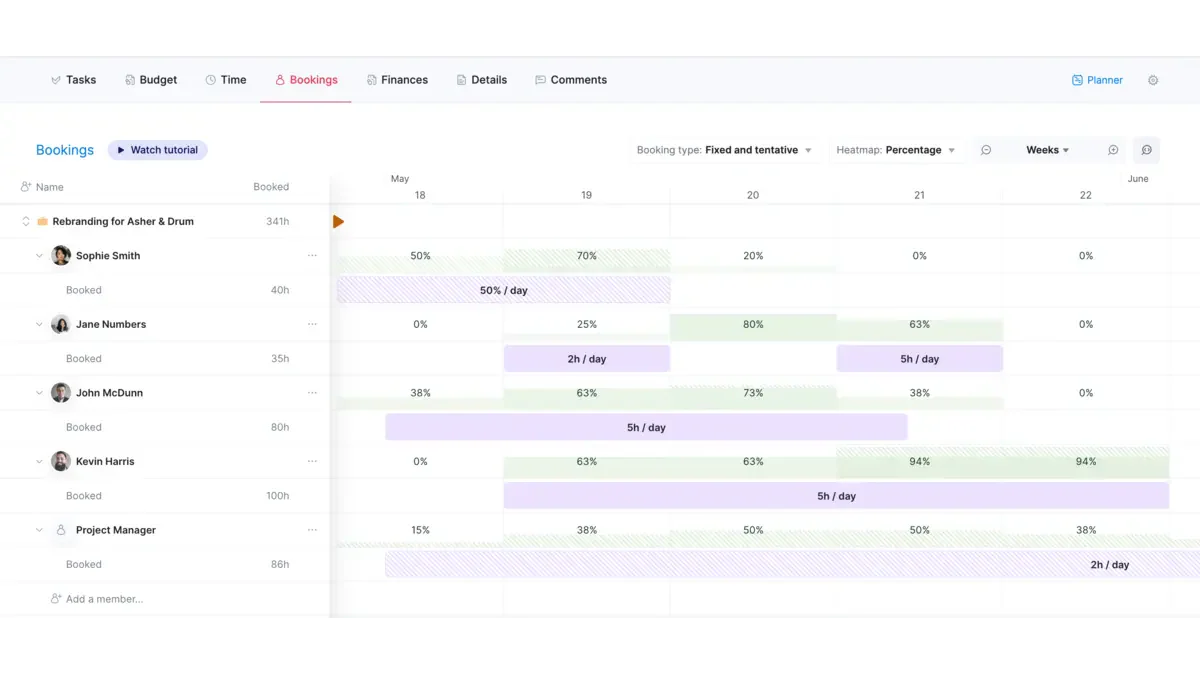
Scoro is comprehensive business management software designed to streamline project management, time tracking, billing, and reporting.
Ideal for small to medium-sized businesses, Scoro enhances productivity by streamlining workflows and improving visibility across teams and projects. This makes it a suitable choice for companies in Malaysia seeking smarter business resource planning solutions.
Key features:
- Project management: From a single interface, manage all project-related activities, including task assignments, deadlines, and progress tracking.
- Resource planning: Optimize resource allocation with real-time updates on availability and workload balancing.
- Time tracking: Track billable and non-billable hours with ease, ensuring accurate invoicing and productivity analysis.
- Financial management: Handle quotes, invoices, and expenses within the platform, integrating financial data with project management.
- Reporting & dashboards: Generate comprehensive reports and visual dashboards to monitor performance and make data-driven decisions.
- CRM integration: Maintain customer relationships with integrated CRM functionalities that manage contacts, communications, and sales pipelines.
| Pros | Cons |
|
|
8. Saviom
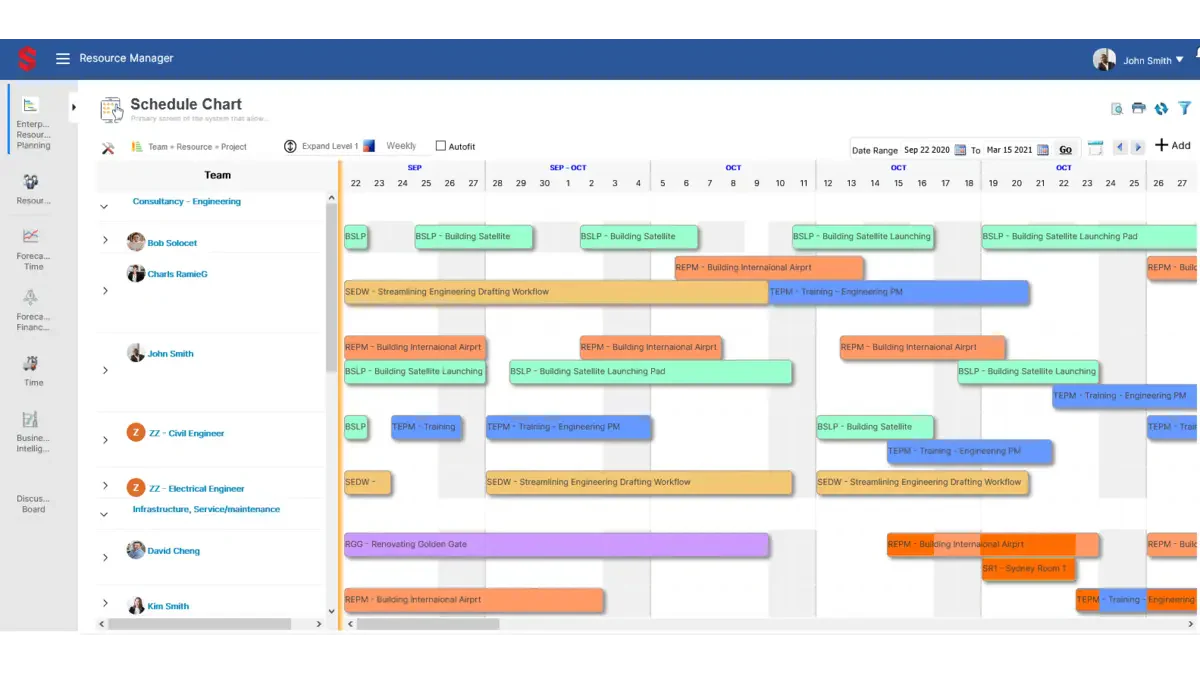
Saviom is a comprehensive solution designed to optimize resource utilization and project efficiency. It provides advanced tools for planning, scheduling, and managing resources across multiple projects.
The software is ideal for businesses seeking to improve productivity and achieve better project outcomes through effective resource allocation.
Key features:
- Advanced resource scheduling: Offers detailed resource scheduling capabilities, allowing managers to allocate resources efficiently based on availability, skills, and project requirements.
- Real-time resource tracking: Provides real-time tracking of resource utilization, ensuring that project managers can make informed decisions and adjust allocations as needed.
- Resource forecasting: Includes powerful forecasting tools to predict future resource needs and avoid potential bottlenecks or underutilization.
- Project portfolio management: Enables comprehensive management of multiple projects, providing insights into resource distribution and project timelines.
- Skill and capacity management: Helps track the skills and capacity of resources, ensuring that the right people are assigned to the right tasks.
- Customizable dashboards and reports: This service offers customizable dashboards and reporting tools to provide clear visibility into resource usage and project progress.
| Pros | Cons |
|
|
9. ProjectManager
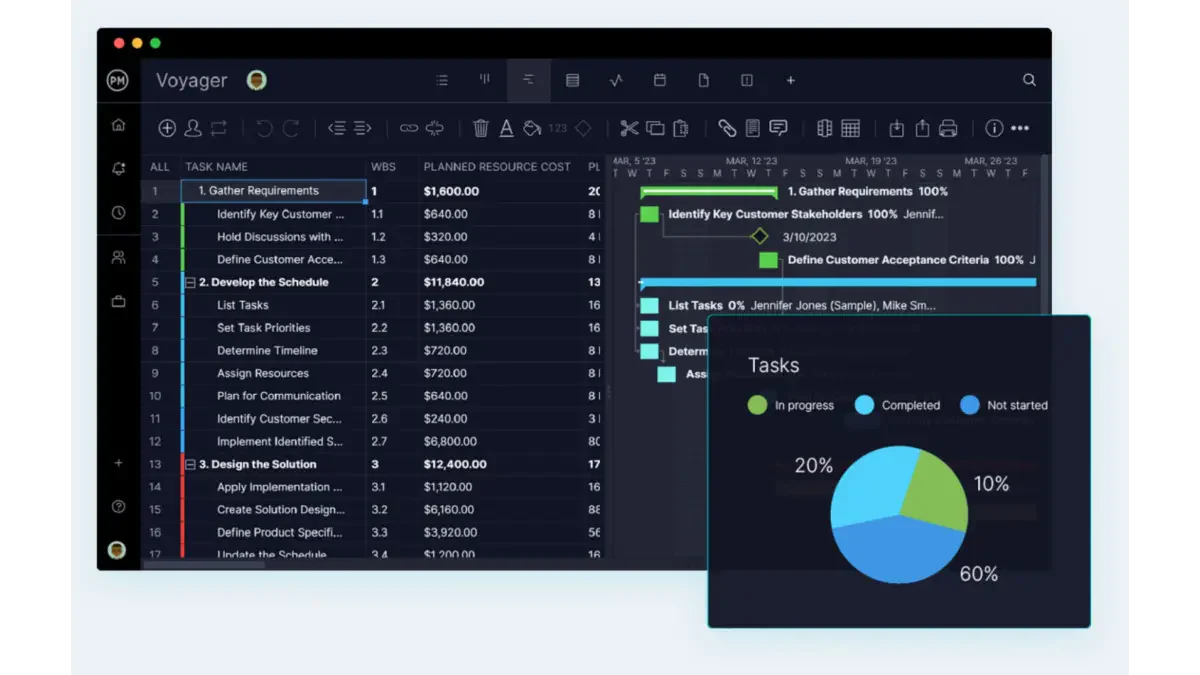
ProjectManager is a robust resource management software designed to streamline project planning, scheduling, and tracking for businesses of all sizes. This software offers an intuitive interface and a comprehensive suite of tools that cater to the diverse needs of project managers and team members alike.
Its cloud-based platform ensures real-time updates and accessibility from anywhere, making it ideal for managing remote and on-site teams.
Key features:
- Gantt charts: Create and manage detailed project timelines with drag-and-drop Gantt charts.
- Real-time dashboards: Monitor project progress and performance with customizable, real-time dashboards.
- Resource allocation: Efficiently allocate resources and track their usage across multiple projects.
- Task management: Assign, prioritize, and track tasks with to-do lists, kanban boards, and task dependencies.
- Time tracking: Log hours and manage timesheets to ensure accurate time tracking and billing.
- Collaboration tools: Foster team collaboration with integrated chat, file sharing, and document management features.
| Pros | Cons |
|
|
10. PeopleHum
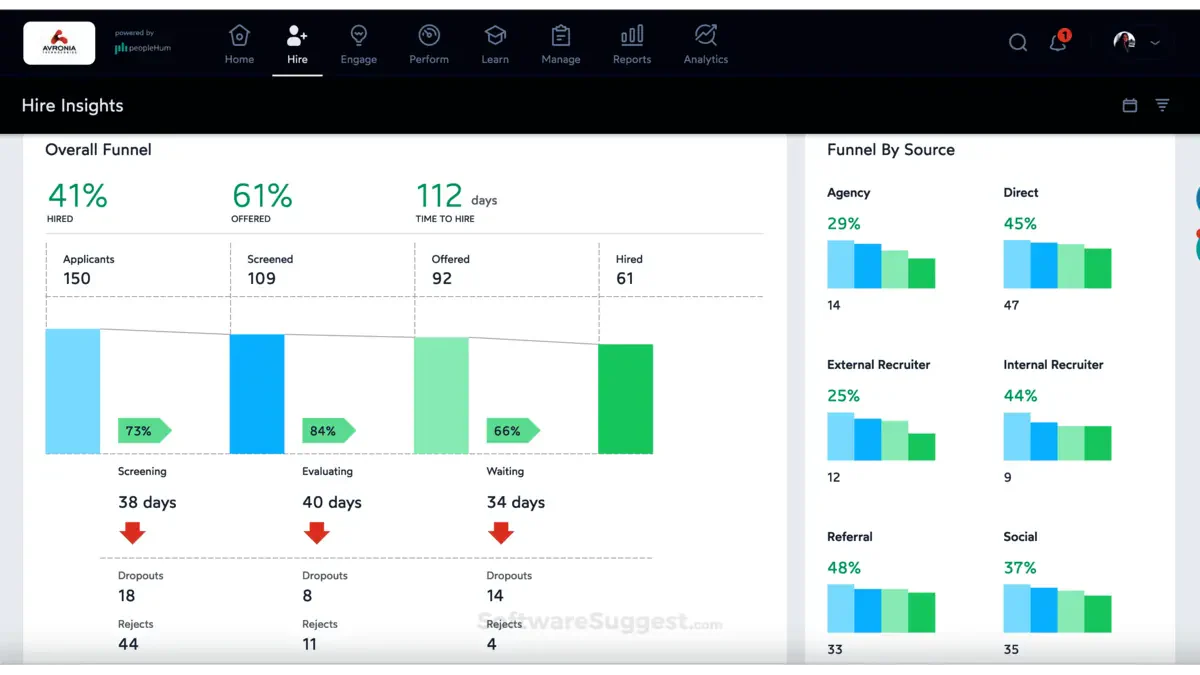
PeopleHum is comprehensive resource management software designed to streamline workforce planning, optimize resource allocation, and enhance overall productivity. It is suitable for businesses of all sizes aiming to improve their resource management processes.
This software integrates seamlessly with various HR functions, ensuring efficient management of human resources from recruitment to retirement.
Key features:
- Resource allocation: Efficiently assign tasks and projects to the right team members based on their skills and availability.
- Performance analytics: Track and analyze employee performance with detailed reports and insights.
- Workforce planning: Forecast staffing needs and manage workforce planning to ensure optimal resource utilization.
- Collaboration tools: Facilitate team collaboration with integrated communication and project management tools.
- Talent management: Manage the entire talent lifecycle, including recruitment, onboarding, training, and development.
- Time tracking: Monitor employee work hours and project time with accurate time tracking features.
| Pros | Cons |
|
|
11. Runn
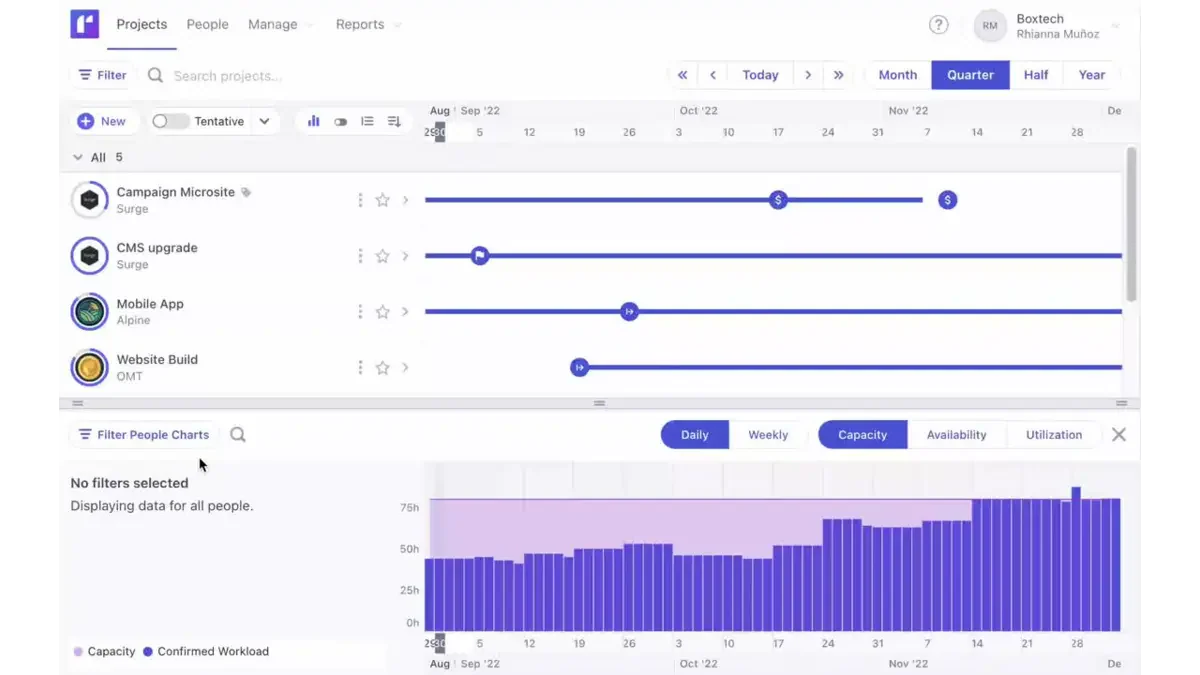
Runn is a dynamic resource management software designed to help businesses efficiently plan, track, and manage their resources.
It provides a clear visual interface for scheduling and forecasting, making it easy to allocate resources to projects and monitor their utilization in real time. Runn is suitable for organizations of all sizes, aiming to improve productivity and optimize resource usage.
Key features:
- Resource scheduling: Visual timeline for easy resource allocation and management.
- Capacity planning: Forecast resource availability and project demand to avoid overbooking.
- Time tracking: Track actual hours worked versus planned hours for accurate reporting.
- Project financials: Monitor project budgets, costs, and profitability in real time.
- Reporting & analytics: Generate detailed reports on resource utilization, project performance, and financials.
- Integrations: Seamless integration with popular tools like Jira, Harvest, and Slack.
| Pros | Cons |
|
|
12. GreatDayHR
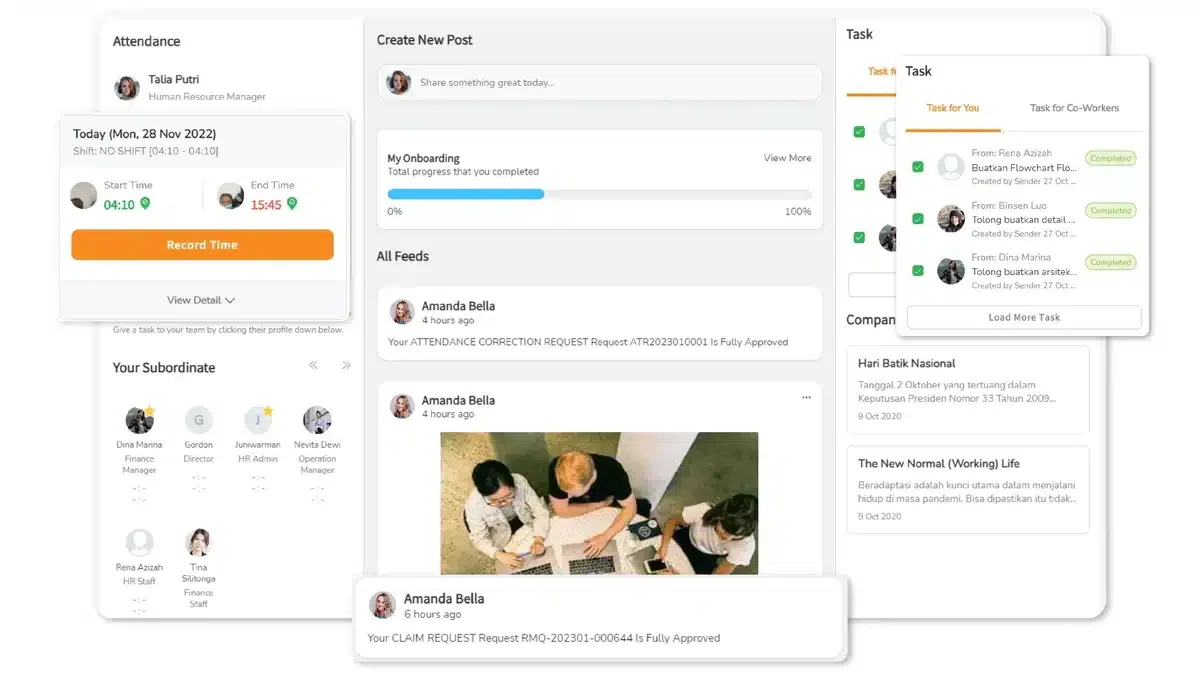
GreatDayHR is a comprehensive human resource management software designed to streamline HR processes and enhance employee engagement.
It offers a range of features, from attendance tracking and payroll management to performance appraisals and employee self-service portals. GreatDayHR aims to simplify HR operations and foster a more productive and efficient work environment.
Key features:
- Attendance tracking: Real-time attendance monitoring with geolocation and facial recognition capabilities.
- Payroll management: Automated payroll processing with tax calculations and compliance with local regulations.
- Employee self-service: Allows employees to manage their own profiles, leave requests, and access payslips.
- Performance appraisals: Comprehensive tools for conducting performance reviews and setting employee goals.
- Leave management: Streamlined leave application and approval process with customizable leave policies.
- Document management: Secure storage and easy access to important HR documents and employee records.
| Pros | Cons |
|
|
13. Sprout Solutions
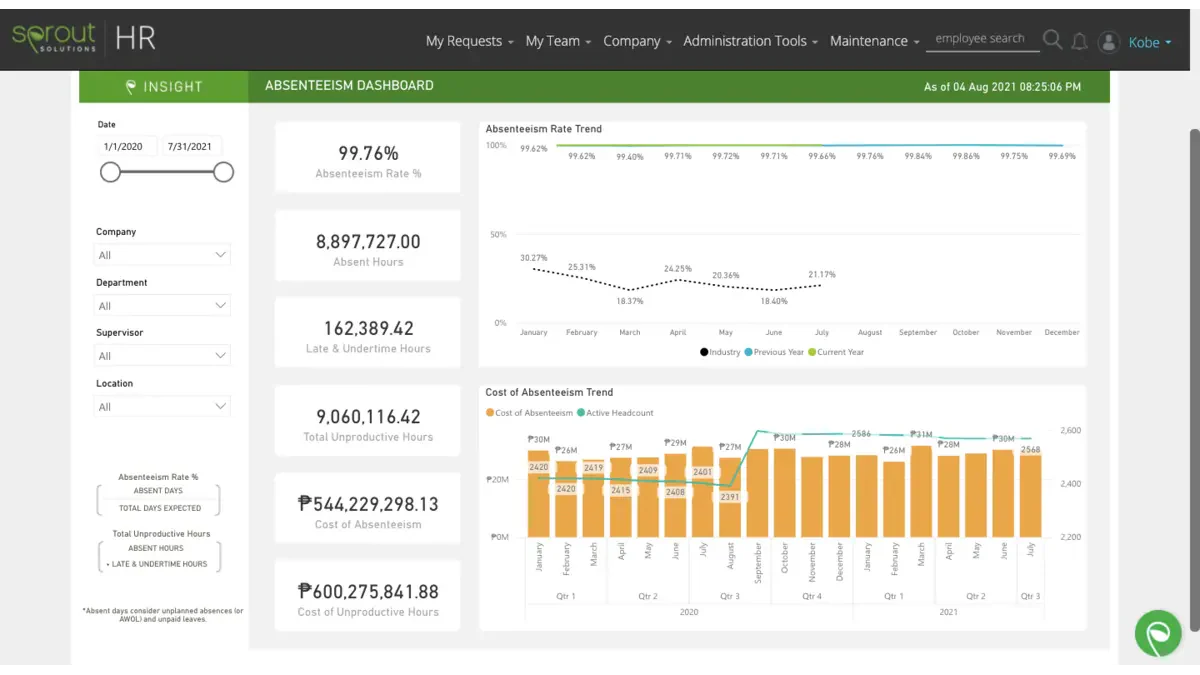
Sprout Solutions offers comprehensive resource management software designed to streamline businesses’ HR and payroll processes. This cloud-based platform integrates various HR functions, providing tools for employee management, attendance tracking, payroll automation, and compliance.
This resource management software is tailored to meet the needs of businesses , ensuring compliance with local labor laws and regulations. It’s especially valuable for Malaysian companies looking to automate and centralise their human resource management software functions.
Key features:
- Employee management: Centralized database for managing employee records, performance reviews, and onboarding processes.
- Attendance tracking: Automated time and attendance monitoring with biometric integration and mobile check-ins.
- Payroll automation: Streamlined payroll processing with automated calculations for taxes, deductions, and compliance.
- Leave management: Efficient leave request and approval system with real-time tracking of leave balances.
- Employee self-service: Employee portal for accessing payslips, applying for leave, and updating personal information.
| Pros | Cons |
|
|
14. miHCM
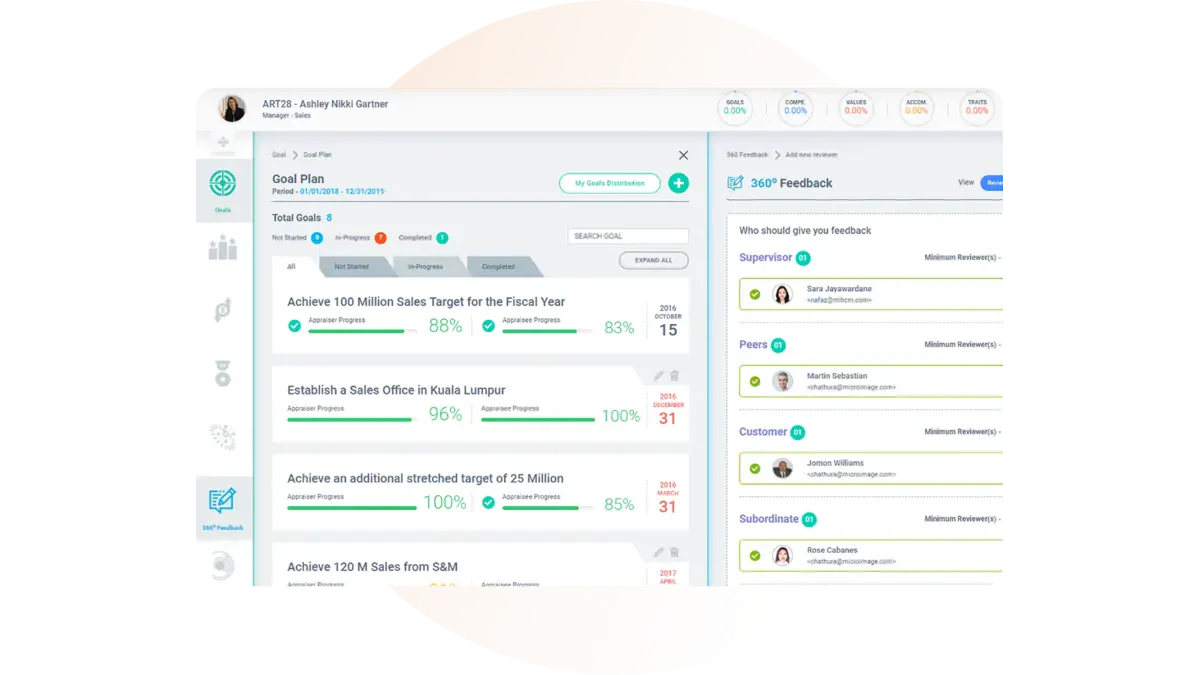
miHCM is comprehensive resource management software designed to streamline HR processes and improve workforce efficiency.
It offers a suite of tools to manage employee information, track performance, and automate administrative tasks, making it ideal for organizations looking to enhance their HR capabilities.
Key features:
- Employee information management: Centralized database for all employee records, ensuring easy access and management.
- Performance tracking: Tools to monitor and evaluate employee performance with customizable KPIs.
- Leave management: Automated leave request and approval process, integrated with attendance tracking.
- Payroll processing: Accurate and efficient payroll management, including tax calculations and compliance.
- Recruitment automation: End-to-end recruitment process automation, from job postings to onboarding.
- Analytics and reporting: Advanced analytics and reporting capabilities to gain insights into workforce trends and performance.
| Pros | Cons |
|
|
15. Finn
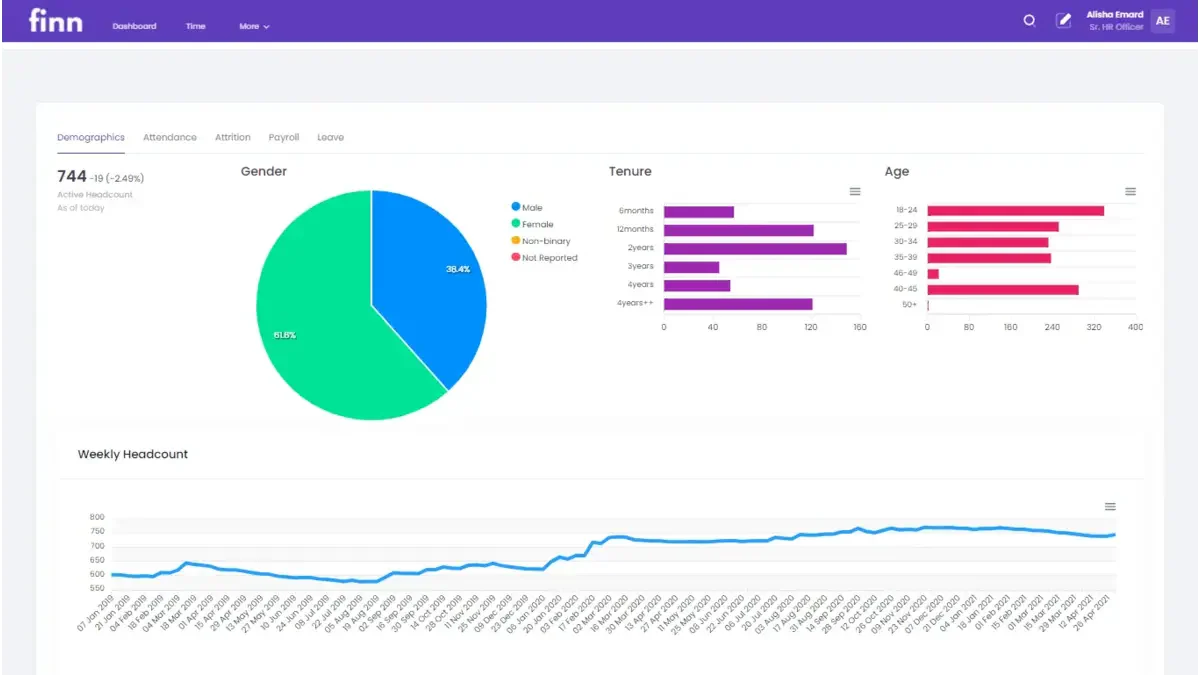
Finn is a flexible resource management software designed to help businesses improve how they allocate and use their resources. With its intuitive interface and robust analytics, Finn supports more accurate planning and smoother execution of complex projects.
This solution caters to a range of industries, such as IT, marketing, and construction, making it a smart choice for Malaysian teams seeking to boost operational efficiency through reliable human resource management software.
Key features:
- Real-time resource tracking: Monitor resource availability and utilization in real time to ensure optimal allocation.
- Advanced scheduling: Create and manage detailed schedules for projects, tasks, and resources to meet deadlines effectively.
- Capacity planning: Analyze resource capacity and demand to balance workloads and prevent over or underutilization.
- Reporting and analytics: Generate comprehensive reports and gain insights into resource performance, utilization, and project progress.
- Integration capabilities: Seamlessly integrate with popular project management and collaboration tools to enhance workflow efficiency.
- Customizable dashboards: Personalize dashboards to display critical metrics and information relevant to specific roles and projects.
| Pros | Cons |
|
|
16. Deel
Deel is a comprehensive resource management software designed to simplify the complexities of hiring, managing, and paying a global workforce.
It enables businesses to streamline their operations by offering solutions for compliance, payroll, and contract management, ensuring adherence to local regulations. Deel is particularly valuable for companies looking to scale their international teams efficiently and securely.
Key features:
- Global payroll: Seamlessly manage payroll for employees and contractors in over 150 countries, with built-in compliance.
- Contractor management: Easily create, send, and manage contracts for international contractors with localized templates.
- Compliance automation: Automated compliance with local laws and regulations, reducing the risk of legal issues.
- Employee benefits: Offer a variety of benefits packages tailored to each country, enhancing employee satisfaction and retention.
- Onboarding: Simplified onboarding process for new hires, including document verification and e-signature capabilities.
- Tax management: Integrated tax management tools to handle diverse tax requirements globally.
| Pros | Cons |
|
|
Overall Comparison of Resource Management Software
| Provider | Employee Utilization | Project Scheduling | Budget Management | Local MY Compliance |
|---|---|---|---|---|
| HashMicro | ||||
| Resource Guru | ||||
| Float.com | ||||
| Wrike | ||||
| Paymo |
How to Choose The Right Resource Management Software for Your Business
Finding the right resource management software for your business in Malaysia may seem overwhelming at first, but choosing the right solution is key to improving efficiency and long-term growth.
Here are some practical tips to guide your decision:
- Assess your business size and needs
Smaller companies may only need core features like task assignment or employee scheduling. Larger enterprises, on the other hand, often require more advanced tools such as compliance tracking and full enterprise resource management software capabilities. - Prioritise user-friendliness
Choose software with an intuitive interface. Your team should be able to use it without intensive training. The easier it is to adopt, the quicker you’ll see improvements in productivity. - Evaluate customer support quality
Reliable support is essential, especially when onboarding or resolving technical issues. Make sure help is accessible when you need it most. - Ensure compliance with Malaysian regulations
Your software should help you stay aligned with local labour laws, payroll rules, and statutory contributions to avoid unnecessary penalties. - Check integration capabilities
Choose a system that connects well with your existing tools like accounting platforms or communication apps. Strong integration means smoother workflows. - Compare pricing and value
Review the features included at each pricing tier. Look for plans that match your budget without compromising on essentials.
By keeping these factors in mind, you’ll be better equipped to select a resource planning software solution that fits your operations and supports your business goals.
Which Payroll Software Suits Your Business Most?
Choosing the right resource management software depends on how well it supports your team structure, project complexity, and daily operations, not just its feature list or cost. This matrix gives you a clearer view to match the best tool to your business needs.
| Business Scenario | Recommended Software | Why It Fits |
|---|---|---|
Large enterprises needing end-to-end resource and workforce management |
HashMicro or Kantata | Offer comprehensive ERP-level resource planning, automation, and scalability for complex operations. |
Agencies and service-based teams managing multiple projects |
Float or Runn | Provide visual scheduling, real-time tracking, and forecasting to optimize team utilization. |
Companies requiring advanced project and resource tracking |
Wrike or ProjectManager | Deliver robust dashboards, Gantt charts, and analytics for full project visibility and control. |
SMEs looking for all-in-one business and resource management |
Scoro or Paymo | Combine project management, time tracking, invoicing, and resource planning in one platform. |
Businesses focusing on resource forecasting and optimization |
Saviom or Finn | Offer advanced capacity planning, forecasting, and detailed analytics for better decision-making. |
Organizations needing HR-integrated resource management |
PeopleHum or GreatDayHR | Integrate HR functions like performance, attendance, and payroll with resource planning. |
Companies prioritizing employee lifecycle and HR automation |
miHCM or Sprout Solutions | Provide end-to-end HR management with resource allocation and workforce planning features. |
Remote teams needing cloud-based collaboration and tracking |
ProjectManager or Wrike | Enable real-time collaboration, task tracking, and remote accessibility. |
Startups needing simple and scalable resource tools |
Paymo or Resource Guru | Easy-to-use platforms with essential scheduling and resource tracking features. |
Businesses managing global teams and compliance |
Deel | Supports global payroll, compliance, and contractor management across multiple countries. |
Companies needing simple visual resource scheduling |
Resource Guru or Float | Offer intuitive drag-and-drop scheduling with real-time availability insights. |
Mid-sized businesses scaling resource planning processes |
Kantata or Scoro | Provide structured workflows, reporting, and scalability for growing teams. |
Creative teams requiring time tracking and billing integration |
Paymo or Scoro | Enable accurate billing with integrated time tracking and invoicing features. |
Data-driven organizations needing resource analytics |
Saviom or Runn | Deliver detailed reporting and insights into utilization and performance. |
Businesses transitioning from manual to digital resource planning |
Resource Guru or Paymo | User-friendly tools that simplify scheduling and tracking adoption. |
Companies needing flexible and customizable dashboards |
Wrike or Finn | Offer customizable views and dashboards tailored to different project needs. |
Conclusion
Managing your company’s resources efficiently is crucial for staying competitive in today’s business environment. The right resource management software can simplify everything from task scheduling to payroll, giving you more control and clarity over your operations.
Our list of top resource management software in Malaysia provides you with the best choices tailored to your business needs. Among these, HashMicro Resource Management Software stands out for its comprehensive features, user-friendly interface, and customizable options.
To see how HashMicro can benefit your business, access their free demo today and explore the features without any commitment. This hands-on experience will help you make an informed decision and understand why HashMicro is a top choice for businesses in Malaysia.

FAQ About Resource Management Software
What is the difference between ERP and EPM software?
ERP software handles daily operations like HR, finance, and inventory. EPM is focused on planning, budgeting, and performance analysis. ERP manages execution, while EPM supports strategic decisions.
Why use resource management software instead of spreadsheets?
Spreadsheets lack automation and real-time updates. Resource management software reduces manual errors and boosts collaboration. It’s more efficient for tracking resources and project timelines.
Can resource management software handle payroll and compliance?
Yes, many solutions offer payroll and compliance tools. They automate calculations and help follow Malaysian labour laws. This reduces errors and saves valuable admin time.
How does resource planning software help with project management?
It improves scheduling, prevents overbooking, and tracks team workload. You get better control over deadlines and task assignments. This leads to smoother project delivery.
What should I look for when choosing enterprise resource management software?
Focus on ease of use, local compliance, and key features like time tracking. Integration with existing tools also matters. Make sure the pricing fits your budget.