















Managing receivables has never been more critical for Malaysian businesses. Late payments, manual invoicing, and cash-flow blind spots continue to affect profitability, especially for SMEs and fast-growing enterprises. As digital transformation accelerates, more companies are turning to accounts receivable automation software to improve collection processes, strengthen financial oversight, and reduce reporting errors.
The digital accounting tools market in Malaysia is projected to grow at a compound annual growth rate (CAGR) of 19.6% by 2030, reflecting the increasing need for efficient financial management solutions. Choosing the right software can streamline invoicing, reduce errors, and improve cash flow.
In this article, we’ll explore the top 20 accounts receivable automation software in Malaysia, helping you find the best solution for your business. Some options, including HashMicro, even provide a free demo so you can evaluate the system before making a decision. Stay with us until the end to discover which platform suits your needs best!
Key Takeaways
Accounts receivable software is a digital solution designed to help businesses manage outstanding invoices, track payments, and streamline the collection process.
Effective accounts receivable management faces challenges like delayed payments, manual tracking errors, high DSO, invoice mistakes, and poor communication, all of which can negatively impact cash flow and business growth.
The benefits of account receivable software, includes : Simplified Invoice, Secure Payment Options, Accurate revenue Recognition, Centralized Credit Control
If you want better control over reporting, cash flow, and transaction tracking, accounting software can make daily financial management much easier.
What is Accounts Receivable Software?
Accounts receivable software is a digital solution designed to help businesses manage outstanding invoices, track payments, and streamline the collection process. By automating tasks such as invoice generation, payment reminders, and reconciliation, this software reduces manual errors and improves cash flow control and planning.
It provides real-time insights into customer payments, helping businesses maintain better financial control. Whether for small businesses or large enterprises, accounts receivable software plays a crucial role in ensuring timely payments and optimizing overall financial management.
Hashy AI Fact

Need to know!
Hashy AI automates invoice creation, tracks overdue payments, and sends payment reminders via chatbox, speeding up collections and improving cash flow.
Request a free demo today!
What are the key benefits of accounts receivable?
Implementing accounts receivable software brings greater control, accuracy, and flexibility to your financial operations. Here are some of its key benefits:
- Simplified Invoice and Statement Management: Easily create, customize, and send invoices or statements in various formats such as PDF or HTML. This improves billing accuracy and ensures customers receive clear, professional documents on time.
- Flexible and Secure Payment Options: Accept credit card payments safely with built-in PCI-compliant processing. The system also supports refunds, transaction tracking, and real-time notifications for expiring cards — helping you maintain smooth cash flow.
- Accurate revenue Recognition: Deferred revenue or subscription billing is easier to manage when accounting entries are created automatically. Clear records and audit trails provide a more accurate financial picture without extra spreadsheets.
- Centralized Credit Control: Multi branch or franchise businesses can consolidate receivables into a single dashboard. Credit limits, customer histories, and aging balances are easier to monitor, reducing bad debts and improving collection decisions.
20 Best Accounts Receivable Automation Software
Here are 20 recommended accounting software solutions for businesses and a comparison of their features, functions, and benefits.
- HashMicro: Simplifies invoice processing and customer communication.
- Sage Intacct: automates billing and payment tracking for faster, accurate collections.
- NetSuite: Automates essential tasks such as invoicing, payment tracking.
- SAP: Powerful analytics capabilities provide in-depth insights.
- Zoho: Helps businesses track invoices and manage customer accounts.
- Xero: Integrates with Xero’s system, ensuring efficient data flow.
- Square: Simplifies the management of outstanding payments.
- FreshBooks: Smooth automation to keep financial records accurate.
- Centime: Help businesses streamline their invoice management.
- Invoice2go: Sends automated reminders to reduce late payments.
- HighRadius: Advanced reporting and analytics for better insights.
- Billtrust: Automates key tasks such as invoicing and cash application.
- BlackLine: Automates invoicing, payment tracking, and collections.
- BILL AP/AR: Generates invoices from sales data and tracks payments.
- Invoiced: Automates invoicing and customer communication.
- Versapay: Helps receive timely payments and resolve disputes quickly.
- Tesorio: Automates reporting and reduces reliance on manual processes.
- Gaviti: Smoothly integrates with existing ERP and accounting systems.
- Hiver: Provides real-time data updates, reducing manual work.
- BlueSnap: Ensures real-time transaction recording with high accuracy.
1. HashMicro accounts receivable automation software
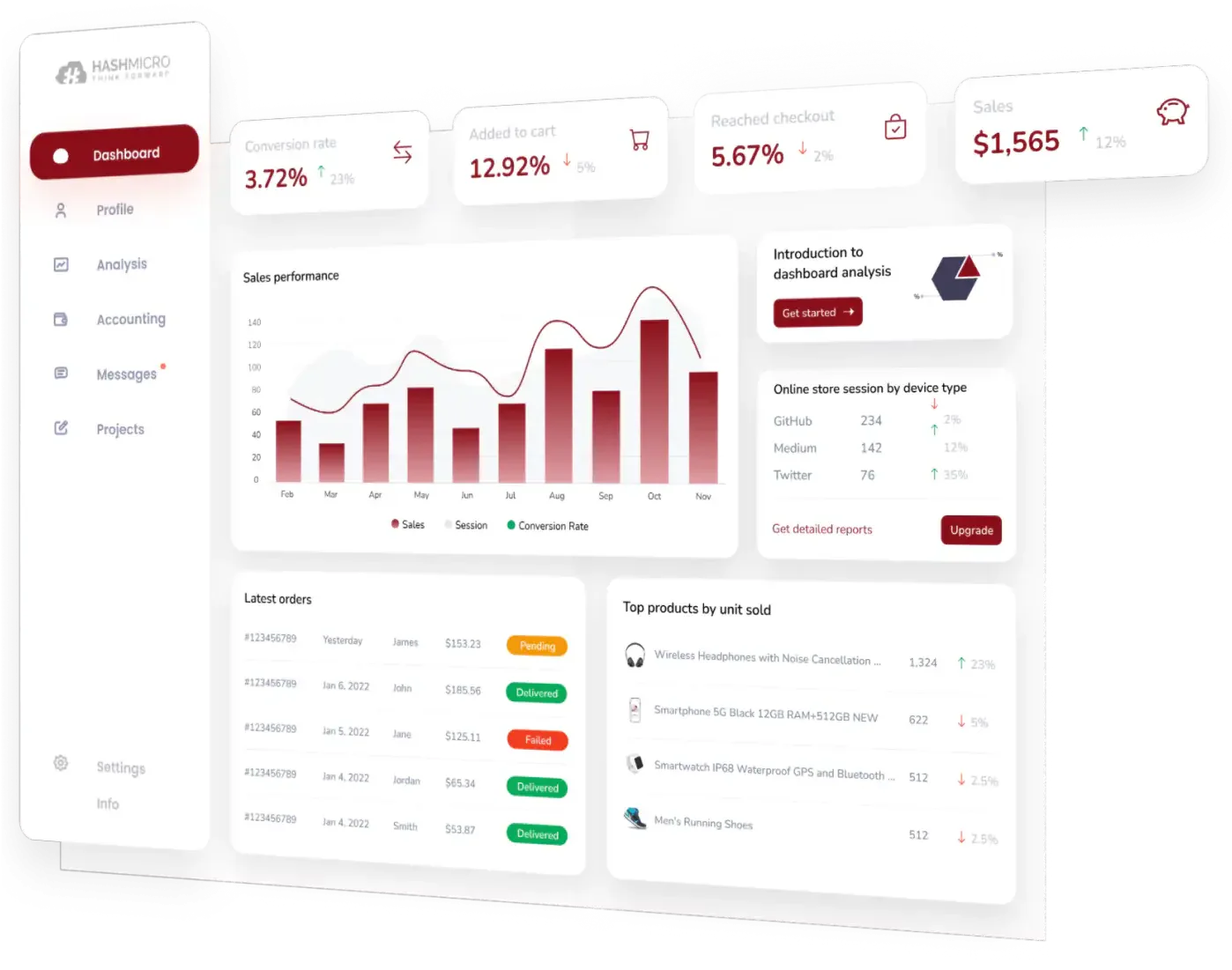
HashMicro’s accounting system is a great solution designed to automate receivables management. It simplifies invoice processing, payment tracking, and customer communication through advanced automation features.
To help businesses better understand its capabilities, HashMicro offers a free product tour and consultation with its expert team, providing insights into how the software works and how it can be tailored to specific business needs.
With well-known clients across various industries, HashMicro has established itself as a trusted solution for businesses seeking reliable financial management tools, making it a strong choice for improving accounts receivable processes.
Key Feature:
- Bank integration & automatic reconciliation: The software smoothly connects to bank accounts, automatically matching incoming payments with outstanding invoices to ensure accurate allocation to the correct accounts receivable records.
- Budget forecasting: By analyzing historical receivables data, this tool predicts future cash inflows, providing businesses with a clearer view of expected payments and assisting in planning for upcoming expenses and investments.
- Financial ratio analysis: Calculates key financial metrics, such as the accounts receivable turnover ratio, to help businesses identify customer payment patterns and pinpoint areas that may require improved collection strategies.
- Custom invoice templates: Enables businesses to design invoices that align with branding and regulatory requirements, improving clarity and professionalism, which can encourage faster customer payments.
- Three-way matching: Ensures that invoices, received goods, and purchase orders align before processing payments, reducing the risk of overpayments, undelivered goods, and fraudulent transactions.
- Cash flow Reporting: Tracks cash inflows from receivables, helping businesses manage the timing of incoming payments and adjust credit policies or collection strategies as needed.
| Pros | Cons |
|
|
Best for medium to large businesses that want integrated AR automation inside a full ERP environment, suitable for companies that prefer stronger financial visibility and a free demo before adopting.
To learn more about HashMicro Account Receiveble Software, click the banner below to view the detailed pricing scheme. Discover the affordable plans tailored to meet the needs of multiple businesses.
2. Sage Intacct
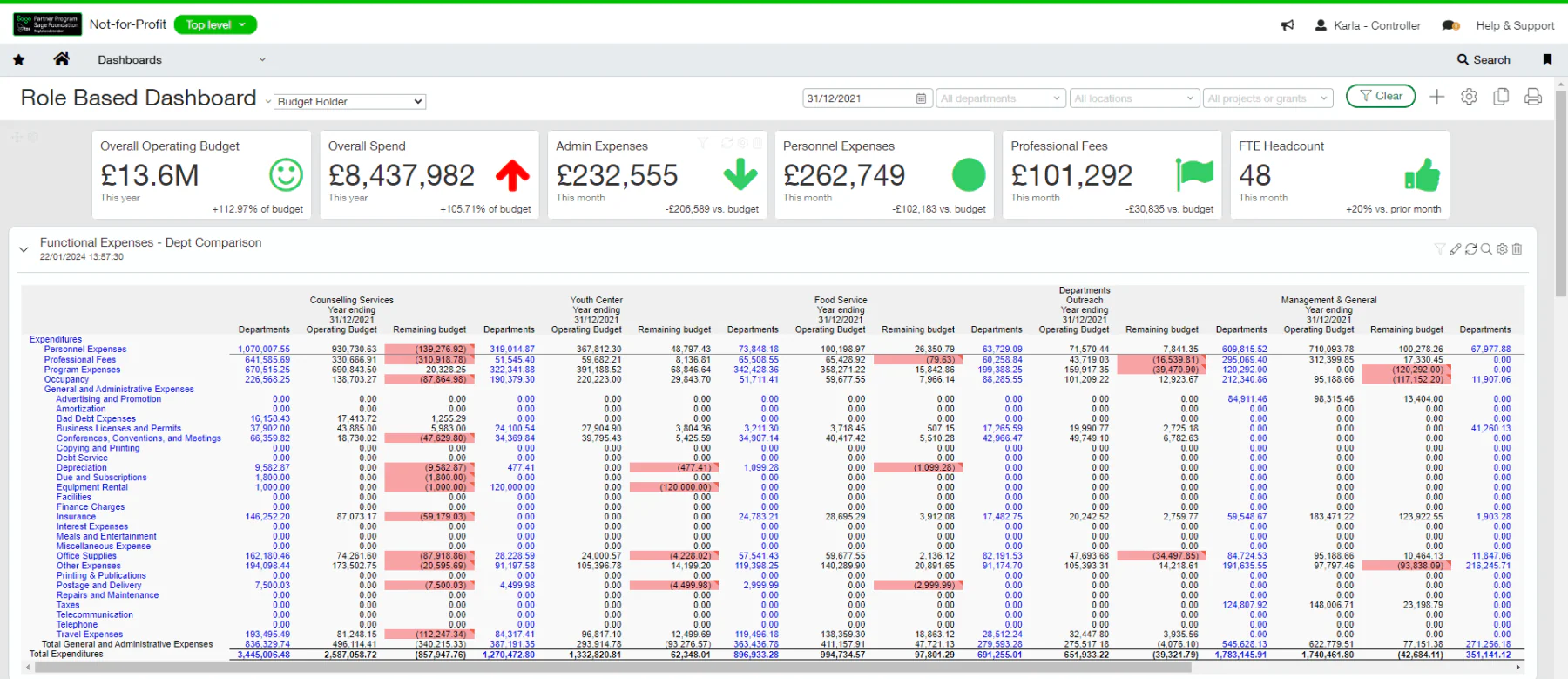
Sage Intacct provides a comprehensive solution to enhance the efficiency and accuracy of accounts receivable management. Consistently updating and synchronizing financial data helps businesses manage overdue payments.
The software supports various billing methods, including time-based and project-based invoicing, ensuring flexibility for different business needs. Additionally, it offers real-time visibility into payment statuses and customer account activity, while its automated dunning system streamlines the collection process for faster payments.
| Pros | Cons |
|
|
Best for finance-driven companies that need advanced AR automation, AI-assisted accounting, and strong multi-entity financial management.
3. NetSuite
NetSuite offers accounts receivable automation software that streamlines the AR process for businesses. This solution automates essential tasks such as invoice generation, payment tracking, and account reconciliation, reducing manual effort and improving efficiency.
Key features of NetSuite include an automated billing system for integrates invoice creation and delivery, advanced financial analytics for deeper insights, and credit management tools to set and monitor credit limits while evaluating customer creditworthiness.
| Pros | Cons |
|
|
Best for enterprises with complex operations and multi-department structures that want AR automation combined with ERP, CRM, and financial consolidation.
4. SAP S/4HANA accounts receivable software
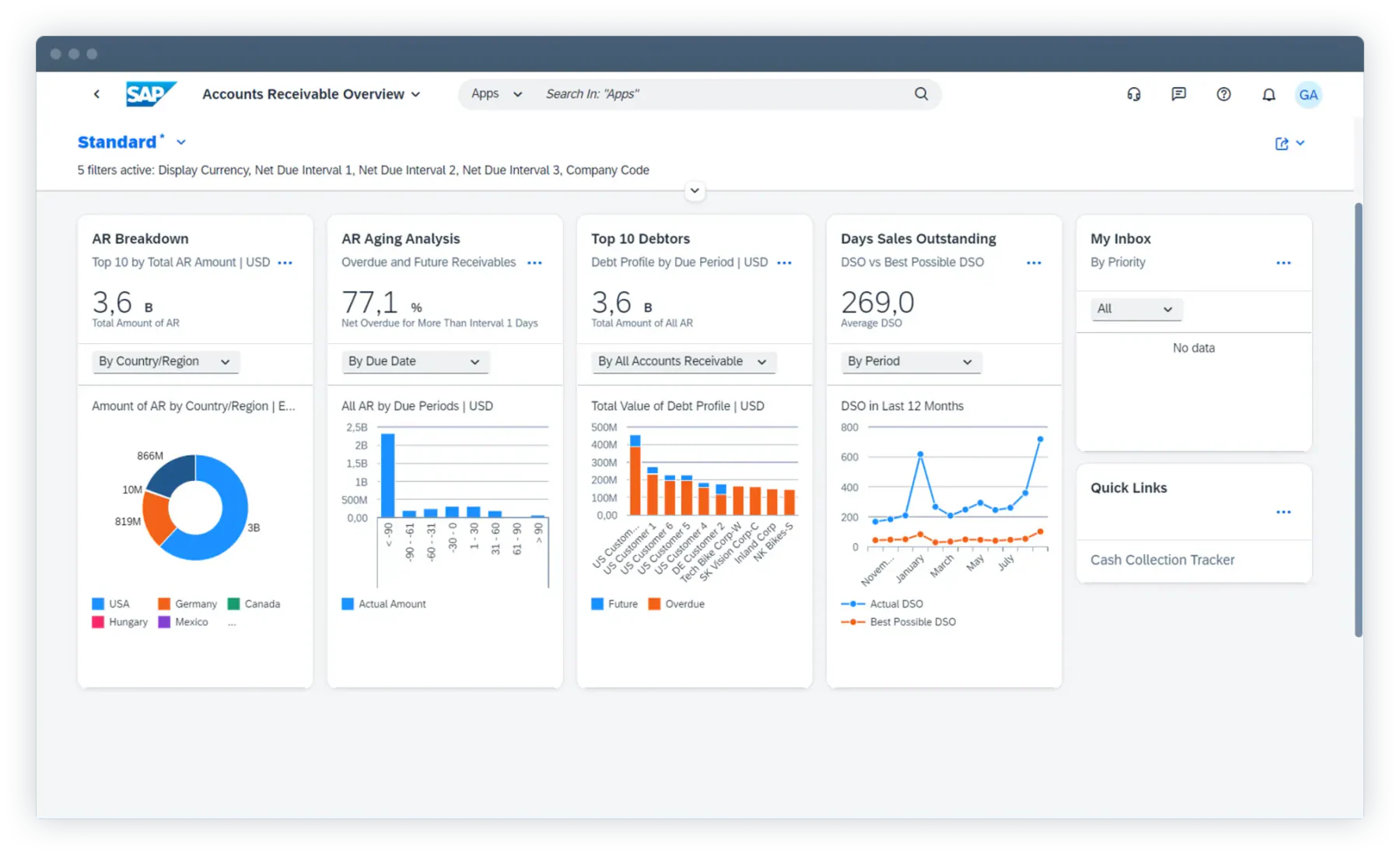
SAP S/4HANA offers accounts receivable automation software that simplifies financial processes like credit management, invoice generation, and payment reconciliation, reducing the need for manual work.
Its standout features include advanced credit management tools that evaluate customer credit risk in real time and adjust credit limits based on payment history and past data.
Additionally, its powerful analytics capabilities provide in-depth insights into accounts receivable activities, helping businesses make informed financial decisions.
| Pros | Cons |
|
|
Best for SMEs looking for simple AR automation, basic invoicing, and customer account tracking within a familiar cloud ecosystem.
5. Zoho Books accounting system
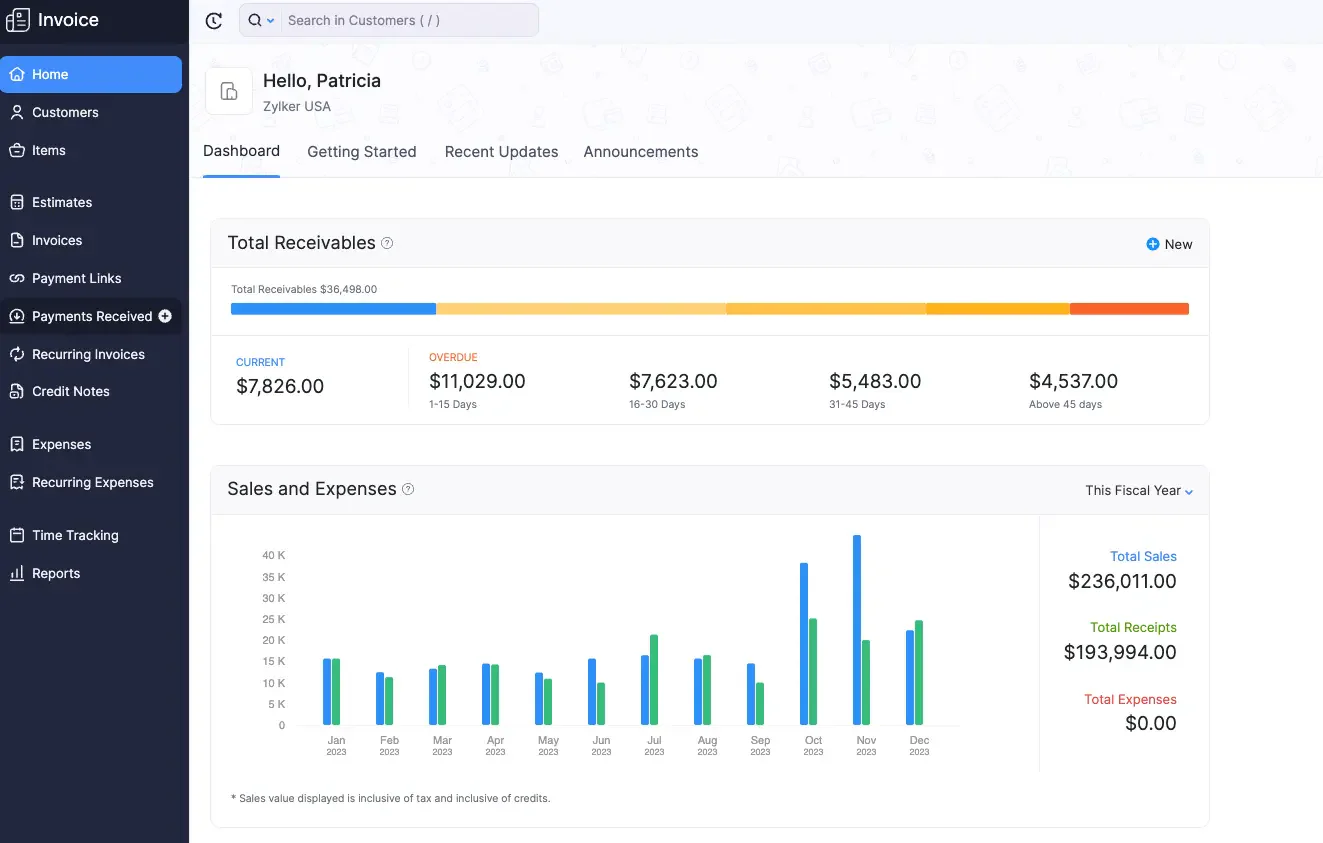
Zoho Books is an integral component of Zoho’s financial suite, designed to simplify and automate receivables management. This accounts receivable software helps businesses track invoices, process payments, and manage customer accounts more efficiently.
Key features include advanced analytics that provide real-time insights into accounts receivable, enabling businesses to monitor aging summaries and assess customer payment behaviors effectively.
| Pros | Cons |
|
|
Best for enterprises that need deep analytics, financial control, and AR automation with strong reporting for large, data-heavy operations.
6. Xero accounts receivable automation software
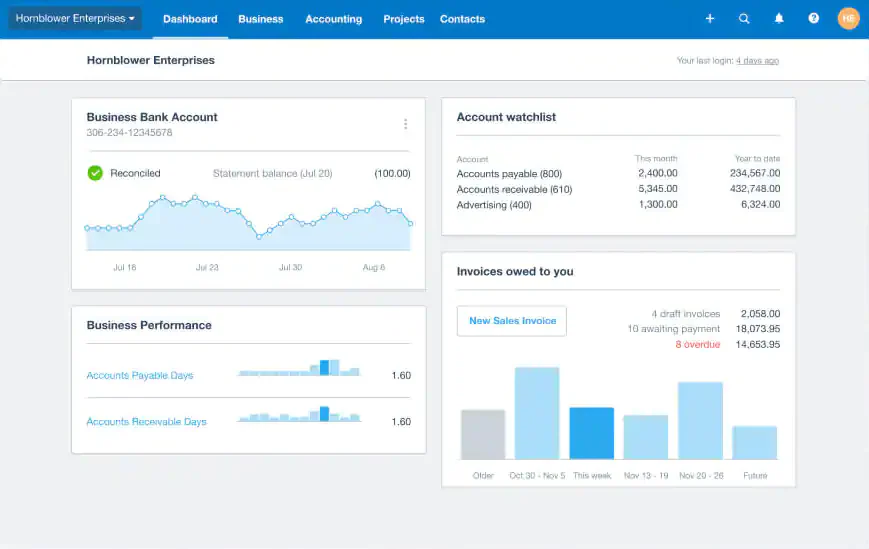
Xero’s Accounts Receivable Automation Software helps simplify invoice management and incoming payments. It smoothly integrates with Xero’s accounting system, ensuring efficient data flow between invoicing and financial reporting.
Key features include real-time invoice tracking, automated payment reminders, and support for multiple payment gateways, making transactions faster and more convenient for customers.
Integrating accounts payable tools alongside accounts receivable automation can further improve cash flow management and operational efficiency for businesses looking to enhance their financial processes.
| Pros | Cons |
|
|
Best for small to medium businesses that want cloud-based AR and accounting automation with smooth integrations, ideal for simple billing and reconciliation.
7. Square Invoices
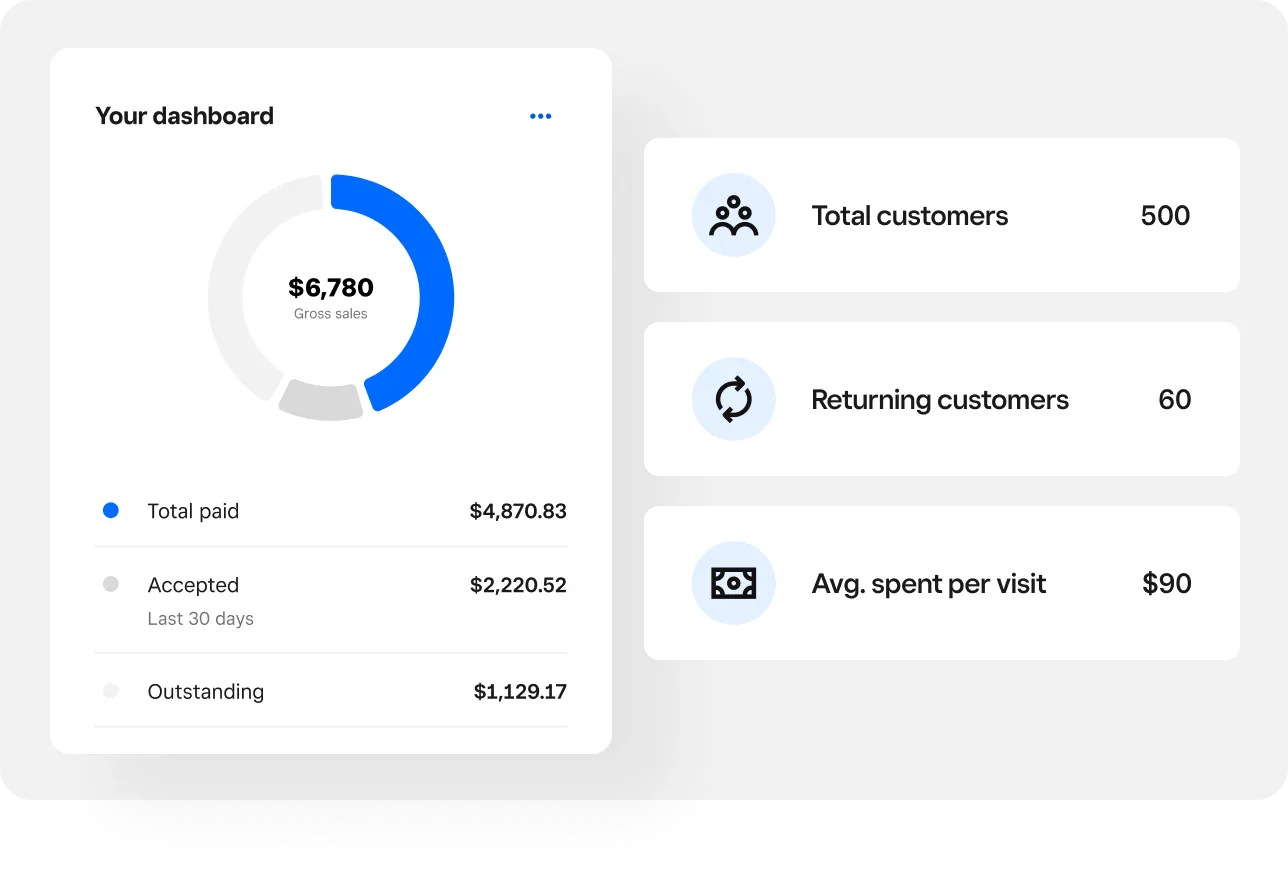
Square Invoices offers an accounts receivable automation solution that simplifies the management of businesses’ outstanding payments. This software allows users to easily create, send, and track invoices from their devices or through the Square app.
Key features include customizable invoice templates, automated payment reminders, real-time status tracking, seamless mobile integration for invoicing on the go, secure payment processing, and comprehensive reporting and analytics to help businesses stay on top of their finances.
| Pros | Cons |
|
|
Best for retail and service businesses that need easy management of outstanding payments and faster collections at the POS level.
8. FreshBooks accounting system
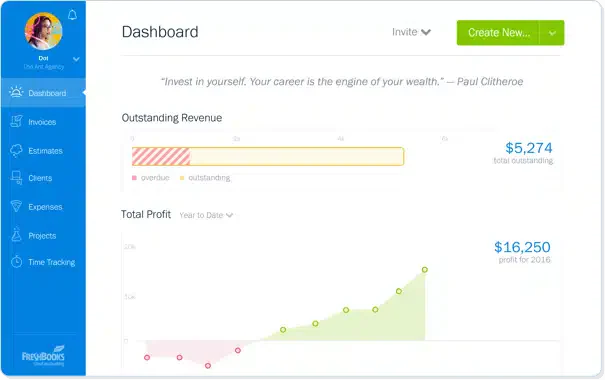
FreshBooks is recognized as one of the top accounting software solutions, offering continous automation to keep financial records accurate and up to date. It automatically updates account balances as payments are received, ensuring better tracking and follow-ups.
When it comes to accounts receivable automation software, FreshBooks stands out for its reliability and efficiency. Its key features include automated invoicing, payment reminders, online payment integration, expense and time tracking, detailed financial reporting, multi-currency support, and client management tools.
Designed to simplify financial tasks, FreshBooks helps businesses of all sizes manage their finances more effectively.
| Pros | Cons |
|
|
Best for freelancers and SMEs that prefer simple AR automation and accurate financial record-keeping in a user-friendly interface.
9. Centime accounts receivable automation software
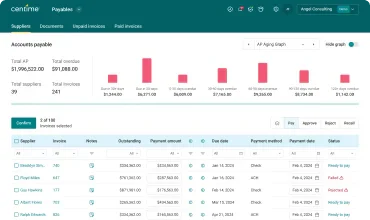
Centime’s accounts receivable automation software is designed to help businesses streamline their invoice management and improve cash flow. It offers automated invoicing, real-time payment tracking, and intelligent reminders to reduce late payments.
With seamless integrations and detailed financial insights, Centime helps businesses manage receivables efficiently and maintain healthy financial operations.
| Pros | Cons |
|
|
Best for businesses focusing on smarter invoice management and cash-flow automation without needing a full ERP stack.
10. Invoice2go accounts receivable automation software
Invoice2go’s accounts receivable automation software stands out by helping businesses manage their receivables more efficiently. It streamlines invoicing, tracks payments in real time, and sends automated reminders to reduce late payments.
The software also updates accounts receivable records automatically, ensuring accuracy and improving overall financial management.
| Pros | Cons |
|
|
Best for small companies or contractors that want fast mobile invoicing with automated reminders to reduce late payments.
11. HighRadius
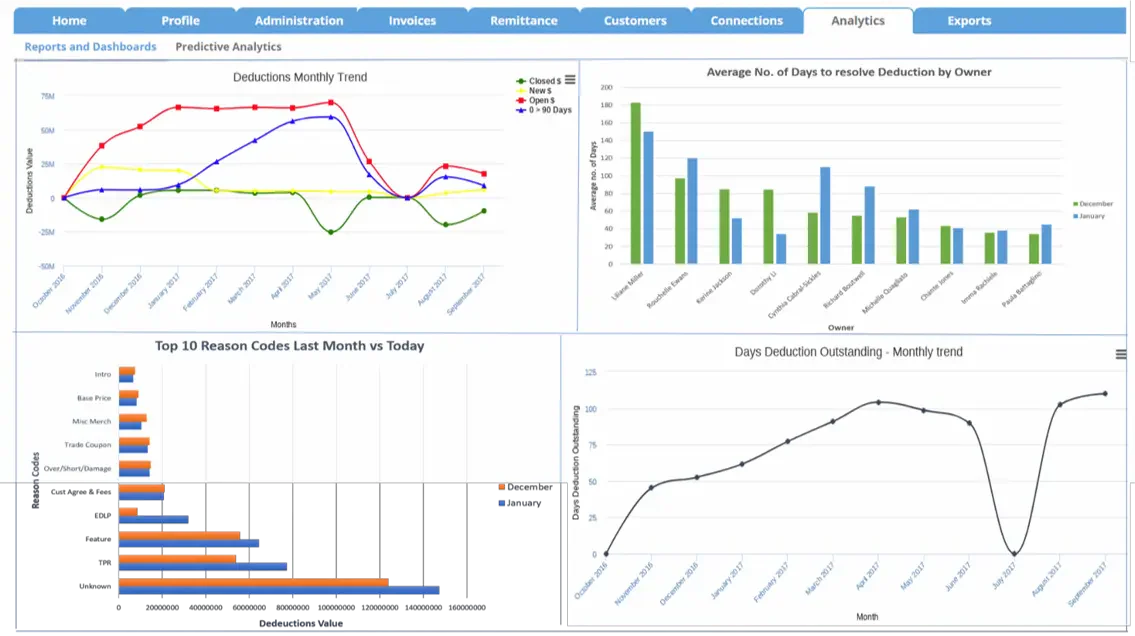
HighRadius offers accounts receivable automation software designed to simplify and improve how businesses manage their receivables. By reducing manual tasks and minimizing errors, the software helps increase efficiency in financial operations.
Its key features include automated invoice processing, payment reconciliation, credit and collections management, cash application, and dispute resolution. Additionally, it provides advanced reporting and analytics to give businesses better insights into their receivables and overall financial performance.
| Pros | Cons |
|
|
Best for enterprises that prioritize advanced AR analytics, reporting, and automation to improve working capital performance.
12. Billtrust
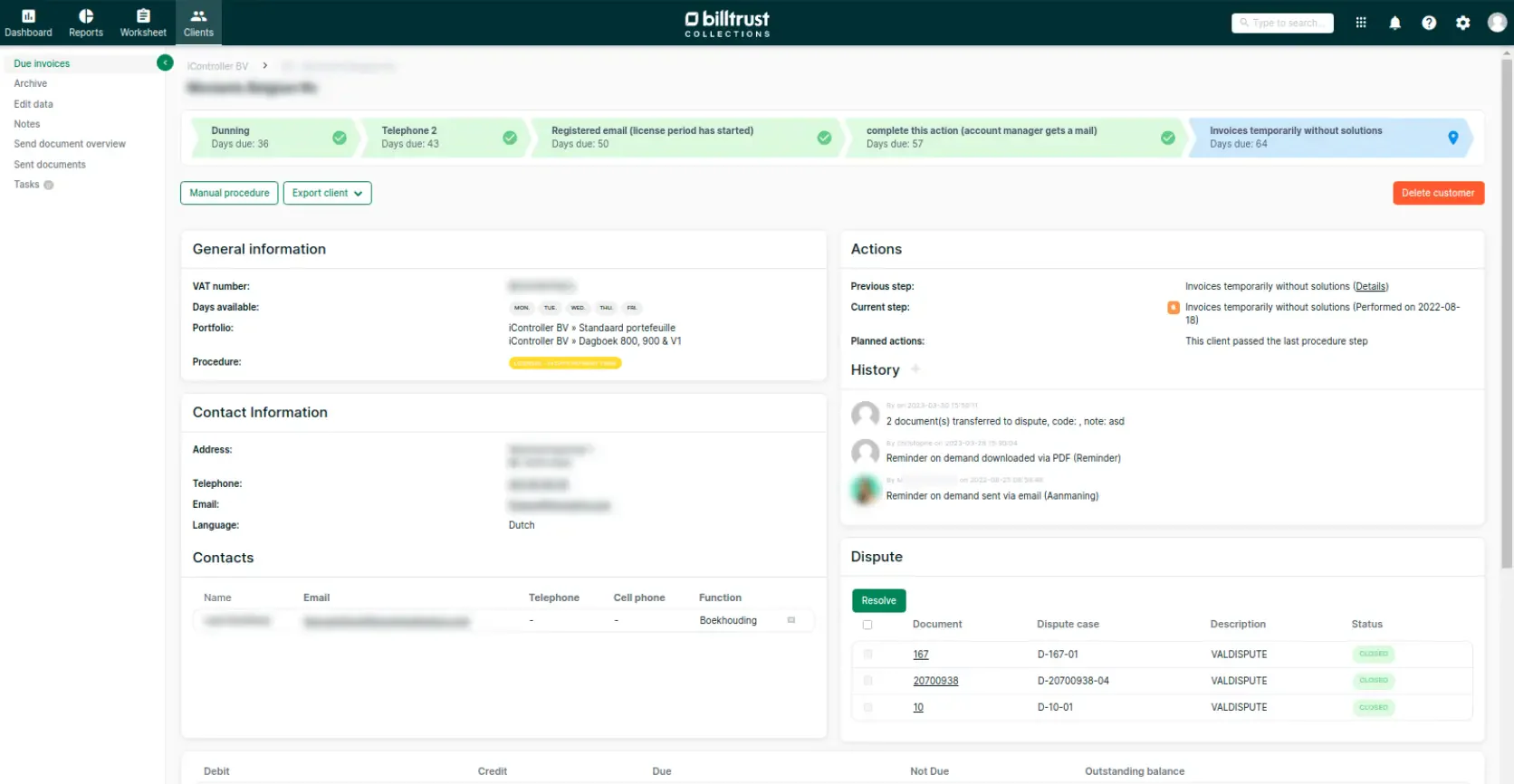
Billtrust’s accounts receivable automation software is designed to streamline the receivables process, reducing manual work and improving efficiency. It automates key tasks such as invoicing, payment processing, and cash application, helping businesses manage their finances more effectively.
Notable features include automated invoicing, secure electronic payment processing, customer portals for easy access, detailed analytics and reporting, an automated cash application, and credit management tools, all of which aim to optimize financial workflows.
| Pros | Cons |
|
|
Best for: large organizations that want end-to-end AR automation including invoicing, cash application, and streamlined collections.
13. BlackLine accounting system
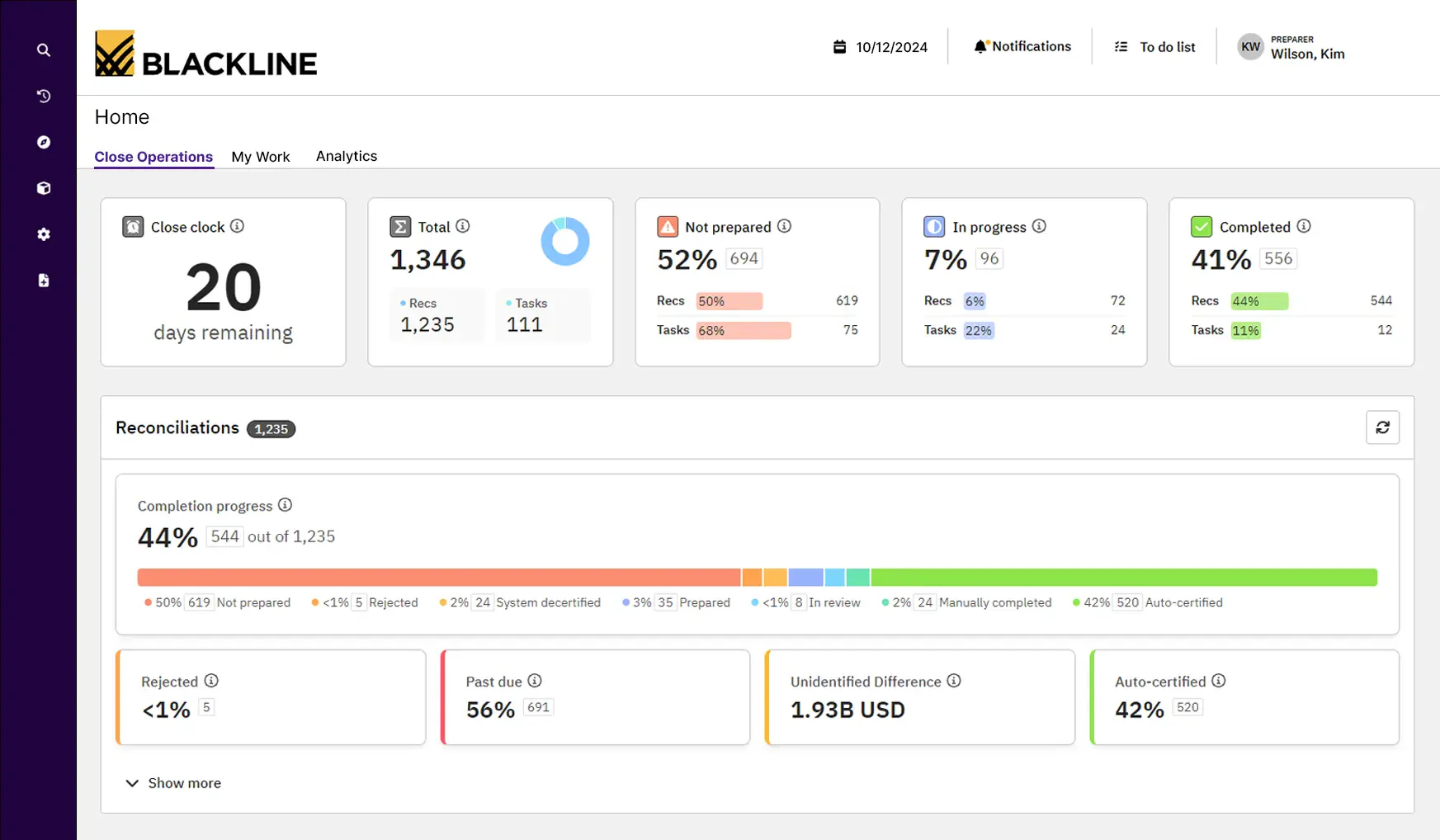
BlackLine’s accounts receivable automation software simplifies receivables management by integrating with existing financial systems. It automates invoicing, payment tracking, and collections to improve efficiency and reduce manual workload.
Key features include automated invoice processing, real-time payment tracking, dispute resolution, credit risk assessment, and comprehensive reporting and analytics. These tools help businesses maintain accuracy, improve cash flow, and keep financial records up to date.
| Pros | Cons |
|
|
Best for enterprises looking to automate AR, payment tracking, and collections while improving accuracy and workflow compliance.
14. BILL AP/AR accounting software
BILL AP/AR is designed to simplify and optimize accounts receivable management for businesses. It automatically generates invoices from sales data, delivers them to customers, and tracks their status until payment is received.
Key features include automated payment reminders, integrated payment processing, real-time tracking and reporting, and customizable invoice templates. These tools help businesses improve accuracy, streamline operations, and enhance efficiency in managing receivables.
| Pros | Cons |
|
|
Best for businesses that want AR automation directly tied to sales data with real-time invoice generation and payment tracking.
15. Invoiced accounts receivable automation software
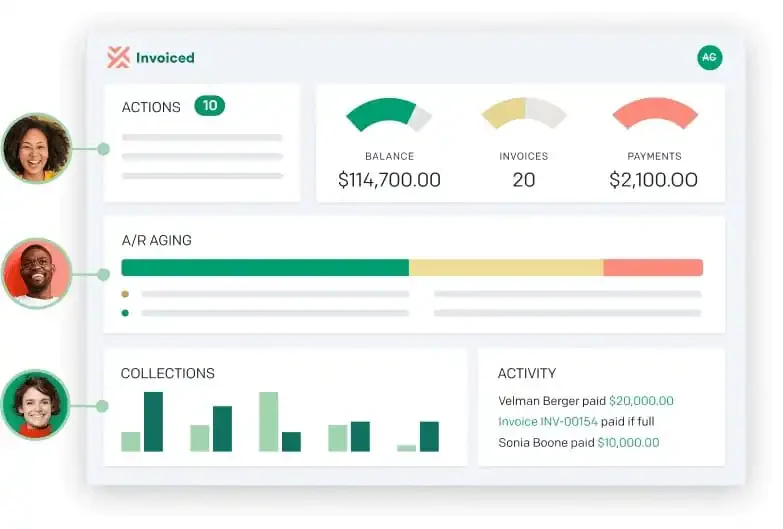
Invoiced is a great accounts receivable system that automates key tasks such as invoice creation, payment tracking, and customer communication. Synchronizing all financial data helps reduce errors and improve overall efficiency.
Key features include automated invoice generation, payment reminders, online payment processing, customer portals for easy access, and comprehensive reporting and analytics. These tools enable businesses to streamline financial processes and manage receivables more effectively.
| Pros | Cons |
|
|
Best for SMEs that need automated invoicing and smoother customer communication without heavy system complexity.
16. Versapay accounting system
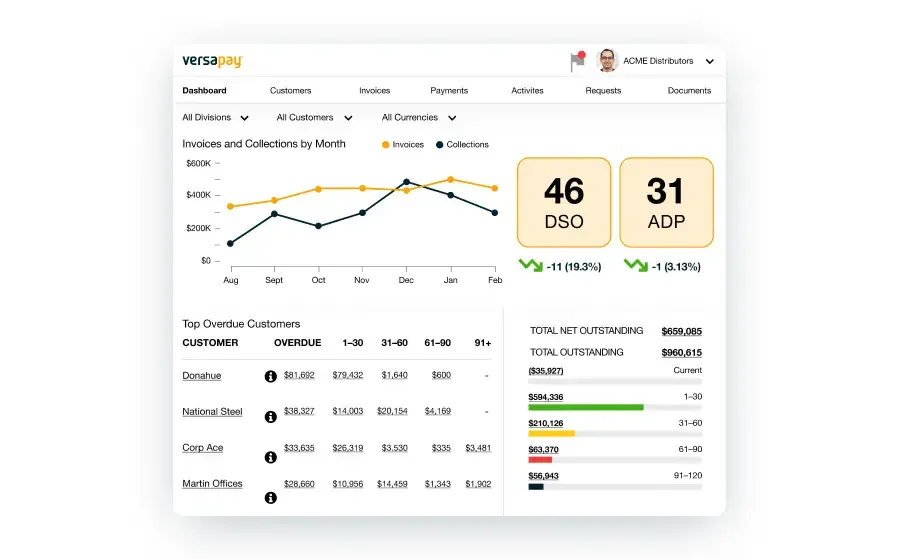
Versapay’s accounts receivable automation software streamlines various aspects of receivables management, including invoicing, payment processing, and reconciliation. It facilitates real-time collaboration, helping businesses receive timely payments and resolve disputes quickly.
Key features include automated invoice distribution, real-time payment tracking, an integrated customer portal, automated reconciliation, and advanced analytics and reporting. These tools enhance efficiency, optimize cash flow, and reduce manual workload.
| Pros | Cons |
|
|
Best for companies that prioritize timely payments, collaborative AR workflows, and faster dispute resolution between teams and customers.
17. Tesorio accounting system
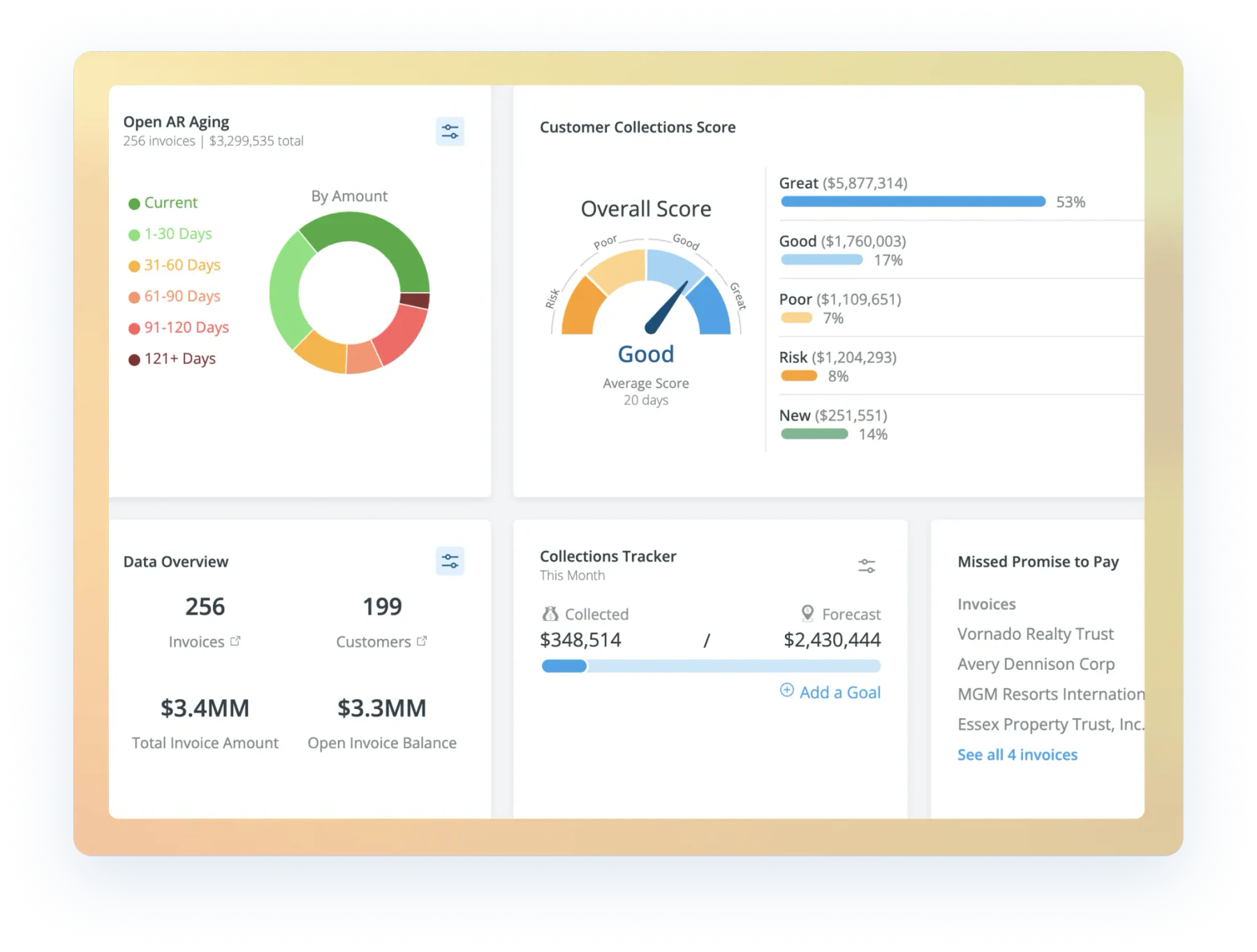
Tesorio is a leading accounts receivable automation software designed to simplify and enhance receivables management. It automates tracking, collections, and reporting, reducing reliance on manual processes.
Key features include automated invoice reminders, real-time payment tracking, cash flow forecasting, advanced analytics, seamless integration with existing financial systems, and customizable reporting options. These tools help businesses improve efficiency and maintain better control over their receivables.
| Pros | Cons |
|
|
Best for finance teams that want automated AR reporting and reduced manual processing in order to improve visibility and planning.
18. Gaviti accounting system
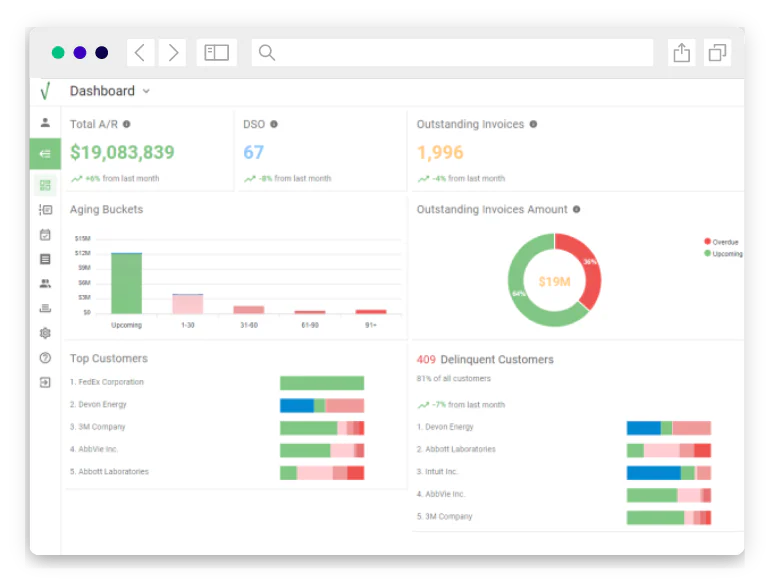
Gaviti provides a comprehensive platform to improve collection processes and strengthen financial performance for businesses struggling with overdue accounts receivable. It seamlessly integrates with existing ERP and accounting systems, ensuring real-time updates and data synchronization.
Key features include automated invoice distribution, payment reminders, customizable dunning letters, real-time analytics, integration with popular ERP systems, and a user-friendly dashboard that offers a clear overview of receivables performance.
| Pros | Cons |
|
|
Best for organizations seeking AR automation that connects smoothly with existing ERP or accounting systems.
19. Hiver
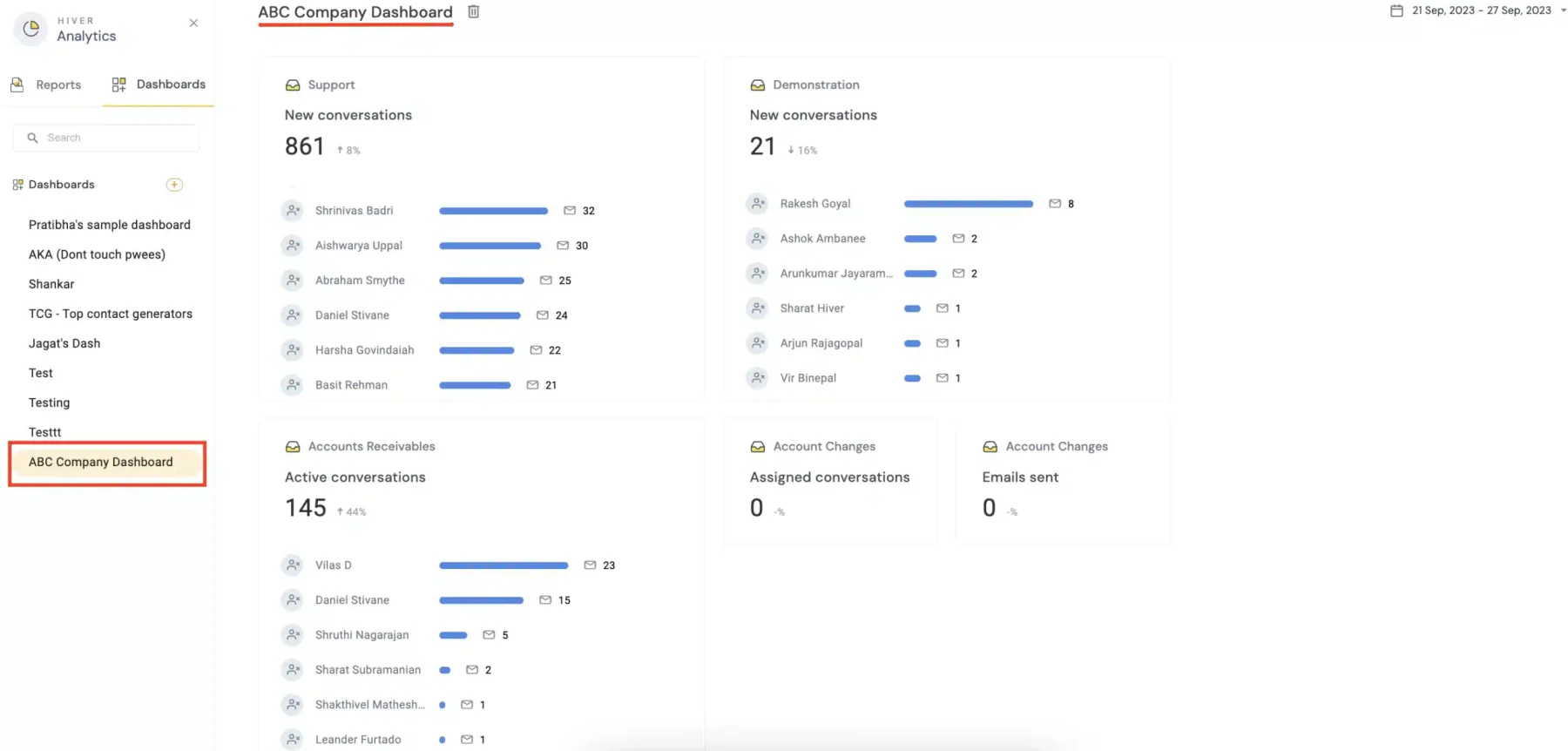
Hiver’s AR Automation Software is designed to streamline and improve receivables management. By integrating with existing financial systems, it provides real-time data updates, reducing manual work and minimizing errors.
Key features include seamless integration with financial platforms, automated invoice tracking, payment reminders, real-time data synchronization, and detailed reporting and analytics. These tools help businesses manage receivables more efficiently and make well-informed financial decisions.
| Pros | Cons |
|
|
Best for: businesses that require real-time AR data updates and simpler task handling inside shared inbox workflows.
20. BlueSnap accounts receivable automation software
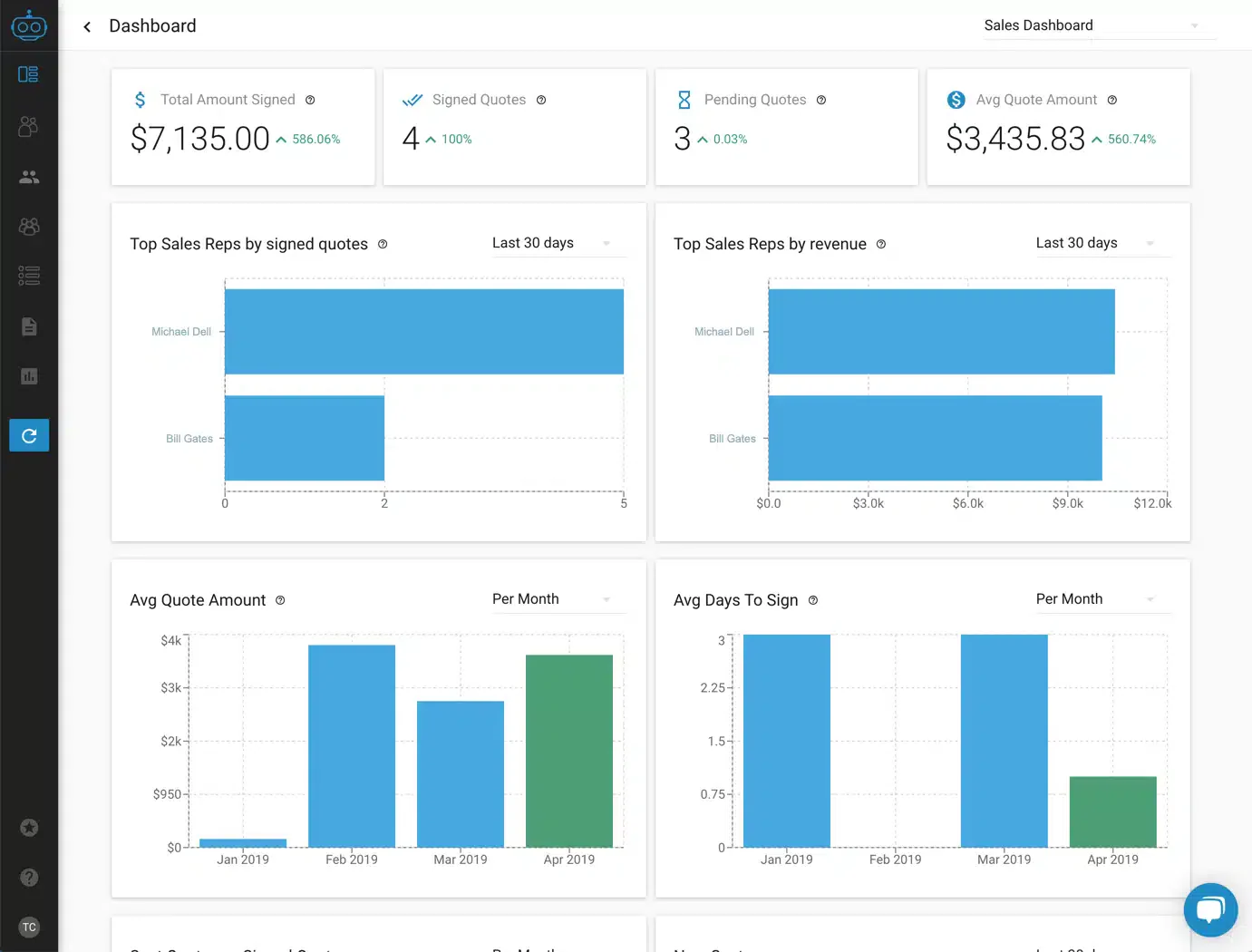
BlueSnap’s Accounts Receivable Automation Software simplifies essential receivables tasks, including invoicing, payment tracking, and reconciliation. It ensures real-time transaction recording with high accuracy, reducing errors and improving financial efficiency.
Key features include global payment processing, advanced invoicing capabilities, real-time payment tracking, multi-currency support, detailed reporting tools, fraud prevention measures, and strong security protocols.
These features help businesses manage receivables more effectively while maintaining secure and seamless transactions.
| Pros | Cons |
|
|
Best for: companies needing accurate real-time AR transaction recording and seamless payment processing across global channels.
Overall Comparison of the Best Accounts Receivable Software
| Provider | Connection Quality | Bank Coverage | Ease of Integration | Data Enrichment |
|---|---|---|---|---|
| Hashmicro | ||||
| Xero | ||||
| BlackLine | ||||
| BlueSnap | ||||
| Hiver | ||||
| Gaviti | ||||
| Billtrust | ||||
| Invoice2go |
How to Choose the Right Accounts Receivable Software Solution?
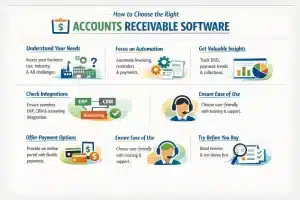
Choosing the right accounts receivable software helps streamline collections and maintain healthy cash flow. Here are a few things to consider:
- Understand your needs: Review your company size, industry, and AR challenges to find a system that can grow with your business.
- Prioritize automation: Pick software that automates invoicing, reminders, and payments to reduce manual work and errors.
- Check integrations: Make sure it connects smoothly with your ERP, accounting, and CRM systems for accurate, real-time data.
- Look for insights: Choose tools with reporting dashboards that track DSO, payment trends, and collection performance.
- Support multiple payments: A secure online portal with flexible payment options helps customers pay faster.
- Ensure usability: Go for software that’s easy for your team to use, with solid training and customer support.
- Plan for growth: Select a scalable solution backed by an innovative, reliable vendor.
- Test before buying: Read reviews, explore case studies, and try a demo to confirm the best fit for your business.
5 Major Pain Points in Accounts Receivable Operations
Effectively managing accounts receivable (AR) is essential for maintaining a steady cash flow, but businesses often face several challenges that can disrupt operations. Here are five common issues companies encounter in AR management:
- Delayed payment cycles: Slow payments, often due to manual invoicing and late customer payments, can negatively impact cash flow and hinder business growth.
- Payment tracking and reconciliation: Manually matching payments to invoices is time-consuming and prone to errors, leading to discrepancies and delayed collections.
- High Days Sales Outstanding (DSO): A high Days Sales Outstanding indicates longer collection times, which can strain cash flow and affect financial stability.
- Invoice errors: Mistakes such as incorrect amounts or missing details can result in disputes and payment delays.
- Ineffective communication: Poor communication regarding payment terms and due dates can create confusion, increasing the risk of late payments.
Case Study: How Brinks Improved Finance Workflow Control With Accounting Software
If you handle high control operations like a cash logistics business, small finance gaps can snowball fast. In a Brinks style setup, you want every purchase request, delivery note, supplier invoice, and payment approval to sit in one connected flow, so your finance team can match documents quickly and avoid duplicate entries. Once you centralise that workflow in accounting software, you get cleaner receivables and payables tracking, clearer audit trails for internal reviews, and fewer last minute surprises when you reconcile month end figures in MYR. It also makes it easier to keep tax supporting documents organised for Malaysia compliance needs, especially when you manage many vendors, recurring services, and high volume billing.
Conclusion
Selecting accounts receivable automation software is a standard step for businesses to manage financial workflows. These systems are designed to improve data accuracy, reduce manual workloads, and help maintain steady cash flow.
HashMicro Accounting Software provides features for managing receivables and can be integrated with existing business systems. The platform is used by companies in various industries to centralize their financial data and operational processes.
Implementing an automated system can help streamline financial processes and contribute to a company’s overall stability. Specialist consultations and Product demonstrations are often available for businesses to evaluate how these tools function. This allows organizations to determine if the software meets their specific operational requirements.

FAQ Accounts Receivable Software
What do you mean by accounts receivable?
Accounts receivable are the funds that customers owe your company for products or services that have been invoiced. The total value of all accounts receivable is listed on the balance sheet as current assets and includes invoices that clients owe for items or work performed for them on credit.
What is an example of an accounts receivable?
Accounts receivable examples include outstanding payments for goods sold to customers on credit, professional services rendered with payment pending, and outstanding invoices for products delivered but not yet paid for.
What is the main goal of accounts receivable?
The primary goal of managing accounts receivable is to accelerate cash flow by ensuring timely payments. And to achieve that, you need to set effective accounts receivable goals and objectives. But setting AR collections goals is only half the battle.
Is accounts receivable hard to learn?
Not really. With a basic understanding of invoicing and payment tracking, accounts receivable is quite easy to grasp. Modern automation software also helps simplify data entry and collection tasks.
Which is better, AR or AP?
Both are equally important. Accounts receivable (AR) ensures steady cash inflow from customers, while accounts payable (AP) manages outgoing payments to vendors. A well-balanced system keeps your business financially stable.