Choosing a POS system in Malaysia can be confusing because many vendors offer similar claims, from fast checkout to inventory tracking. The real challenge is finding a system that still fits when outlets grow and daily operations need more than basic payment tools.
POS systems now also connect with sales records, customer requests, and tax documentation. According to Malaysia’s e-Invoice Specific Guideline, retailers’ POS systems can integrate with MyInvois for real-time e-Invoices, making clean transaction data more important.
This guide compares 16 POS systems in Malaysia based on practical pos-system selection factors, including business fit, features, pricing, local usability, e-Invoice readiness, and suitability for shops, cafés, restaurants, retail stores, or multi-branch businesses.
Key Takeaways
A Point of Sale (POS) system is a modern tool designed to facilitate sales transactions and manage various aspects of business operations.
Cloud POS prioritizes scalability and real-time access, while Unified POS connects all sales channels into one system.
The Benefit of POS is speed up transactions, track inventory in real time, and automate reporting, improving operational efficiency and data accuracy.
Without the right POS system, Malaysian businesses often face inaccurate sales data, inventory blind spots, and difficulty managing multiple locations efficiently.
This shortlist covers POS systems with different operational focuses across retail, F&B, e-commerce, and hospitality. HashMicro is listed for connected POS, inventory, accounting, purchasing, and branch reporting needs, while ConnectPOS, Loyverse POS, Sapaad, and Shopify POS represent different use cases such as online store integration, basic sales tracking, restaurant operations, and omnichannel selling.
After reviewing the top 6 POS software options above, you may want a clearer comparison of how each system differs. With many choices available, it can be difficult to identify which one truly fits your business needs. The table below provides a quick overview to help you decide more easily.
Quick Overview POS System
Software
Best For
Strength
Why We Choose This Software
Malaysia Support
Status
HashMicro POS System
Retail, F&B, Multi-outlet, Enterprise
End-to-end POS with strong ERP integration and multi-outlet management
Supports complex business operations with centralized control and scalability
Strong local presence and support
Fully Supported
ConnectPOS
Retail, Omnichannel
Omnichannel POS with real-time sync between online and offline sales
Ideal for businesses managing both eCommerce and physical stores
Available with regional support
Supported
Shopify
Retail, Omnichannel
Powerful eCommerce ecosystem with integrated POS capabilities
Best for businesses prioritizing online-first sales with offline extension
Available but limited local compliance support
Supported
Marvelsoft Solutions
Customization, Local Businesses
Customizable POS tailored for specific business needs
Suitable for businesses requiring flexible and localized system adjustments
Strong local vendor support
Fully Supported
AutoCount POS System
Retail, Accounting-focused, Enterprise
POS with strong accounting and financial integration
Ideal for businesses needing accurate financial tracking and reporting
Well-established local support
Fully Supported
Dinesoft
F&B, Restaurant
Restaurant-focused POS with table and order management features
Designed for full-service dining operations and complex workflows
Available with local support
Supported
Red Zone Solution
Customization, Local Businesses
Custom POS systems with industry-specific implementations
Good fit for businesses needing tailored solutions and hands-on support
Strong local presence
Fully Supported
Eat365
F&B, Restaurant
F&B POS with delivery and kitchen workflow integration
Supports restaurant operations with online delivery platforms
Widely used in Malaysia
Fully Supported
StoreHub
Retail, SME
User-friendly POS with built-in CRM and loyalty tools
Suitable for SMEs looking to improve customer engagement
Strong presence in Malaysia
Fully Supported
Loyverse POS System
Retail, SME, Budget
Free POS with basic inventory and sales tracking
Ideal for small businesses or startups with limited budget
Available but limited local support
Supported
POSERVA
Retail, Multi-outlet
POS with multi-location and operational management features
Suitable for growing businesses needing centralized visibility
Available with regional support
Supported
IRS Software
Accounting-focused, Enterprise
POS with strong accounting and business management capabilities
Useful for businesses focusing on financial accuracy and compliance
Local support available
Fully Supported
Slurp
F&B, Restaurant
Cloud-based F&B POS with QR ordering and integrations
Supports modern dining experiences and digital ordering
Popular in Malaysia F&B sector
Fully Supported
Sapaad
F&B, Multi-outlet
Cloud POS for restaurants with multi-branch management
Designed for scalability across multiple outlets
Available with regional support
Supported
Genius POS System
Customization, Local Businesses
Flexible POS with customizable modules for different industries
Suitable for businesses needing tailored workflows
Local vendor support available
Fully Supported
EasyStore
Retail, Omnichannel, SME
Omnichannel platform combining eCommerce and POS
Great for SMEs managing online and offline sales together
Strong presence in Malaysia
Fully Supported
What is a POS system, and what does it actually do?
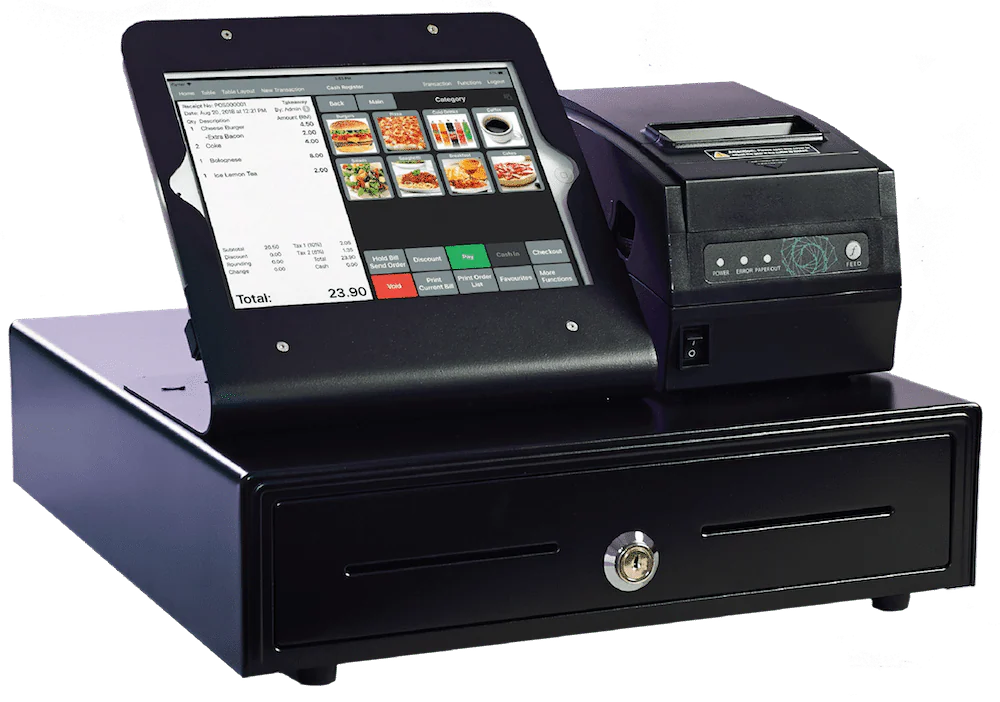
A Point of Sale (POS) system is a tool designed to handle sales transactions and support business operations. It enables efficient payment processing and is essential for smooth operations in retail, F&B, and hospitality industries.
A modern POS does more than just process payments:
Tracks your stock: When you sell something, the system updates your inventory. You can see what’s running low before you run out.
Shows your sales data: Daily sales, best-selling items, slow movers, peak hours. This helps you make better decisions about what to stock and when to schedule staff.
Manages customers: Some systems track who buys what, store contact details, and run loyalty programs so customers come back.
Connects to other tools: Good POS systems link to your accounting software, e-commerce store, or food delivery apps so you don’t enter the same data twice.
Works across outlets: If you have more than one shop, you can see all locations from one dashboard.
Cloud POS vs Unified POS: What’s the Difference?
While both systems aim to streamline sales operations, each offers a different level of integration and functionality within a business. Here is a difference between cloud POS and unified POS.
Feature
Cloud-Based POS
Unified POS
How It Works
Operates online and stores data securely in the cloud; syncs across devices in real time.
Integrates sales from physical stores, e-commerce, and mobile channels into one system.
Best For
Businesses needing scalability and real-time access.
Businesses managing multiple sales channels.
Key Strength
Automatic updates, easy access, low upfront cost.
Full visibility, loyalty tools, and a streamlined customer journey.
What Are the Benefits of POS Systems?
POS systems speed up transactions, track inventory in real time, and automate reporting, improving operational efficiency and data accuracy.
Optimal Stock Levels and Reduced Wastage: Real-time inventory tracking ensures businesses maintain the right stock levels, reducing waste and preventing stockouts.
Improved Customer Experience: Faster checkouts, personalized services, and loyalty programs enhance customer satisfaction, leading to stronger relationships and repeat visits.
Secure Transactions: POS systems offer secure payment processing, protecting sensitive customer information and ensuring compliance with security standards.
Enhanced Employee Management: Employee management features help businesses track work hours, sales performance, and optimize staff schedules.
Overall, POS system Malaysia helps streamline operations, improve accuracy, and enhance customer experiences, giving businesses a competitive edge.
Top 16 POS Systems in Malaysia
With many feature-rich options in Malaysia, choosing the right POS system software malaysia can be challenging. To help, we’ve compiled the top 16 POS systems Malaysia for 2026.
1. HashMicro POS System
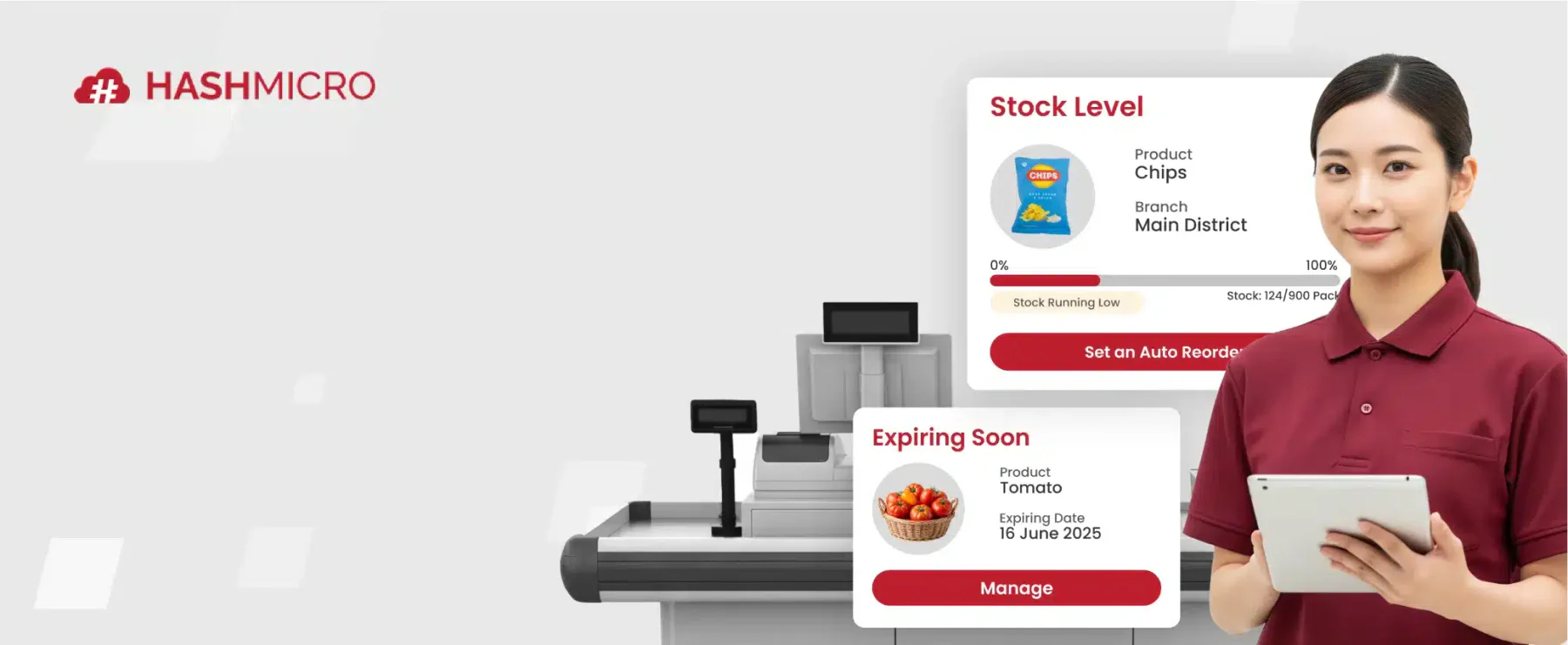
HashMicro offers a POS platform for retail and F&B operations in Malaysia that connects sales, inventory, and reporting in one flow. By syncing transactions with stock movement and basic financial records, it helps teams cut manual updates and keep daily replenishment more controlled, especially when operations get busy.
Key capabilities include inventory-linked stock alerts and reorder points, receipt and end-of-day report templates, product variants and bundles, multiple payment methods including e-wallet support, cashier and salesperson activity tracking, loyalty points, and audit-style reporting for price changes.
Why HashMicro POS System: Businesses choose it for its full ERP integration, real-time inventory tracking, multi-branch management, and user-friendly interface that supports both online and offline operations.
Retail, food and beverage (F&B), and multi-branch businesses that require smooth integration between sales, inventory, and accounting.
Implementation duration may vary depending on the business’s needs
Implementation time may vary based on customization needs.
Initial training may be needed for advanced setup and integrations.
With these strong features, the HashMicro POS System empowers businesses to optimize their operations, enhance customer satisfaction, and drive growth. Click the banner below to view the pricing scheme.
A modern POS system helps retailers simplify daily operations and improve margins through automation and real-time insights. It supports faster decisions as sales volume grows, especially when businesses need consistent stock and performance visibility across outlets.
Angela Tan, Regional Manager
2. ConnectPOS
ConnectPOS is a POS system software for restaurant designed to cater to businesses of all sizes.This system integrates perfectly with various e-commerce platforms, allowing businesses to manage their online and offline sales channels from a single system. This software offers features such as real-time synchronization of inventory, customizable receipts, and detailed sales reports.
Best for: Ideal for retail businesses that operate both online and offline, especially those needing multi-location stock management, real-time sync between e-commerce platforms and physical stores, and flexible checkout options.
Pricing: Starts from around RM160 per month (from $39/month)
Businesses choose ConnectPOS because it offers a cloud-native, API-open architecture that supports omnichannel operations, including multiple devices, currencies, and warehouses, while enabling smooth integration with major e-commerce systems.
Pros
Cons
User-friendly interface
Integration with e-commerce platforms
Customizable receipts
Cloud-based accessibility
May require additional customization for specific business needs
Dependence on stable internet connectivity
Limited offline capabilities
Potential complexity in the initial setup
3. Shopify
Shopify POS is a solid retail POS software integrated with the Shopify e-commerce platform. It allows businesses to manage their online and offline sales from a unified system. Key features include inventory management, customer profiles, mobile checkout, and comprehensive sales analytics.
Why Shopify POS: Businesses choose Shopify POS because it offers a perfect integration between online and in-store operations.
Pricing: Starts from roughly RM120 to RM1,230 per month, depending on plan (from $29–$299/month)
Retailers who operate both e-commerce and brick-and-mortar stores and want one unified platform to manage sales, inventory, customer profiles, and fulfilment across all channels.
Pros
Cons
Integration with Shopify’s e-commerce platform
User-friendly interface
Mobile checkout capabilities
Higher costs for advanced features and add-ons
Limited customization options
Potential additional costs for hardware
4. Marvelsoft Solutions
Marvelsoft Solutions provides a Malaysian POS system software tailored for various industries, including retail, hospitality, and F&B. The system is known for its reliable inventory management, sales tracking, and reporting features. It also supports multiple payment methods and integrates with other business management software
Why Marvelsoft Solutions: Businesses choose Marvelsoft Solutions because it combines a strong in-house development and support team with regional service centers, and flawless connectivity between POS, AutoCount accounting, and CRM modules.
Pricing: Available upon request from Marvelsoft.
Retail and F&B businesses in Malaysia and the region that require a fully integrated POS system tied into accounting, CRM, and touch-screen hardware.
Pros
Cons
Scalable POS software
Supports multiple payment methods
Integration with other business management software
The interface may be less intuitive for some users
Initial setup can be time-consuming
Customer support response times can vary
Higher upfront costs for advanced features
5. AutoCount
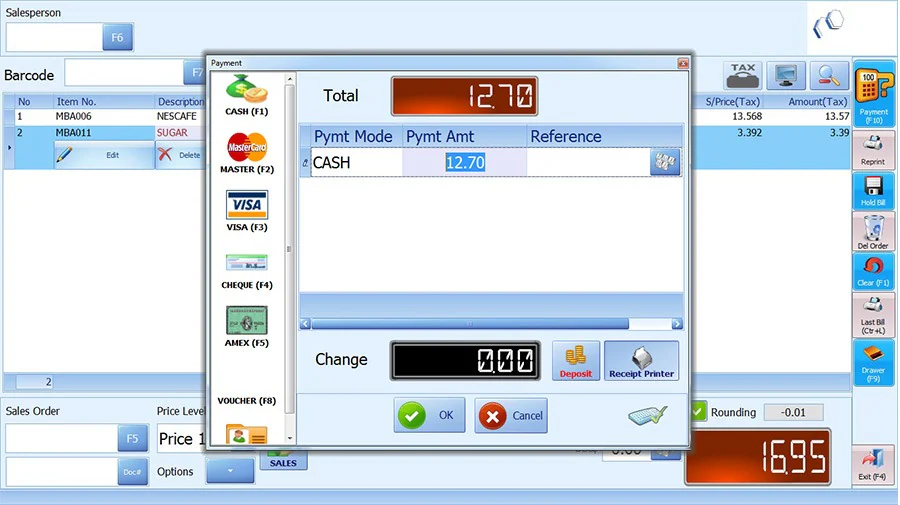
AutoCount POS System is a highly reliable POS solution that is widely used in Malaysia. It offers comprehensive features, including inventory management, customer loyalty programs, and detailed financial reports. AutoCount POS software is known for its integration with accounting software, making it a preferred choice for businesses that require precise financial management.
Why AutoCount POS: Users choose AutoCount POS because it offers offline-capable transactions with real-time sync, compliance with Malaysian tax and electronic invoicing requirements., reliable inventory and stock-control features, and tight integration with AutoCount’s accounting modules.
Pricing: One-time licence from RM2,000 to RM2,800, depending on edition.
Retail and F&B businesses in Malaysia, particularly those with multiple outlets or branches, seeking comprehensive integration between cashier operations, inventory, and accounting.
The interface may appear outdated compared to newer systems
It can be complex for new users to learn
Higher upfront costs for implementation
6. Dinesoft
Dinesoft is a specialized POS system for restaurants that offers features such as table management, order tracking, kitchen display systems, and integration with various payment methods. This POS software aims to streamline restaurant operations, improve order accuracy, and enhance customer service.
Why Dinesoft: Businesses choose Dinesoft because it offers a comprehensive suite of modules built for food & beverage and retail workflows, including tablet ordering, self-ordering, and cloud-based back-office reporting.
Pricing: Starts from RM180 per month.
Restaurants, cafés, fast-food outlets, and multichannel retail operations that require advanced table management, kitchen display integration, and real-time inventory control.
Pros
Cons
Specialized features for the F&B industry
Integration with kitchen display systems
Supports multiple payment methods
Requires training for optimal use
Dependence on stable internet connectivity
Potential for software glitches during peak hours
7. Red Zone
Red Zone Solution is a Point of Sales system in Malaysia designed for various industries, including retail and hospitality. It provides inventory management, sales tracking, and customer relationship management features. Red Zone Solution POS software also offers strong technical support and training for businesses to maximize the system’s potential.
Why Red Zone Solution: Businesses choose Red Zone Solution because it couples POS software with compatible hardware and local support.
Pricing: Available upon request.
Retail businesses in Malaysia and the region that require a one-stop provider for POS software, as well as barcode and hardware solutions (including printers, scanners, and displays).
Pros
Cons
Highly customizable
Strong customer relationship management features
Good technical support and training
Customization can be time-consuming and costly
The interface may not be as user-friendly
Limited mobile functionalities
Requires periodic maintenance and updates
8. Eat365
Eat365 is a cloud POS system in Malaysia explicitly designed for the food and beverage industry. It offers features like online ordering integration, kitchen display systems, and customer loyalty programs. By streamlining operations from order taking to payment processing, Eat365 aims to enhance restaurant efficiency and customer experience.
Why Eat365: It offers a unified, cloud-based platform that connects front-of-house, back-of-house, and online operations, supports diverse dining formats and devices, and gives real-time analytics and integrations.
Pricing: Starts from RM99 per month for the Basic plan.
F&B businesses that require an end-to-end solution covering POS, kitchen workflows, online ordering, and multi-location management.
Pros
Cons
Cloud-based accessibility
Specialized features for the F&B industry
Online ordering integration
Dependence on stable internet connectivity
Monthly subscription costs can add up
Requires staff training
9. StoreHub
StoreHub is one of the best POS systems designed for retail and F&B businesses. It offers features such as inventory management, sales analytics, customer loyalty programs, and employee management. StoreHub’s cloud-based platform ensures real-time data access and remote management capabilities.
Why StoreHub: It combines real-time inventory tracking, multi-outlet management, integrated loyalty and e-commerce features, and a user-friendly interface that can be used without heavy IT support.
Pricing: Starts from RM102 per month.
F&B and retail businesses in Southeast Asia that need a unified cloud-based POS system to manage in-store sales, inventory across multiple locations, and online/offline channels.
Pros
Cons
User-friendly interface
Cloud-based access
Scalable for growing businesses
Dependence on stable internet connectivity
Limited offline functionalities
Higher costs for advanced features
Requires regular updates for optimal performance
10. Loyverse
Loyverse POS retail system is designed to meet the needs of businesses across various industries, including retail, food and beverage, and services. The core functionalities of Loyverse point of sales Malaysia include sales tracking, inventory management, and customer relationship management (CRM).
Why Loyverse: It offers an intuitive interface, works offline when internet connectivity is unreliable, supports multiple devices and locations under one account, and includes built-in loyalty and inventory management.
Pricing: Starts from around RM21 per month (from $5/month).
Retail stores, cafés, takeaways, and other small to medium multi-location operations that need a mobile-friendly POS with core features like sales, inventory, and customer loyalty in one system.
Pros
Cons
User-friendly interface
Cross-platform compatibility
Comprehensive CRM features
Limited advanced features
Limited integration capabilities
Dependence on internet connectivity
11. POSERVA
POSERVA offers a solid POS machine in Malaysia designed for retail and F&B businesses. It includes features such as sales tracking, inventory management, customer loyalty programs, and detailed reporting. POSERVA POS system for retail emphasizes ease of use and scalability, making it suitable for businesses of various sizes.
Why POSERVA: It offers AI/IoT-enhanced features like predictive analytics and smart integrations, works offline when needed, and is designed to scale across outlets.
Pricing: Available upon request.
Restaurants, cafés, food trucks, and service-oriented businesses that require a modern POS solution with cloud-based reporting and device flexibility.
Pros
Cons
User-friendly interface
Effective customer loyalty programs
Detailed reporting features
Limited customization options
Dependence on internet connectivity for cloud features
Requires training for optimal use
12. IRS Software
IRS Software is a Malaysian POS system suitable for a range of industries, including retail and F&B. It offers good inventory management, sales tracking, and customer relationship management features. IRS POS Software is known for its reliability and comprehensive support services, making it a trusted choice for many businesses.
Why IRS Software: It offers a long-established presence, strong local support and dealer network, easy-to-use interface, and modules including real-time stock alerts, multi-store synchronization, and e-invoicing compliance.
Pricing: From RM3,200 for the IRS POS System software.
Malaysian retail and F&B businesses seeking a fully-featured POS system with inventory, membership, and multi-store consolidation capabilities.
Pros
Cons
Strong customer relationship management features
Comprehensive support services
Suitable for various industries
Higher upfront costs for advanced features
The interface may be less intuitive for some users
Customization can be time-consuming
13. Slurp
Slurp is a mobile POS system designed for the food and beverage industry. It offers features such as table management, order tracking, and kitchen display integration. Slurp POS software aims to streamline restaurant operations, improve order accuracy, and enhance the customer dining experience.
Why Slurp!: It offers a cloud-enabled, user-friendly platform tailored for F&B operations, supports offline transactions when needed, handles multi-outlet management with real-time monitoring, and integrates effortlessly with ordering, kitchen display, and payment modules.
Pricing: Starts from RM3,990.
Cafés, restaurants, food-courts, kiosks, and other F&B outlets that require full front-of-house to back-kitchen workflow support, including table layout/management, QR ordering, and real-time analytics.
Pros
Cons
Cloud-based accessibility
Specialized features for the F&B industry
Integration with kitchen display systems
Dependence on stable internet connectivity
Requires staff training
Potential for software glitches during peak hours
14. Sapaad
Sapaad is an F&B POS system that offers features such as online ordering integration, kitchen display systems, and detailed sales reports. Sapaad’s point of sales system in Malaysia is designed to enhance restaurant efficiency and customer satisfaction by streamlining operations from order taking to payment processing.
Why Sapaad: It delivers a user-friendly interface, strong support services, and comprehensive integrations.
Pricing: Starts from around RM165 per month (from $39.99/month).
Restaurants, cafés, and food & beverage operations that want a cloud-based POS system with integrated inventory, online ordering, and real-time reporting.
Pros
Cons
Cloud-based access
Online ordering integration
Efficient kitchen display systems
Limited to the F&B industry
Dependence on stable internet connectivity
Requires staff training
15. Genius
Genius POS System software is a comprehensive POS solution designed for various industries, including retail and food, and beverages. This POS software offers features such as sales management, inventory tracking, customer relationship management, and employee management.
Why Genius POS: It offers user-friendly setup, strong local support, offline capability, and tailored features for F&B and retail workflows.
Pricing: Available upon request.
Restaurants, cafés, fast-food outlets, and retail locations in Malaysia that need an intuitive iPad-based POS solution with table management and cloud reporting.
Pros
Cons
Ease of use
Strong technical support
Inventory and sales tracking
Limited advanced features
Initial setup can be time-consuming
Dependence on stable internet connectivity
16. EasyStore
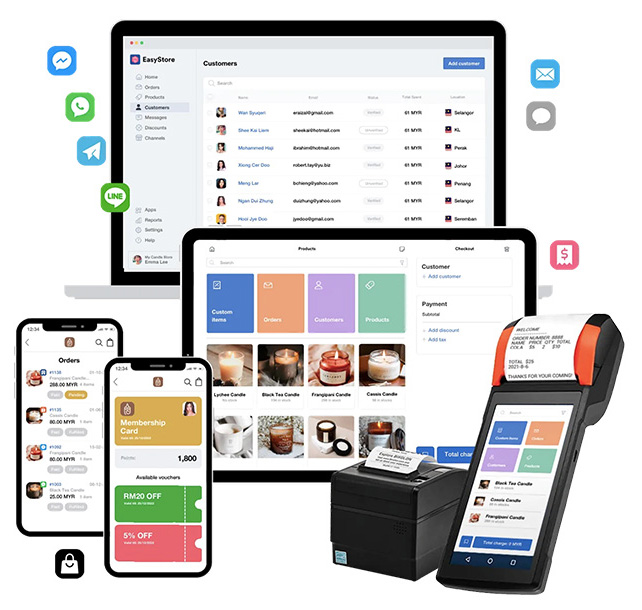
EasyStore is a versatile POS system designed for retail businesses. It offers features such as sales tracking, inventory management, and customer relationship management. EasyStore point of sales Malaysia is known for its integration capabilities, making it a preferred choice for businesses looking to manage both online and offline sales from a single system.
Why EasyStore: It provides a unified commerce platform, letting you turn mobile, tablet, or desktop into a POS, sync inventory in real-time across sales channels, engage loyalty members smoothly, and scale effortlessly from pop-ups to full stores.
Pricing: Standard plan from RM199 per month.
Retailers who operate both online and physical stores, especially those needing cross-channel management of inventory, sales, and customer data across devices and outlets.
Pros
Cons
User-friendly interface
Integration with e-commerce platforms
Effective customer relationship management
Limited features for the F&B industry
Dependence on stable internet connectivity
Higher costs for advanced features
Overall Comparison of POS System for Malaysia Businesses
Provider
Inventory Management
Payment Integration
Ease of Use
Data Enrichment
HashMicro
ConnectPOS
Shopify
Sapaad
Loyverse POS
Key Features to Look for in a Malaysian POS System
A retail POS system in Malaysia should do more than just process payments; it also helps control inventory, support loyalty programs, and accelerate decision-making through real-time data. If your business handles purchasing and finance, connecting POS data with an ERP system helps reduce duplication and keep numbers aligned.
Key Feature
Description
Business Benefit
Real-Time Reporting & Analytics
Provides live sales data, best-selling products, profit margins, and outlet performance tracking through dashboards.
Helps retailers make faster decisions, identify slow-moving products, and improve purchasing strategies.
Inventory Control & Omnichannel Ready
Automatically updates inventory across stores, online platforms, and marketplaces in real time.
Reduces stock mismatches and overselling while ensuring consistent inventory visibility across channels.
Customer Loyalty & Promotions Tools
Includes loyalty programs, promotions, and customer purchase tracking features.
Encourages repeat purchases and enables more targeted and personalized marketing campaigns.
Ease of Use & Offline Capability
Features an intuitive interface and allows transactions even during internet disruptions.
Minimizes staff training time, reduces cashier errors, and ensures business operations continue smoothly offline.
Improves operational consistency and simplifies management across multiple retail branches.
Reliable Local Support & Training
Offers responsive local customer support and structured onboarding or staff training.
Reduces downtime during implementation and helps businesses maximize system usage faster.
e-Invoice & Local Multi-payment Support
Supports Malaysian e-invoicing requirements and multiple payment methods such as cash, cards, and e-wallets.
Enhances customer convenience, speeds up checkout, and ensures compliance with local regulations.
Role of POS Software in Malaysian Business
Across Malaysia, businesses of all sizes rely on POS software to streamline transactions, manage inventory, and improve customer experiences. By streamlining digital order tickets and kitchen workflows, a dedicated F&B POS minimizes operational chaos and cross-contamination risks, supporting your staff in maintaining rigorous restaurant sanitary guidelines.
1. Retail Industry
Retailers in Malaysia face the challenge of managing multi-location stock, seasonal demand, and high transaction volumes. A centralized POS system allows real-time stock monitoring, barcode scanning, and automated reporting. Solutions like an ERP POS system in Malaysia help retailers make data-driven sales decisions and minimize human errors.
2. F&B, Restaurant, and Café
F&B businesses operate in a fast-paced environment where speed and accuracy are critical. POS software supports table management, order synchronization, split billing, kitchen display workflows, and e-menu ordering for restaurants and cafés during peak hours.
3. Franchise and Multi-Outlet Businesses
For franchises and multi-branch operations, manual coordination can cause data inconsistencies. A cloud-based POS enables centralized monitoring, unified pricing, consolidated reports, and outlet performance tracking across different locations.
4. Cloud Kitchen and Food Truck Operations
The rising trend of cloud kitchens and mobile food trucks in Malaysia demands a flexible and portable POS system. Integrated cloud-based software supports multiple ordering channels, delivery coordination, payment gateways, and accounting data flow.
5. Location-Specific Retail and F&B Needs
Retail and F&B businesses in Malaysia often face different sales patterns, customer traffic, payment preferences, and stock movement across locations such as Kuala Lumpur, Selangor, Penang, and Johor Bahru. A POS system helps track branch performance, local inventory demand, and outlet activity across malls, cafés, food courts, high-street stores, or regional branches.
In summary, POS software helps Malaysian retail and F&B businesses manage transactions, inventory, orders, branch performance, and location-based stock needs in one operational flow.
Common Mistakes When Choosing POS
Choosing based on price alone. The cheapest option might not have the features you need. The most expensive might have features you’ll never use. Match features to your actual workflow.
Ignoring offline capability. Test what happens when internet goes down. Can you still take cash payments? Will the system save transactions and sync later? This matters during busy periods.
Not testing with your actual products. If you sell items with variants (sizes, colors, modifiers), test how the POS handles them. Some systems make this easy. Some make it painful.
Forgetting about support. When something breaks at 7pm on a Saturday, can you get help? Check support hours and response times. Local support often matters more than features.
Skipping the integration check. If you use accounting software, check if the POS connects to it. If you sell online, check if inventory syncs. Manual data entry between systems wastes time and creates errors.
POS System Decision Matrix Based on Business Needs
Selecting the right POS system is not just about features or pricing, but about how well it fits your specific business operations. Different industries and business sizes require different capabilities, from basic transaction handling to advanced integrations and reporting. This decision matrix helps you identify which POS solutions align best with your needs based on real-world use cases.
Business Scenario
Recommended POS
Why It Fits
Small retail (1–2 outlets) with basic needs
Loyverse POS, StoreHub, EasyStore
Suitable for simple operations, quick setup, and minimal training with essential sales and inventory features
Retail with omnichannel (online + offline)
Shopify, ConnectPOS, EasyStore, HashMicro POS
Helps synchronize online and offline sales channels while keeping inventory and order data consistent
Growing retail with 2–5 outlets
StoreHub, AutoCount POS, HashMicro POS
Supports multi-outlet operations with centralized monitoring, reporting, and better inventory control
F&B café or small restaurant (basic POS)
Loyverse POS, StoreHub, Slurp
Designed for fast-paced transactions with simple interfaces and easy menu management
Restaurant with KDS and delivery integration
Eat365, Slurp, Sapaad
Enables smoother kitchen coordination and integrates with food delivery platforms for order management
Full-service restaurant with complex operations
Dinesoft, Sapaad, Eat365
Handles table management, order customization, and more structured kitchen workflows
Multi-outlet F&B chain (5+ outlets)
HashMicro POS, Sapaad, Dinesoft
Provides centralized control across branches with consolidated reporting and operational visibility
Enterprise-level business needing full integration
HashMicro POS, AutoCount POS
Connects multiple business functions such as inventory, finance, and operations into one system
Businesses needing strong accounting integration
AutoCount POS, IRS Software, HashMicro POS
Ensures accurate financial tracking with tight integration between sales and accounting processes
Businesses focused on loyalty and CRM
StoreHub, Shopify, ConnectPOS
Supports customer data tracking, promotions, and loyalty programs to improve retention
Businesses needing customization or local vendor support
Marvelsoft Solutions, Red Zone Solution, Genius POS
Offers flexibility for tailored features and hands-on support based on specific business needs
Budget-conscious startups or SMEs
Loyverse POS, EasyStore
Provides affordable entry options with essential features for getting started quickly
Ultimately, the best POS system is one that can support your current operations while adapting to future growth. As your business becomes more complex, having a system that integrates across functions and provides clear insights becomes increasingly important. By understanding your business scenario first, you can make a more informed and strategic decision.
How to Choose the Right POS System for Your Business
Choosing the right POS system in Malaysia is crucial, as it affects efficiency, customer satisfaction, and profitability. Here are key factors to help you make the best choice for your business.
Identify your business needs: Write down your daily operations. How do you take orders? How do you track stock? What reports do you look at? What payment methods do customers use?
Decide on budget: Monthly subscription or one-time purchase? How much per month can you spend? Remember to include hardware costs (tablet, receipt printer, cash drawer).
Evaluate features and functionality: Look for systems with comprehensive sales tracking, inventory management, best CRM software, and detailed reporting. Consider mobile compatibility, cloud access, and integration with other business tools.
Consider usability and training: Choose a user-friendly system that your staff can easily learn and use. Ensure the vendor provides comprehensive training and support to facilitate a smooth transition.
Check for integration capabilities: To ensure efficient operations, choose a POS system that integrates seamlessly with your existing accounting software, e-commerce platform, CRM software, and other business tools.
Consider security features: Choose a POS system in Malaysia that prioritizes strong security, such as encrypted transactions and strict user access controls, to safeguard sensitive business and customer data.
Start with one outlet: If you have multiple outlets, don’t roll out everywhere at once. Test at one location first. Fix problems. Then expand.
By considering these factors, you can choose a POS system that meets your needs, supports growth, and enhances overall business performance. A well-chosen POS system software Malaysia will streamline operations, boost customer satisfaction, and provide valuable insights for strategic decision-making.
Conclusion
Choosing the right POS system comes down to how well it fits your daily workflow in retail or F&B. The systems reviewed in this guide can help speed up checkout, keep stock records cleaner, and give managers clearer reporting for decisions. The goal is consistency, especially during peak hours.
To narrow your shortlist, focus on stability, ease of use, offline capability, and the integrations you actually need. Multi-outlet control, role-based access, and reliable local support also matter once transaction volume grows. With the right setup, teams spend less time fixing errors and more time serving customers.
If you want extra confidence before deciding, a free consultation can help map your current process and define practical selection criteria. That way, you compare options with clear benchmarks instead of relying on feature claims.
FAQ About POS System Malaysia
What is the POS system in Malaysia?
A Point of Sale system combines hardware and software to process daily transactions. For businesses in Malaysia, it serves as the central hub for managing inventory, tracking daily revenue, and handling customer data without relying on manual ledgers.
How much does a POS system cost?
Pricing varies heavily based on the deployment model. Cloud-based subscriptions typically start around RM90 to RM150 per month, while traditional on-premise setups can require an upfront hardware and software investment of RM3,000 to RM10,000.
What features should a good POS system have?
A good POS system should handle fast transaction processing, automated stock deduction, and secure payment integrations. For Malaysian businesses, LHDN e-invoicing compliance and SST-ready reporting are also essential. Daily sales reports and employee access controls help minimize errors and cash discrepancies at shift end.
Which POS is best for multi-outlet or delivery-heavy businesses?
Multi-branch operations require a cloud architecture that syncs data across all locations in real time. The system must be able to consolidate orders from dine-in, takeaway, and third-party delivery apps into a single dashboard to prevent missed orders.
Can a POS system work without internet?
Many modern platforms include an offline mode that allows cashiers to continue taking orders and printing receipts during network outages. However, credit card processing and live inventory syncing will usually remain paused until the connection is restored.
Hafiz bin Roslan writes about Point of Sale systems, offering guidance on how businesses can optimize sales operations using the right tools. His articles highlight features, benefits, and practical tips for implementing POS solutions in various retail environments. He ensures his content remains relevant by covering the latest technologies and user needs.
Chelsea is a professional expert who holds a Bachelor of Accounting degree from Victoria University of Wellington, with a background in business analysis and financial management. Her accounting background has shaped her analytical approach in understanding business dynamics and corporate growth strategies. Over the past five years, Chelsea has been actively involved in the field of business development at HashMicro, further strengthening her expertise in sales strategy, negotiation, strategic partnership development, and sales pipeline management to drive sustainable business growth.
HashMicro follows strict editorial standards and uses primary sources such as regulations, industry guidance, and trusted publications to keep content accurate and relevant.


















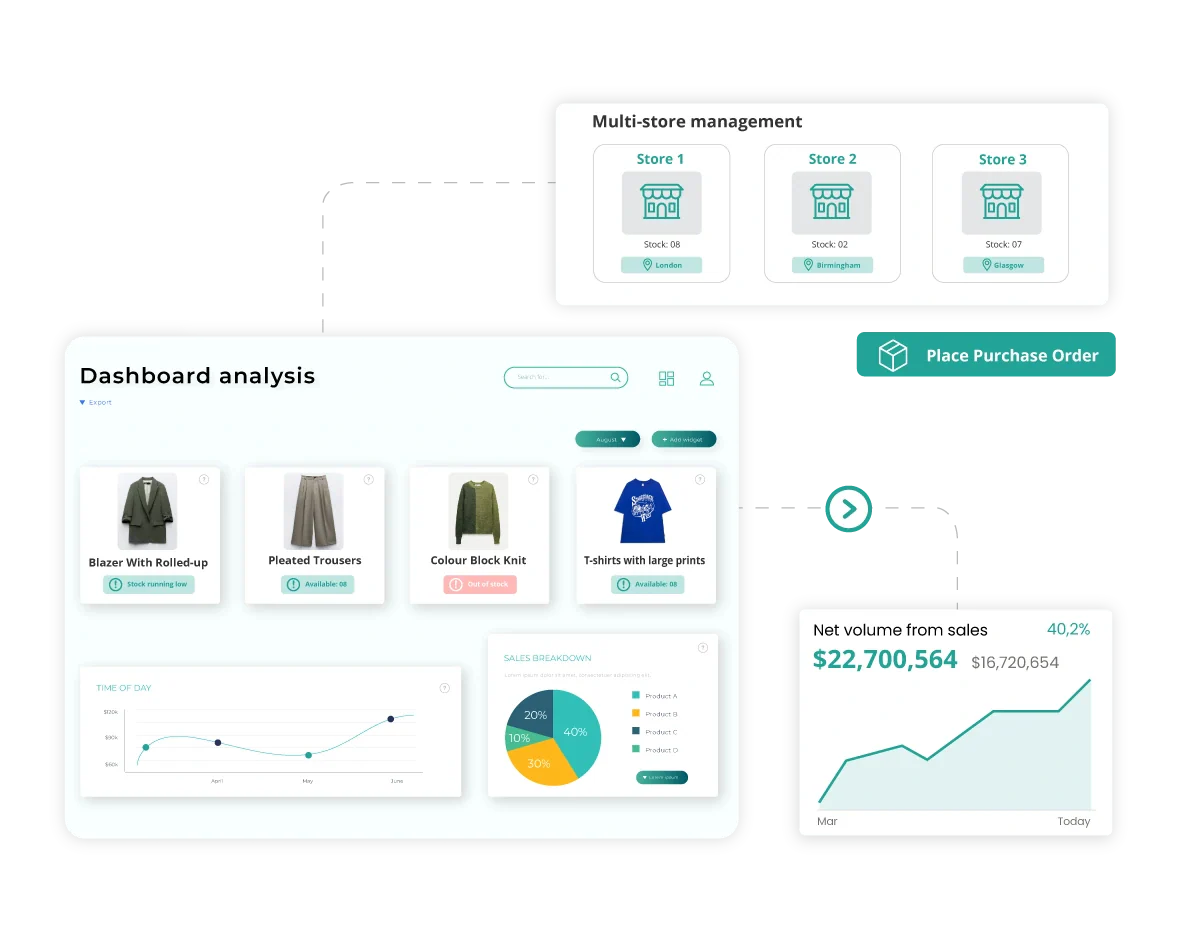
 Shopify POS is a solid retail POS software integrated with the Shopify e-commerce platform. It allows businesses to manage their online and offline sales from a unified system. Key features include inventory management, customer profiles, mobile checkout, and comprehensive sales analytics.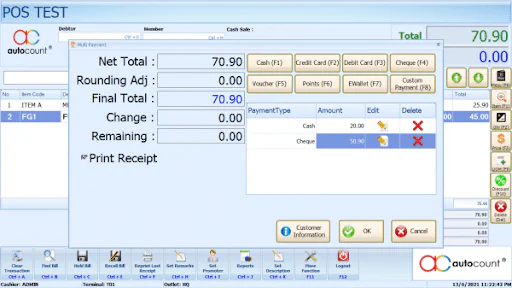

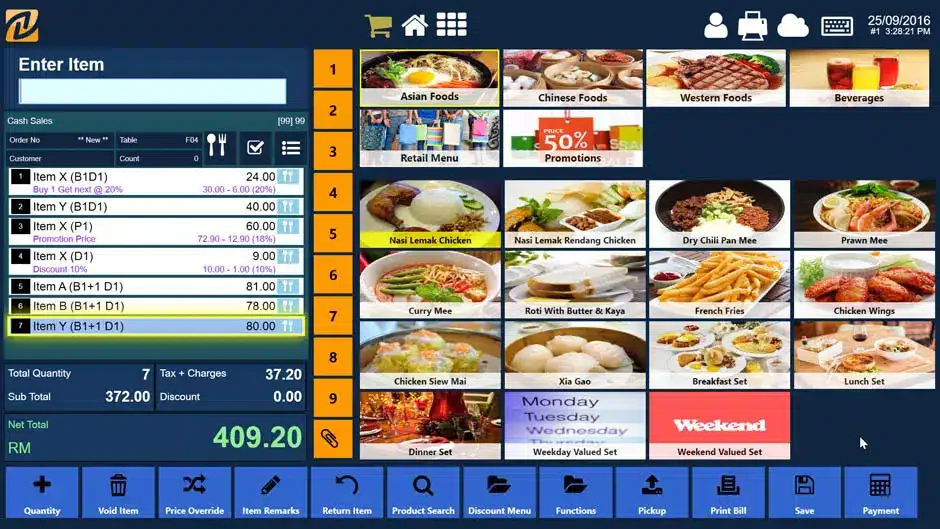 Red Zone Solution is a Point of Sales system in Malaysia designed for various industries, including retail and hospitality. It provides inventory management, sales tracking, and customer relationship management features. Red Zone Solution POS software also offers strong technical support and training for businesses to maximize the system’s potential.
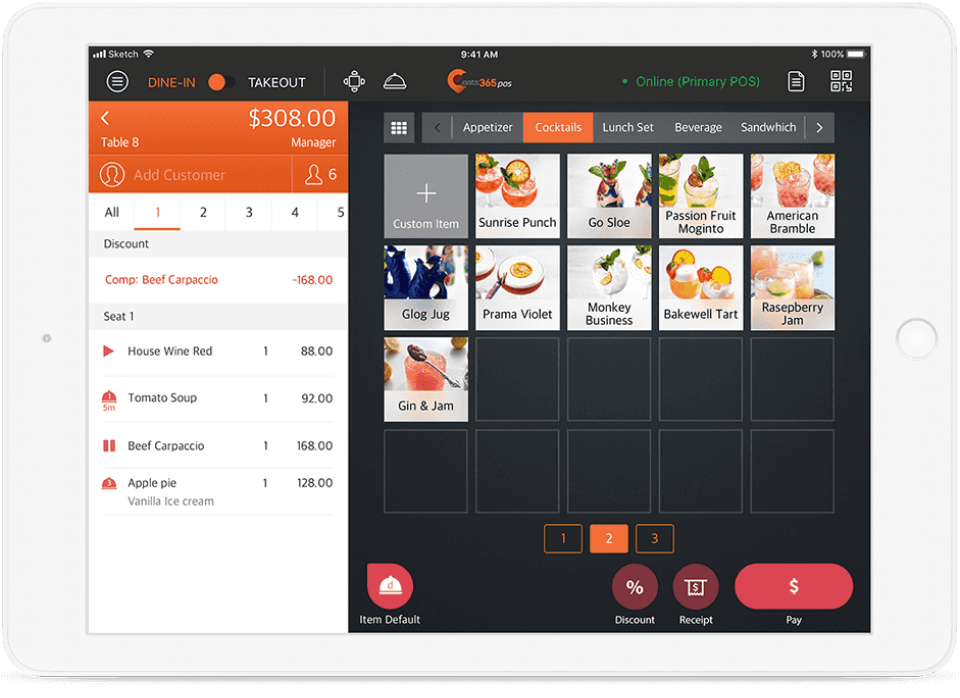 Eat365 is a cloud POS system in Malaysia explicitly designed for the food and beverage industry. It offers features like online ordering integration, kitchen display systems, and customer loyalty programs. By streamlining operations from order taking to payment processing, Eat365 aims to enhance restaurant efficiency and customer experience.
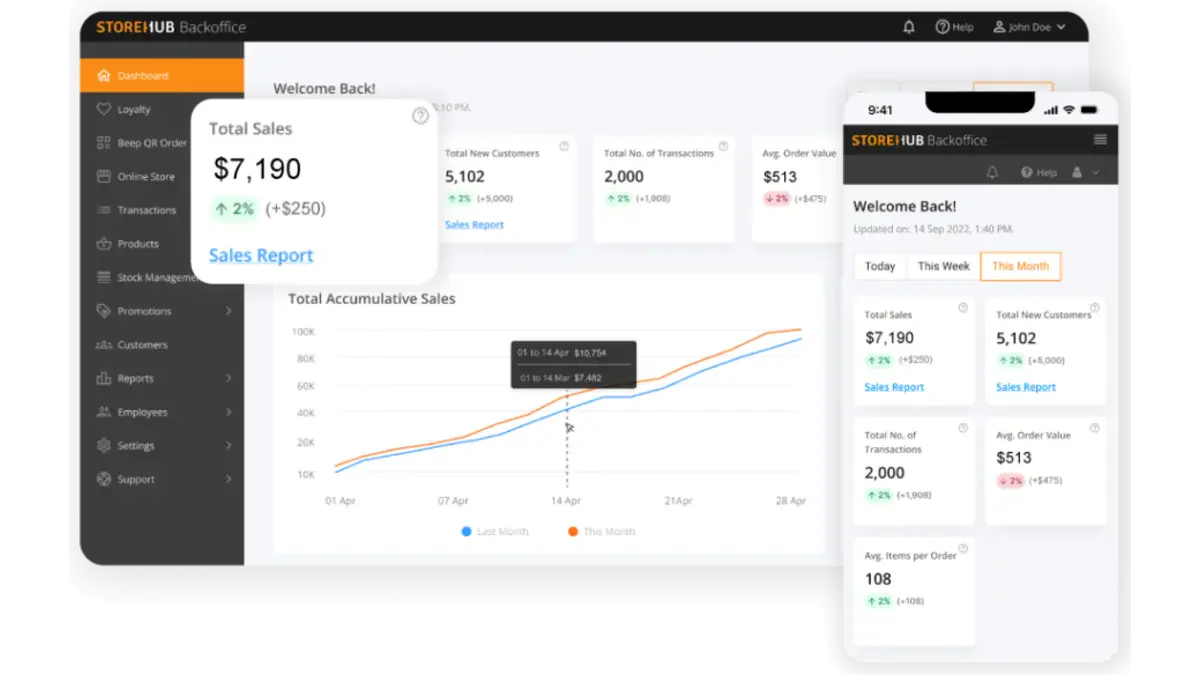 StoreHub is one of the best POS systems designed for retail and F&B businesses. It offers features such as inventory management, sales analytics, customer loyalty programs, and employee management. StoreHub’s cloud-based platform ensures real-time data access and remote management capabilities.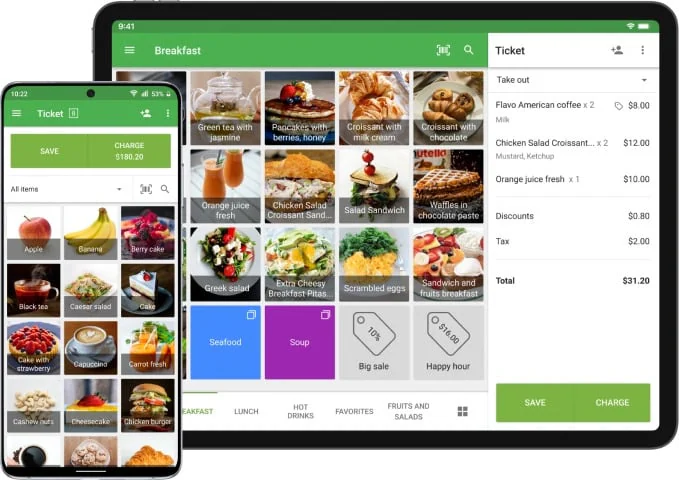
 IRS Software is a Malaysian POS system suitable for a range of industries, including retail and F&B. It offers good inventory management, sales tracking, and customer relationship management features. IRS POS Software is known for its reliability and comprehensive support services, making it a trusted choice for many businesses.
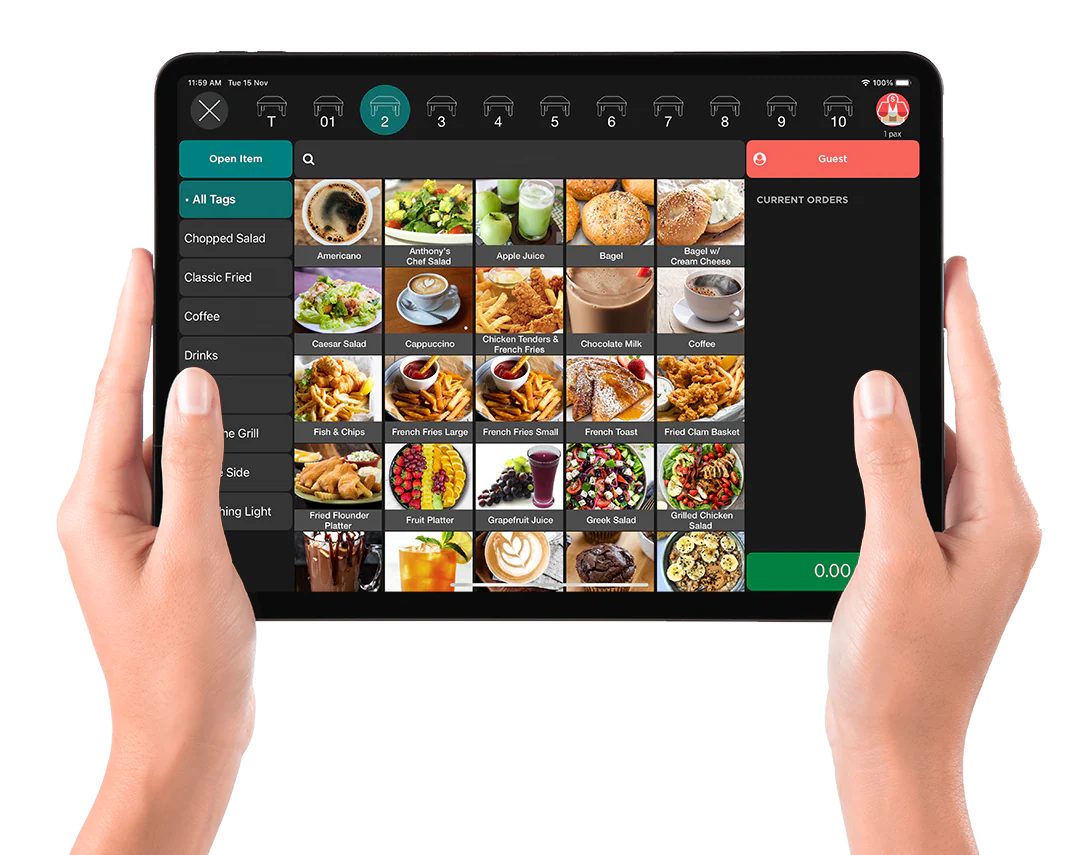 Slurp is a mobile POS system designed for the food and beverage industry. It offers features such as table management, order tracking, and kitchen display integration. Slurp POS software aims to streamline restaurant operations, improve order accuracy, and enhance the customer dining experience.
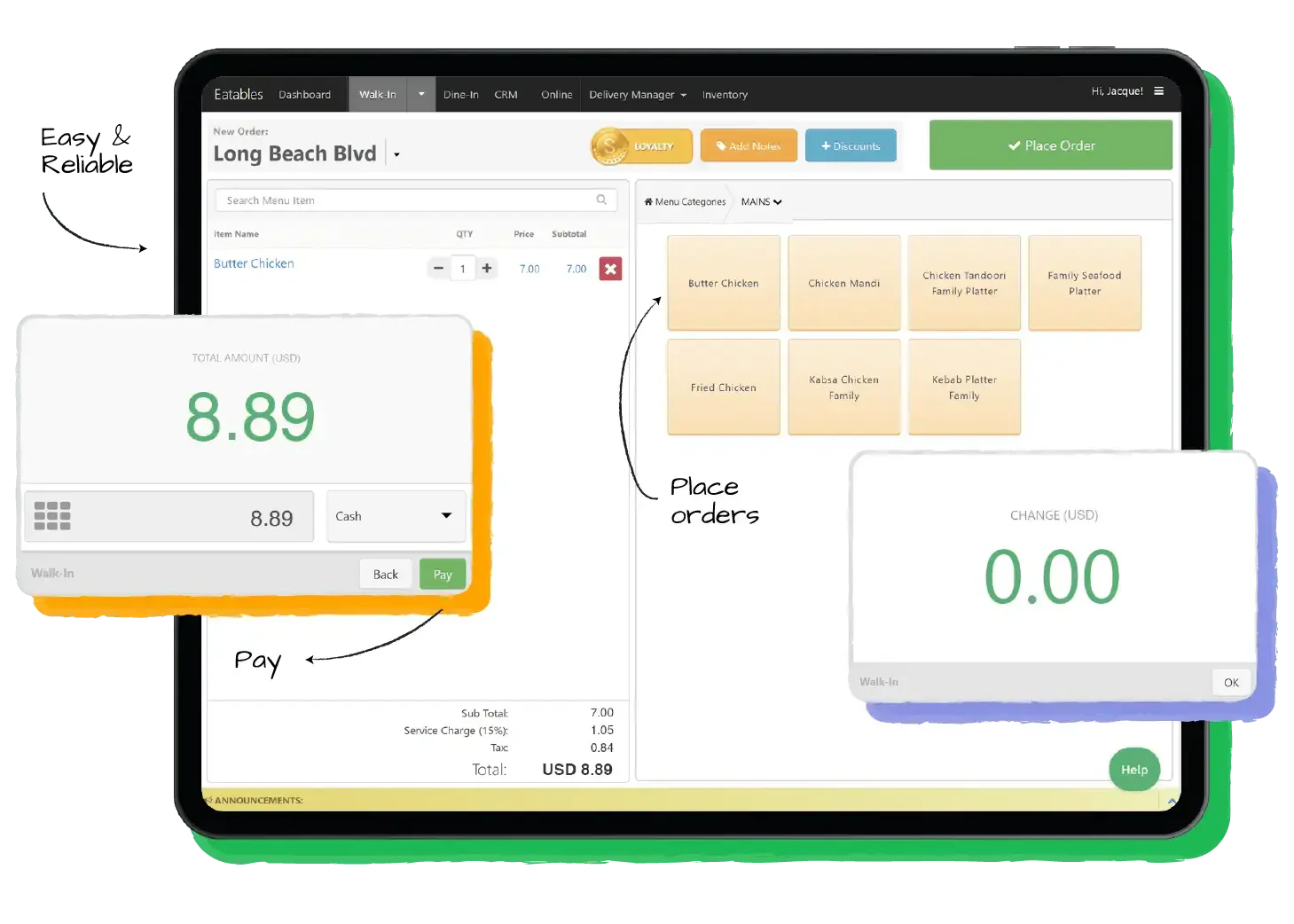 Sapaad is an F&B POS system that offers features such as online ordering integration, kitchen display systems, and detailed sales reports. Sapaad’s point of sales system in Malaysia is designed to enhance restaurant efficiency and customer satisfaction by streamlining operations from order taking to payment processing.