














As Malaysia businesses grow, manual invoicing becomes harder to manage. Delayed billing, payment tracking issues, and data entry errors can affect cash flow and financial accuracy. Invoicing software helps automate billing, track payments, and keep records organized in one system.
The growing adoption of LHDN’s e-Invoicing framework is also increasing the need for accurate and well-managed invoice records. Invoicing software helps businesses maintain data accuracy, reduce manual work, and support compliance with digital invoicing requirements.
Choosing the right invoicing software can improve billing efficiency, strengthen cash flow visibility, and support business growth as transaction volumes increase. It will help you move away from manual work and scale your billing operations with confidence.
Key Takeaways
Invoicing software is a dedicated solution designed to streamline and automate billing and invoice management.
Businesses can track payments and benefit from real-time reporting, improving visibility into collections and cash flow.
Picking the right solution to automate your business’s accounting and invoicing processes would increase efficiency by minimizing human error.
Manual tracking of complex capital structures often leads to data latency and increased financial risk. An integrated accounting ERP ensuring your leadership has the real-time accuracy needed for strategic growth.
Shortlisted Invoicing Software
Based on our research, here is a shortlist of the best invoice software designed to simplify billing, track payments, and improve cash flow management. These tools provide automation, accuracy, and efficiency, making them essential for businesses aiming to streamline financial operations.
 HashMicro
 Sage Intact
 Quick Books
Best Because
Time tracking, automation, and multi-language for SMEs.
What is Invoicing Software?

In Malaysia’s sector, a business with many functions, like owners, accountants, and finance teams rely on e-invoicing software to manage billing efficiently. Also, they have to ensuring compliance with LHDN’s electronic invoicing standards and maintaining accurate financial records.
Invoicing Software
Invoicing software is a digital tool used to create, send, and manage invoices electronically or in printed form. Businesses use it to organize billing activities, maintain invoice records, and track customer transactions more efficiently than manual methods.
While invoicing software helps streamline day-to-day billing operations, it is primarily designed for internal business use. Most solutions require manual monitoring of invoice status, payment reconciliation, and accounting synchronization, and they may not automatically meet government e-invoicing standards or regulatory requirements.
e-Invoicing Software
e-Invoicing software is a compliance-focused solution that creates and transmits invoices in structured digital formats such as XML or JSON. In Malaysia, these invoices are submitted and validated through the LHDN MyInvois portal or API before being recognized as official tax documents.
Unlike standard invoicing software, e-Invoicing software supports real-time validation, secure data transmission, and direct integration with ERP or accounting systems. This helps businesses comply with Malaysia’s LHDN e-Invoicing framework while reducing manual verification and reporting efforts.
On the other hand, we depend on automated invoicing software, which goes further by creating invoices in a standardized electronic format that meets government or tax authority standards. It enables us to verify invoices in real time, send them securely, and integrate smoothly with our accounting systems.
Consequently, businesses can easily generate customer reimbursement records to ensure that every returned payment is fully documented for tax purposes.
Hashy AI Fact

Need to know!
Hashy AI from HashMicro streamlines invoicing across multiple companies by generating real-time, detailed billing reports, and custom online payment management.
Request a free demo today!
Why Do Businesses Need Invoicing Software?
Since July 2025, businesses in Malaysia have been required to issue e-invoices through LHDN’s MyInvois system. As a result, invoicing software has become an essential business tool, helping companies manage billing processes while meeting Malaysia’s e-invoicing requirements.
| Phase | Effective Date | Business Scope | Status |
| Phase 1 | 1 August 2024 | Businesses with annual turnover exceeding RM100 million | Completed |
| Phase 2 | 1 January 2025 | Businesses with annual turnover between RM25 million and RM100 million | Completed |
| Phase 3 | 1 July 2025 | All remaining businesses regardless of turnover | In Effect |
As a result, invoicing software has become an essential business tool, helping companies manage billing processes while meeting Malaysia’s e-invoicing requirements.
- Automates billing
Manual invoicing takes too much time and slows down operations. With invoicing software, invoices are generated instantly and sent with just a few clicks. - Reduces errors
Human mistakes in calculations or data entry can cause payment disputes. Software ensures accuracy by automating calculations and standardizing records. - Improves cash flow
Chasing late payments is stressful and disrupts cash flow. Invoicing software tracks payments, sends reminders automatically, and shortens collection cycles. - Ensures compliance
Keeping up with tax rules manually can lead to costly errors. E-invoicing software Malaysia software automatically applies tax regulations, making compliance effortless. - Enhances professionalism
Handwritten or poorly formatted invoices look unprofessional. Software creates branded, polished invoices that build trust with clients. - Centralizes records
Searching through scattered files wastes valuable time. With invoicing software, all invoices are stored in one place for easy monitoring and reporting.
Quick Invoice Software Comparison Overview
Before exploring each software in detail, it helps to compare the leading options side by side. The table below summarizes their key features, strengths, weaknesses, and pricing considerations.
| Software | Best For | Key Features | Strengths | Weaknesses | Pricing |
|---|---|---|---|---|---|
HashMicro |
Enterprise & ERP users | Bank integration, auto reconciliation, invoice automation, LHDN compliance, reporting | Highly customizable, unlimited users, full ERP integration | Implementation time, demo queue delay | Custom pricing |
Zoho Invoice |
Small businesses | Time tracking, expense tracking, templates, reminders | Free, user-friendly, multi-language | Limited integrations, no payroll | Free |
Oracle NetSuite |
Large enterprises | Accounting, CRM, e-commerce integration | Scalable, real-time data | Expensive, complex | From RM4,120/month |
FreshBooks |
Freelancers & SMEs | Expense tracking, time tracking, reports | Easy to use, strong support | Limited customization | RM80–RM250/month |
Microsoft Invoicing |
Microsoft ecosystem users | Office 365 integration, recurring billing | Seamless Microsoft integration | Limited features | On request |
Xero |
Growing businesses | Multi-currency, payment tracking, dashboard | Strong integrations, reporting | Learning curve | RM60–RM320/month |
Sage Intacct |
Mid-large enterprises | Multi-entity, reporting, automation | Highly scalable, customizable | Expensive, complex | From RM41,000/year |
QuickBooks |
SMEs | Payroll, expense tracking, reporting | Popular, easy to use | Cost increases with features | RM91.99–RM183.99/month |
Wave |
Startups | Invoice, expense tracking, receipt scan | Free, simple | Limited features | Free/RM80 Pro |
Invoice2go |
Mobile users | Mobile invoicing, templates, tracking | Great mobile experience | Limited advanced tools | RM25–RM165/month |
Stripe Billing |
Tech & SaaS companies | Recurring billing, API, automation | Highly customizable | Requires technical setup | 0.7% + fees |
Aspert AiNexus |
Malaysia compliance | Automated invoicing, real-time tracking, templates | High accuracy, compliance-focused | Internet dependency, setup learning curve | Subscription-based |
12 Best Recommended Invoice software Malaysia 2026
Choosing the right invoice program can significantly impact your business’s financial accuracy and efficiency. In this section, we’ve compiled 24 best invoicing software in Malaysia businesses, categorized by key features, strengths, and business suitability to help you make an informed decision.
1. HashMicro e-Invoicing Software
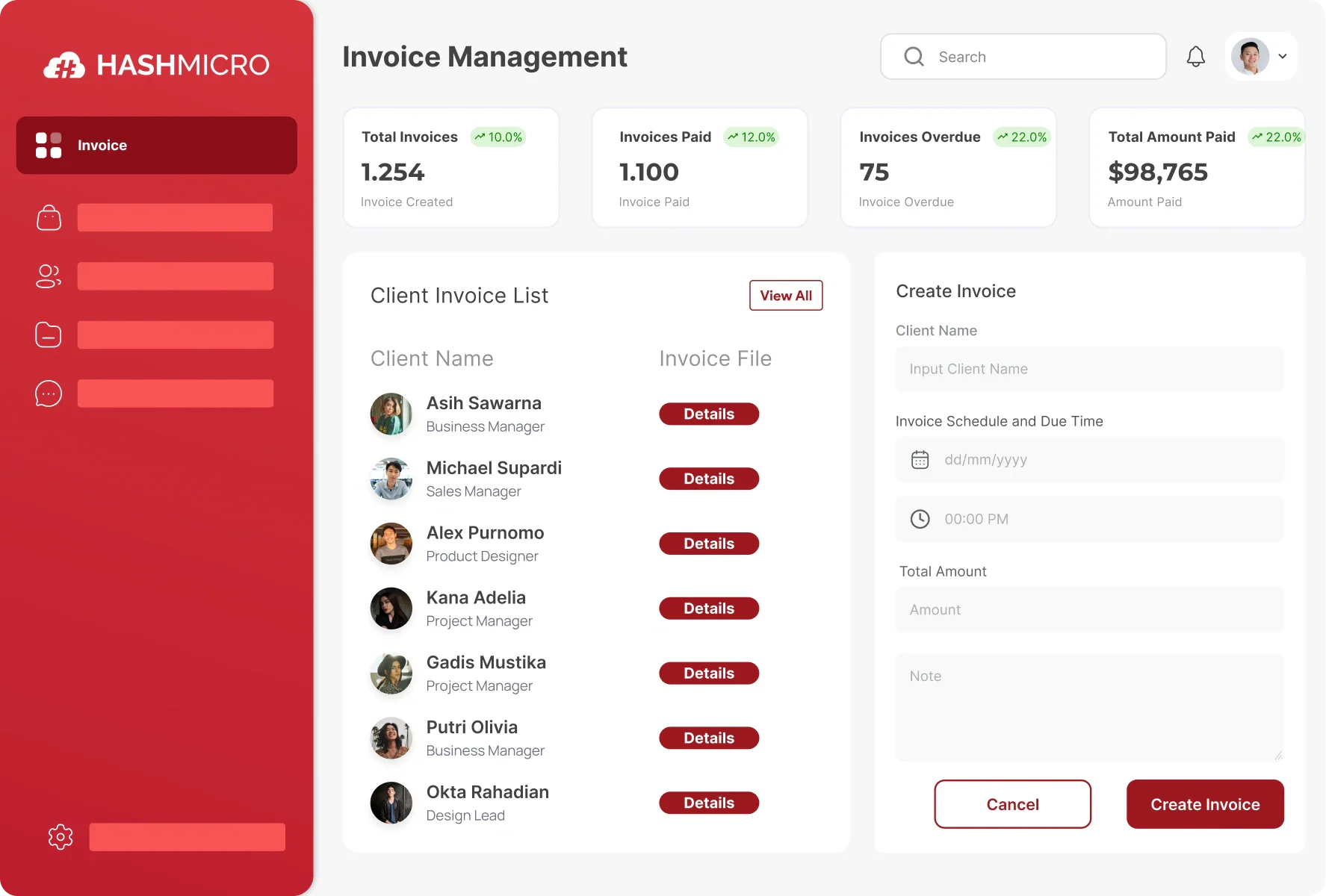
We’ve found HashMicro to be a reliable ERP-based invoicing system designed for enterprise-scale billing and accounting to be effective in automating invoicing workflows. From our experience and research, we like its accurate financial tracking, smooth ERP integration, and compliance with local regulations and Peppol standards.
Below is the comprehensive suite of features that HashMicro Invoicing Software provides to streamline your financial management processes:
-
- Bank Integrations & Auto Reconciliation
- Invoice Generation
- Online Payment Management
- Invoice Approval & Validation
- Tax & Discount Management
- Credit Limit Management
- LHDN Compliance
- Real-time Invoice Reporting
| Pros | Cons |
|
|
HashMicro aligned with Malaysian regulatory and operational needs that fully complies with LHDN and MyInvois requirements, such as supports local banking integrations like Maybank and CIMB, and offers strong ERP connectivity. Its unlimited user model and localized implementation support in Bahasa Melayu make it especially suitable for growing SMEs and mid-sized enterprises.
Pricing: Contact the HashMicro team to get a customized pricing scheme.

Interested in trying HashMicro Invoicing Software? See How HashMicro Handles Your MyInvois Submission. Book a Compliance Demo now.
2. Zoho
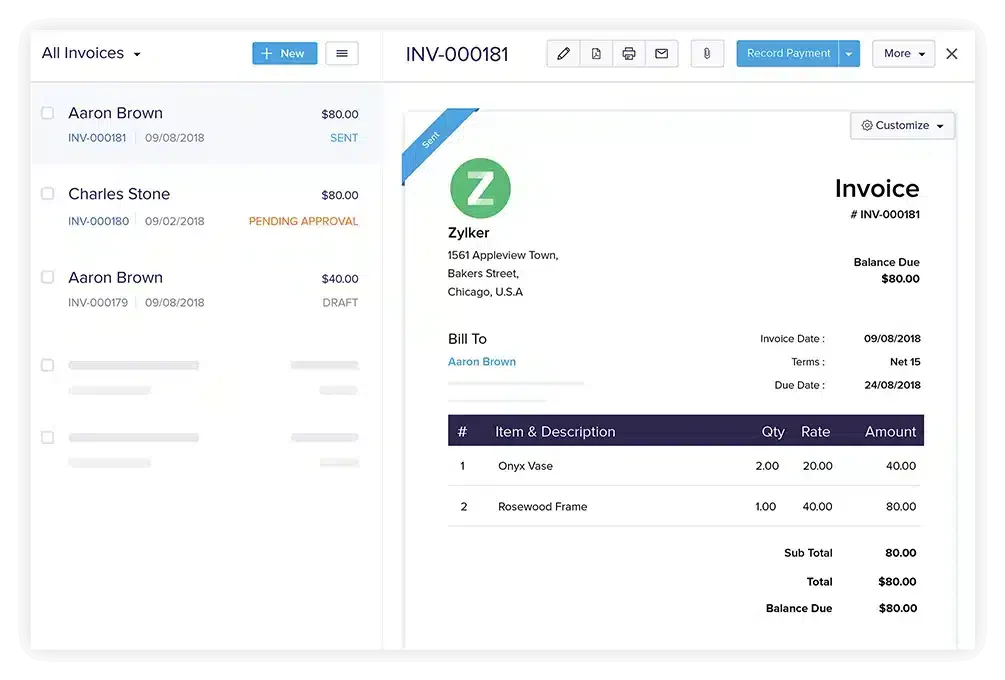
We found Zoho Invoice to be a reliable cloud-based invoicing software that streamlines billing and invoicing processes. From our experience and research, we can create customized invoices, automate billing cycles, and manage receipts efficiently, even without advanced accounting knowledge.
Zoho Invoice features:
- Time tracking
- Expense management
- Customizable invoice templates
- Automated reminders
- Reporting tools
| Pros | Cons |
|
|
Zoho Invoice is a practical choice for Malaysian small businesses looking for a cost-effective invoicing solution. Its free pricing model lowers entry barriers, while multi-currency and multilingual support help businesses operating in diverse local and regional markets. It’s especially useful for startups and service-based businesses that need simple invoicing without complex compliance requirements.
Pricing: RM0/month (free for small businesses).
3. Oracle NetSuite
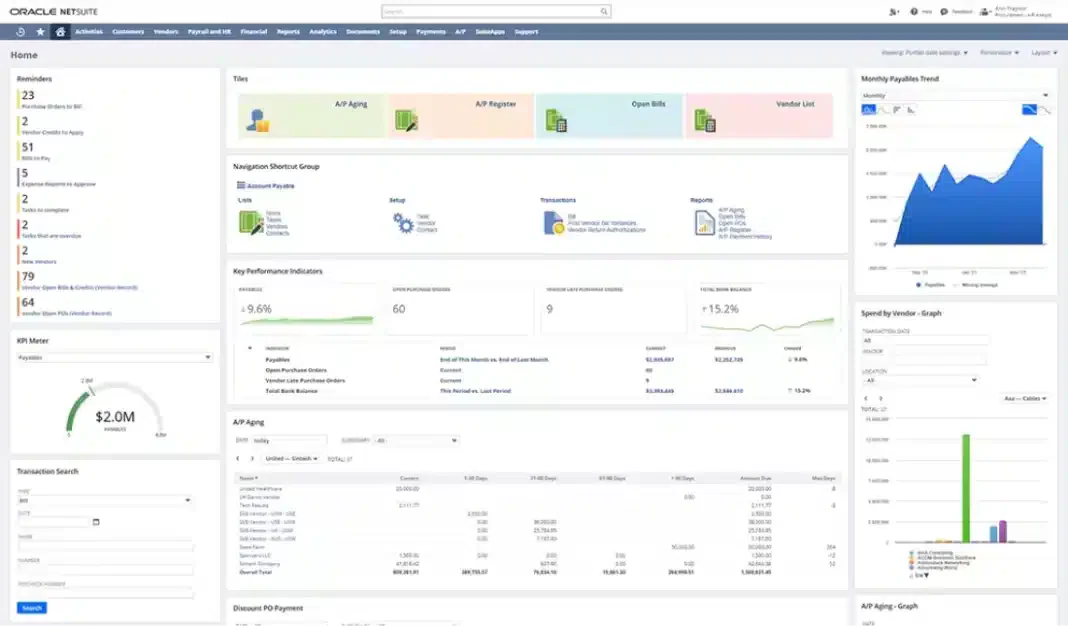
We found Oracle NetSuite’s online invoicing software to be a powerful solution that brings multiple business functions into one system. From our research, its advanced automation makes invoice creation, sending, and tracking seamless while giving us access to real-time financial data.
Oracle NetSuite’s features:
- Robust accounting module
- CRM integration
- E-commerce capabilities
| Pros | Cons |
|
|
Oracle NetSuite fits large Malaysian enterprises dealing with complex, multi-entity operations. Its ability to handle multiple tax systems and currencies supports businesses operating across ASEAN. With local partners providing implementation and compliance alignment, it’s well-suited for corporations that require real-time financial visibility and scalability.
Pricing: From RM4,120/month platform + RM410/user/month.
4. FreshBooks
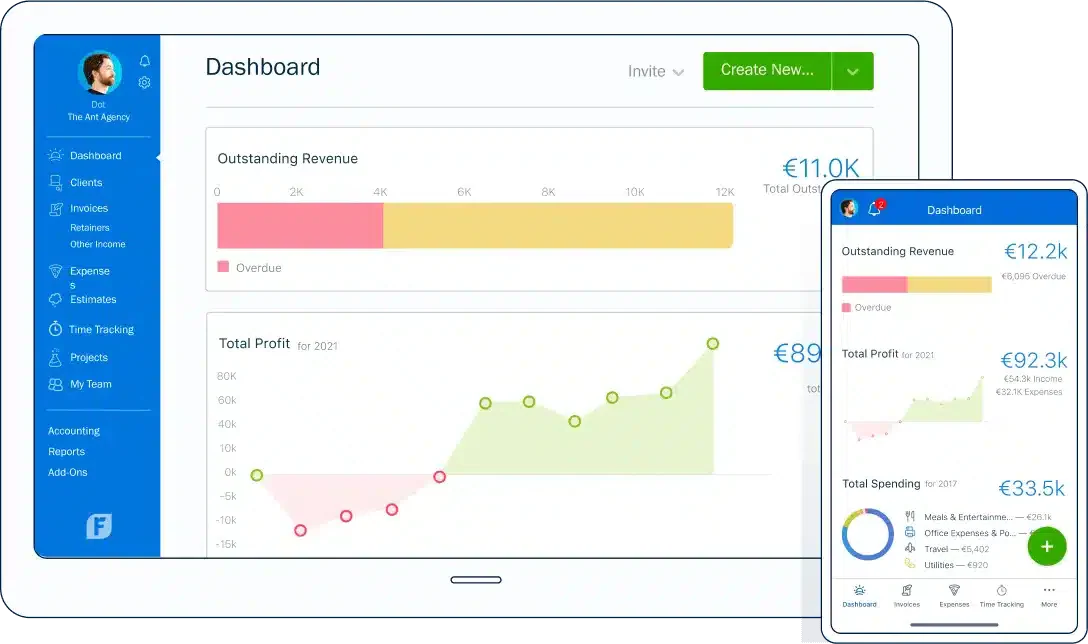
We found FreshBooks to be an invoicing software in Malaysia that truly simplifies invoice management, time tracking, and automation. From our experience and research, we can create professional-looking invoices, accept online payments, and automate reminders to ensure timely payments.
FreshBooks’s features:
- Expense tracking
- Time tracking
- Project management tools
- Reports and dashboards
| Pros | Cons |
|
|
FreshBooks is ideal for Malaysian freelancers and SMEs that prioritize ease of use and quick setup. Its automated invoicing, expense tracking, and online payment features help streamline day-to-day billing without heavy accounting knowledge. This makes it a strong fit for service professionals and small agencies.
Pricing: RM80–RM250/month, depending on plan.
5. Microsoft
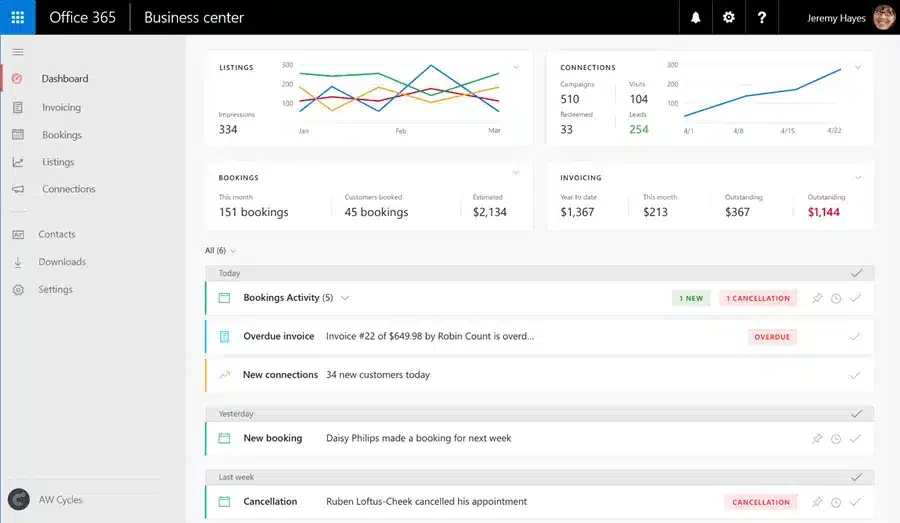
We’ve seen how Microsoft Invoicing Software makes it easy to create and send professional invoices directly from our devices. Through our research, we appreciate its smooth integration with Office 365, which provides a seamless workflow for those already using the Microsoft ecosystem.
Microsoft Invoicing Software’s features:
- Outlook & Office integration
- Financial reporting tools
- Recurring billing
- Microsoft ecosystem benefits
| Pros | Cons |
|
|
Microsoft Invoicing works well for companies already embedded in the Microsoft ecosystem. Its seamless integration with Office 365 tools like Outlook enhances productivity and simplifies workflows. Malaysian businesses using Microsoft products can adopt it without major system changes.
Pricing: Available upon request.
6. Xero
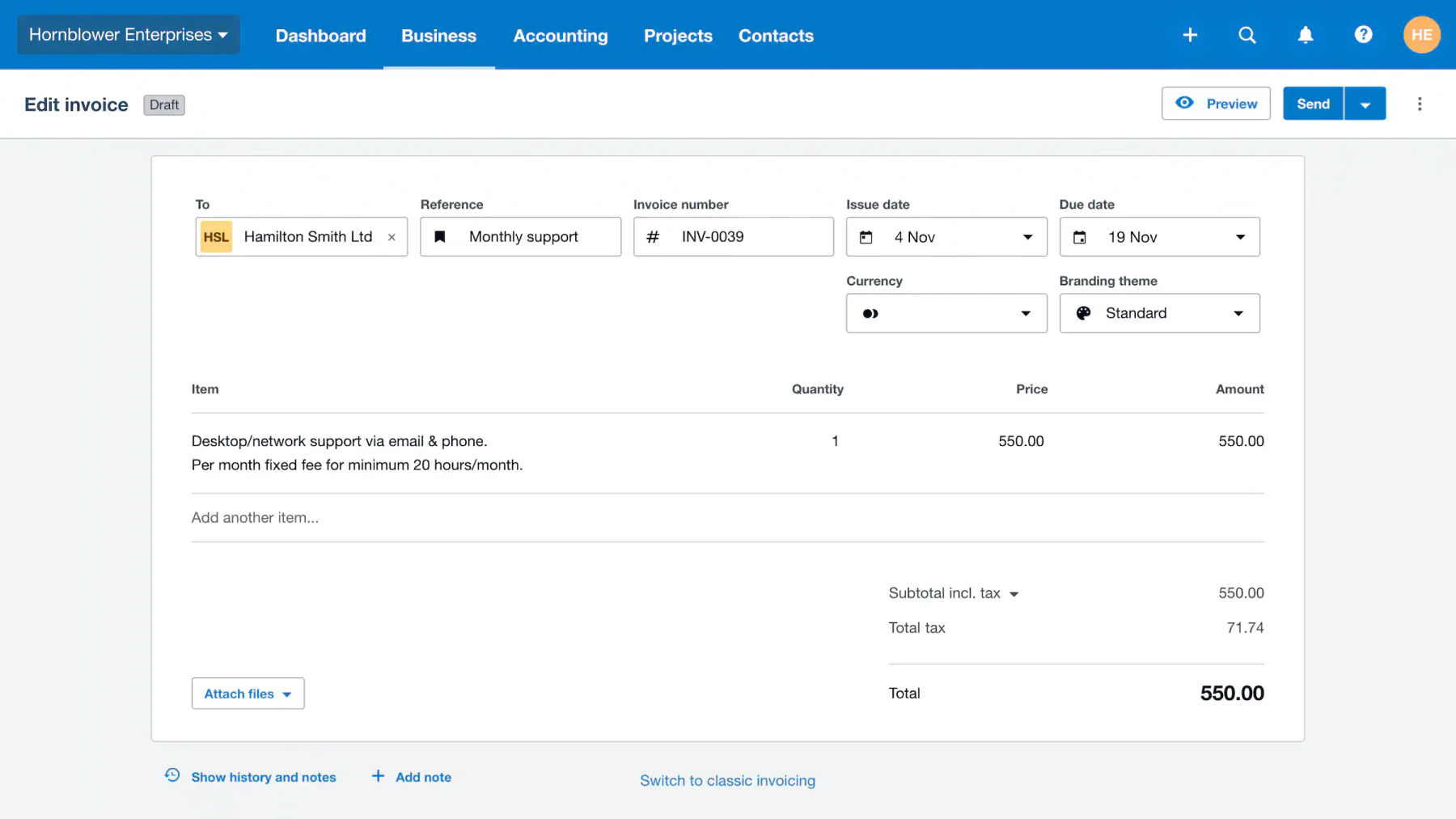
We found Xero to be a solid cloud-based invoicing software that makes creating, sending, and tracking invoices effortless. Based on our hands-on use, we also value how it integrates with third-party apps while offering financial reporting, inventory management, and payroll tools in one platform.
Xero’s features:
- Multi-currency invoicing
- Automatic exchange rate updates
- Online payment options
- Financial dashboard
| Pros | Cons |
|
|
Xero is a strong option for growing Malaysian businesses that need cloud-based flexibility and integrations. Its multi-currency support and connection to various third-party apps make it suitable for companies expanding regionally. While not fully localized, it remains popular among SMEs working with accountants and cloud systems.
Pricing: RM60–RM320/month, depending on plan and region.
7. Sage Intacct
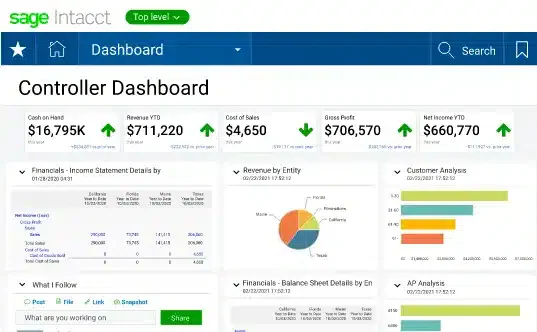
We’ve seen Sage Intacct automate financial processes while offering customization to fit business needs. From our research, we value its integration with other systems that provide a complete financial view for more thoughtful decisions.
Sage Intacct’s features:
- Advanced financial reporting
- Multi-entity support
- Multi-currency support
- Real-time insights
- Robust invoicing module
| Pros | Cons |
|
|
Sage Intacct is well-suited for mid-to-large Malaysian enterprises requiring advanced financial control and multi-entity management. Its strong reporting and automation capabilities help businesses maintain compliance and financial clarity, especially those with complex structures or regional operations.
Pricing: From RM41,000+/year (quote-based for mid-enterprise).
8. QuickBooks
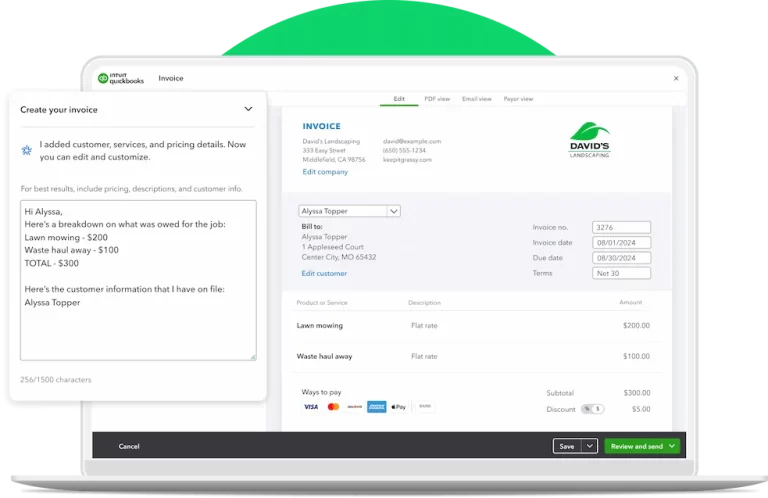
We found QuickBooks, developed by Intuit, to simplify financial management by automating invoicing, tax calculations, and payment tracking. From our research, it stands out as a comprehensive tool for managing businesses.
QuickBooks’s features:
- Payroll services
- Expense tracking
- Financial reporting
- Versatile functionality
| Pros | Cons |
|
|
QuickBooks is a widely adopted solution among Malaysian SMEs due to its balance of functionality and ease of use. It supports essential features like tax calculations, payroll, and reporting, making it a practical all-in-one financial tool. Its strong community and support ecosystem also benefit local users.
Pricing: RM91.99, RM132.99, RM183.99/month (Malaysia plans).
9. Wave
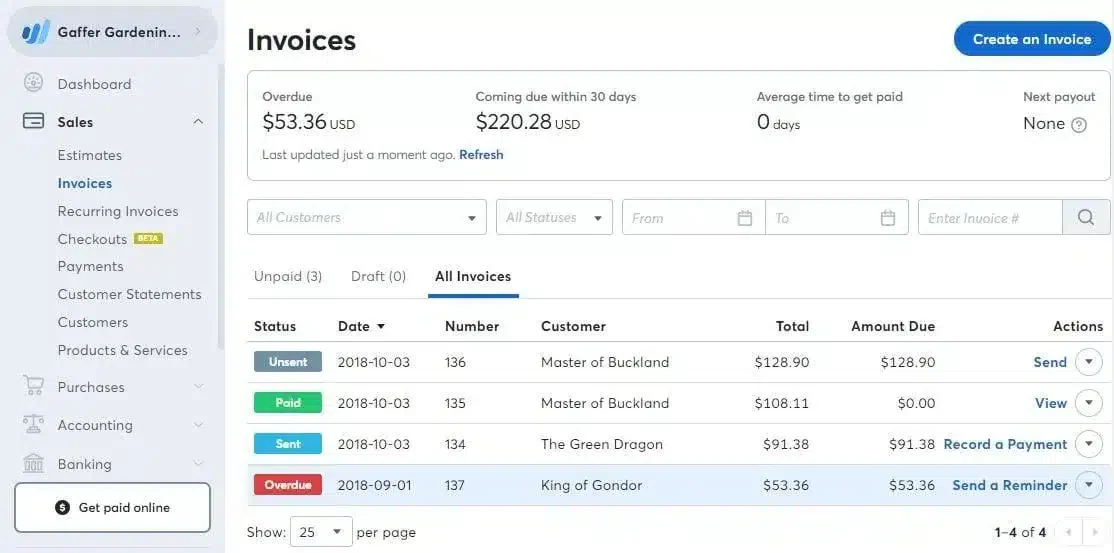
We’ve tried Wave as a business invoicing software and found it to be a simple yet effective solution for managing invoices, tracking expenses, and handling basic bookkeeping. From our research, we can create customized invoices and automate payment reminders to ensure timely collections.
Wave’s features:
- Income & expense tracking
- Receipt scanning
- Direct bank connections
- Basic financial reports
| Pros | Cons |
|
|
Wave is a great entry-level solution for Malaysian startups and microbusinesses with limited budgets. Its free invoicing and accounting features allow businesses to manage basic financial operations without upfront costs. It’s best suited for simple use cases without complex compliance needs.
Pricing: RM0/month; Pro around ~RM80/month.
10. Invoice2go
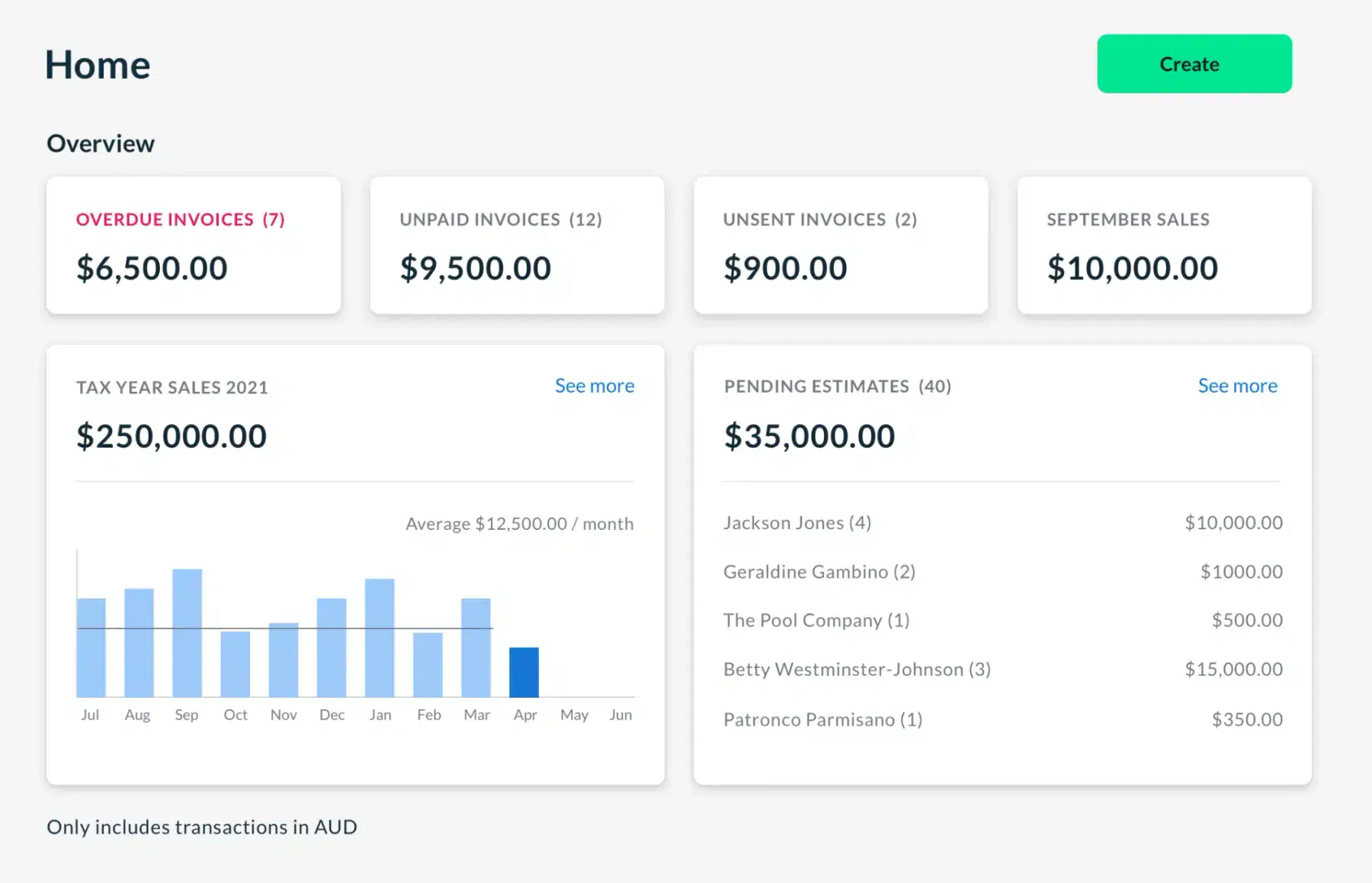
We’ve used Invoice2go and found it very convenient as a mobile-first invoicing software in Malaysia, letting us create, send, and track invoices right from our smartphones or tablets. Through our experience and research, we also appreciate its support for estimates, expense tracking, and time tracking.
Invoice2go’s features:
- Customizable invoice templates
- Invoicing focus
- Business management tools
- Performance reports
| Pros | Cons |
|
|
Invoice2go is ideal for Malaysian business owners who operate on the go, such as contractors and small service providers. Its mobile-first design enables easy invoice creation and tracking from anywhere, making it highly practical for field-based work environments.
Pricing: RM25–RM165/month across plans.
11. Stripe
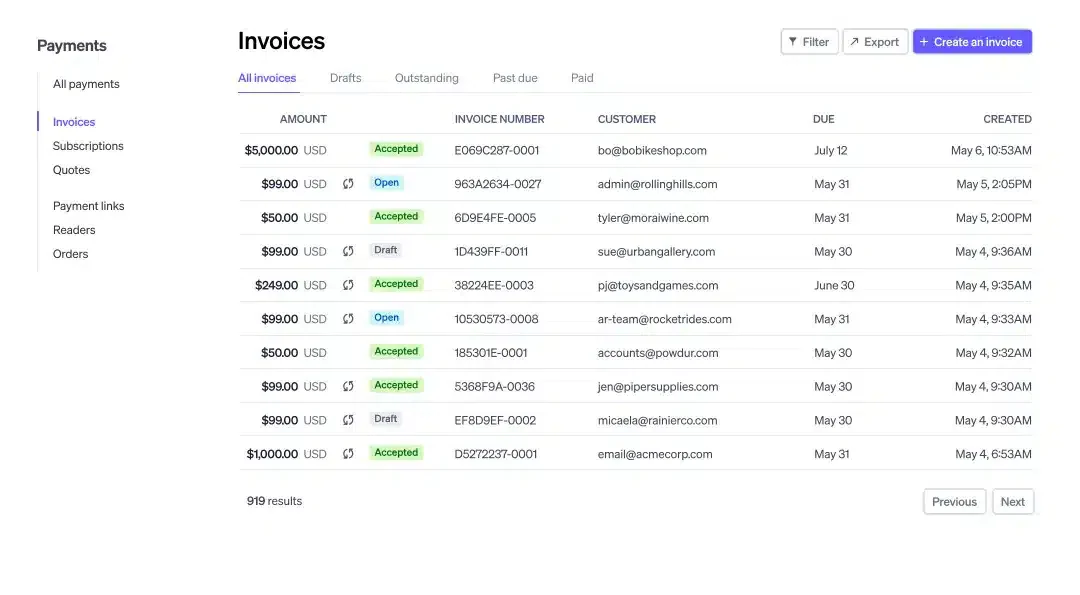
We’ve explored Stripe Billing and found it effective for creating recurring bills, setting up one-off invoices, and automating payments. From our research and experience, we value its API-first approach, which gives us the flexibility to customize and integrate it with our existing systems.
Stripe Billing’s features:
- Prorated charges
- Automated tax calculations
- Trial period management
- Scalable solutions
| Pros | Cons |
|
|
Stripe Billing is well-suited for Malaysian tech companies and SaaS businesses that require flexible, API-driven billing systems. Its support for recurring payments, automated tax handling, and multi-currency transactions makes it ideal for digital-first and globally focused companies.
Pricing: 0.7% of recurring billing volume + 3–4% card fees.
12. Aspert
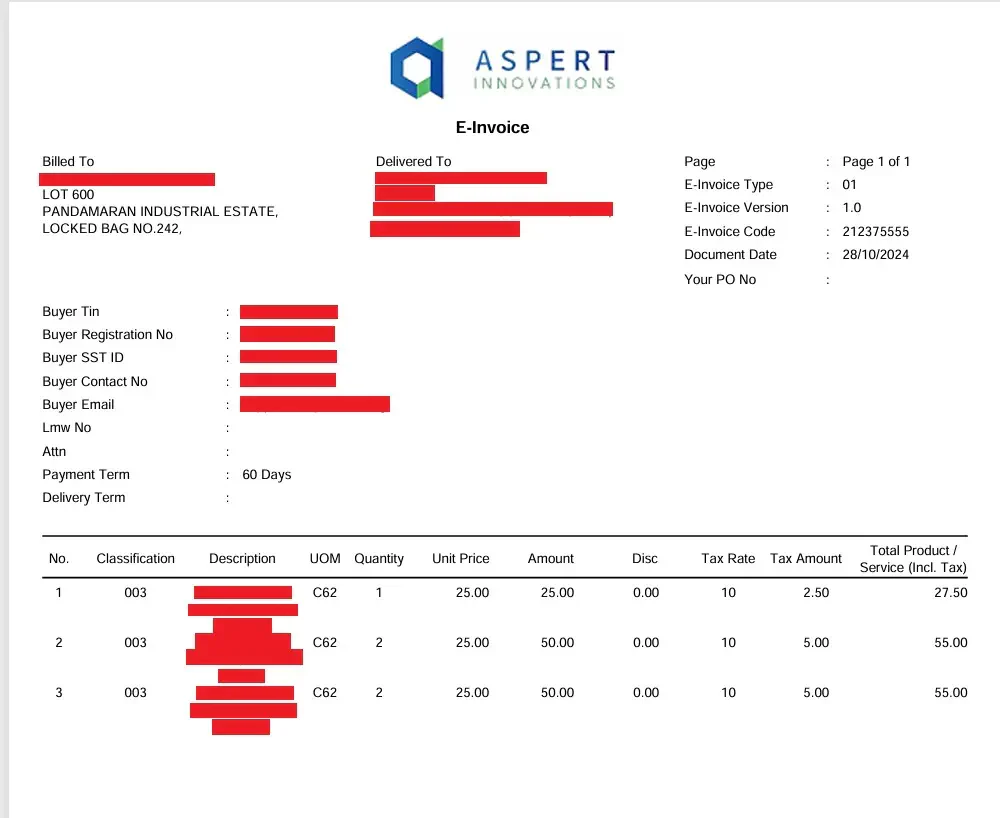
Aspert AiNexus stands out as a purpose-built, Malaysian-developed e-invoicing solution designed to facilitate a smooth transition into the digital billing landscape. This innovative platform is specifically tailored to meet the unique demands of the local market, placing a strong emphasis on strict compliance with the latest government tax regulations.
Stripe Billing’s features:
- Automated invoicing
- Real-time payment tracking
- Multi-currency support
- Professional template customization
| Pros | Cons |
|
|
Aspert AiNexus is specifically designed for the Malaysian market, with a strong focus on LHDN compliance and e-invoicing regulations. Its real-time tracking and automation features help businesses transition smoothly into mandatory e-invoicing requirements, making it highly relevant for companies prioritizing compliance and accuracy.
Overall Comparison of Invoicing Software in Malaysia
To help you compare options more easily, we’ve summarized the strengths of each invoice software in the table below. This overview highlights key criteria such as integration, security, and banking support.
| Provider | Connection Quality | Bank Coverage | Ease of Integration | Data Enrichment |
|---|---|---|---|---|
| HashMicro | ||||
| Zoho | ||||
| Xero | ||||
| Sage | ||||
| QuickBooks |
How to Send Invoices in Malaysia?
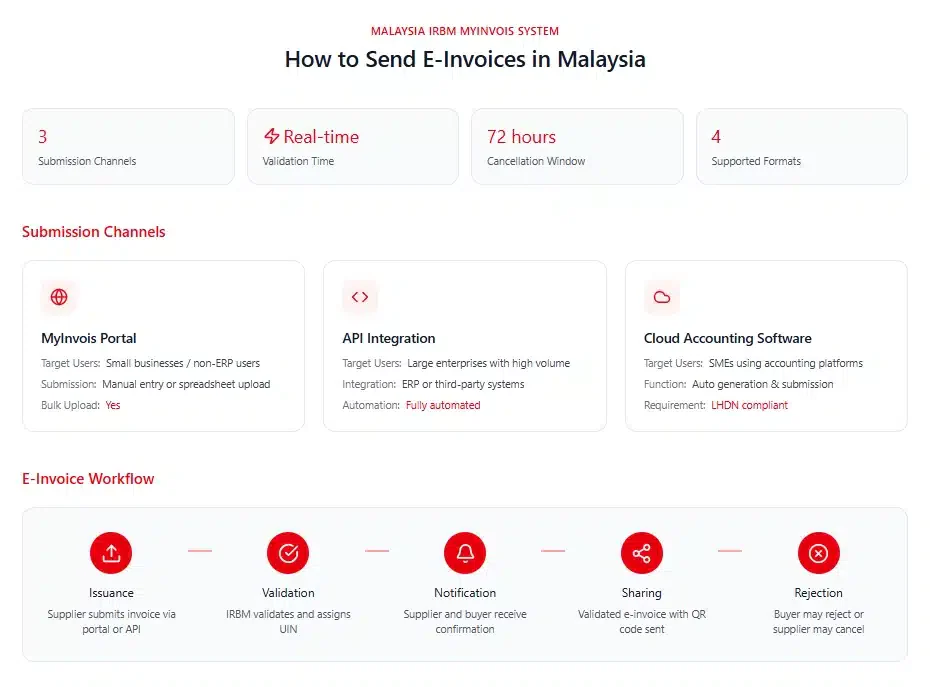
In Malaysia, businesses can issue e-invoices through two main channels provided by the Inland Revenue Board of Malaysia (IRBM), such as the MyInvois Portal and API integration. Both options support different business needs and sizes.
1. MyInvois portal
Best suited for small businesses or those without an ERP system, the MyInvois Portal allows users to manually input or upload invoices in bulk using spreadsheets. It’s designed for taxpayers who prefer a simple, direct submission process without needing system integration. Check If Your Current System is MyInvois-Ready.
2. API integration
Larger organizations producing high volumes of invoices typically choose API integration. This method connects their existing systems or third-party platforms directly to MyInvois for automated e-invoice submission.
To activate this, businesses must register their software vendor’s details on the portal to become an authorized intermediary. If you’re unsure how to set up API integration, Caltrix Asia offers free 30-minute consultation sessions to help you streamline the process.
E-Invoice Submission Workflow
- Issuance: Suppliers generate and submit e-invoices via the MyInvois Portal or API.
- Validation: The IRBM validates invoices in real time and assigns a Unique Identifier Number (UIN).
- Notification: Both suppliers and buyers are notified once validation is complete.
- Sharing: Suppliers send the validated e-invoice (with a QR code) to buyers.
- Rejection/cancellation: Buyers can reject, and suppliers can cancel invoices within 72 hours, with valid justification.
- Readable format: A readable version, such as a PDF or JPG, may also be shared for convenience.
This efficient process ensures regulatory compliance while improving financial transparency and workflow efficiency.
3. E-Invoice cloud accounting software
Small and medium-sized enterprises (SMEs) using cloud or desktop accounting software can also issue e-invoices. However, it’s important to verify that the system complies with LHDN’s e-invoice requirements to ensure smooth submission and integration. Invoicing software automate the filing process while ensuring perfect compatibility with existing workflows.
Study Case: E-Invoicing Transformation in Business Operations
A Malaysian retail chain struggled with manual invoicing of 10,000+ monthly bills via spreadsheets, causing 15% errors and 45-day payment delays. Non-compliance with LHDN MyInvois risked fines, while bank reconciliation took two days weekly. These issues hampered cash flow and growth.
E-invoicing software automated invoice creation, MyInvois API submission, and bank reconciliation with Maybank/CIMB. Processing time dropped from 5 minutes to 30 seconds per invoice, ensuring 100% compliance. Automated reminders accelerated collections via FPX gateways.
Results included 93% error reduction, DSO cut to 20 days, and RM150,000 annual savings. Cash flow surged RM500,000 monthly without extra staff. E-invoicing boosted efficiency and scalability for Malaysian businesses.
How to Choose the Right Invoice Program for Your Business in Malaysia
When choosing an invoice program in Malaysia, businesses should not only check whether the software can create invoices. A reliable solution should support the full invoicing workflow, from preparing invoice details and submitting them through MyInvois or Peppol to tracking LHDN validation status, handling rejected invoices, creating credit notes, and monitoring payment status
Step 1: Check system compatibility
Many businesses focus only on invoice creation, but invoicing involves a much broader process. Before selecting a solution, evaluate how invoices are generated, approved, delivered to customers, tracked, and reconciled with payments.
A suitable platform should support the entire billing cycle from invoice issuance to payment collection. Features such as recurring billing, approval workflows, customer management, and payment tracking can significantly reduce manual effort while improving visibility across finance operations.
Step 2: Verify compliance with Malaysian regulations
Since Malaysia has implemented mandatory e-Invoicing through LHDN’s MyInvois framework, compliance should be a key consideration during software evaluation. Businesses need to ensure their chosen solution can support invoice validation, submission, and record management according to current regulatory requirements.
Look for vendors that actively update their systems whenever LHDN releases new guidelines or technical specifications. This reduces the risk of compliance issues and minimizes the burden on internal teams to adapt processes manually.
Step 3: Evaluate automation features
Automation is one of the main reasons businesses invest in invoicing software. Features such as automatic invoice generation, recurring billing, payment reminders, tax calculations, and payment reconciliation can significantly reduce manual work.
By automating routine billing activities, finance teams can process invoices faster, improve accuracy, and spend less time on administrative tasks. This becomes increasingly important as transaction volumes grow.
Step 4: Compare cost and ROI
While pricing is an important consideration, focusing solely on subscription fees can be misleading. A lower-cost solution may lack the functionality needed to support future growth, leading to additional expenses later.
Instead, evaluate the overall return on investment. Consider factors such as reduced administrative workload, faster invoice processing, improved payment collection rates, fewer billing errors, and lower compliance risks. These benefits often generate far greater value than the software’s initial cost.
Step 5: Review support and training availability
Even the most feature-rich invoicing software can become difficult to use without proper implementation and support. Businesses should evaluate the vendor’s onboarding process, training resources, technical support availability, and local expertise.
This becomes particularly important for organizations transitioning from manual invoicing processes or preparing for large-scale e-Invoicing adoption. Reliable support can accelerate implementation, reduce disruption, and help users maximize the software’s capabilities from the start.
To better understand how your business can speed up collections and minimize payment delays, you can also explore our full guide on achieving timely invoice payment. It provides practical strategies and insights that complement the automation features offered by HashMicro.
Which Invoice Software Suits Your Business?
Different businesses have different invoicing priorities, from simple billing and payment tracking to full ERP integration and LHDN compliance. The table below helps narrow your options by matching software solutions to specific business scenarios.
| Business Profile | Recommended Software | Why It Fits |
|---|---|---|
Startup or microbusiness needing free and simple invoicing tools |
Wave or Zoho Invoice | Both offer free plans with essential invoicing features, making them ideal for businesses with limited budgets and simple financial needs. |
Freelancers or service-based SMEs needing easy invoicing and time tracking |
FreshBooks or Invoice2go | FreshBooks provides strong time and expense tracking, while Invoice2go excels in mobile invoicing for on-the-go billing. |
Growing SME needing scalable cloud invoicing with integrations |
Xero or QuickBooks | Both platforms offer strong reporting, integrations, and automation to support business growth and more complex financial workflows. |
Malaysian SME requiring LHDN-compliant e-invoicing and local support |
HashMicro or Aspert AiNexus | Both solutions are aligned with MyInvois requirements, offering local compliance, automation, and support tailored for Malaysian regulations. |
Large enterprise needing full ERP integration with invoicing |
Oracle NetSuite or Sage Intacct | These systems provide advanced financial management, multi-entity support, and real-time reporting for complex organizations. |
Business already using Microsoft ecosystem (Office 365, Outlook, Teams) |
Microsoft Invoicing | Seamless integration with Microsoft tools allows for smoother workflows without needing major system changes. |
SaaS or tech company needing subscription and recurring billing automation |
Stripe Billing | API-first platform with strong support for recurring payments, automation, and global transaction handling, ideal for digital business. |
Conclusion
As Malaysia’s e-Invoicing requirements continue to evolve, businesses need more than just a tool for creating invoices. The right invoicing software should support the entire billing process, from invoice generation and MyInvois submission to payment tracking, reporting, and compliance management.
Whether you’re a startup, SME, or large enterprise, choosing a solution with strong automation, system integration, and regulatory support can help reduce administrative workload, improve cash flow visibility, and minimize billing errors. By evaluating your operational needs and future growth plans, you can select an invoicing platform that delivers both efficiency and long-term business value.
If you’re evaluating invoicing software, a free consultation can help identify your requirements and compare options more effectively before making a decision.

FAQ about e-Invoicing Software
What features should I look for in invoicing software?
Look for features like invoice templates, automated tax calculations, recurring billing, payment tracking, reporting tools, and integration with accounting or ERP systems.
Can I track overdue payments with invoicing software?
Yes. Most invoicing software allows you to monitor overdue invoices, send reminders, and view payment status in real time.
How do clients pay invoices online?
With HashMicro e-Invoicing, clients simply click the secure “Pay Now” button on the invoice you send via email or portal. They can pay using methods you enable (such as bank transfer, virtual account, payment gateway, or e-wallet), and the system automatically updates the invoice status and records the payment in your finance module.
What are the drawbacks of e-invoicing?
E-invoicing can face technical downtime, require upfront implementation and training costs, and create compliance complexity. It also brings data security risks, higher dependence on stable internet/systems, and may cause some job displacement or process friction with suppliers/customers.
Can taxpayers issue one credit note e-invoice to settle multiple original e-invoices?
Yes. In Malaysia, taxpayers may issue a single credit/debit/refund note e-invoice to offset multiple original e-invoices, as long as each original e-invoice UIN is entered in the “Original e-invoice Reference Number” field. The reference also notes no specific time restriction for issuing these adjustment e-invoices.
What happens if my e-invoice is rejected by LHDN?
If an e-invoice is rejected by LHDN, it must be corrected and resubmitted before it can be recognized as a valid e-invoice. Common causes include incorrect tax details, missing information, or formatting issues that do not meet MyInvois requirements.
Is HashMicro LHDN-approved?
HashMicro supports Malaysia’s e-Invoicing framework through integration with the LHDN MyInvois system, allowing businesses to generate, validate, and submit e-invoices in accordance with current compliance requirements.
Can invoicing software handle construction progress claims?
Yes. Advanced invoicing software can manage progress claims based on PAM and JKR contract structures, including milestone billing, retention sums, and variation orders, while also generating MyInvois-compliant e-invoices for LHDN submission.