














In Malaysia, the Auditor-General’s Report revealed that non-compliance in financial management led to losses of RM158.08 million in public funds. These losses stemmed from irregular payments, wastage, and poor planning, underscoring the critical need for robust financial oversight and effective budgeting practices.
To address these challenges, organizations are turning to comprehensive business budgeting software. Such tools enable centralized financial planning, real-time tracking, and improved accountability, ensuring that every ringgit is allocated efficiently and aligns with organizational goals.
In this article, we will explore the 15 Best Business Budgeting Software for All Businesses 2026, helping you discover the most suitable solution to optimize your financial planning, control expenses, and support sustainable growth.
Key Takeaways
Business budgeting software is a powerful digital tool that enables businesses to plan, track, and manage their financial activities efficiently.
One key benefit of budgeting is its ability to guide financial decisions, ensuring every expense aligns with the company’s strategic goals.
Different budgeting methods help businesses plan expenses based on their goals, cost structure, and decision-making process.
Selecting the best business budgeting software is key to enhancing financial efficiency and fostering long-term growth.
Accurate budgeting works better when financial data is connected with daily accounting records, from expenses and invoices to cash flow and reporting.

Our Top Pick Budgeting Software
 Spendesk
Best Because
Spend management tool for tracking expenses, approvals, budgets, and company card usage in one platform.

 HashMicro
 NetSuite
Best Because
Enterprise-level demand forecasting, multi-channel order and warehouse management.
 Sage
Sage
Best Because
Small to medium retail businesses that need flexible inventory control and financial management.
 FreshBooks
Best Because
Cloud-based tool for expense tracking, invoicing, cash flow, and basic budgeting.
Quick Comparison of Best Business Budgeting Software in Malaysia
| Software | Best For | Strength | Malaysia Support | Key Features | Pricing |
|---|---|---|---|---|---|
| HashMicro | Businesses needing integrated budgeting, accounting, and forecasting software | Comprehensive ERP budgeting system with AI insights, forecasting, and financial reporting tools | Supports LHDN e-Invoice requirements and Malaysian financial reporting workflows | Hashy AI, budget forecast, budget S-curve, auto reconciliation, financial ratio analysis, cash flow reports, budget comparison reports | Custom pricing with free demo |
| Centage | SMEs moving from spreadsheets to structured budgeting systems | Simple budgeting and forecasting workflows for recurring financial planning | General budgeting platform suitable for structured finance teams | Budget tracking, financial forecasting, reporting tools, analytics dashboards | Contact vendor for pricing |
| QuickBooks | Small businesses wanting budgeting with bookkeeping in one system | Easy budgeting setup combined with standard accounting functions | Suitable for Malaysian SMEs using global accounting workflows | Expense categorization, budget setup, budget vs actual reports | Subscription-based pricing |
| NetSuite | Medium to large companies using cloud ERP systems | Integrated financial management and multi-entity budgeting | Flexible setup depending on implementation requirements | Expense allocation, tax management, budgeting, forecasting | Custom enterprise pricing |
| Sage | Mid-sized companies requiring structured budgeting workflows | Reliable forecasting and financial planning tools | Compatible with standard financial reporting processes | Budget creation, reporting templates, forecasting tools | Contact vendor for pricing |
| Datarails | Finance teams relying heavily on Excel workflows | Automates spreadsheet-based budgeting and forecasting | Useful for businesses transitioning from manual reporting | Excel integration, financial dashboards, budgeting automation | Custom pricing available |
| Spendesk | Finance teams controlling company spending and approvals | Strong spend management and budget visibility features | Suitable for centralized expense tracking workflows | Expense approvals, budget controls, accounting integration | Contact vendor for pricing |
| FreshBooks | Freelancers and small businesses needing simple budgeting tools | User-friendly interface for expense and cash flow tracking | Useful for SMEs handling straightforward finance operations | Invoice management, budget reports, expense tracking | Subscription pricing available |
| Workday Adaptive Planning | Companies requiring collaborative enterprise planning | Advanced planning, scenario modeling, and forecasting tools | Suitable for structured enterprise finance environments | Real-time dashboards, collaboration tools, forecasting | Custom pricing |
| Float | Businesses focused on cash flow planning | Simple and visual cash flow forecasting platform | Useful for SMEs monitoring short-term finances | Cash flow forecasting, real-time tracking, accounting integrations | Subscription pricing |
What is Business Budgeting Software?
Business budgeting software is a digital solution designed to help businesses manage their financial planning more efficiently. It allows companies to create, monitor, and adjust budgets in real time, streamlining the entire budgeting process.
This type of software is especially valuable in today’s budgeting software market, where agility and data-driven decision-making are essential. It provides a centralized platform to track spending, forecast revenues, and align budgets with business objectives.
Moreover, many solutions in the market double as financial planning and business financial management software, enabling comprehensive control over your company’s fiscal health. These tools are tailored to meet the needs of businesses of all sizes, from startups to large enterprises.
Benefits of Business Budgeting Software
Implementing the best business budgeting software can significantly improve how a company manages its finances. By automating processes and centralizing data it reduces manual errors and boosts productivity. Below are the key benefits businesses can gain from using budgeting tools:
- Improved financial planning: Budgeting software supports better forecasting and planning by providing accurate data insights. It helps organizations make informed decisions with tools commonly found in financial planning software.
- Real-time expense tracking: With real-time tracking, businesses can monitor expenditures against budgets instantly. This feature is essential for small business budgeting software that needs to remain agile with limited resources.
- Enhanced collaboration: Teams can work together seamlessly within one budgeting platform. It fosters better communication between departments and ensures accountability in business budgeting and reporting software.
- Cost control & efficiency: By detecting unnecessary expenses early, businesses can streamline operations. This improves efficiency and helps reduce financial waste across departments, including those in sectors like F&B that rely heavily on restaurant accounting software.
- Regulatory compliance: Budgeting software often includes audit trails and reporting tools that ensure compliance. Especially in a tightly regulated market, this feature is crucial for growing businesses.
- Scalability: As your business grows, the software adapts, making it ideal for the budgeting software market. Scalability ensures long-term usability for businesses of any size.
15 Best Business Budgeting Software in Malaysia
Below are the 15 best business budgeting software available in Malaysia for 2026. Each has been selected to help businesses streamline financial planning, enhance accuracy, and maintain control over budgets, ensuring they can make data-driven decisions and achieve their goals.
1. HashMicro Budgeting Software
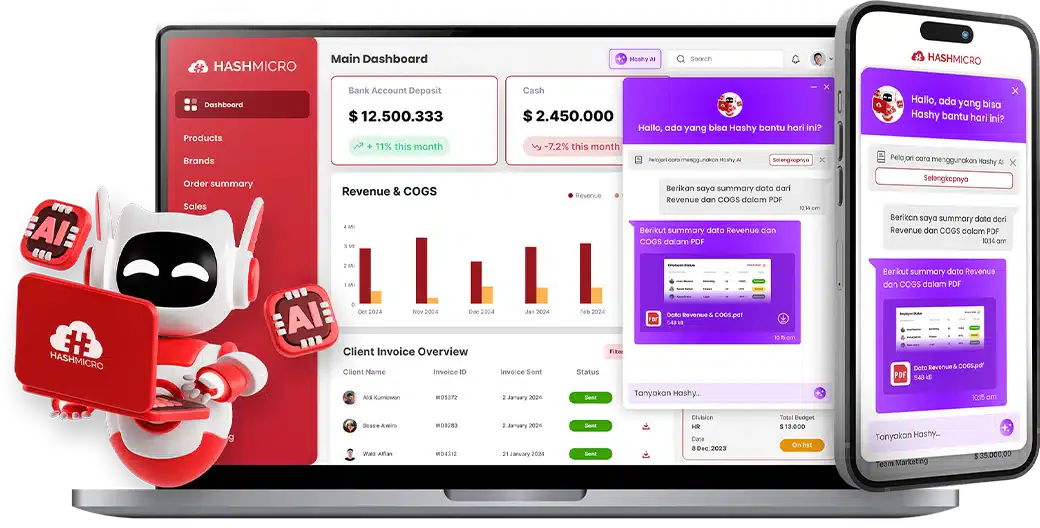
HashMicro’s Business Budgeting Software is a comprehensive accounting solution designed to streamline financial operations. It unifies key financial activities—such as budgeting, forecasting, accounting, and reporting—into one centralized system for greater efficiency.
Additionally, HashMicro offers a localized platform designed for Malaysian businesses, with support for LHDN e-Invoice requirements and financial reporting needs in regulated environments.
HashMicro offers a free product tour for an end-to-end solution with comprehensive ERP software integration, ensuring complete financial management. Trusted by notable clients like Forbes, Brinks, and Hino, HashMicro stands out as a reliable and scalable business choice.
Features:
- Hashy AI: There is an AI assistant that helps users create reports, forecasts, and financial insights instantly through chat box. This feature simplifies budgeting tasks, increases efficiency, and makes complex financial planning much easier.
- Bank Integrations & Auto Reconciliation: This feature seamlessly integrates with multiple banks, ensuring your financial records are always up-to-date. Auto reconciliation reduces errors and saves time.
- Budget Forecast: Budget forecasting tools allow businesses to use historical data and market trends to predict future financial outcomes. This feature helps create accurate budget plans and set realistic financial goals.
- Budget S-Curve: This feature visually represents budget progress over time, helping track financial performance against set budgets. It identifies variances early and allows for timely adjustments to keep financial goals on track.
- Financial Ratio Analysis: HashMicro provides tools for calculating essential financial ratios, offering insights into profitability, liquidity, and solvency. These ratios are vital for analyzing financial stability and making informed business decisions.
- Financial Statement with Budget Comparison: This feature generates financial statements that compare actual performance against the budget, highlighting discrepancies. It enables management to take corrective actions and ensure financial objectives are met.
- Cash Flow Reports: Cash flow reports deliver detailed insights into the cash movement within the business. They are crucial for maintaining liquidity, managing expenses, and planning for future financial needs.
| Pros | Cons |
|
|
To explore how HashMicro’s accounting software can benefit your company, take a closer look at the pricing options. Click the banner below to view the pricing schemes and discover the perfect plan that suits your business’s needs and budget.
2. Centage Budgeting Software
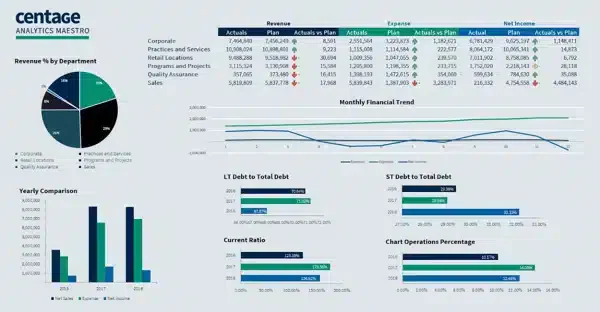
Centage is a budgeting and forecasting tool that supports financial planning processes across small to medium-sized businesses. It provides tools for building budgets, generating financial reports, and running basic forecasting scenarios. This platform is typically used by companies that want to shift from manual spreadsheets to a more structured system.
Centage is suitable for teams looking to improve budgeting accuracy and gain visibility into their financial data without highly complex features.
Key Features:
- Budget creation and tracking
- Financial forecasting tools
- Basic reporting and analytics
| Pros | Cons |
|
|
3. QuickBooks Business Budgeting Software
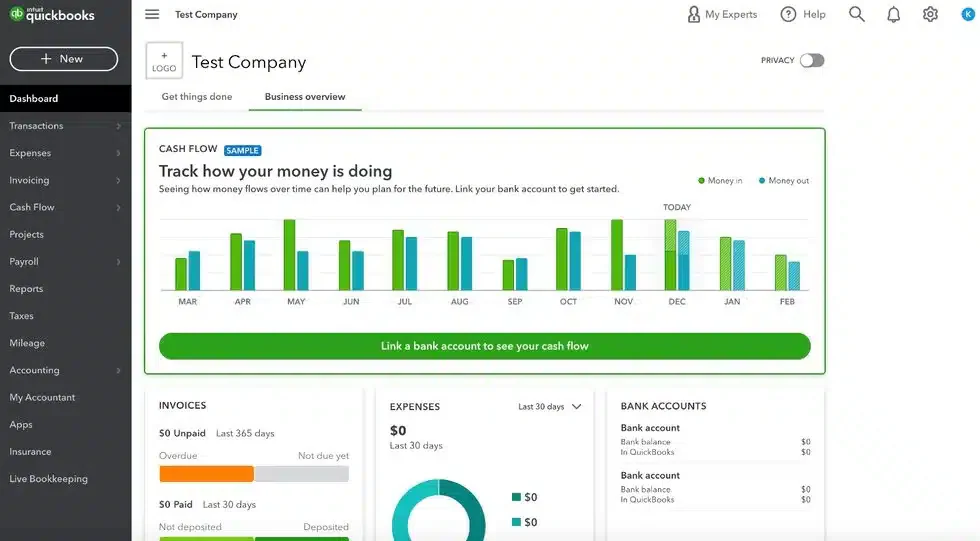
QuickBooks is a widely used financial management tool that includes basic budgeting features suitable for small to medium-sized businesses. It helps users plan budgets, monitor spending, and generate standard financial reports. The platform is generally adopted by businesses looking for a simple way to organize their financial planning alongside bookkeeping.
QuickBooks is commonly chosen by companies that already use it for accounting and want to incorporate budgeting without switching platforms.
Key Features:
- Budget setup and tracking
- Expense categorization
- Standard budget-to-actual reporting
| Pros | Cons |
|
|
4. NetSuite
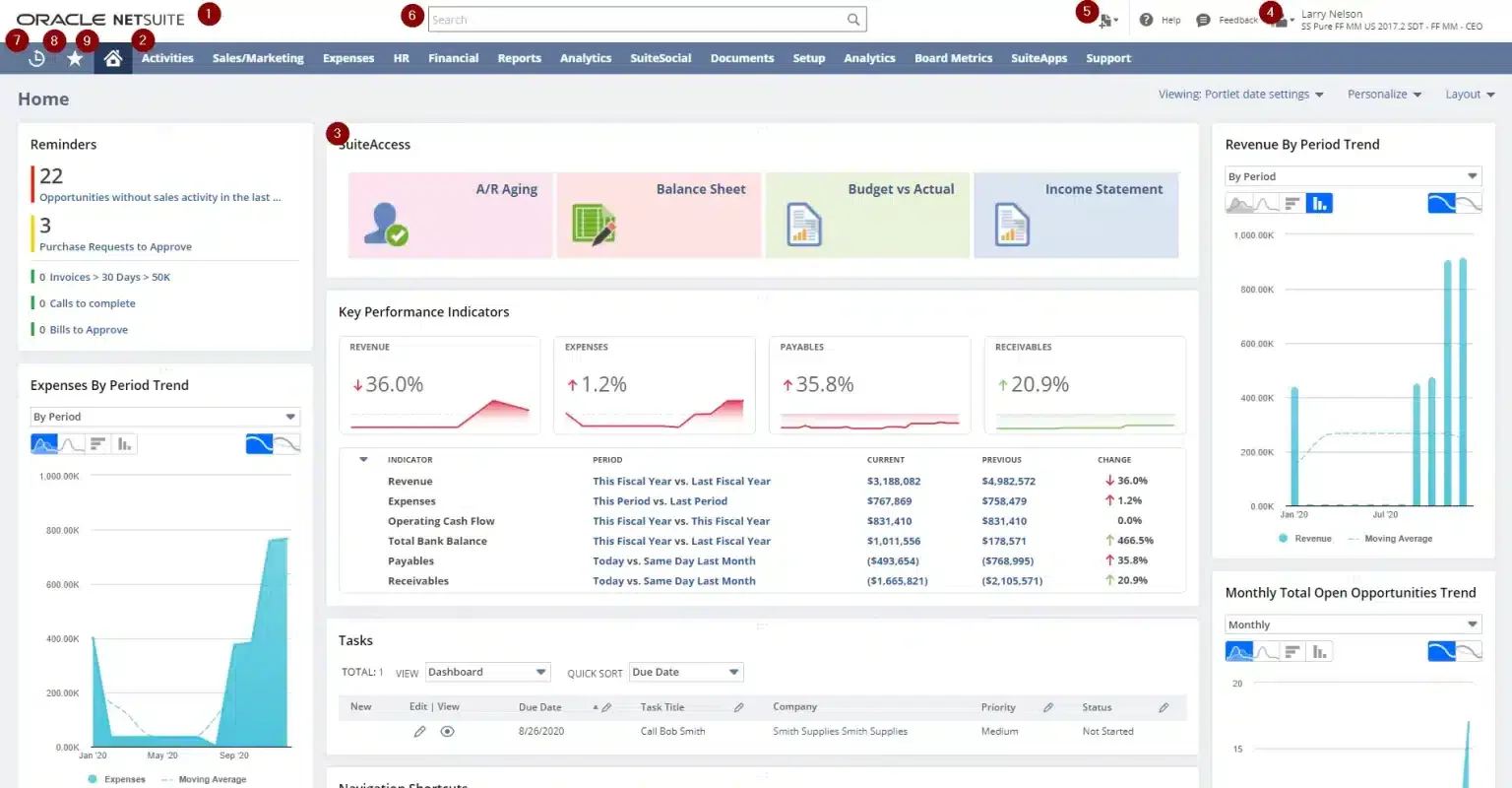
NetSuite is a cloud-based business budgeting software that provides budgeting features as part of its financial module. This platform is generally used by medium to large companies that need an integrated system for finance and planning.
This software is suitable for businesses that already use other modules from NetSuite, with basic budgeting functions that can be expanded when combined with additional planning and analytics features.
Features:
- Expense allocation
- Tax and revenue management
- Budgeting and forecasting
| Pros | Cons |
|
|
5. Sage Business Budgeting Software
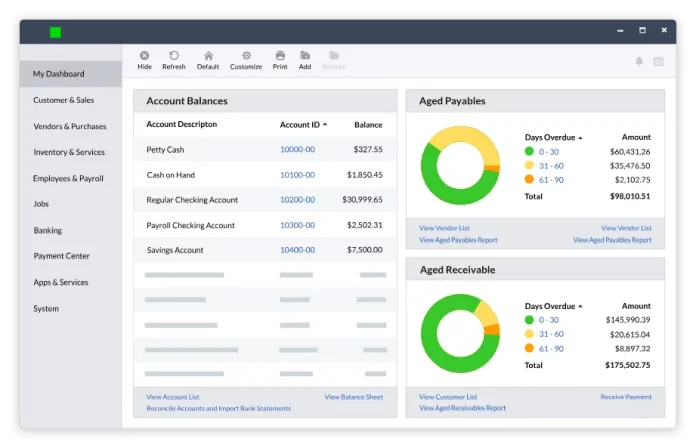
Sage offers a budgeting and planning solution that helps businesses manage their finances through forecasting, budget tracking, and reporting tools. The platform is designed to support structured financial planning and is commonly used by businesses seeking a standard approach to budget management.
Sage’s budgeting tools are typically adopted by mid-sized companies that need organized workflows for tracking budgets, adjusting forecasts, and aligning financial goals with operational planning.
Key Features:
- Budget creation and management
- Forecasting tools
- Financial reporting templates
| Pros | Cons |
|
|
6. Datarails
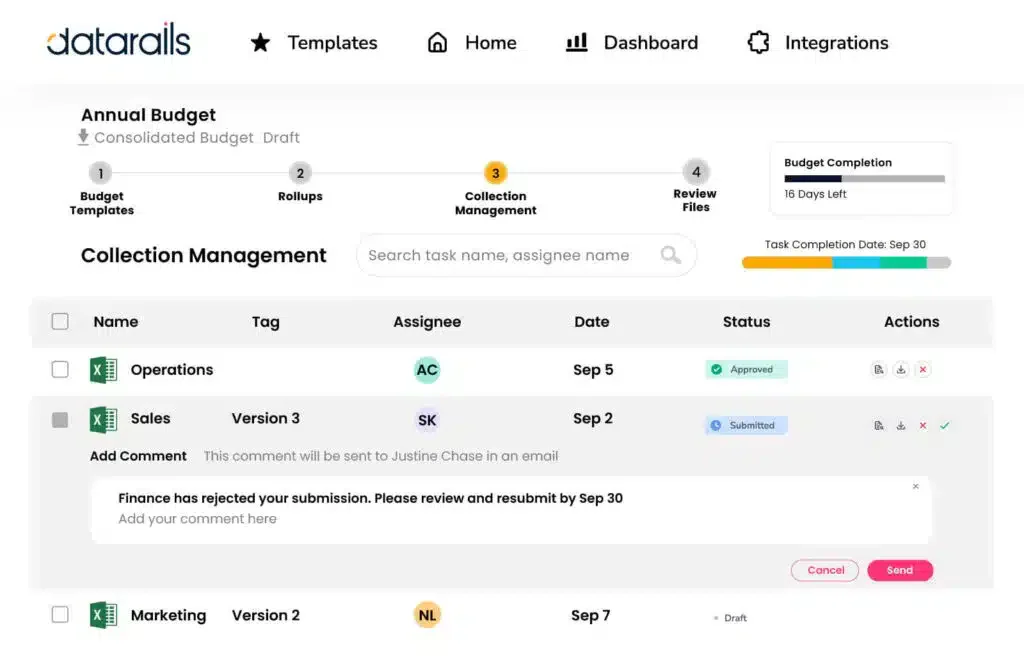
Datarails is a business budgeting software that helps organizations automate financial planning and analysis using existing spreadsheet workflows. It is often used by finance teams that prefer working in Excel but need more control, automation, and visibility over their budgeting processes.
This platform suits businesses looking to reduce manual errors and streamline their budgeting, forecasting, and reporting activities without abandoning familiar spreadsheet tools.
Key Features:
- Budgeting and forecasting automation
- Integration with Excel and cloud storage
- Customizable financial dashboards
| Pros | Cons |
|
|
7. Spendesk
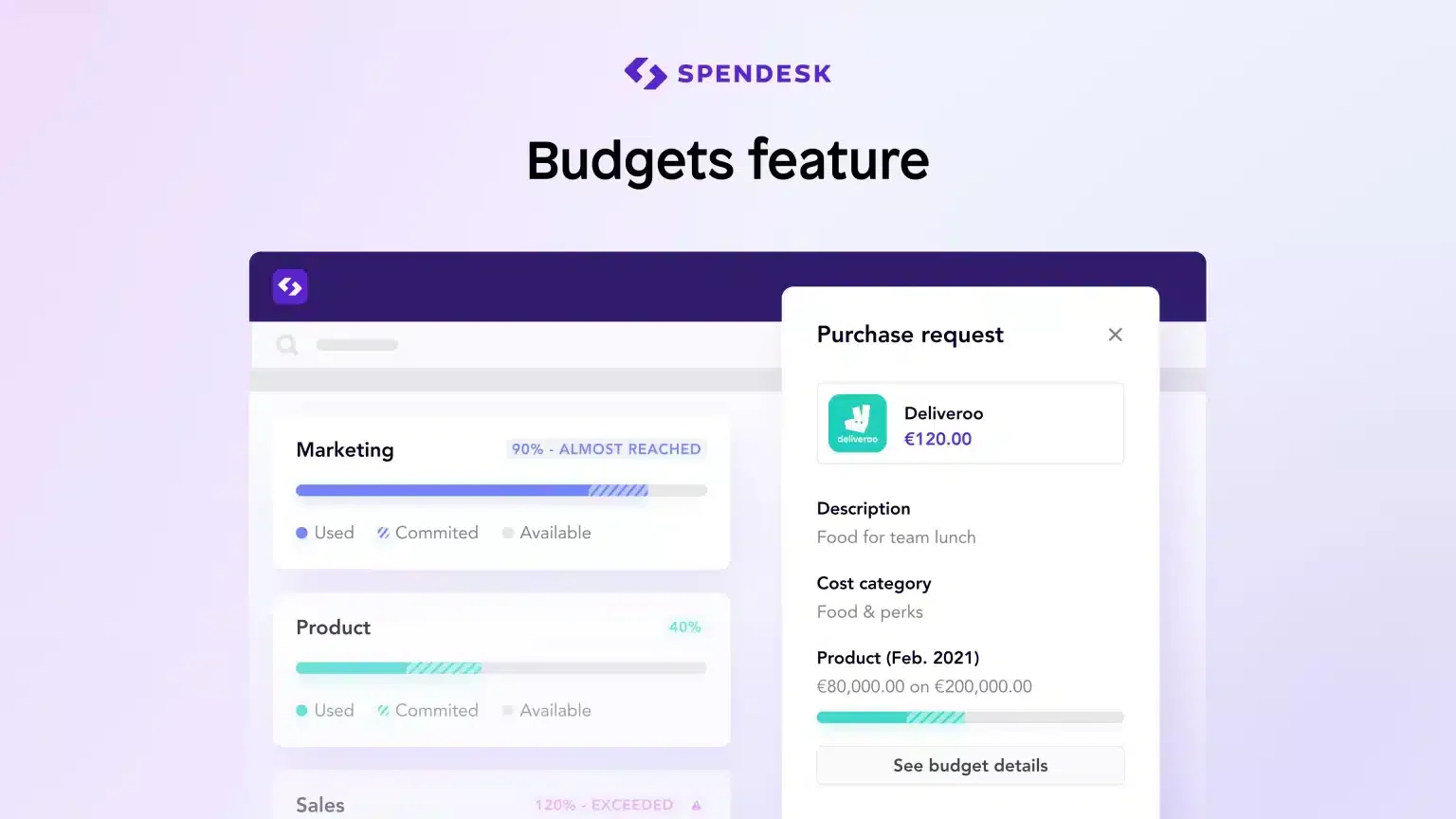
Spendesk is a business budgeting and spend management software that helps companies organize their expenses, set spending limits, and manage approvals. It is commonly used by finance teams that want better control over day-to-day spending and budgeting processes.
The platform is designed to simplify expense tracking and support budget visibility across departments, making it a useful tool for companies looking to improve their internal financial controls.
Key Features:
- Expense tracking and approvals
- Budget controls and reporting
- Integration with accounting systems
| Pros | Cons |
|
|
8. FreshBooks
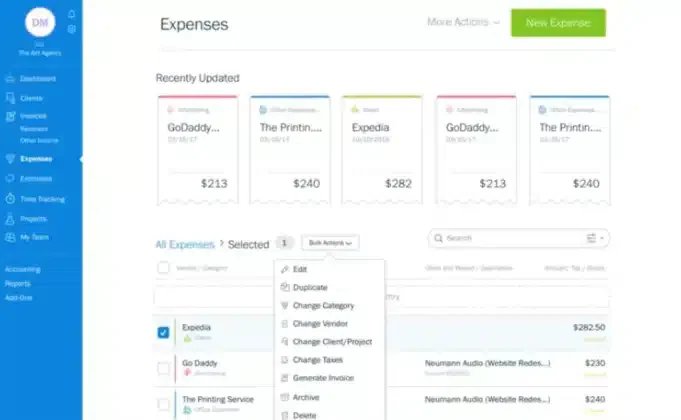
FreshBooks is a cloud-based accounting and budgeting software that includes basic tools for managing expenses, creating budgets, and tracking cash flow. It’s commonly used by freelancers and small businesses that need a simple platform for handling everyday financial tasks.
This software focuses on user-friendly design and straightforward functions, making it suitable for those without a strong accounting background who want to manage their budget efficiently.
Key Features:
- Expense and income tracking
- Budget overview and reports
- Invoice and payment management
| Pros | Cons |
|
|
9. Workday Adaptive Planning
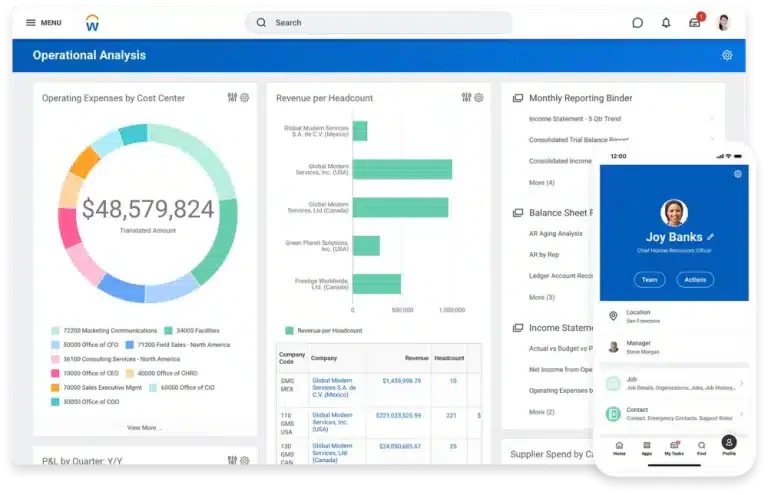
Workday Adaptive Planning is a business budgeting software designed to support financial planning, forecasting, and reporting. It is generally used by medium to large-sized companies that require more structured planning and collaboration across departments.
This platform is often chosen by teams looking to improve accuracy in budgeting processes and gain better insights through automated reports and data modeling.
Key Features:
- Budgeting and forecasting
- Real-time dashboards and reporting
- Scenario planning and collaboration tools
| Pros | Cons |
|
|
10. Float
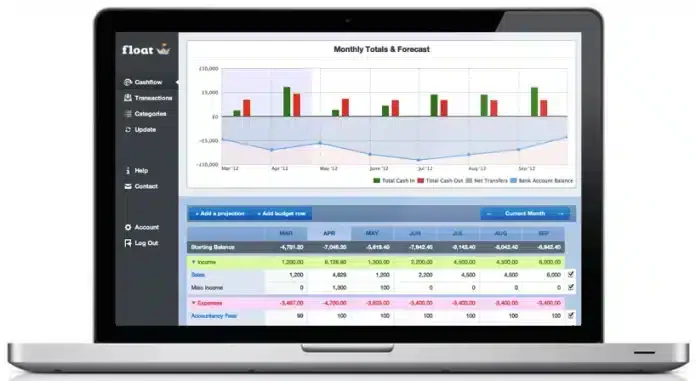
Float is a business budgeting software commonly used to manage cash flow, forecasting, and short-term financial planning. It is designed to help businesses visualize their financial position and make informed decisions regarding expenses and income.
The software is generally favored by small to mid-sized companies that want a straightforward way to monitor their cash movements without relying solely on spreadsheets.
Key Features:
- Cash flow forecasting
- Real-time financial tracking
- Integration with accounting software
| Pros | Cons |
|
|
11. Mosaic
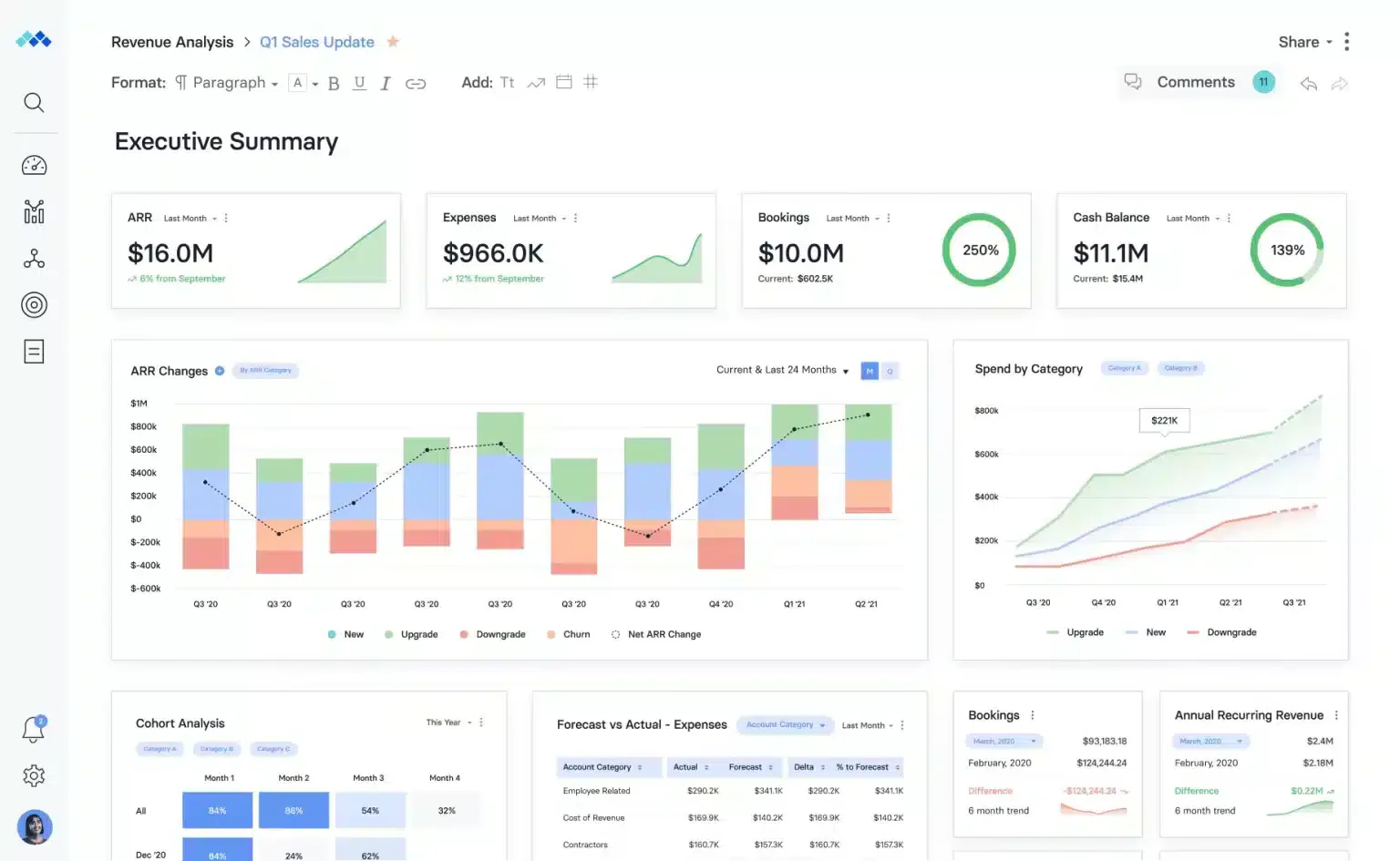
Mosaic is a business budgeting and financial planning software that aims to help companies manage their financial operations more efficiently. It combines budgeting, forecasting, and reporting in one centralized platform, generally used to support faster decision-making and improved financial visibility.
This software is typically utilized by growing businesses and finance teams that need a flexible yet structured tool to plan budgets, align goals, and generate financial reports.
Key Features:
- Real-time budget tracking
- Financial forecasting and scenario planning
- Dashboard and reporting tools
| Pros | Cons |
|
|
12. Scoro
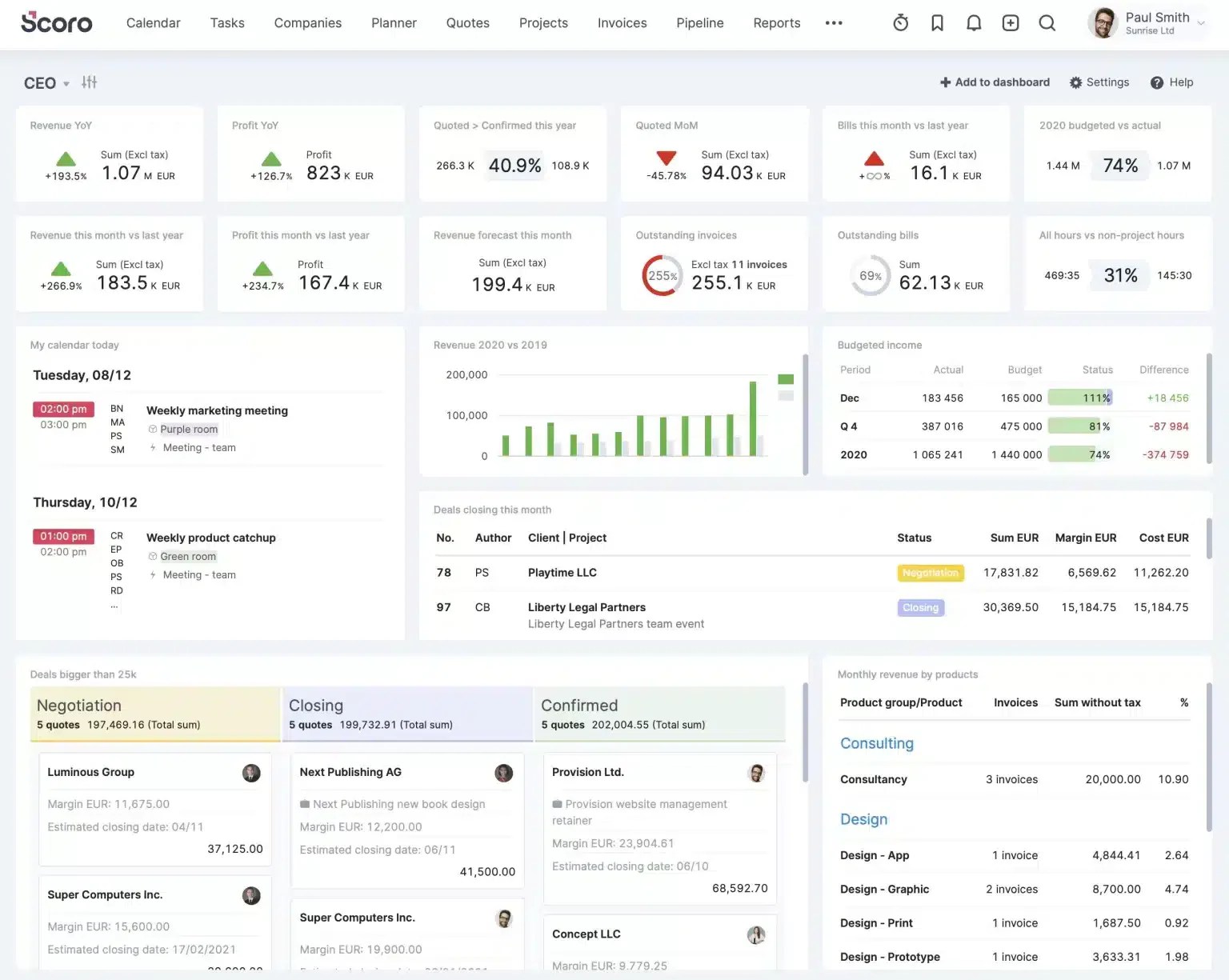
Scoro is a business management software that includes budgeting features to help companies plan and monitor their financial performance. It combines budgeting with project management, invoicing, and reporting, making it a more general tool for managing business operations.
Scoro is generally used by service-based businesses or teams looking for an all-in-one platform that includes basic budgeting alongside other business management functions.
Key Features:
- Budget planning and cost tracking
- Project and task management integration
- Real-time financial dashboards
| Pros | Cons |
|
|
13. PlanGuru
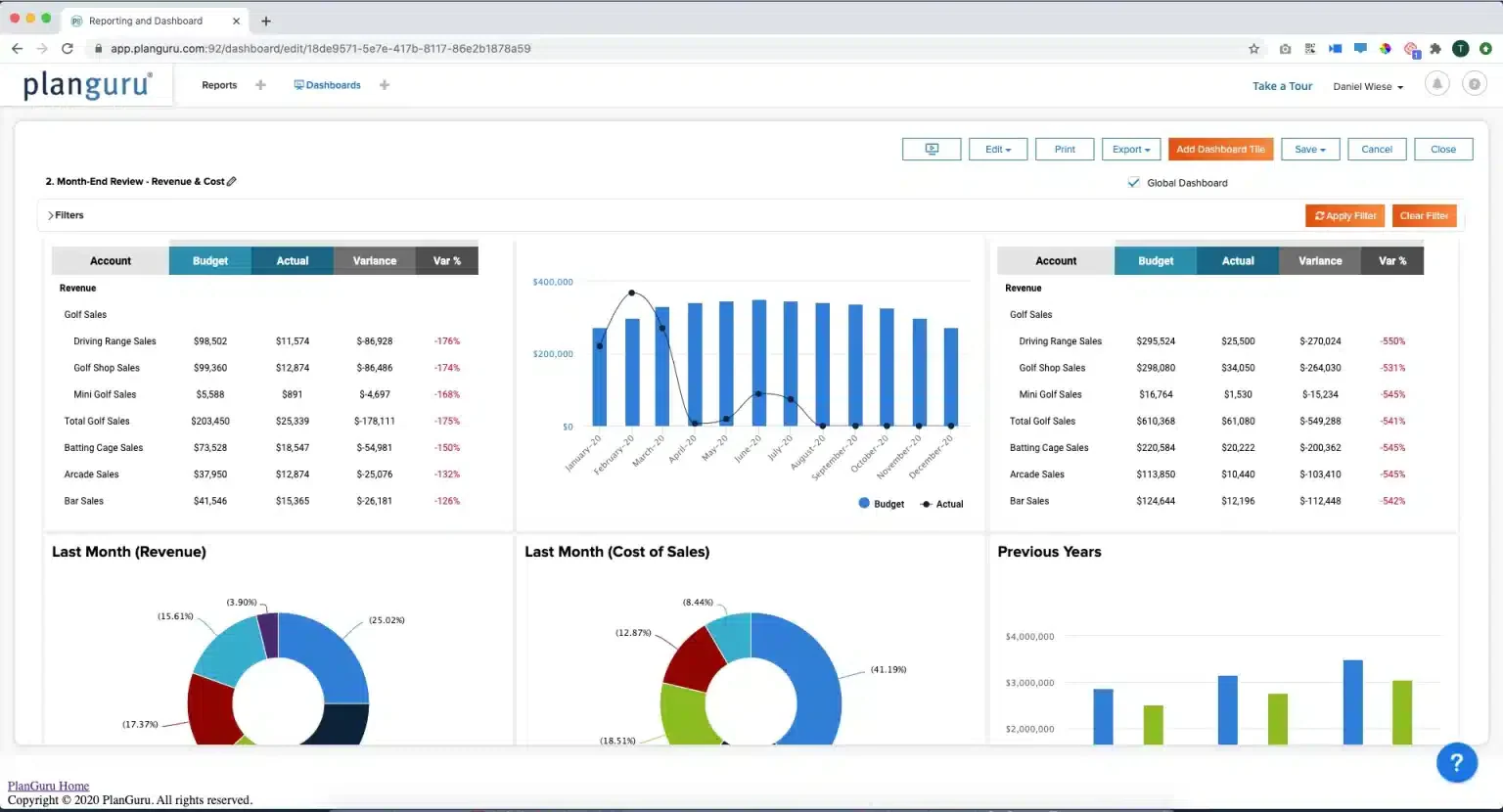
PlanGuru is a budgeting and forecasting software designed to help businesses create financial plans, monitor budgets, and generate basic reports. It is commonly used by finance teams that require structured tools to support their planning and analysis activities.
This platform is generally suitable for small to mid-sized companies that want to improve their budgeting process without relying on spreadsheets. It also offers templates and forecasting functions for better financial planning.
Key Features:
- Budgeting and financial forecasting tools
- Integrated financial reporting
- Historical data comparison
| Pros | Cons |
|
|
14. QNE Business Budgeting Software
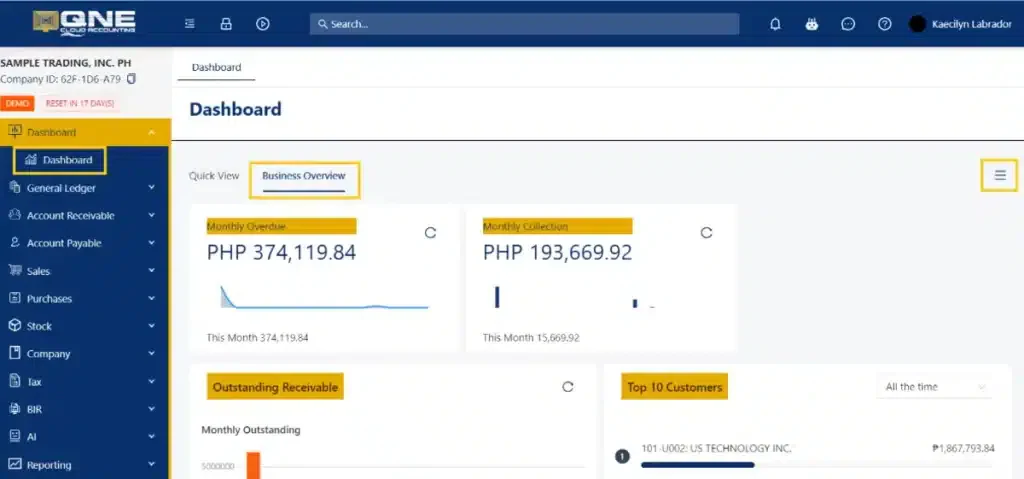
- QNE is a business budgeting software designed to help companies manage their financial planning and control spending. It provides basic tools like budget setup, cost monitoring, and simple reports to support daily business operations. The software is generally used by SMEs looking for a functional but uncomplicated budgeting solution.
This software is typically used by small to medium-sized businesses that want to organize their budgets and monitor financial performance without complex setups.
Key Features:
- Budget creation and tracking
- Expense monitoring
- Financial report generation
| Pros | Cons |
|
|
15. OneStream Business Budgeting Software
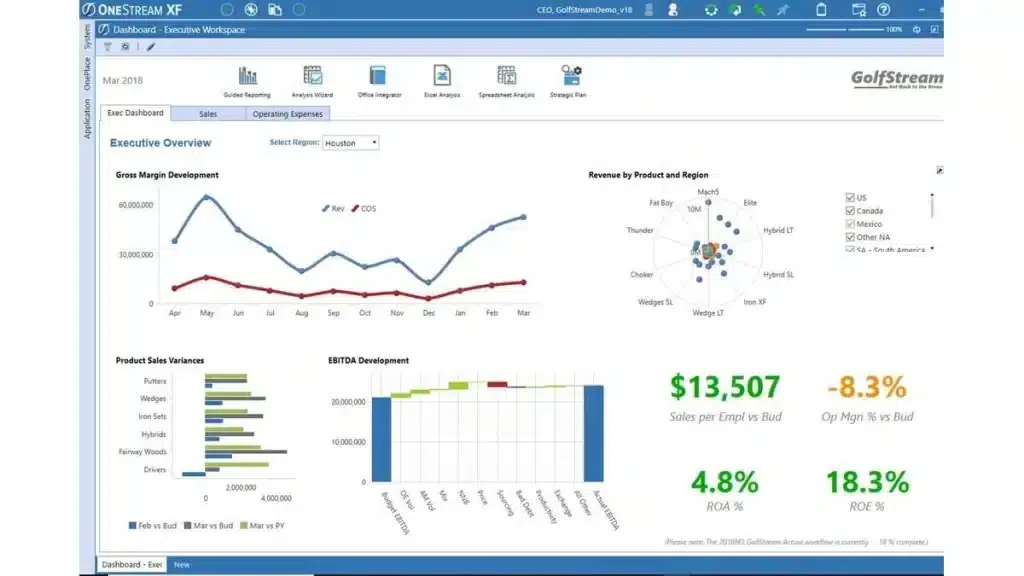
OneStream is a business budgeting software built to support financial planning, budgeting, and reporting for organizations that need a centralized platform. It generally caters to medium to large enterprises seeking standardization in their budgeting processes. The software helps manage data consolidation and performance tracking within a unified system.
While OneStream provides various budgeting and forecasting capabilities, users often need time to learn its functions due to the depth of its features. It is more suitable for businesses with structured finance teams than smaller companies with simpler budgeting needs.
Key Features:
- Budgeting and forecasting tools
- Financial consolidation
- Reporting and analytics
| Pros | Cons |
|
|
Overall Comparison of Business Budgeting Software in Malaysia
| Provider | Budget Planning | Forecasting | Reporting | Integration |
|---|---|---|---|---|
| HashMicro | ||||
| Centage | ||||
| QuickBooks | ||||
| NetSuite | ||||
| Sage | ||||
| Datarails | ||||
| Spendesk | ||||
| FreshBooks |
What are the Types of Business Budgeting?
Understanding various business budgeting types is key to creating a financial framework aligned with business goals. Each type suits different business needs and sectors. Below are some commonly used budgeting methods in businesses today:
- Zero-based budgeting: Begins each budget cycle from zero, requiring justification for every expense. This method promotes cost discipline and transparency.
- Activity-based budgeting: Allocates funds based on strategic activities that contribute to business goals. It aligns financial planning with operational outcomes.
- Incremental budgeting: Adjusts the previous year’s budget by a fixed percentage. It is simple to implement and ideal for stable financial environments.
- Value-proposition budgeting: Evaluates each expense based on the value it provides. This method focuses on maximizing ROI and eliminating wasteful spending.
- Capital budgeting: Analyzes potential returns on large investments and projects. Often used for long-term assets and infrastructure planning.
- Top-down budgeting: Budget decisions are made at the executive level and distributed to departments. This ensures alignment with the overall business strategy.
- Bottom-up budgeting: Departments create individual budgets that are then compiled into a company-wide plan. This fosters employee engagement and operational accuracy.
How to Choose the Best Business Budgeting Software
Selecting the best business budgeting software plays a vital role in improving financial control and driving sustainable growth. To find the ideal solution, businesses should consider several important aspects that align with their financial goals and operational needs.
1. Identify your business requirements
Start by assessing what your company truly needs. Whether you’re a startup or a growing SME, determine if your ideal solution should include real-time budget updates, advanced forecasting, or multi-currency capabilities, especially for small business budgeting software users.
2. Review essential features
Explore features that support your day-to-day financial processes, like expense management software, operating expense tracking, and financial analysis. Make sure the tool is compatible with your preferred financial planning software and integrates with your current accounting systems.
3. Ensure scalability
Opt for a business financial management software that can scale as your business grows. This is particularly important for those searching for production budgeting software, where data volumes and complexity can increase over time.
4. Evaluate integration capabilities
Your chosen business budgeting and reporting software should work seamlessly with existing tools. Efficient integration reduces manual errors and saves time on data consolidation.
5. Consider usability and support
A user-friendly interface is crucial. Prioritize platforms that offer excellent customer service and onboarding resources, especially when adopting new budgeting tools or budget apps.
6. Read business budgeting software reviews
Learn from other users by checking reviews and testimonials. Honest feedback helps you measure performance and reliability, guiding you toward the most trusted financial budget software in the budgeting software market.
Conclusion
Selecting the right business budgeting software is crucial for effective financial management and achieving your company’s growth objectives. The right choice ensures accurate budgeting, efficient resource allocation, and better financial decision-making.
HashMicro’s Accounting Software stands out for its comprehensive features and seamless ERP integration, making it a top choice for businesses. It offers robust budgeting tools, real-time reporting, and scalability to meet diverse financial needs.
To optimize your financial management and experience the benefits firsthand, consider HashMicro’s software for your business. Sign up for a free demo today to see how it can transform your budgeting process and support your company’s success.
FAQ About Business Budgeting Software
Can budgeting software replace a finance team?
No. Budgeting software supports the finance team by reducing manual work, improving data visibility, and simplifying reporting. Final decisions still depend on finance leaders who understand business priorities, spending risks, and long-term financial goals.
Who should have access to business budgeting software?
Access should be given to finance teams, department heads, and selected decision-makers who are involved in budget planning or approval. To maintain control, businesses should use role-based permissions so each user only sees or edits the data relevant to their responsibility.
How often should a business review its budget?
A business should review its budget at least monthly, especially when expenses, sales, or cash flow change frequently. Regular reviews help management identify overspending early, adjust forecasts, and keep financial plans aligned with actual business conditions.
What is the biggest mistake when using budgeting software?
The biggest mistake is entering incomplete or outdated data. Even the best budgeting software cannot produce accurate forecasts if expense records, revenue assumptions, or department inputs are not updated properly. Clear data ownership is essential for reliable budgeting.