















Your finance team closes the month, then spends days matching bank transactions against internal records. Manual bank reconciliation can leave room for missed bank charges, duplicate entries, or transposed digits that make the final balance difficult to trust.
According to the Financial Crime Landscape Report by Tookitaki, Malaysian businesses and individuals have suffered over RM54 billion in financial losses linked to fraud, mule accounts, payment manipulation, and undetected transaction discrepancies.
With that level of exposure, Malaysian finance teams cannot afford reconciliation gaps. Bank reconciliation software helps compare bank records with internal books more consistently, so this guide reviews 10 options in Malaysia based on automation, local bank integration, and LHDN compliance support.
Key Takeaways
Managing financial records manually often leads to errors, inefficiencies, and difficulty in reconciling accounts accurately.
Bank reconciliation software automates key processes, ensuring accurate records and saving time for businesses.
Choosing the right software involves evaluating features, integration, scalability, and ease of use to meet your business needs.
Don’t let a single transposed digit disrupt your financial accuracy. Bank Reconciliation Software help you to automates matching and ensures your numbers always add up.

Our Top 3 Bank Reconciliation Software in Malaysia
Before reviewing all 10 options, here are the top 3 bank reconciliation software choices with the strongest ratings and relevance for Malaysian businesses.




Quick Comparison of the Best Bank Reconciliation Software in Malaysia
The right bank reconciliation software can do more than simplify matching transactions, it can also improve overall financial accuracy and control. To help you compare the available options more easily, the quick review table below highlights the key features and strengths of each solution.
| Software | Best For | Strength | Malaysia Support | Key Features | Pricing |
|---|---|---|---|---|---|
HashMicro |
Enterprises & growing SMEs needing integrated ERP accounting and reconciliation | End-to-end automation with ERP integration, real-time financial sync, and unlimited users | Native LHDN-ready system, Malaysian bank integration (Maybank, CIMB), local support team in KL | Auto bank reconciliation, bank feeds, financial reports, cash flow, budget comparison | Custom quote |
QuickBooks |
SMEs and small finance teams needing simple reconciliation tools | User-friendly, affordable, and widely adopted with essential automation | Widely used in Malaysia, supports local accounting practices (LHDN compliance via setup) | Bank feeds, expense tracking, invoicing, reporting, automation | RM91.99–RM183.99/month |
Xero |
Growing businesses with multi-currency and cloud collaboration needs | Strong integrations, real-time bank feeds, and flexible cloud system | Popular in Malaysia via partners, supports SST and accounting standards | Automated reconciliation, real-time dashboard, integrations | RM60–RM320/month |
NCH Express Accounts |
Startups and micro businesses needing basic reconciliation | Lightweight, simple, and free entry-level solution | No strong MY localization, suitable for basic use cases | Manual import, reconciliation tools, basic reporting | Free / low-cost plans |
Sage 50 |
Mid-sized businesses needing structured accounting and reconciliation | Reliable reporting, secure system, and strong accounting workflows | Available in Malaysia via partners, SST supported | Automated reconciliation, reporting, workflows | Custom / from mid-tier pricing |
BlackLine |
Large enterprises requiring compliance and financial close automation | Enterprise-grade automation, audit-ready, high scalability | Used by large MY enterprises via global implementation partners | Financial close, reconciliation automation, audit trails | Custom quote |
ReconArt |
Companies with complex reconciliation and high transaction volumes | Highly customizable matching rules and strong audit capabilities | Available globally, usable in Malaysia with integrations | Automation engine, audit trail, reporting | Custom pricing |
Cube |
Mid-sized businesses combining FP&A with reconciliation | Strong financial planning + reconciliation in one platform | Available via global access, limited MY-specific compliance | Data consolidation, reporting, reconciliation workflows | Custom pricing |
Nomentia |
Mid-large enterprises with multiple bank accounts and entities | Real-time bank data aggregation and treasury visibility | Suitable for MY enterprises with global banking operations | Multi-bank integration, real-time sync, automation | Custom pricing |
NetCash (Netgain) |
NetSuite users needing built-in reconciliation and cash visibility | Native NetSuite integration with real-time cash insights | Depends on NetSuite ecosystem in Malaysia | Bank data import, reconciliation, cash flow visibility | Custom quote |
What is Bank Reconciliation Software?
Bank reconciliation software cross-checks every transaction in your accounting system against your actual bank statement. It flags unmatched payments, duplicate entries, bank charges, and timing differences before they turn into reporting errors or missed fraud signals.
By reducing manual matching work, the software helps finance teams close accounts faster and review cash movement with fewer blind spots. It also keeps reconciliation records more organised for audits, month-end reporting, and internal financial checks.
Hashy AI Fact

Need to know!
Hashy AI uploads proof of payment and flags it for verification, streamlining the bank reconciliation process for accurate and efficient financial management.
Request a free demo today!
Why Bank Reconciliation is Important for Financial Accuracy?
A bank reconciliation is more than just a routine financial task. It’s essential for keeping your business’s records accurate and reliable. By regularly comparing your financial records with bank statements, you gain a clearer understanding of your company’s financial health.
Here’s why this process is so important:
- Matches Transactions Automatically
Manually matching bank transactions is slow and prone to mistakes, especially as transaction volumes grow. Bank reconciliation software automatically compares bank statements with accounting records using predefined matching rules, helping businesses identify duplicate, missing, or unmatched transactions more efficiently. - Detects Errors and Fraud Earlier
Duplicate supplier payments, incorrect customer deposits, unauthorized withdrawals, or unexpected bank charges can easily go unnoticed. Automated reconciliation highlights these discrepancies quickly, allowing businesses to investigate issues before they become larger financial problems. - Provides Real-Time Cash Visibility
Accounting records do not always reflect available cash. Outstanding payments, uncleared cheques, and bank fees can create differences between recorded and actual balances. Bank reconciliation software continuously updates account balances, giving businesses a more accurate view of their cash flow for daily financial decisions. - Improves Financial Accuracy and Audit Readiness
Reconciling transactions regularly creates reliable financial records and accurate balance sheets. With accounting system, software automatically identifies inconsistencies, documents reconciliation activities, and generates audit-ready reports, making financial reviews and compliance requirements much easier to manage. - Supports Better Business Decisions
Business decisions are only as good as the financial data behind them. With accurate and up-to-date financial information, companies can manage budgets more confidently, forecast cash flow, identify spending trends, and plan future investments with greater certainty.
10 Top Bank Reconciliation Software in Malaysia
To help Malaysian businesses make the right choice, we’ve curated a list of the 10 best bank reconciliation software tailored to local needs.
- Automated Bank Reconciliation Software from HashMicro: Automates reconciliation with real-time bank integration, smart matching rules, and centralized financial oversight.
- QuickBooks Bank Reconciliation Automation Software: Simplifies reconciliation with automated bank feeds, easy transaction matching, and accountant collaboration tools.
- Xero: Offers automated bank feeds, AI-driven transaction matching, and real-time financial updates.
- NCH Express Accounts: A lightweight accounting tool with basic bank reconciliation, simple matching, and straightforward reporting features.
- Sage 50 Bank Reconciliation Software: Provides automated matching, secure bank connections, and clear reconciliation reports for SMEs.
- BlackLine: Specializes in compliance-focused automated reconciliation with real-time visibility and audit-ready documentation.
- ReconArt: Delivers enterprise-grade reconciliation with rule-based matching, exception management, and end-to-end financial close automation.
- Cube Bank Reconciliation Software: A finance planning and reporting tool that simplify reconciliation with automated workflows and centralized financial data.
- Nomentia: Automates reconciliation with real-time data integration, multi-bank aggregation, and customizable matching rules.
- NetCash by Netgain: A Malaysian cloud accounting solution offering automated bank feeds, reconciliation tools, and simple cash-flow tracking.
1. Automated Bank Reconciliation Software from HashMicro

HashMicro provides bank reconciliation as part of its broader ERP accounting system. The software connects directly to Malaysian banks, imports transactions automatically, and matches them against your internal records using configurable matching rules.
The reconciliation module sits within a larger system that includes general ledger, accounts payable, accounts receivable, and financial reporting. This integration means reconciled transactions flow directly into your financial statements without manual re-entry.
Here are several of HashMicro’s features that will be useful for you:
- Bank Integration – Auto Reconciliation
- Bank Integration – Auto Payment
- Multi-Level Analytics
- Profit & Loss vs Budget & Forecast
- Cash Flow Reports
- Financial Statement with Budget Comparison
Why we recommend this software: HashMicro simplifies the reconciliation process with its automation tools, ensuring accurate financial records and reducing the risk of manual errors. The solution includes features such as automated transaction matching, making it a versatile choice for businesses with diverse needs.
Ideal for companies that need integrated accounting, reconciliations, and enterprise-grade automation in a unified ERP ecosystem. Works best for businesses with multiple bank accounts, recurring transactions, and centralized financial oversight.
| Pros | Cons |
|
|
To see how our software handles your inventory and provides full visibility across your distribution network, click the banner below to explore our features and pricing.
2. QuickBooks Bank Reconciliation Automation Software
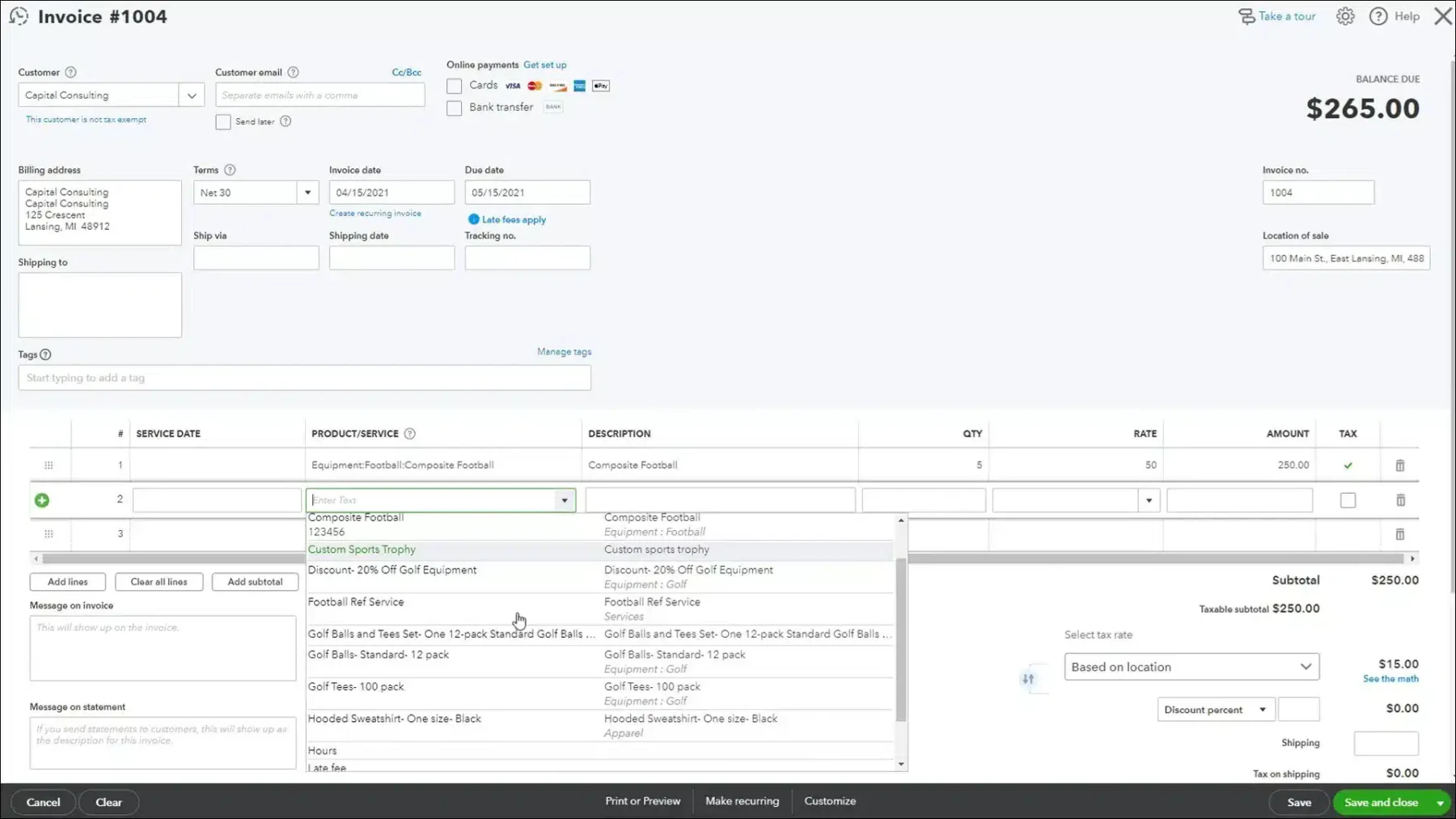
QuickBooks is a widely used bank reconciliation automation software developed by Intuit, known for its bank reconciliation features tailored for small to medium-sized businesses. This bank reconciliation automation software simplify transaction matching, ensuring that financial records remain accurate and up-to-date.
QuickBooks’ automated bank reconciliation software includes the following features:
- Income and Expenses
- Invoices and Payments
- Tax Deductions
- Comprehensive Reports
- Receipt Capture
- Workflow Automation
Why we recommend this software: QuickBooks bank reconciliation software is a top choice for small businesses in Malaysia due to its user-friendly interface and cost-effective pricing. This bank reconciliation automation software provides essential bank reconciliation tools suitable for businesses with simple financial management needs.
Suitable for SMEs, accountants, and small finance teams that want simple automated reconciliations, easy bank feeds, and collaborative workflows without heavy IT setup.
| Pros | Cons |
|
|
3. Xero
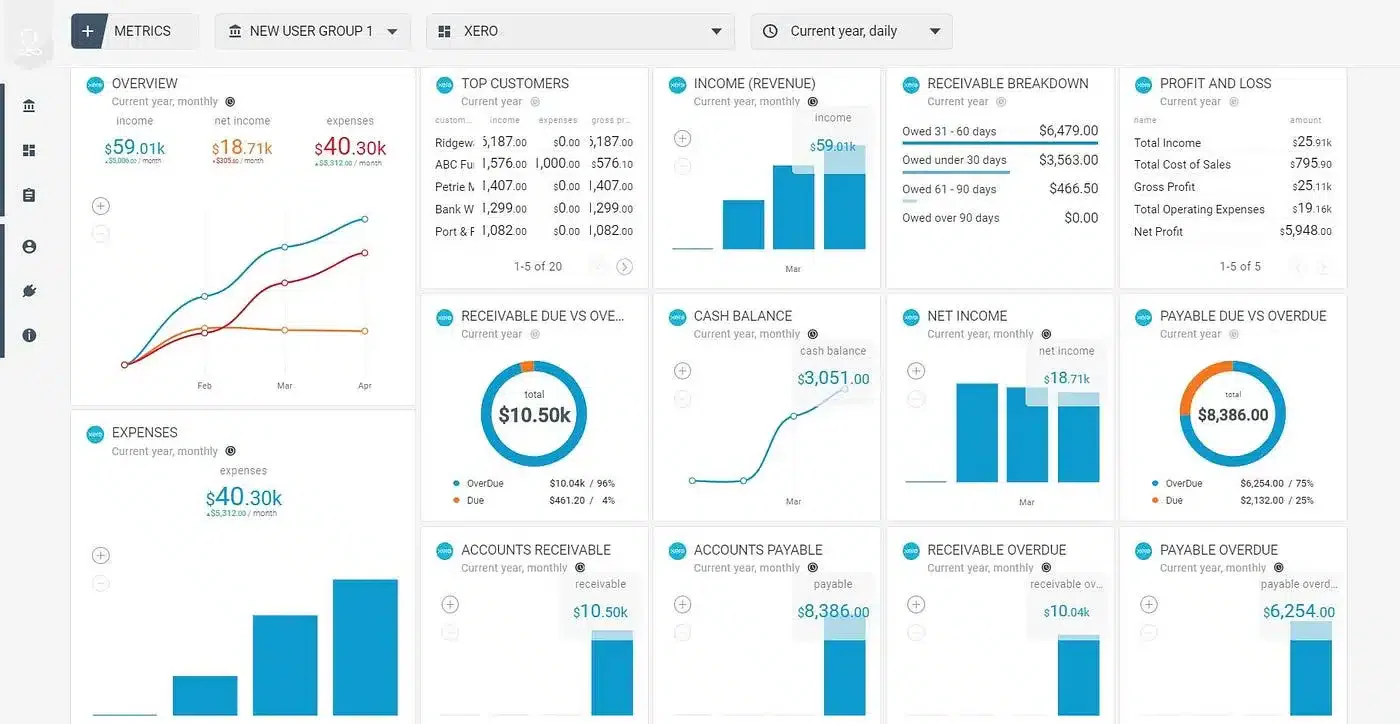
Xero is a cloud-based accounting platform known for its intuitive design and powerful bank reconciliation features. It enables businesses to quickly match transactions with accounting records, ensuring simplify and accurate financial processes.
Features:
- Automated reconciliation
- Real-time analysis
- Direct integration with third-party applications and online services.
- Advanced data security
- Automatic bank feeds for real-time updates on transactions.
Why Xero Stands Out: Xero’s cloud-based system and integration capabilities make it a standout choice for businesses in Malaysia. The bank reconciliation software’s flexibility and collaborative tools allow companies to manage their finances efficiently, even when working across teams or locations.
Well-suited for organizations dealing with international transactions, multi-currency reconciliations, and real-time cloud financials, especially remote or distributed teams.
| Pros | Cons |
|
|
4. NCH Express Accounts
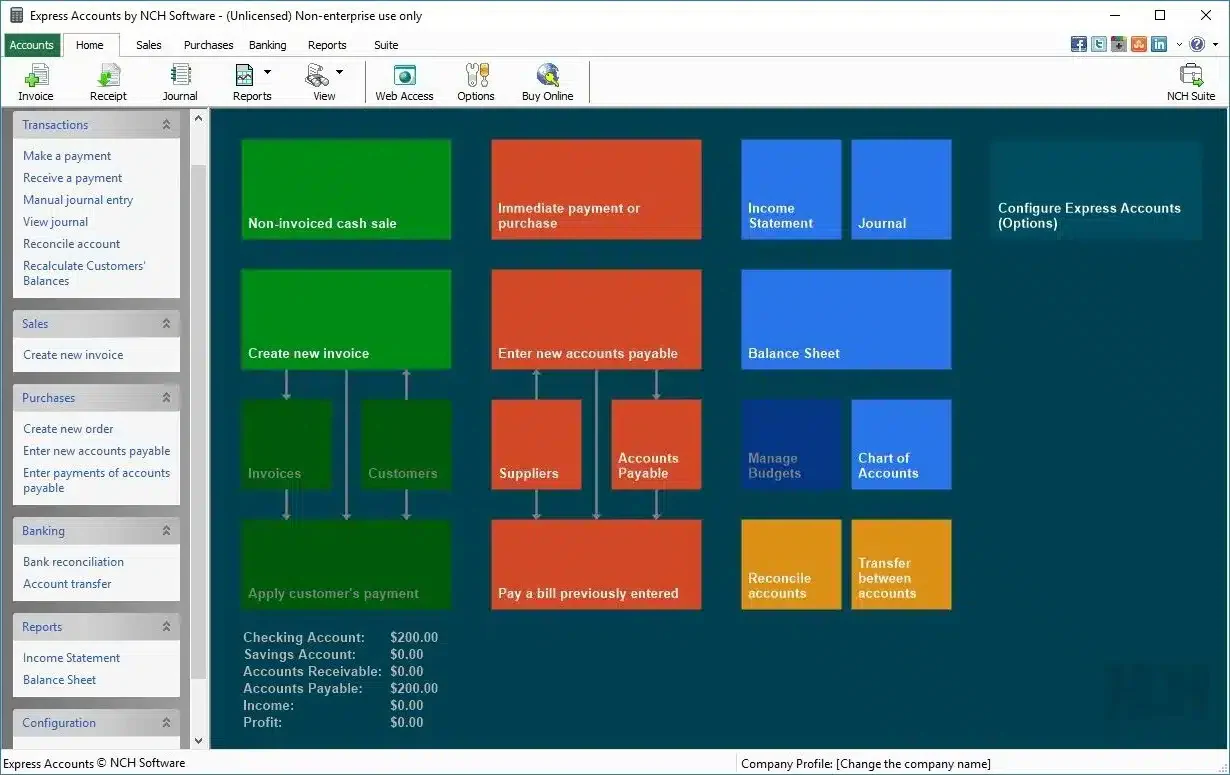
NCH Express Accounts is a versatile accounting software designed for small businesses, offering essential bank reconciliation tools that allow users to easily match their bank transactions with accounting records.
Features:
- Manual import
- Immediate correction
- Balance recalculation
Why We Recommend This Software: NCH Express Accounts is an excellent choice for small businesses or startups in Malaysia looking for a simple, no-frills solution for bank reconciliation. This bank reconciliation automation software is perfect for companies that don’t need the complexity of more advanced software.
Perfect for very small businesses that need basic reconciliation, easy bookkeeping, and lightweight financial management without the complexity or cost of full accounting suites.
| Pros | Cons |
|
|
5. Sage 50 Bank Reconciliation Software
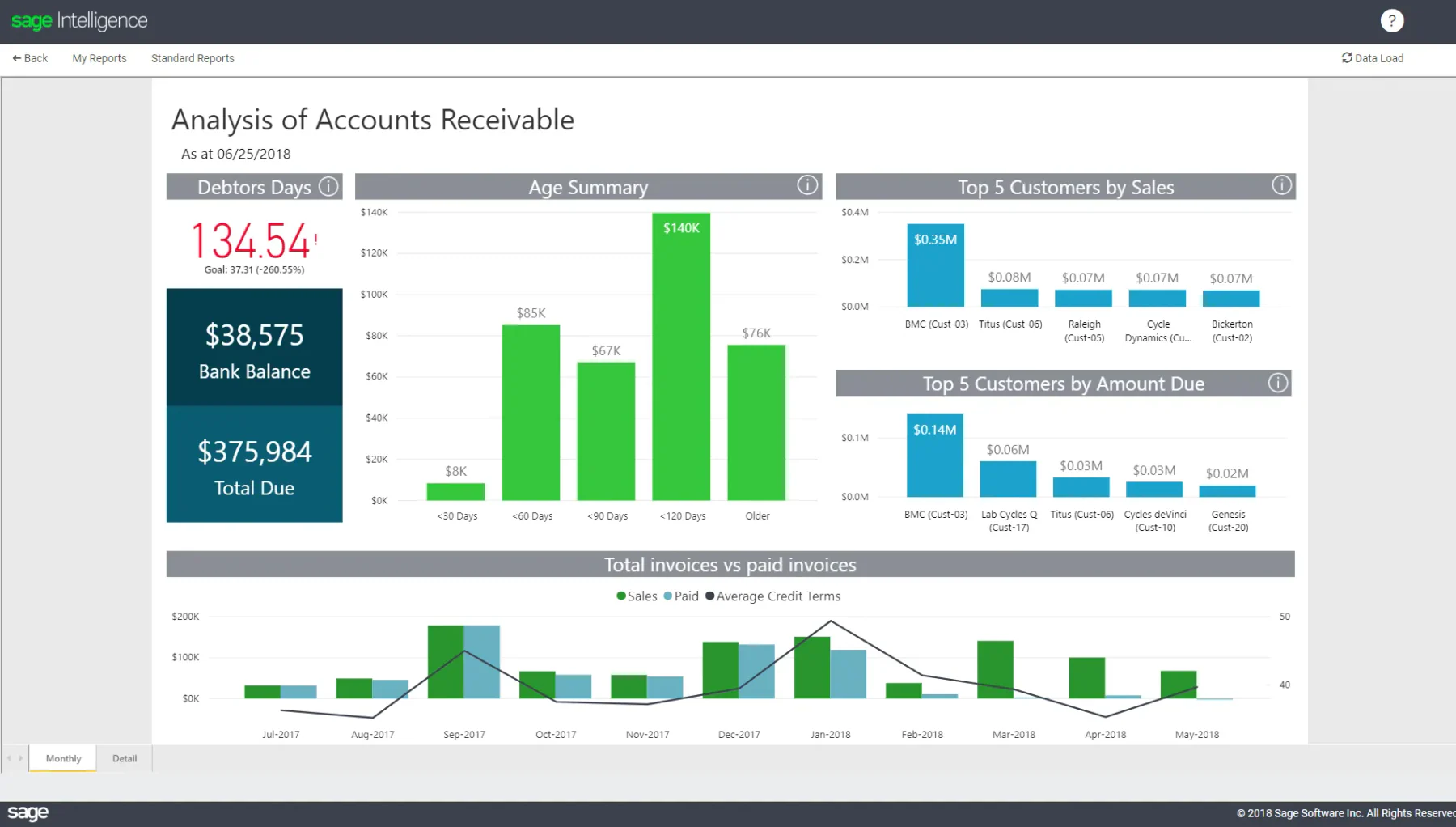
Sage 50 is a simplified bank reconciliation software that offers powerful tools for automated bank reconciliation. Designed for small to medium-sized businesses, this bank reconciliation software helps simplify financial processes while ensuring accurate record-keeping. It also offers manufacturing accounting software specifically tailored to factories.
Features:
- Automated account reconciliation
- Customizable workflows
- Reliable reporting
- 24/7 customer support
Why We Recommend This Solution: Sage 50 Accounting is ideal for medium-sized businesses in Malaysia, offering a comprehensive financial management system with reliable bank reconciliation capabilities.
Works best for SMEs that require secure on-premise accounting, clear reconciliation workflows, and strong financial reporting, especially where local accountants or auditors prefer Sage’s documentation style.
| Pros | Cons |
|
|
6. BlackLine
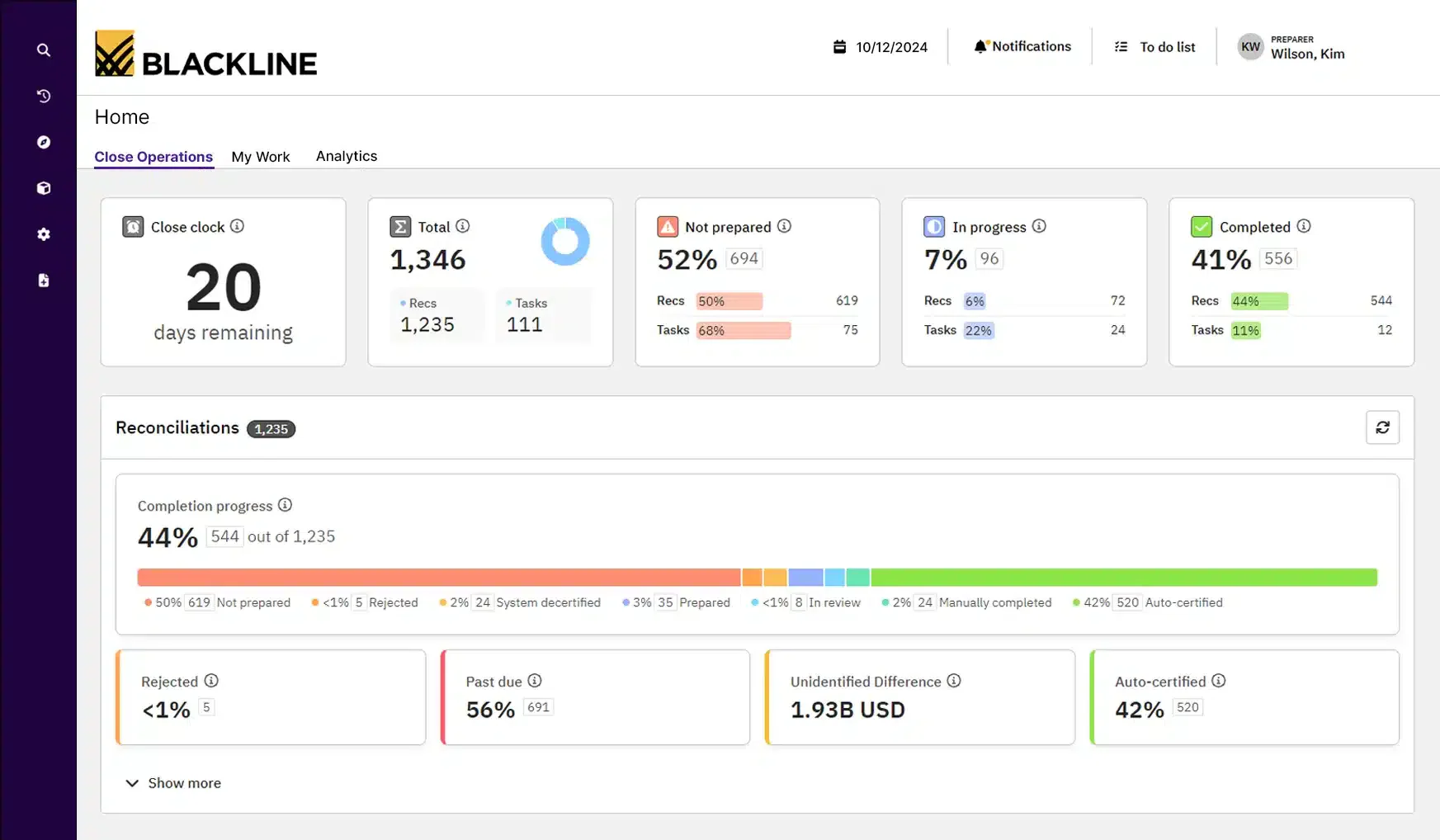
BlackLine provides advanced financial automation solutions, including bank reconciliation automation software and construction procurement software designed for large enterprises. This bank reconciliation software improves the accuracy of financial data by automating detailed reconciliation tasks and ensuring better compliance.
Features:
- Comprehensive financial close management
- Automated workflow and task management
- Real-time monitoring and exception reporting
- Integration with major ERP systems
Why We Recommend This Solution: BlackLine bank reconciliation software is chosen for its enterprise-level capabilities, making this bank reconciliation software Malaysia ideal for large companies in Malaysia that need reliable financial management and reconciliation tools to ensure compliance and maintain financial accuracy.
Designed for large organizations that need compliance-ready reconciliation, internal controls, audit trails, and real-time financial visibility, especially in regulated industries or companies preparing for audits.
| Pros | Cons |
|
|
7. ReconArt
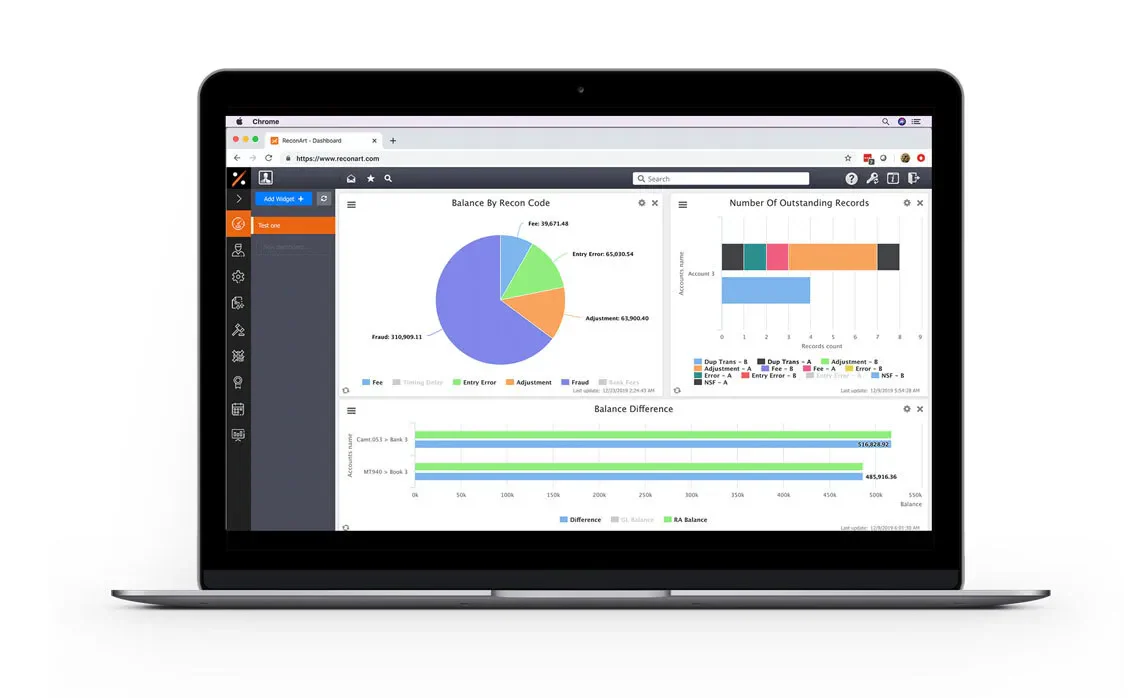
ReconArt offers automated reconciliation software solutions tailored for businesses of all sizes. Its highly customizable platform is particularly suited for companies with complex reconciliation requirements across various financial accounts.
Features:
- Advanced automation
- Configurable matching rules
- Comprehensive audit trails and reporting
- Integration with multiple financial systems
Why We Recommend This Solution: ReconArt bank reconciliation automation software is ideal for large businesses in Malaysia with high transaction volumes and detailed reconciliation needs. Its reliable automation and customization features ensure it can handle the complexities of large-scale financial operations effectively.
Best for companies with high transaction volume, multiple ledgers, and complex rule-based matching, including finance teams that require end-to-end financial close automation across departments.
| Pros | Cons |
|
|
8. Cube Bank Reconciliation Software
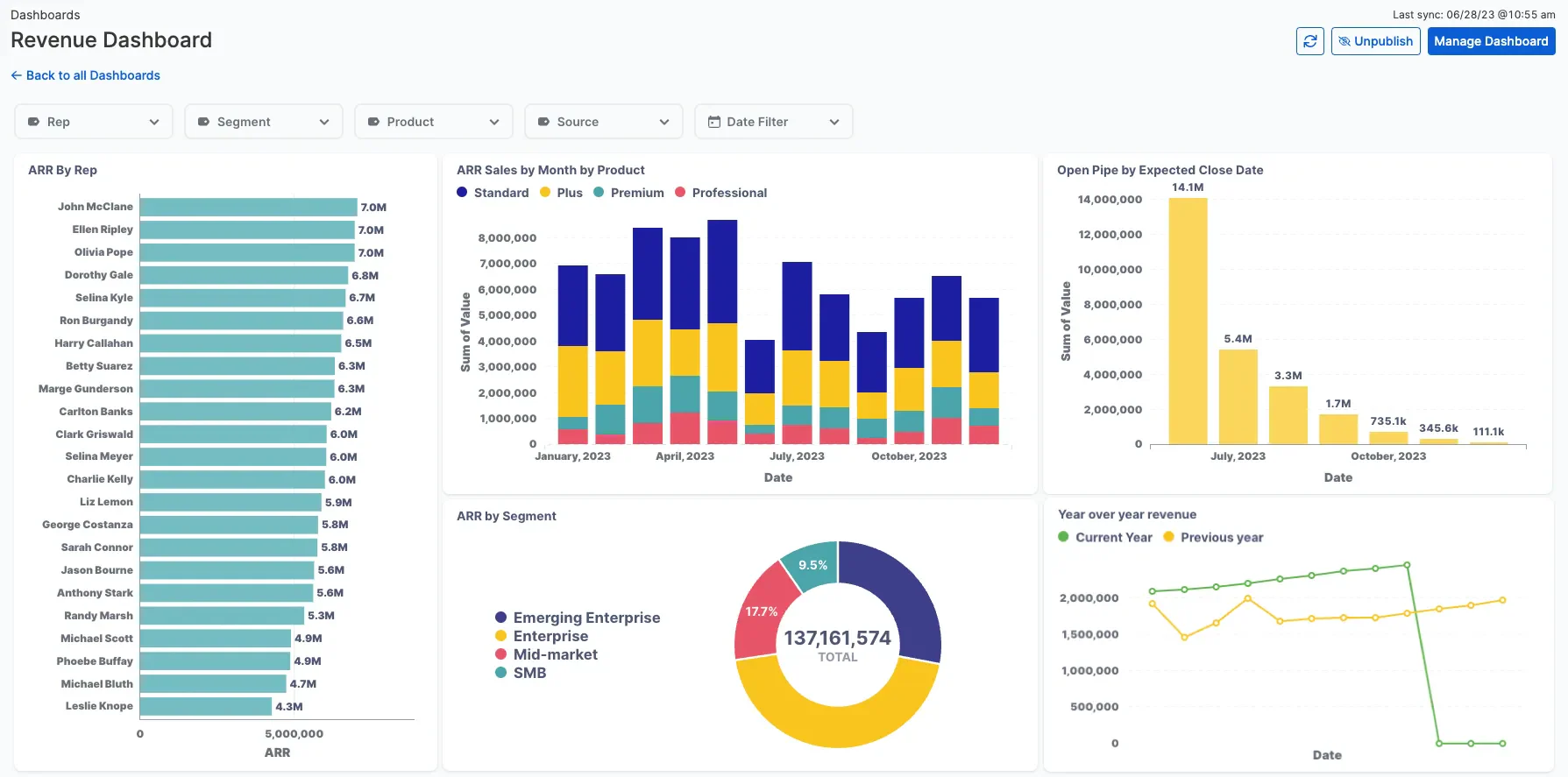
Cube is a financial planning and analysis software that includes bank reconciliation features. This bank reconciliation software Malaysia is especially beneficial for midsize businesses, directly integrating with existing financial systems to enable efficient reconciliation and provide real-time financial insights.
Features:
- Data consolidation
- Spreadsheet-driven
- Audit trail
- Data management
- Report distribution
Why We Recommend This Solution: Cube’s bank reconciliation automation software is chosen for its powerful financial planning and analysis capabilities, making this bank reconciliation software an ideal choice for midsize businesses in Malaysia that want to combine reconciliation with broader financial management functions.
Great for finance teams that want centralized financial planning, automated reconciliation workflows, and unified reporting, especially where budgeting and reconciliation sit under the same department.
| Pros | Cons |
|
|
9. Nomentia
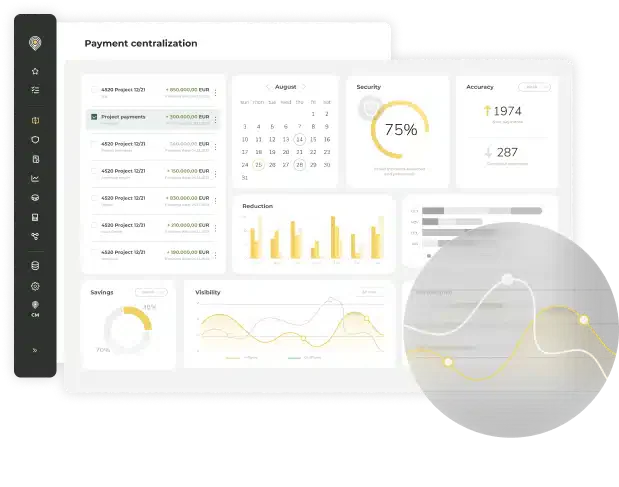
Nomentia is built for mid-to-large enterprises and global corporations that need advanced automation and flexibility in bank reconciliation. This online bank reconciliation software simplify transaction matching, integrates real-time data from multiple banks, and adapts to complex financial workflows.
Features:
- Automated transaction alignment
- Real-time financial synchronization
- Consolidated multi-bank data management
Why We Recommend This Solution: Nomentia is ideal for mid-to-large enterprises and multinational corporations with numerous banking relationships and those handling high transaction volumes, as it ensures accuracy, speed, and consistency in every reconciliation process.
Ideal for businesses that need real-time data aggregation across multiple banks, treasury oversight, cash forecasting, and automated reconciliation, especially in environments with multiple financial entities.
| Pros | Cons |
|
|
10. NetCash by Netgain
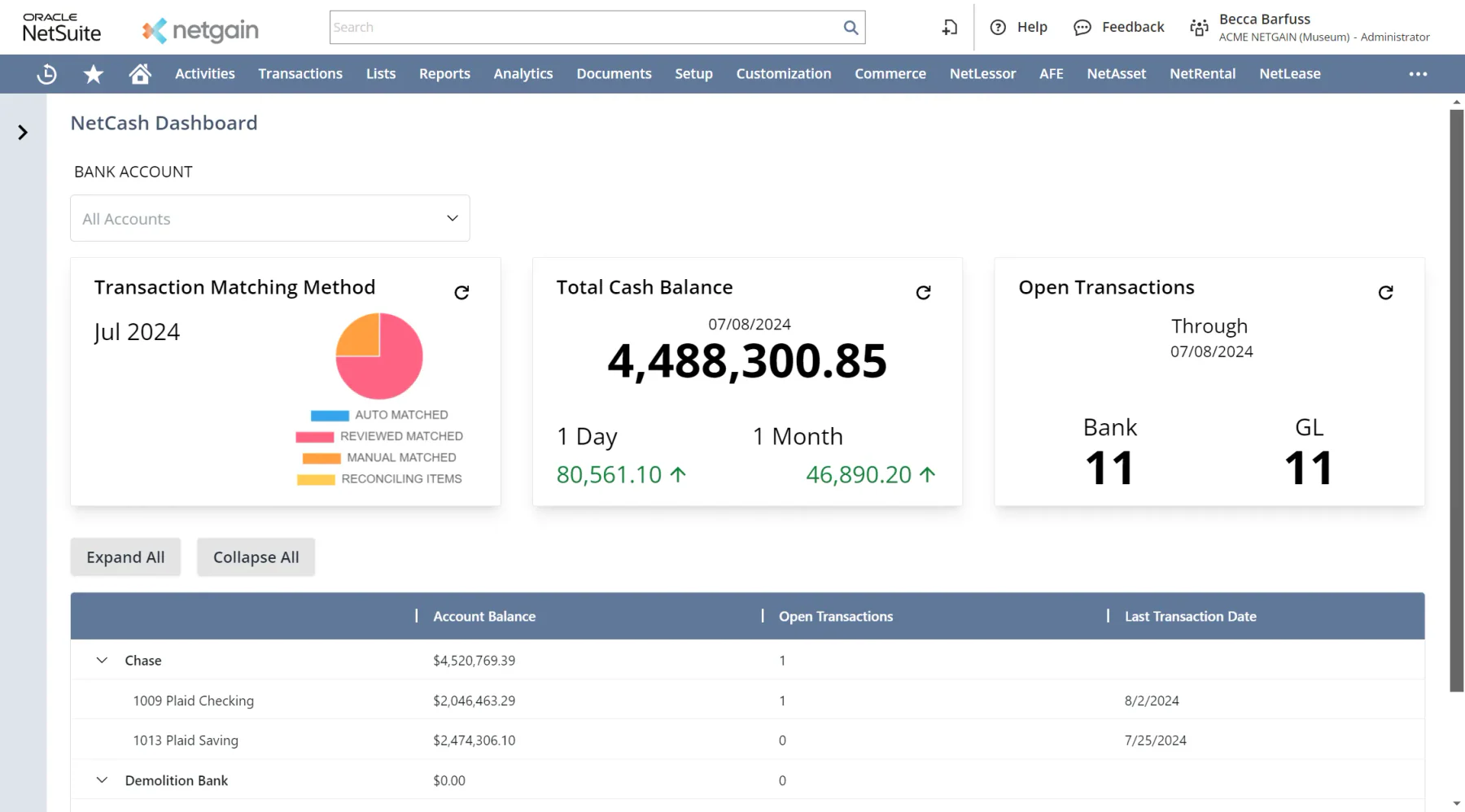
NetCash by Netgain simplifies bank reconciliation and cash-flow management directly within NetSuite, offering real-time visibility and automation to accounting teams. This online bank reconciliation software brings together automated bank imports, directly matching to the general ledger, and integrated cash-position reporting to reduce manual effort and increase accuracy.
Features:
- Automated bank data imports and transaction matching.
- Real-time cash-flow reporting and visibility of cash positions.
- Native integration with NetSuite
Why We Recommend This Solution: NetCash by Netgain is ideal for businesses seeking to simplify their bank reconciliation and gain real-time visibility of cash without relying on manual spreadsheets. Its tight NetSuite integration and strong automation make it a smart choice for finance teams focused on efficiency and accuracy.
Well-suited for Malaysian SMEs that want automated reconciliations, bank feeds, and local accounting workflows, especially organizations that prefer local compliance support, easier onboarding, and familiar accounting formats.
| Pros | Cons |
|
|
Overall Comparison of Bank Reconciliation Software in Malaysia
| Provider | LHDN MyInvois Support | Local MY Bank Support | Auto Reconciliation | SST Handling | Ease of Use |
|---|---|---|---|---|---|
| HashMicro | |||||
| BlackLine | |||||
| Cube |
Key Features of Bank Reconciliation Software

Choosing the right bank reconciliation software means focusing on features that boost accuracy, efficiency, and usability. Essential features of bank reconciliation automation software to look for include:
Accuracy & efficiency
- Automated transaction matching: Instantly compares bank statements with accounting records to identify matches and discrepancies, reducing manual effort and human errors.
- User-friendly interface: Simplifies navigation and shortens training time, allowing finance teams to complete reconciliations faster and more accurately.
Decision-making & visibility
- Real-time reporting: Provides immediate access to reconciliation data and cash positions, helping decision-makers act quickly based on the latest financial insights.
- Multi-level analytics: Breaks down financial data across departments, projects, or locations to reveal performance trends and support informed strategic decisions.
Automation & connectivity
- Direct bank integration: Connects directly with multiple banks to automatically import transaction data and statements for smooth reconciliation workflows.
- Customizable workflow: Let’s businesses tailor reconciliation rules, approval processes, and report formats to automate tasks according to internal requirements.
Risk management & compliance
- Error detection and alerts: Identifies duplicates, missing entries, or unauthorized payments early to prevent financial losses and maintain clean records.
- Audit trails: Logs every reconciliation activity for full transparency and easier compliance with auditing and regulatory standards.
Scalability & Customization
- Customizable reconciliation rules: Enable companies to set tailored matching criteria based on payment types, intercompany activities, or unique customer billing requirements.
- Scalability for growth: Capable of handling rising transaction volumes and connecting with more financial systems as the business grows, ensuring long-term adaptability.
User Experience & Accessibility
- Simplified navigation: Offers intuitive tools such as drag-and-drop actions, personalized layouts, and quick access to essential reports.
- Operational efficiency: Accelerates reconciliation through automation and simplified workflows, enabling teams to work faster with less effort.
Together, these features help businesses maintain precise financial records, simplify reconciliation, and improve overall financial control.
How to Choose Bank Reconciliation Software That Actually Fits?
Forget feature checklists for a moment. Start with your actual situation.
- Check Local Bank Compatibility Before Anything Else.
For Malaysian businesses, does this software connect directly with my bank?
This matters more than most people realize. Many bank reconciliation tools marketed internationally support global banks like HSBC or Citibank but fall short when it comes to local Malaysian banks. If your business operates primarily through Maybank, CIMB, RHB, Public Bank, or Hong Leong Bank, you need to confirm upfront whether the software supports a direct bank feed, not just a manual CSV upload. - Can bank reconciliation software match MyInvois payments?
For businesses on LHDN’s e-Invoice mandate, reconciliation software should be able to match MyInvois-issued invoices against incoming payments in your bank feed, reducing manual cross-referencing between the LHDN portal and your accounting system. - How many bank accounts are you reconciling?
One account is straightforward. Five accounts across two banks, plus a PayPal and a payment gateway? Now you need software that consolidates everything into one view rather than forcing you to reconcile each separately. - How many transactions do you process monthly?
A business with 50 transactions per month can survive with basic tools. Once you cross 200 or 300 transactions, manual matching becomes a time sink. Higher volume means you need stronger automation and faster matching rules. - What accounting system do you already use?
If you run QuickBooks or Xero, check whether their built-in reconciliation is enough before adding another tool. If you use spreadsheets or a local system, you may need standalone reconciliation software or a full accounting upgrade. - Who will use it daily?
Your finance manager with 10 years experience can handle complex software. Your admin staff handling bookkeeping part-time needs something simpler. Software your team refuses to use is worthless regardless of features. - What happens when something breaks?
Check support availability. Is there local support in Malaysian timezone? How fast do they respond? For software handling your financial data, waiting 48 hours for an email reply is not acceptable. - What is the real cost over two years?
Monthly subscription looks cheap until you add per-user fees, implementation costs, and charges for extra bank connections. Calculate total cost, not just the starting price.
Once you narrow down to two or three options, test them with your own bank statements. How the software handles your actual data matters more than any demo presentation.
Which Bank Reconciliation Software Suits My Business?
Each bank reconciliation software comes with different strengths, so choosing the right one depends on your business size, transaction complexity, and integration needs. To help you make the best decision, read table bellow:
| Business Scenario | Best Fit | Why It Works |
|---|---|---|
Malaysian business needing reconciliation fully integrated with ERP and accounting |
HashMicro | Provides native bank integration with auto-reconciliation, financial sync, and full ERP modules, suitable for centralized financial control without third-party tools. |
SMEs needing simple, affordable cloud-based reconciliation |
QuickBooks | Offers automated bank feeds and transaction matching for small finance teams that need straightforward reconciliation with minimal setup. |
Growing business handling multi-currency and remote collaboration |
Xero | Cloud-based platform with bank feeds, integrations, and multi-currency support, suitable for distributed teams and regional operations. |
Startup or microbusiness needing basic, no-cost reconciliation tools |
NCH Express Accounts | Lightweight software with manual import and simple reconciliation features, suitable for low transaction volumes without complex requirements. |
Mid-sized business needing structured accounting and monthly close workflows |
Sage 50 | Offers reconciliation processes, reporting, and approval workflows for businesses that prioritise financial discipline and month-end accuracy. |
Large enterprise requiring audit-ready reconciliation and compliance control |
BlackLine | Enterprise-grade automation with monitoring, audit trails, and financial close management for high-volume and regulated environments. |
Company with high transaction volume and complex matching rules |
ReconArt | Provides configurable matching rules, exception management, and reporting for finance teams handling complex reconciliation at scale. |
Finance team combining reconciliation with financial planning and analysis |
Cube | Connects reconciliation with FP&A workflows, helping teams manage budgeting, forecasting, and financial data in one planning environment. |
Enterprise managing multiple banks and treasury operations |
Nomentia | Supports multi-bank data aggregation, treasury visibility, and automated reconciliation for companies with complex cash management structures. |
NetSuite users needing built-in reconciliation and cash visibility |
NetCash by Netgain | Native NetSuite integration supports automated reconciliation, bank data imports, and cash flow visibility without adding a separate system. |
Conclusion
Using bank reconciliation software is a smart step toward maintaining accurate and up-to-date financial records. Not only does it simplify the reconciliation process, but it also minimizes the risk of errors, making financial management smoother and more efficient.
When it comes to addressing reconciliation challenges, HashMicro’s Accounting Software is one of the best options available. HashMicro offers several standout features, including direct integration with other platforms, customizable tools tailored to your business needs, and an intuitive interface.
So why wait? Experience the benefits for yourself by trying HashMicro’s free demo today. It’s the perfect way to see how this software can transform your financial management for the better.

FAQ on Bank Reconciliation Software
How does bank reconciliation software handle multiple bank accounts?
Many bank reconciliation software solutions are designed to manage multiple bank accounts simultaneously. They allow users to import transactions from various accounts, automate the matching process, and provide consolidated reports, streamlining the reconciliation process across all accounts.
Can bank reconciliation software integrate with my existing accounting system?
Yes, most bank reconciliation software can integrate with popular accounting systems. This integration ensures direct data flow between platforms, reducing manual data entry and enhancing overall financial accuracy.
How does bank reconciliation software handle foreign currency transactions?
Many bank reconciliation tools offer multi-currency support, allowing businesses to reconcile accounts involving different currencies. They automatically apply the appropriate exchange rates and adjust for currency fluctuations, ensuring accurate financial records across international transactions.
What security measures are in place to protect financial data in bank reconciliation software?
Bank reconciliation software typically employs advanced security protocols, including data encryption, secure user authentication, and regular security audits, to safeguard sensitive financial information. These measures help prevent unauthorized access and ensure data integrity.