














Are you struggling to manage leads and turn them into loyal customers? In the Philippines, the lead management system market is projected to grow by 13.36% from 2024 to 2028, reaching USD 2.3 billion.
Lead Management Software simplifies lead tracking, streamlines sales pipelines, and enhances customer engagement. It’s designed to drive revenue growth without overwhelming your team with unnecessary complexities or inefficiencies.
This article will highlight the 14 Best Lead Management Software and Tools in 2026, detailing their features and benefits to help you select the best tool for your business needs.
Key Takeaways
Lead Management Software is a system that helps businesses track and manage sales leads, automate follow-ups, score leads for prioritization, and integrate with CRM systems.
Implementing lead management system streamlines lead capture and organization, enhances lead scoring, and increases sales team productivity
Choosing the best lead management software is crucial for optimizing sales processes, enhancing customer acquisition, and ensuring effective prospect management for future growth.
HashMicro Lead Management System is one of the best solutions for your business. It offers comprehensive tools to streamline lead capture, enhance customer engagement, and boost sales efficiency.
Quick Overview of Lead Management Software


Best Because
Best for enterprises needing AI-driven CRM.
 ClickUP
What is Lead Management Software?
Lead Management Software is a system that helps businesses track and manage sales leads, automate follow-ups, score leads for prioritization, and integrate with Customer engagement tools.
It streamlines the lead conversion process, enhancing efficiency and customer relationship management. CRM lead management tools are essential for nurturing leads through the sales funnel.
Lead management software centralizes customer data, enabling sales teams to focus on high-potential prospects and increase conversion rates. When integrated with ERP systems, it creates a unified platform that streamlines operations and enhances overall lead management efficiency.
Benefits of Lead Management Software
Implementing lead management software offers numerous benefits that significantly enhance the efficiency and effectiveness of a business’s sales processes. Here are some key CRM benefits:
- Streamlined lead capture and organization
Lead management software simplifies the process of capturing leads from various sources, such as web forms, social media, and email campaigns. It automatically organizes these leads in a centralized database, ensuring that no potential customer slips through the cracks.
- Enhanced lead scoring and qualification
Lead management systems often include lead scoring features that assign values to leads based on predefined criteria, such as demographic information, interaction history, and engagement levels.
- Increased sales team productivity
By automating repetitive tasks such as data entry, follow-up emails, and lead assignments, lead management software frees up valuable time for sales teams to concentrate on more strategic activities.
- Data-driven insights and reporting
Lead management software provides robust analytics and reporting capabilities, offering valuable insights into lead generation tools and conversion metrics.
Businesses can analyze the performance of their marketing campaigns, identify trends, and make informed decisions to optimize their sales strategies.
By automating and optimizing lead capture, tracking, and nurturing, this software boosts productivity, improves lead quality, and provides actionable insights.
Investing in a lead management system ultimately leads to higher conversion rates, increased revenue, and sustained business growth.
Key Features in Lead Management Software
Good lead management software is pivotal in transforming leads into loyal customers and ensuring the efficiency of sales processes. Here are the essential features that every effective lead management system should include:
- Lead tracking and activity monitoring: Effective lead tracking capabilities allow sales teams to monitor leads’ progress through the sales funnel. The CRM should provide a detailed history of all interactions, including emails, calls, meetings, and social media engagements.
- Lead scoring and qualification: A good CRM lead generation software should include a lead scoring system that assigns values to leads based on predefined criteria such as demographics, engagement levels, and interaction history.
- Customizable dashboards and reports: The CRM should offer customizable dashboards and reports that provide insights into key metrics such as lead conversion rates, campaign performance, and sales pipeline health.
- Sales forecasting: The software generates accurate sales forecasts by analyzing past performance and ongoing lead activities, helping sales teams anticipate market demands and prepare accordingly.
- Automated workflow management: Lead management software should allow businesses to set up automated processes for tasks such as lead assignment, follow-up reminders, and data entry.
Incorporating these essential features ensures that lead management software is equipped to handle the dynamic needs of sales teams, optimize lead conversion processes, and drive business growth.
Need to know!
AI in lead management optimizes tracking, prioritizes prospects, and boosts conversions. HashMicro Hashy AI automates nurturing, analyzes behavior, and offers personalized engagement to drive sales.

Get a Free Demo Now!
The 14 Best Lead Management Software and Tools
Choosing the best lead management software can significantly enhance your sales process, improve customer relationships, and drive business growth. Here are twelve top solutions that offer a range of features to suit different business needs.
1. HashMicro
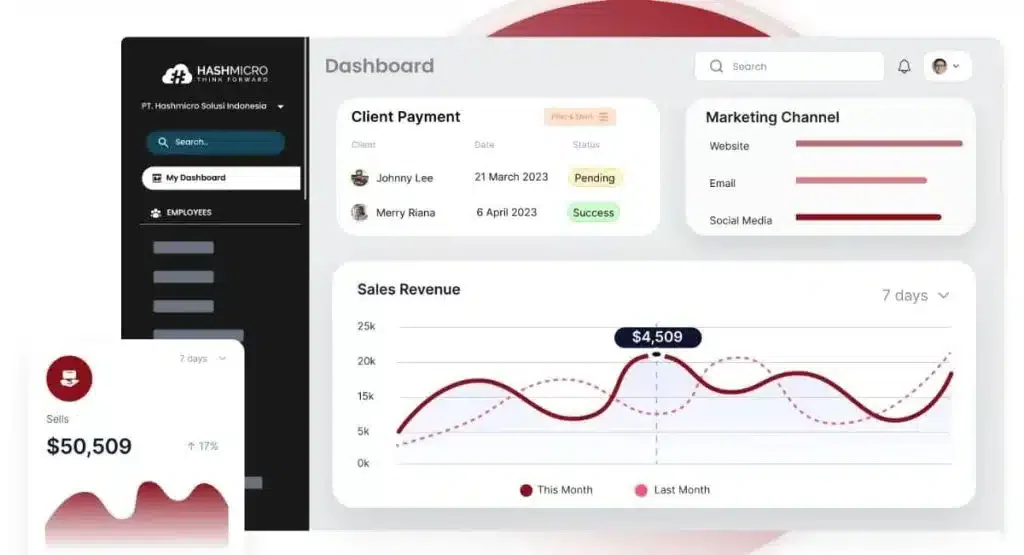
HashMicro’s Lead Management System is one of the best solutions for businesses seeking a comprehensive lead management system in the Philippines. It offers a suite of tools designed to streamline the entire lead management process.
The system’s robust integration capabilities ensure seamless connectivity with other business applications, enhancing overall productivity and providing a unified view of customer interactions.
A standout aspect of HashMicro is its compliance with ISO standards, which ensures high security and quality.
Furthermore, HashMicro offers an end-to-end solution covering all aspects of customer relationship management, from lead generation to sales conversion and customer retention.
Key features
- Leads – Hash quality score: Determine which leads have potential in percentage numbers based on several parameters.
- Call Logging Management: Track and record all phone interactions, including call details and notes, ensuring a complete communication history.
- Sales Pipeline Management: Get a visual representation of the sales process, tracking deals through various stages from lead to closing.
- Email Marketing Management: Integrate email campaign creation, distribution, and tracking within the CRM.
- KPI for activity targeting: Enable businesses to set and track specific metrics related to sales and marketing efforts, such as calls made and deals closed.
- Forecasting revenue: The forecasting revenue feature uses historical data and current trends to predict future sales and revenue.
- CRM mobile apps: CRM mobile apps allow users to access customer data and CRM functionalities on the go through smartphones and tablets.
- Reporting/analysis: Reporting and analysis tools generate detailed reports on sales performance, customer behavior, and other key metrics.
| Pros | Cons |
|
|
Ideal user
HashMicro is the ideal solution for growing businesses seeking a fully customizable and integrated lead management system.
Pricing
HashMicro’s pricing structure depends on the scope of features, deployment needs, and number of users.
2. Zoho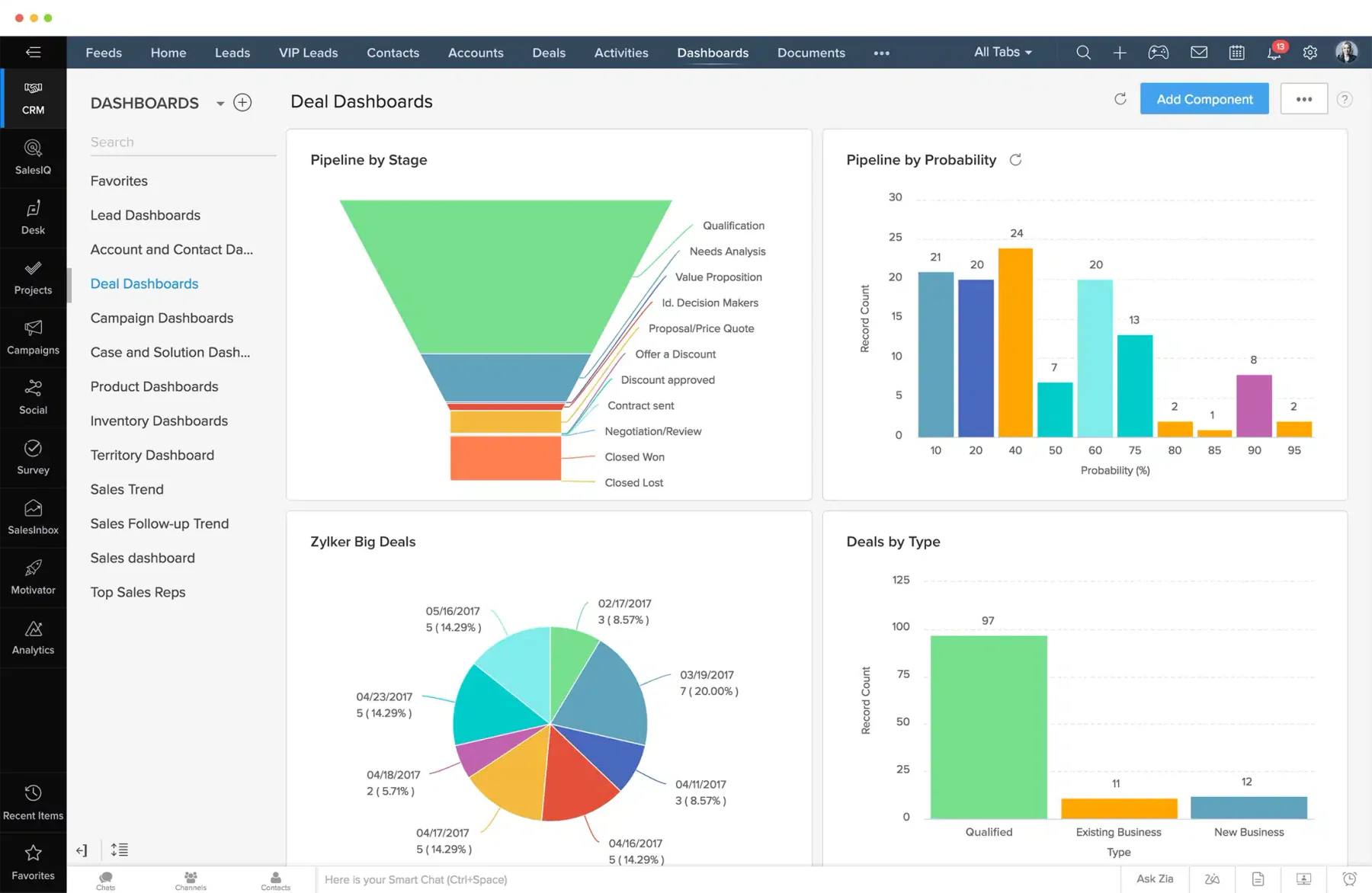
Zoho CRM is known for its extensive customization options and scalability, making it suitable for businesses of all sizes.
It offers features like lead management, analytics, and process automation, with integrations available for various third-party applications. The software’s flexibility allows businesses to tailor it to their specific needs.
On the downside, the extensive customization options can lead to a steeper learning curve for new users, and some users report that the interface is less intuitive than that of other CRMs.
Key features
- Contact Management
- Lead Qualification
- Workflow Management
- Email Marketing
| Pros | Cons |
|
|
Pricing
Zoho CRM offers a free plan for up to three users, with paid plans starting at $14 per user per month, offering more advanced features and customization options.
Ideal user
Zoho CRM is ideal for small to medium-sized businesses and enterprises looking for an affordable and highly customizable CRM solution to manage sales, marketing, and customer relationships effectively.
3. Engagebay
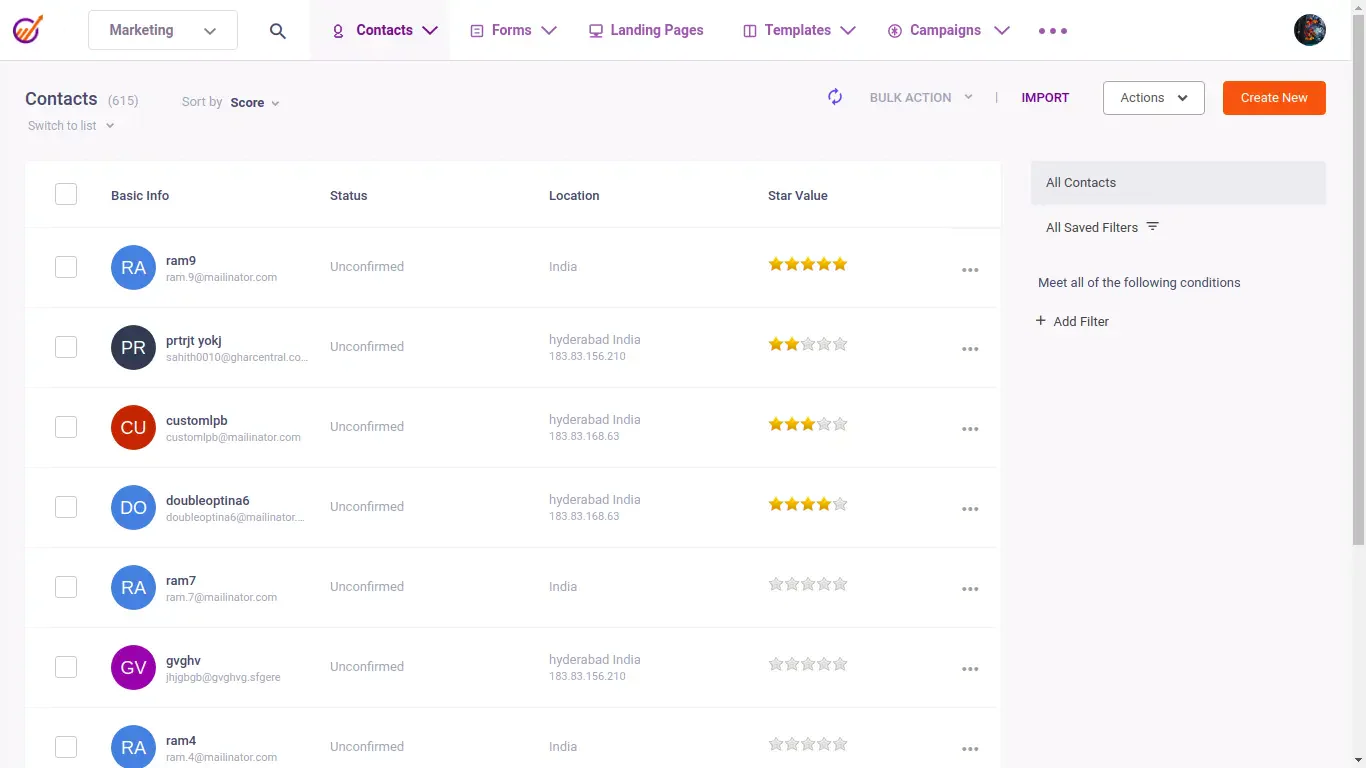
Engagebay is a CRM platform providing a comprehensive suite of lead management tools for marketing, sales, and customer service functions.
Its feature-rich platform offers capabilities that support various aspects of the customer journey, from initial lead capture to post-sale customer service.
However, It may lack some advanced features and integrations that larger enterprises or businesses with complex CRM lead management requirements may need. Additionally, ongoing updates and enhancements may be necessary to match the evolving needs of businesses as they grow and scale.
Key features
- Lead management
- Automated tracking
- Automated scheduling
- Automated responder
| Pros | Cons |
|
|
Pricing
EngageBay offers a free plan, with paid plans starting at $12.99 per user per month.
Ideal user
Ideal for small to medium-sized businesses looking for an affordable, all-in-one marketing, sales, and service automation platform.
4. Vtiger
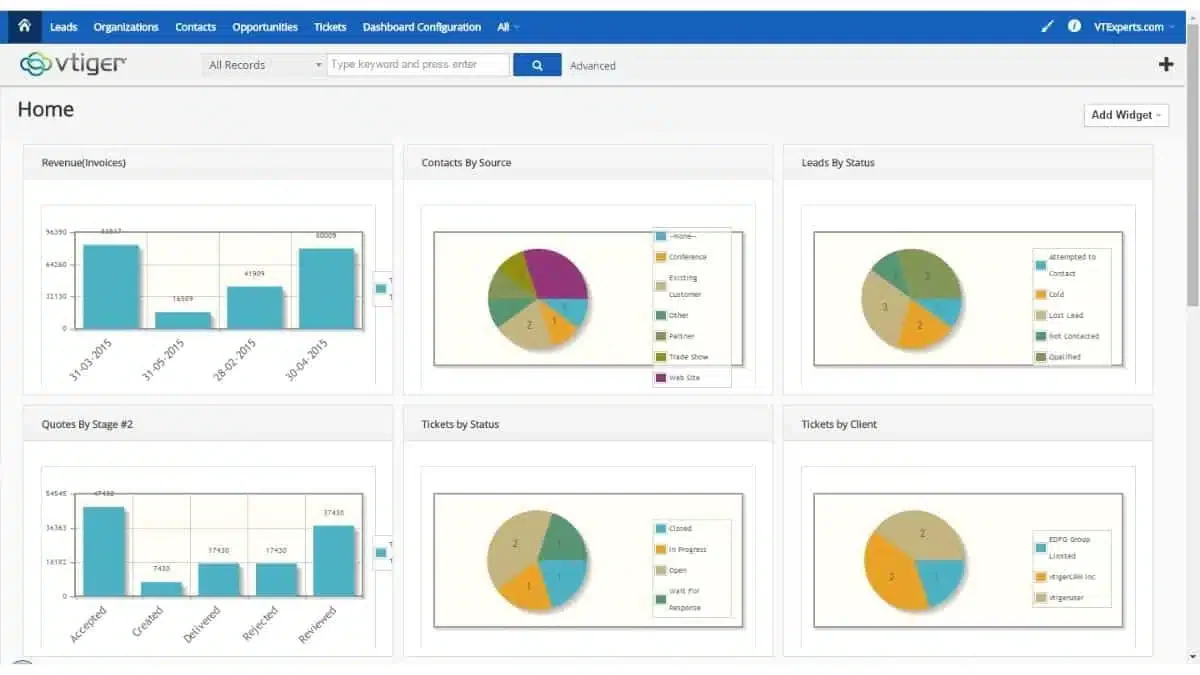
Vtiger provides an all-in-one CRM lead management with robust lead management features, including email marketing, sales automation, and customer support tools. Its unified platform helps streamline business processes and improve customer interactions.
This integrated approach allows businesses to streamline operations by centralizing customer data and automating key processes, enhancing overall efficiency.
Vtiger’s flexibility is a significant advantage. However, the software can sometimes be less intuitive, and users might experience a steeper learning curve compared to more user-friendly CRMs.
Key features
- Contact management
- Collaboration tools
- Desktop Integration
| Pros | Cons |
|
|
Pricing
Vtiger offers various pricing plans, including the One Pilot (Free), One Growth ($12/user/month), One Professional ($30/user/month), One Enterprise ($42/user/month), and One AI ($50/user/month).
Ideal user
Ideal for businesses of all sizes looking for a flexible and customizable CRM lead management to streamline sales, marketing, and customer support operations.
5. Pipedrive
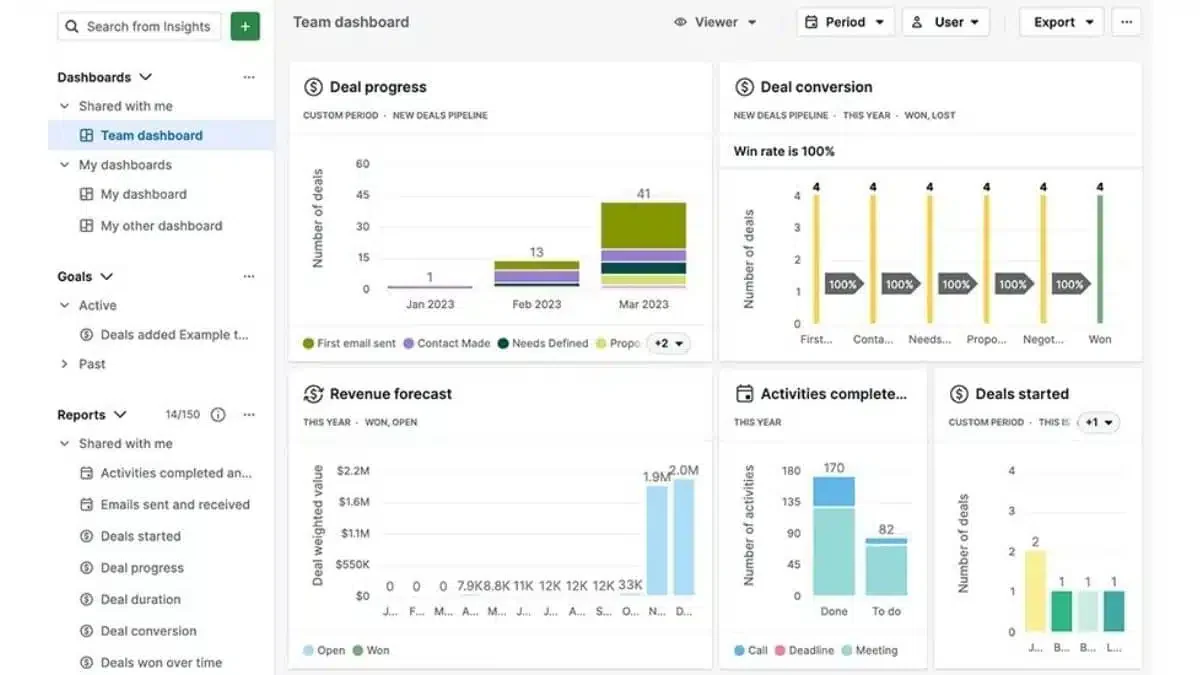
Pipedrive is a CRM that focuses on sales pipeline management and lead tracking. Its visual pipeline interface makes it easy for sales teams to see the status of each lead at a glance.
Pipedrive also offers automation features and integrates with various third-party applications to streamline workflows. While Pipedrive excels in usability, it has limited customization options, which can be a drawback for businesses with specific or unique requirements.
Additionally, some of its more advanced features are only available on higher-tier plans, which can increase the overall cost.
Key features
- Lead management
- Contact & account management
- Customer support portal
- Report & analysis
| Pros | Cons |
|
|
Pricing
Starts at $14 per user per month.
Ideal user
Best for small and medium-sized businesses needing a user-friendly CRM for sales pipeline management.
6. Hubspot
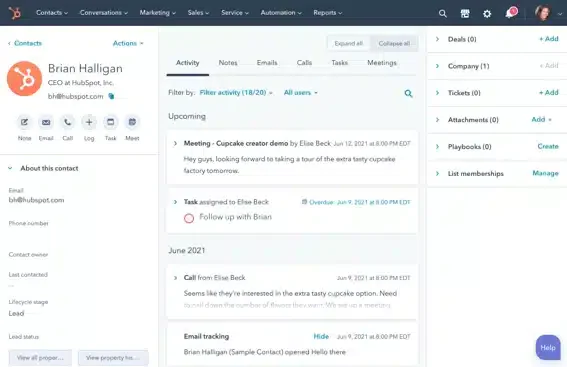
Hubspot CRM is widely used for its free version and robust features, including lead capture, contact management, email tracking, and analytics.
This software integrates seamlessly with its marketing, sales, and service hubs, creating a unified platform for growth. This integration allows businesses to align their marketing and sales efforts and track customer interactions across different channels
However, the cost of accessing advanced features required by larger or more complex businesses can be prohibitive, potentially restricting their appeal to some users.
Key features
- Contact management
- Sales automation
- Report & business analysis
- Live chat & chatbot
| Pros | Cons |
|
|
Pricing
Offers a free CRM with premium plans starting at $50 per month.
Ideal user
Ideal for small to medium-sized businesses seeking an integrated platform for marketing, sales, and customer service.
7. Zendesk
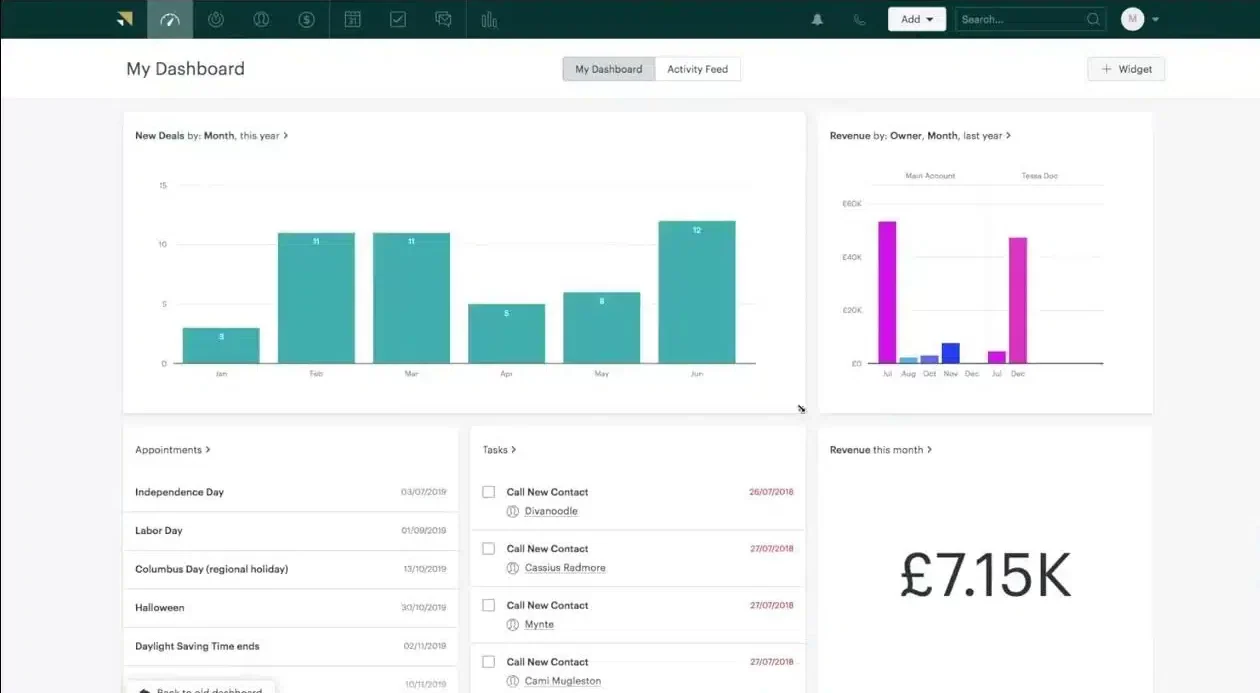
Zendesk is widely recognized for its customer service expertise, but it also offers powerful CRM lead management features tailored to improve sales and lead management processes. Its intuitive interface and multi-channel communication tools make it a favorite among businesses aiming to streamline customer and lead interactions.
Key features
- Contact management.
- Lead capture and tracking.
- Reporting and analytics.
- Multi-channel communication tools.
| Pros | Cons |
|
|
Pricing
Plans start at $55 per user per month.
Ideal user
Ideal for businesses of all sizes seeking a comprehensive customer service platform.
8. Microsoft Dynamics 365
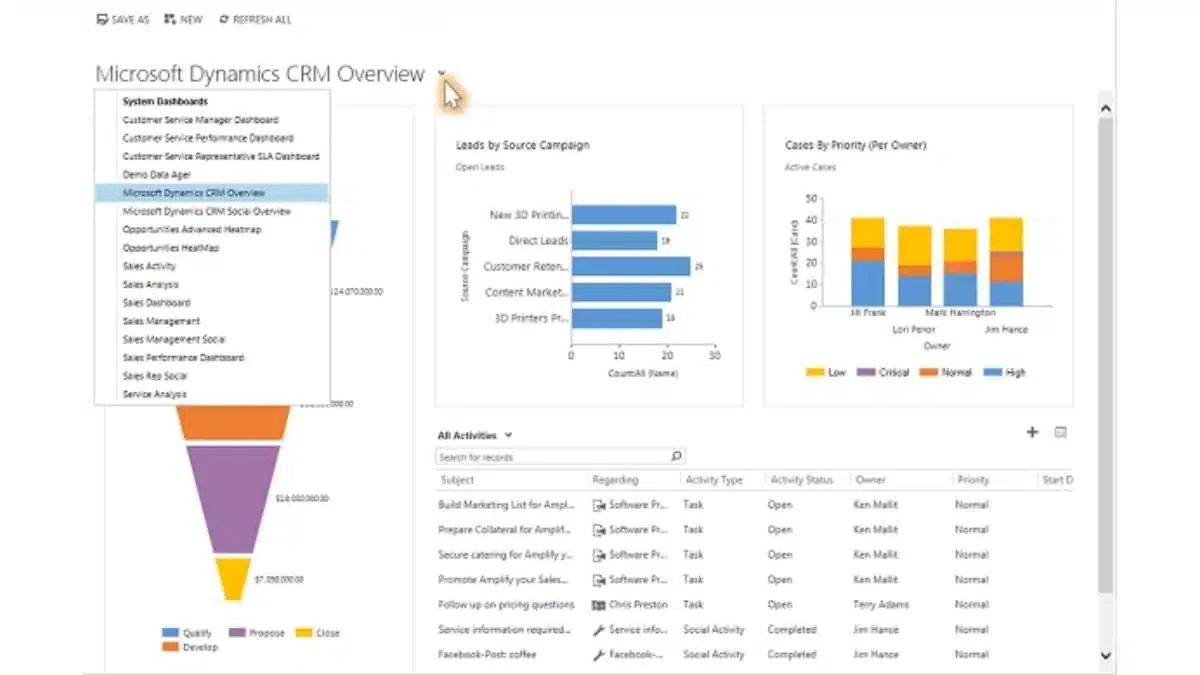
Microsoft Dynamics 365 is a CRM solution that integrates seamlessly with other Microsoft products. It offers many features, including lead management, sales automation, and detailed analytics.
The tight integration with the Microsoft ecosystem makes it a strong choice for businesses already using Microsoft tools.
However, these lead management tools can be complex and expensive. Additionally, businesses not fully integrated into the Microsoft ecosystem may find the learning curve steep and the integration process challenging.
Key features
- Lead management
- Interaction Tracking
- Sales automation
- Reporting/analytics
| Pros | Cons |
|
|
Pricing
Varies by application; for example, Dynamics 365 Sales Professional starts at $65 per user per month.
Ideal user
Ideal for small to medium-sized enterprises seeking integrated ERP and CRM solutions to enhance operational efficiency.
9. Salesforce
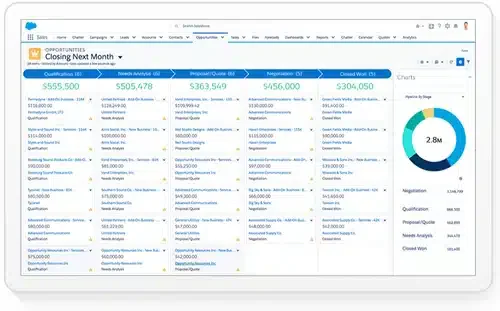
Salesforce is a lead automation software known for its extensive features and scalability. Its customizable workflows and automation tools streamline sales processes, improve productivity, and drive revenue growth.
One of Salesforce’s key strengths is its AppExchange marketplace, which offers thousands of third-party integrations and extensions.
The complexity of implementing and customizing Salesforce may also require dedicated IT resources and expertise. Additionally, the learning curve for new users can be steep, requiring training and ongoing support to fully leverage the platform’s capabilities.
Key features
- Contact management
- Lead capture
- Report/analysis
- Collaboration tools
| Pros | Cons |
|
|
Pricing
Plans start at $25 per user per month.
Ideal user
Ideal for large enterprises seeking comprehensive CRM solutions.
10. LeadSquared
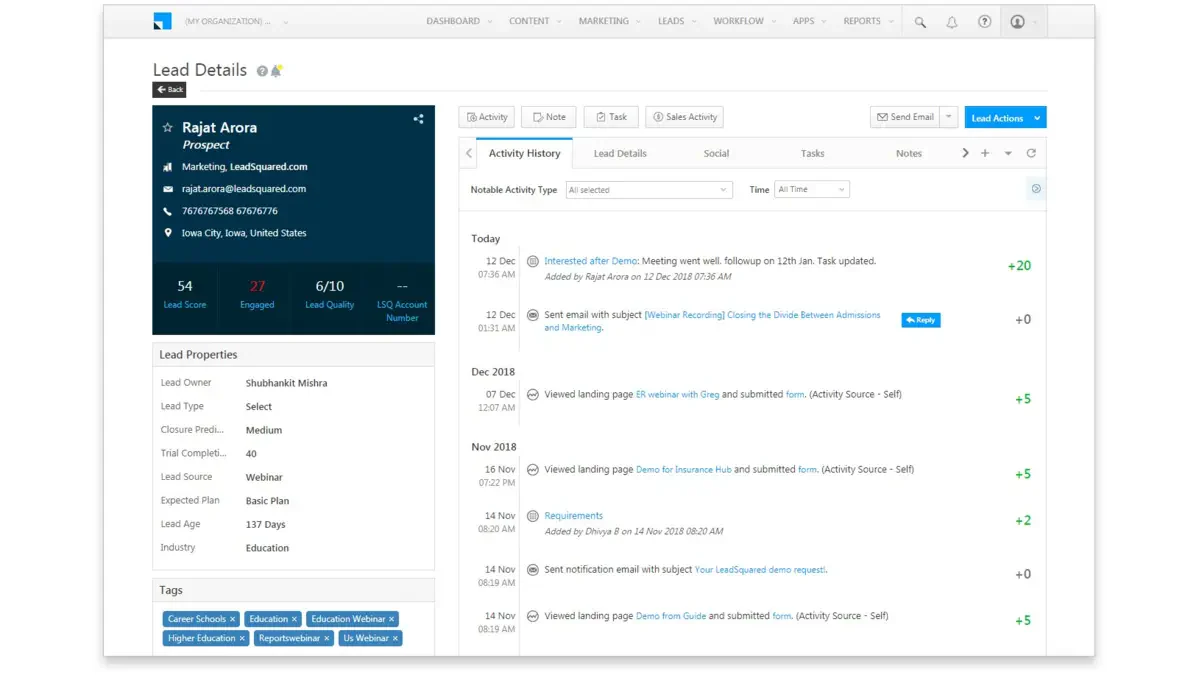
LeadSquared is a robust lead management tool platform designed to optimize sales processes and improve lead conversion rates. Renowned for its intuitive interface and powerful automation tools, LeadSquared has become a popular choice for businesses aiming to streamline lead tracking and nurturing.
With features that support multi-channel lead capture, sales automation, and detailed reporting, the platform caters to industries requiring efficient and scalable solutions. However, businesses considering LeadSquared should evaluate their needs, particularly in terms of customization and the learning curve for implementation.
Key features
- Task management.
- Interaction tracking.
- Contact management.
- Lead scoring and automation workflows.
| Pros | Cons |
|
|
Pricing
Plans start at $25 per user per month.
Ideal user
Ideal for small to medium-sized enterprises across various industries, including education, IT services, and real estate, seeking to enhance their marketing and sales alignment.
11. Freshsales
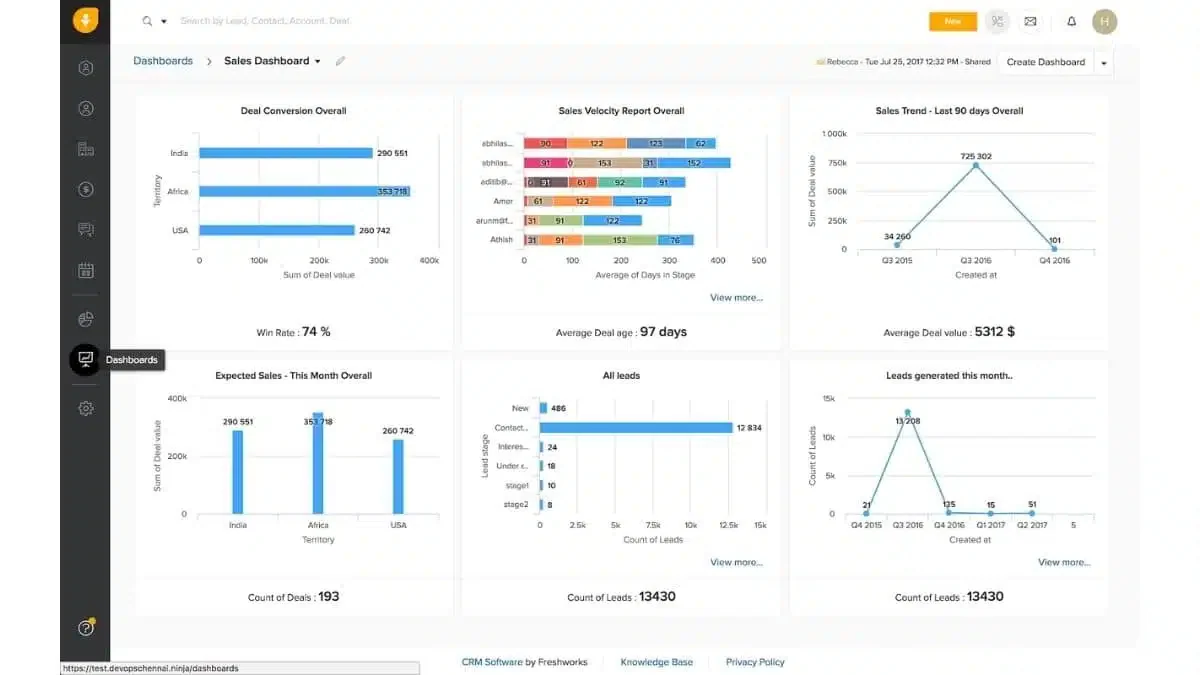
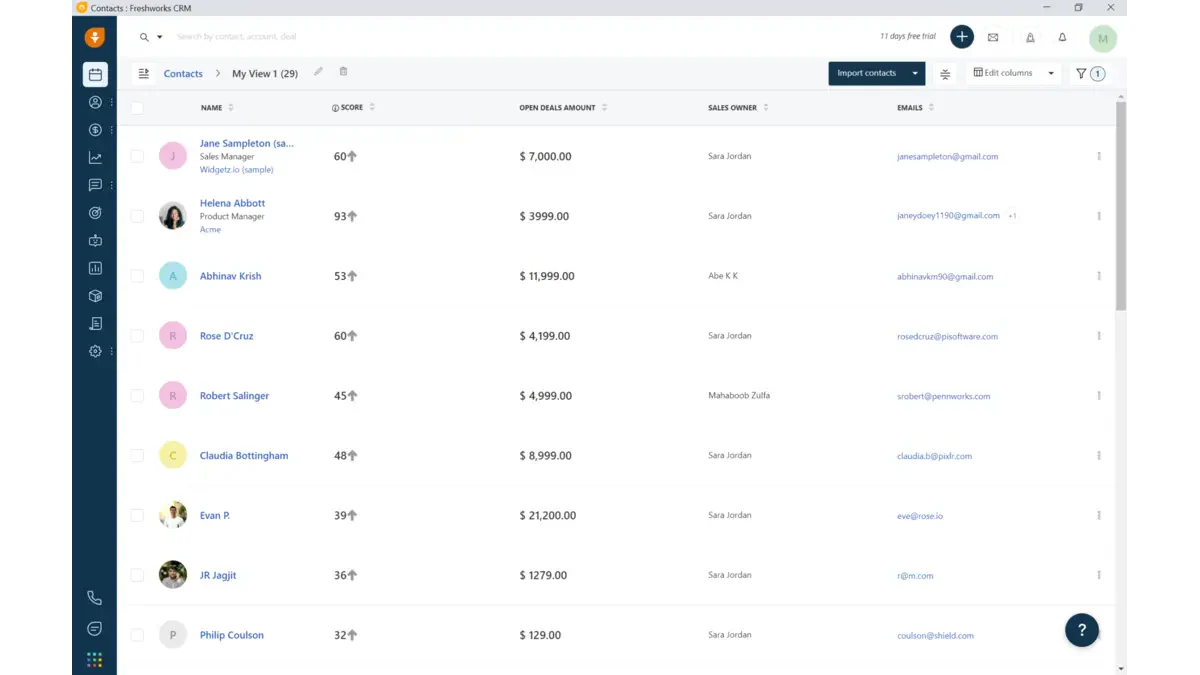
Freshsales by Freshworks is a CRM with strong lead management capabilities. It offers AI-based lead scoring, email tracking, and workflow automation.
The intuitive design of Freshsales makes it easy for sales teams to navigate and utilize the CRM effectively, enhancing productivity and reducing the learning curve for new users.
However, it may lack some of the advanced features and integrations found in more expensive CRM solutions, which could limit its appeal to larger businesses.
Key features
- Contact & Account Management
- Desktop Integration
- Call Center Features
- Reporting
| Pros | Cons |
|
|
Pricing
Plans start at $9 per user per month, with a free version also available.
Ideal user
Ideal for small to medium-sized enterprises seeking an AI-powered CRM to enhance sales efficiency.
12. Keap
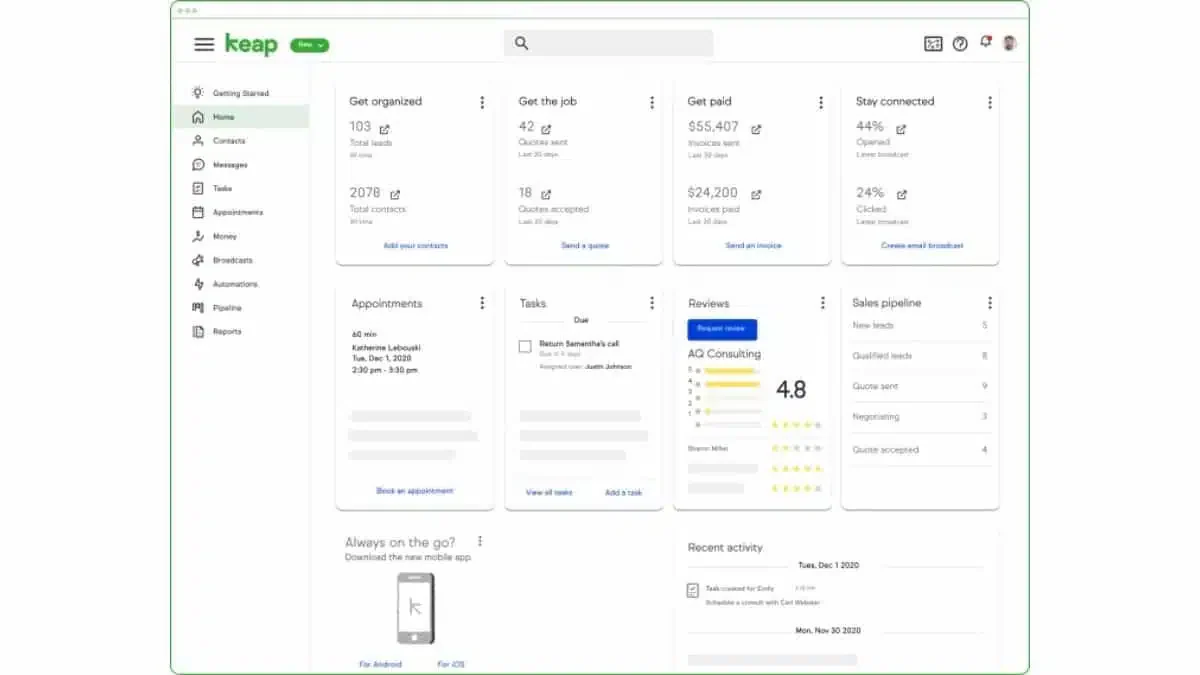
Keap is tailored to provide essential features such as lead management tools, email marketing, and automation tools designed to streamline client follow-ups and manage sales pipelines effectively.
The platform’s automation capabilities help businesses save time by automating repetitive tasks and nurturing leads through personalized email campaigns and follow-ups.
Key features
- Lead Management
- Sales Automation
- Task Management
- Mobile Access
| Pros | Cons |
|
|
Pricing
Plans start at $129 per month for 1,500 contacts, with an additional $29 per month for each extra user.
Ideal user
Ideal for small businesses seeking comprehensive CRM and automation solutions to enhance their sales and marketing efforts.
13. ClickUp
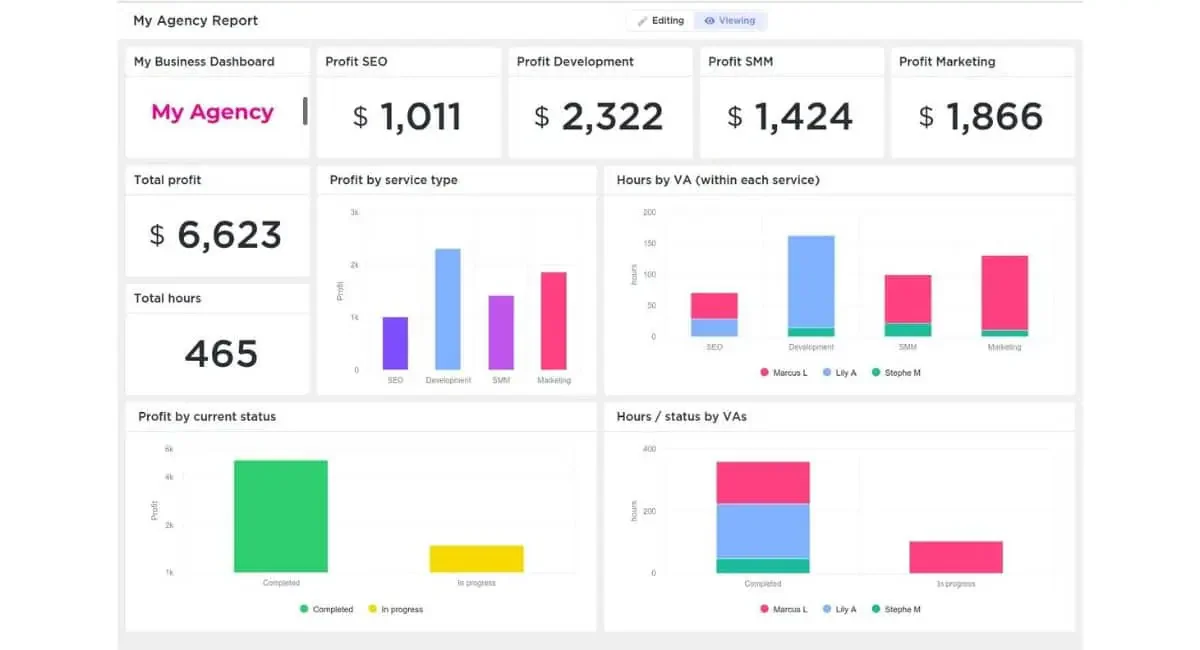
Initially designed as a project management tool, ClickUp has expanded to include lead management features. Its versatility, combined with user-friendly navigation, makes it a great tool for teams that want to manage leads and projects on one platform.
Key features
- Task and lead management in a single interface.
- Integration with over 1,000 apps, including CRMs.
- Customizable views (lists, boards, Gantt charts).
- Automated task assignments for lead follow-ups.
| Pros | Cons |
|
|
Pricing
Plans start at $7 per user per month.
Ideal user
Ideal for teams of all sizes seeking a comprehensive, customizable project management solution.
14. Salesflare
Salesflare, launched in 2014, positions itself as a smart CRM for small teams selling B2B. The lead management tools’ capabilities are built around automation, allowing teams to spend less time on data entry and more time converting leads.
Key features
- Automatic lead data entry from emails and social media.
- Pipeline management with visual dashboards.
- Intelligent task reminders for follow-ups.
- Integration with popular productivity tools like Google Workspace.
| Pros | Cons |
|
|
Pricing
Starts at $29 per user per month when billed annually.
Ideal user
Ideal for small and medium-sized B2B businesses seeking an intelligent CRM to enhance sales efficiency.
Full Comparison of Lead Management System
| Brand | Best for | Pros | Cons | Pricing |
|---|---|---|---|---|
| 1) HashMicro | Best for businesses need a comprehensive ERP-integrated. | 1) Comprehensive ERP integration 2) Highly customizable features 3) User-friendly interface 4) Automated workflows for better lead conversion | 1) Customization may require extra setup 2) Can be complex for new users 3) May need consultation for advanced workflows | Custom Pricing |
| 2) Zoho | Best for extensive customization and AI-driven analytics. | 1) Affordable, scalable plans 2) Strong integration with Zoho ecosystem 3) Highly customizable interface 4) AI-powered analytics for decisions | 1) Interface can overwhelm beginners 2) Support slower for free users 3) Limited marketing tools in basic plan 4) Some integrations require add-ons | Starts at $14/user/month |
| 3) Engagebay | Best for all-in-one marketing, sales, and customer service. | 1) All-in-one CRM, marketing, and service 2) Affordable for startups and SMBs 3) Easy-to-use interface 4) Robust email marketing tools | 1) Limited advanced features for large enterprises 2) Fewer integrations than competitors 3) Basic reporting 4) Limited workflow customization | Starts at $12.99/user/month |
| 4) Vtiger | Best for unified CRM with sales, marketing, and support tools. | 1) Unified CRM for sales, marketing, and support 2) Affordable and scalable 3) AI-powered lead insights 4) Good integrations with business tools | 1) Limited customization in lower-tier plans 2) Interface can feel outdated 3) Limited reporting depth 4) Advanced automation costs more | Starts at $12/user/month |
| 5) Pipedrive | Best for visual pipeline management and lead tracking. | 1) Visual sales pipeline management 2) Highly customizable sales stages 3) Strong automation for routine tasks 4) Very user-friendly | 1) Limited marketing and service tools 2) Fewer integrations 3) Advanced features only on higher plans 4) Basic reporting in lower tiers | Starts at $14/user/month |
| 6) Hubspot | Best for small businesses leveraging free CRM features. | 1) Robust free CRM version 2) Powerful marketing automation tools 3) Seamless integration across HubSpot hubs 4) Excellent reporting and analytics | 1) Higher-tier plans can be costly 2) Limited customization in free plan 3) Some features require paid add-ons 4) Data storage limits | Starts at $50/month |
| 7) Zendesk | Best for multi-channel lead and customer communication. | 1) Excellent multi-channel communication 2) Intuitive, user-friendly interface 3) Wide third-party integrations 4) Strong reporting on sales and service | 1) Limited customization for niche workflows 2) Lacks advanced marketing automation 3) Not ideal for sales-heavy use cases 4) Pricing can be high for small teams | Starts at $55/user/month |
| 8) Dynamics 365 | Best for enterprises needing AI-driven CRM. | 1) Comprehensive CRM + ERP suite 2) Highly customizable and scalable 3) Strong AI and analytics capabilities 4) Deep integration with Microsoft tools | 1) Steep learning curve 2) Expensive for small businesses 3) Complex customization 4) Requires extensive setup and training | Starts at $65/user/month |
| 9) Salesforce | Best for customizable CRM with powerful automation. | 1) Extremely customizable and scalable 2) Huge third-party app marketplace 3) Strong analytics and AI 4) Supports complex sales and marketing workflows | 1) High licensing cost 2) Complex implementation 3) Steep learning curve 4) Some essential features require add-ons | Starts at $25/user/month |
| 10) LeadSquared | Best for lead-focused marketing automation. | 1) Powerful automation for lead nurturing 2) Intuitive interface for sales teams 3) Multi-channel lead capture 4) Strong reporting on conversions | 1) Limited marketing capabilities 2) Moderate learning curve 3) Some features require extra setup 4) Less flexible for complex business models | Starts at $25/user/month |
| 11) Freshsales | Best for AI-powered CRM with email tracking automation. | 1) Affordable with rich SMB features 2) Built-in phone and email tools 3) AI-based lead scoring 4) Easy integration with Freshworks suite | 1) Limited customization options 2) Fewer advanced marketing tools 3) Reporting may lack depth 4) Support varies by plan tier | Starts at $9/user/month |
| 12) Keap | Best for small businesses, all-in-one CRM with automation. | 1) Strong marketing automation for small businesses 2) Robust email campaign management 3) User-friendly lead and contact tools 4) Helpful support and resources | 1) Limited scalability for larger companies 2) Can become costly with add-ons 3) Limited workflow customization 4) Fewer integrations | Starts at $129/month |
| 13) ClickUp | Best for integrating task management with sales pipelines. | 1) Unified platform for leads and projects 2) Extensive integration options 3) Highly customizable views and layouts 4) Flexible automation for follow-ups | 1) Feature set can overwhelm beginners 2) No dedicated lead support tools 3) Limited advanced reporting 4) Mobile app lacks lead-specific features | Starts at $7/user/month |
| 14) Salesflare | Best for startups wanting an automated, user-friendly CRM. | 1) Automated lead data entry 2) Simple, visual pipeline management 3) Clean and intuitive interface 4) Responsive customer support | 1) Limited scalability for big enterprises 2) Few workflow customization options 3) Reporting lacks depth 4) Limited advanced integrations | Starts at $29/user/month |
Tips to Choose the Best Lead Management Software for Business

Choosing the best lead management software for your business needs can be challenging, given the wide range of available options. Here are some important steps and considerations to help you make the right decision:
- Assess your Business Needs:
Begin by evaluating your business’s specific requirements. Consider the size of your sales team, the volume of leads you manage, and your overall sales process. Identify the key pain points and areas where you need the most support, such as lead capture, tracking, nurturing, or reporting.
- Prioritize Key Features
Based on your business needs, prioritize the essential features that your sales lead management should have.
Important features to consider include lead capture and integration, automated lead nurturing, lead scoring and qualification, customizable dashboards and reports, seamless integration with other tools, mobile accessibility, secure data management, and forecasting.
- Evaluate Ease of Use
A user-friendly interface is crucial for the successful adoption of any CRM software. Look for a CRM that is intuitive and easy to navigate, with minimal training required for your team.
Complicated and impractical systems can slow down productivity and reduce the effectiveness of your sales process.
- Consider Integration Capabilities
Your customer lead management software should seamlessly integrate with other essential business tools, such as marketing automation platforms, email marketing software, customer support systems, and accounting tools.
- Evaluate Customization Options
Every business has unique lead management processes, and your CRM should be flexible enough to adapt to them.
Look for a CRM that offers customization options. These options allow you to tailor workflows, fields, and reports to match your requirements.
- Check Data Security Measures
Data security is a top priority when managing sensitive lead information. Ensure your CRM has robust security measures, such as role-based access control, data encryption, and regular security audits.
- Read Reviews and Seek Recommendations
Before making a final decision, read reviews from other users and seek recommendations from industry peers. Real-world experiences can provide valuable insights into the strengths and weaknesses of different CRM solutions, helping you make a more informed choice.
By carefully evaluating these factors, you can select a lead management software that aligns with your business requirements, enhances your sales processes, and supports your long-term growth.
Which Lead Management Software Suits Your Business?
Choosing the right lead management software depends on the business type and scale. Larger platforms, such as Salesforce, offer deep customization for large enterprises with complex needs. On the other hand, platforms like Zoho or Engagebay are better suited for small to medium businesses that require simple CRM solutions at an affordable price with easy integration.
If your business needs marketing automation, Vtiger and Pipedrive offer features that can improve sales efficiency by reducing manual tasks. For businesses with limited budgets, software like Freshsales provides basic lead tracking features without compromising quality, making it ideal for startups or growing businesses.
Each option is designed to meet specific business needs, from fully integrated ERP + CRM systems to cloud-based solutions focused on sales and marketing. Consider the features most relevant to your long-term needs and the level of support provided by the software vendor.
Conclusions
Effective lead management software plays a crucial role in maximizing sales opportunities and fostering strong customer relationships. These tools enhance lead tracking, boost customer engagement, and streamline sales processes.
Choosing the right lead management software depends on your team size, workflow needs, and long-term priorities. Salesforce is a strong option for enterprises that need advanced customization, while Zoho and EngageBay are practical choices for businesses looking for a simpler and more accessible system. HashMicro is also worth considering for companies that want lead management to connect more closely with broader business operations.
Instead of choosing based on feature volume alone, it is better to compare each platform based on how well it fits your workflow, integrations, and growth plans. For businesses that also want to improve lead quality before it enters the pipeline, it may be useful to explore lead generation tools as part of a broader growth strategy.
FAQ About Lead Management Software
Is CRM and lead management the same?
Although both types of software share some similarities, they serve different purposes. Lead management software focuses on generating new leads to convert into customers, whereas a CRM is designed to manage the entire customer journey.
Is lead generation part of CRM?
A CRM system provides all the tools necessary to generate leads and nurture relationships, securely storing all lead data in an easily accessible and interpretable format for your sales team.
Who uses lead management?
Lead management is essential for any organization, as it boosts sales, attracts new customers, and creates a pipeline of prospects for future products and services
What is a lead management system?
A lead management system helps businesses structure how they identify target audiences, track prospects through each stage of the sales pipeline, and evaluate which leads are qualified to pursue.
What are the four types of CRM?
CRM systems are typically categorized into four types: operational, analytical, collaborative, and strategic. The most effective CRM solutions combine all four functions into a single integrated platform.