














If you’ve ever spent hours reconciling sales with inventory or scrambling before BIR deadlines, you know how messy retail finances can get. Between tracking daily transactions, managing stock across branches, and staying compliant with tax requirements, it’s easy to lose sight of your actual cash flow. That’s where accounting software built for retail comes in—it pulls your sales, inventory, and financial data into one place so you can actually see what’s happening with your money.
This shift is already happening locally. According to 6Wresearch, the Philippine accounting software market is growing at 6.4% annually through 2030—driven largely by retailers moving away from manual spreadsheets and outdated systems. Whether you’re running a sari-sari store chain or a mid-sized retail operation in Metro Manila, the right software can save you hours every week and help you avoid costly errors during BIR audits.
Therefore, we’ve reviewed 10 accounting software options available in the Philippines—covering everything from enterprise-grade ERP systems to budget-friendly tools for smaller retailers. We’ll break down features, pricing (in PHP where available), and what types of businesses each one suits best.
Key Takeaways
Retail accounting software automates sales tracking, inventory valuation, and BIR-compliant financial reporting, reducing manual work and errors.
The best fit depends on your business size: solo operators may prefer free tools like Wave, while multi-branch retailers need ERP-level systems.
Look for features like PHP currency support, VAT calculation, and integration with your existing POS before committing.
Pricing ranges from free to ₱15,000+/month depending on features and user count.
Shortlisted Accounting for Retail Business




Best Because
Best for startups needing invoicing solutions with essential accounting features.

Best Because
Best for service-based businesses managing time tracking and invoicing.
What is Retail Accounting Software?
Retail accounting software is a specialized tool designed to manage and automate financial tasks in retail businesses, such as tracking sales, expenses, and inventory. The system streamlines data entry, automates calculations, and generates real-time financial reports.
Think of it as QuickBooks or Excel on steroids, but built specifically for retail. Instead of manually entering every sale, tracking inventory in a separate spreadsheet, and calculating VAT by hand, the software does it automatically.
A good retail accounting system connects your POS transactions directly to your books. Sell 50 items today? The software updates your inventory count, records the revenue, calculates the 12% VAT, and adjusts your cost of goods sold—all without you lifting a finger.
For Philippine retailers, this also means easier BIR compliance. The right software can generate sales summaries, VAT reports, and other documents you’ll need during tax filing or audits.
Why Retailers Use Accounting Software (And What It Actually Does)
Here’s what changes when you move from spreadsheets to proper accounting software:
- Faster daily closing. Instead of manually tallying sales at the end of each day, the system pulls data directly from your POS. A task that used to take 30 minutes now takes 30 seconds.
- Fewer errors during BIR filing. The software automatically calculates output VAT, tracks deductible expenses, and generates reports in formats the BIR accepts. No more last-minute scrambling during quarterly filing.
- Real visibility into margins. You can see which products actually make money after accounting for cost of goods, shipping, and shrinkage—not just gross sales.
- Multi-branch tracking. If you’re running stores in both Metro Manila and the provinces, you can consolidate financials without waiting for branch managers to email spreadsheets.

10 Best Retail Accounting Software in the Philippines
As retail businesses in the Philippines look to optimize their financial management, choosing the right accounting software is crucial. Below are the 10 best retail accounting software options available in the Philippines that can help streamline your operations.
1. HashMicro Retail Accounting Software
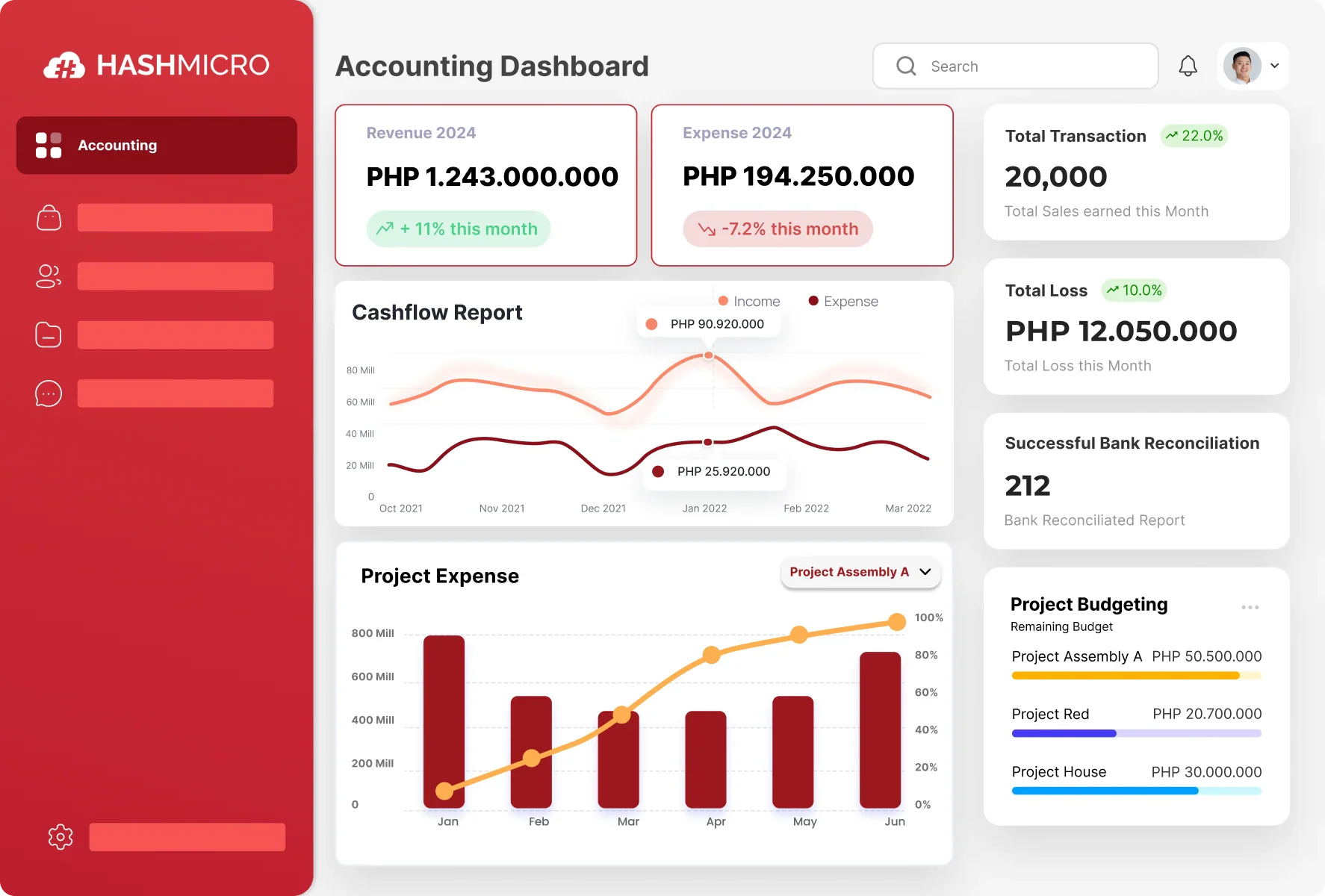
HashMicro’s accounting module is part of a larger ERP system, which makes it a strong choice if you need inventory, purchasing, and sales data connected in one platform. It’s especially relevant for mid-sized Philippine retailers who want BIR-ready reports without juggling multiple tools.
Features:
- Bank Integrations & Auto Reconciliation: HashMicro’s AI accounting software for retail business integrates with banks for automatic reconciliation, streamlining your bookkeeping software and ensuring its accuracy.
- Budget Forecast: This ERP system allows budget forecasts for your retail business, helping you manage expenses effectively with accounting software for retail shop, ensuring you use the best retail software.
- Budget S-Curve: This feature visually compares planned and actual expenses within your retail management system. Therefore, this feature aids in better retail business management.
- Financial Ratio Analysis: This retail store accounting software offers insights into your business’s financial health, which is essential for optimizing your retail business management with the best retail business software.
- 3-Way Matching: This accounting for retail business supports 3-way matching for purchase orders, invoices, and receipts, ensuring your ERP and retail business software maintains accuracy for effective bookkeeping.
- Multi-level Analytical: This accounting for retail business features multi-level analytical tools, providing deep financial insights across departments. These insights are essential for optimizing financial management.
- Cash Flow Reports: The retail business management tools generate cash flow reports, ensuring your retail store accounting software provides real-time financial insights for healthy cash flow management.
Why we chose it:
We chose HashMicro for its end-to-end ERP solution, which offers seamless integration with other business systems and ensures compliance with accounting principles, providing a comprehensive financial management platform for retail businesses.
Pricing: Available upon request (custom quote, contact the team)
| Pros | Cons |
|
|
View the detailed pricing scheme to discover how HashMicro Accounting for retail business software can fit your budget. With transparent pricing and insights into ERP types, you’ll find the perfect plan to enhance your business’s efficiency.

2. NetSuite
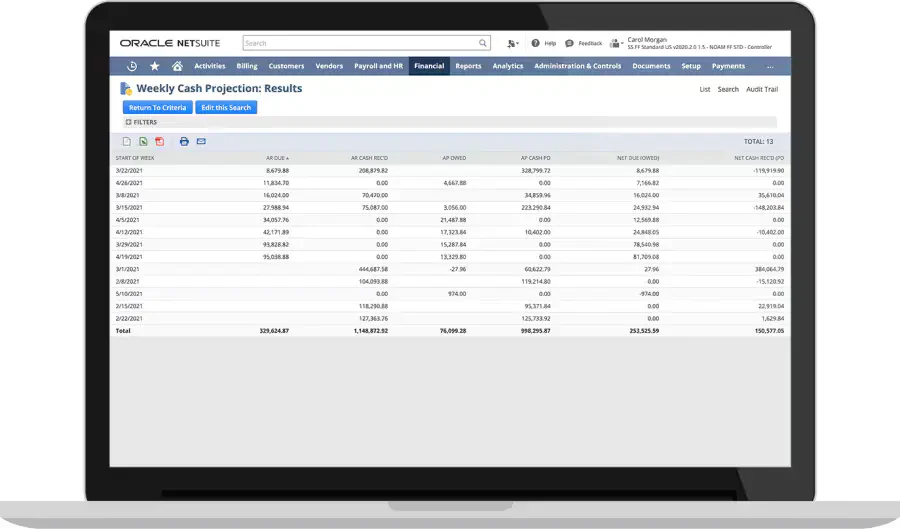
NetSuite Retail Business Software is a cloud-based platform for managing retail operations, including inventory, sales, and customer relationships.
Moreover, the retail accounting software streamlines financial processes, enhances efficiency, and provides real-time insights, helping businesses optimize performance and growth.
Features:
- Budgeting and forecasting
- General ledger
- Cash management
- Accounts receivable/payable
- Tax management
Why we chose it:
We chose NetSuite for its comprehensive financial management features, scalability, and seamless integration with other business systems.
Pricing: Available upon request (quote-based)
| Pros | Cons |
|
|
3. Sage 50 Accounting Software for Retail Shop
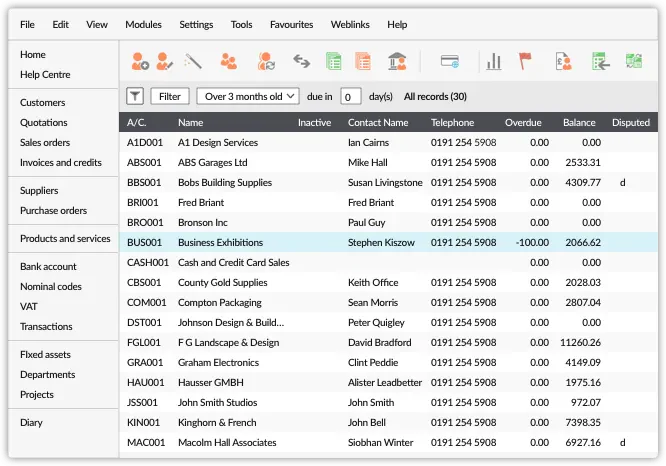
Sage 50 provides accounting software for retail shop designed to manage financial tasks, inventory, and sales for small to medium-sized retail businesses. It offers streamlined operations, accurate financial reporting, and easy tax compliance, helping retailers stay organized and profitable.
Features:
- Bank reconciliation
- Expense tracking
- Payroll processing
- Cash flow management
- Financial reporting
Why we chose it:
We chose Sage 50, an accounting software for retail business, for its advanced inventory management, robust reporting capabilities, and reliability for businesses of all sizes.
Pricing: starts from ₱2,500/month.
| Pros | Cons |
|
|
4. Wave Retail Store Accounting Software
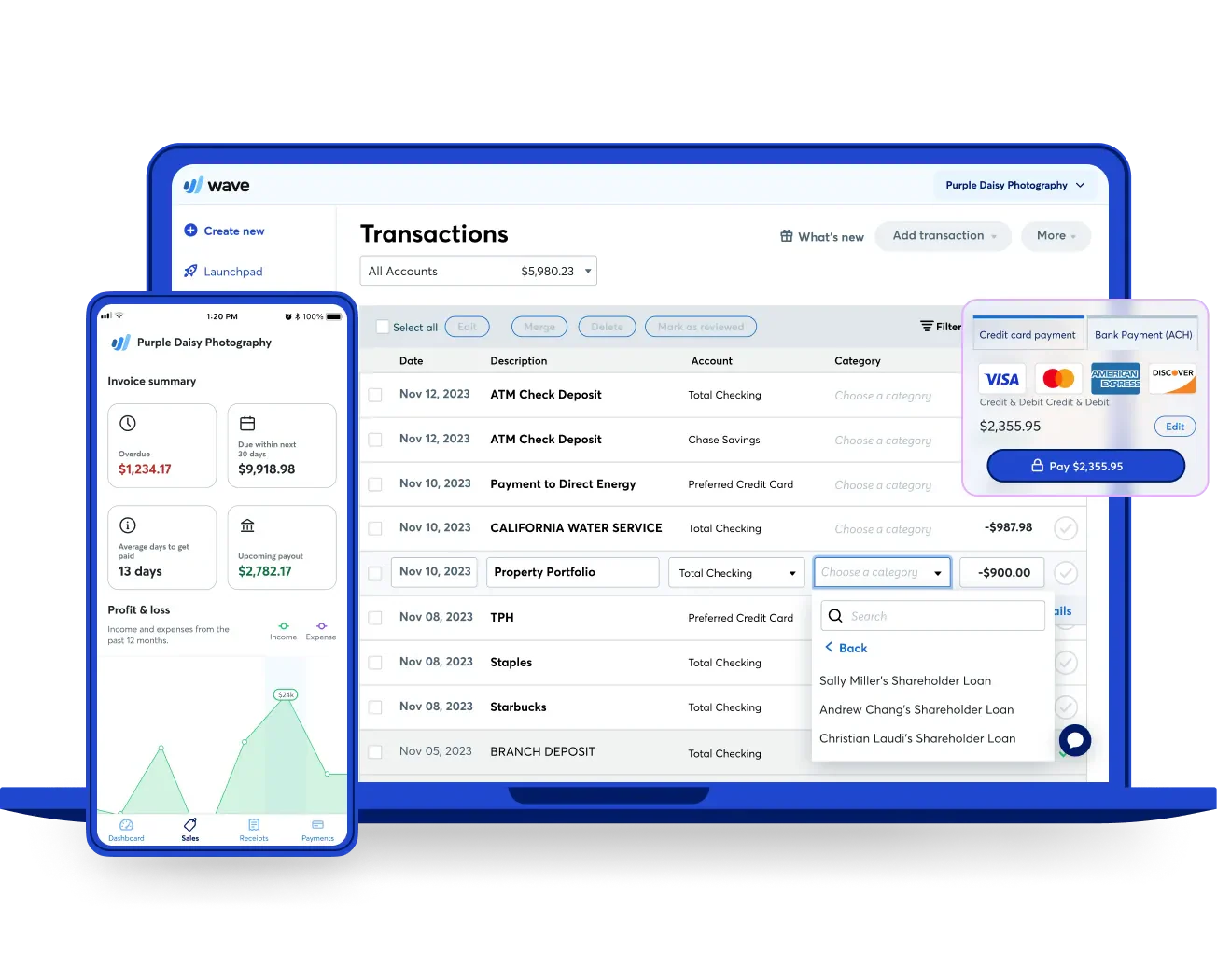
Wave offers retail store accounting software to help retail businesses manage their finances, including invoicing, payments, and expense tracking.
Additionally, this retail accounting software provides ease of use and cost-effectiveness and simplifies daily accounting tasks, making financial management stress-free.
Features:
- Transaction management
- Expense tracking
- Tax preparation
- Mobile receipt capture
- Reporting tools
Why we chose it:
We chose Wave Accounting for its user-friendly platform that offers essential accounting features ideal for retail businesses.
Pricing: Free for accounting & invoicing; payment processing fees typically apply (e.g., 2.9% + ~₱15/transaction)
| Pros | Cons |
|
|
5. FreshBooks Accounting Software for Retail Business
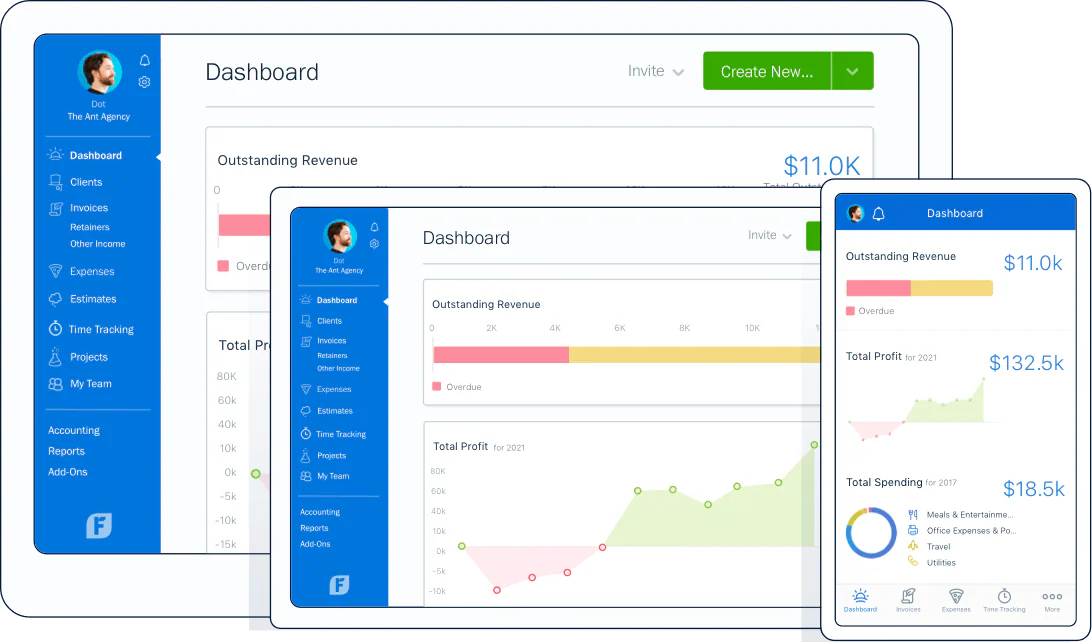
FreshBooks Accounting for Retail Business is a platform designed to simplify financial management, including invoicing, expense tracking, and sales reporting. This retail accounting software benefits retailers by providing intuitive tools that enhance efficiency, accuracy, and real-time financial insights.
Features:
- Expense management
- Manual and automatic time tracking
- Automatic bank reconciliation
- Project management
- Financial reporting
Why we chose it:
We chose FreshBooks for its easy invoicing, expense tracking, and user-friendly design, making it perfect for retail businesses.
Pricing: starts from ~₱730/month.
| Pros | Cons |
|
|
6. Xero
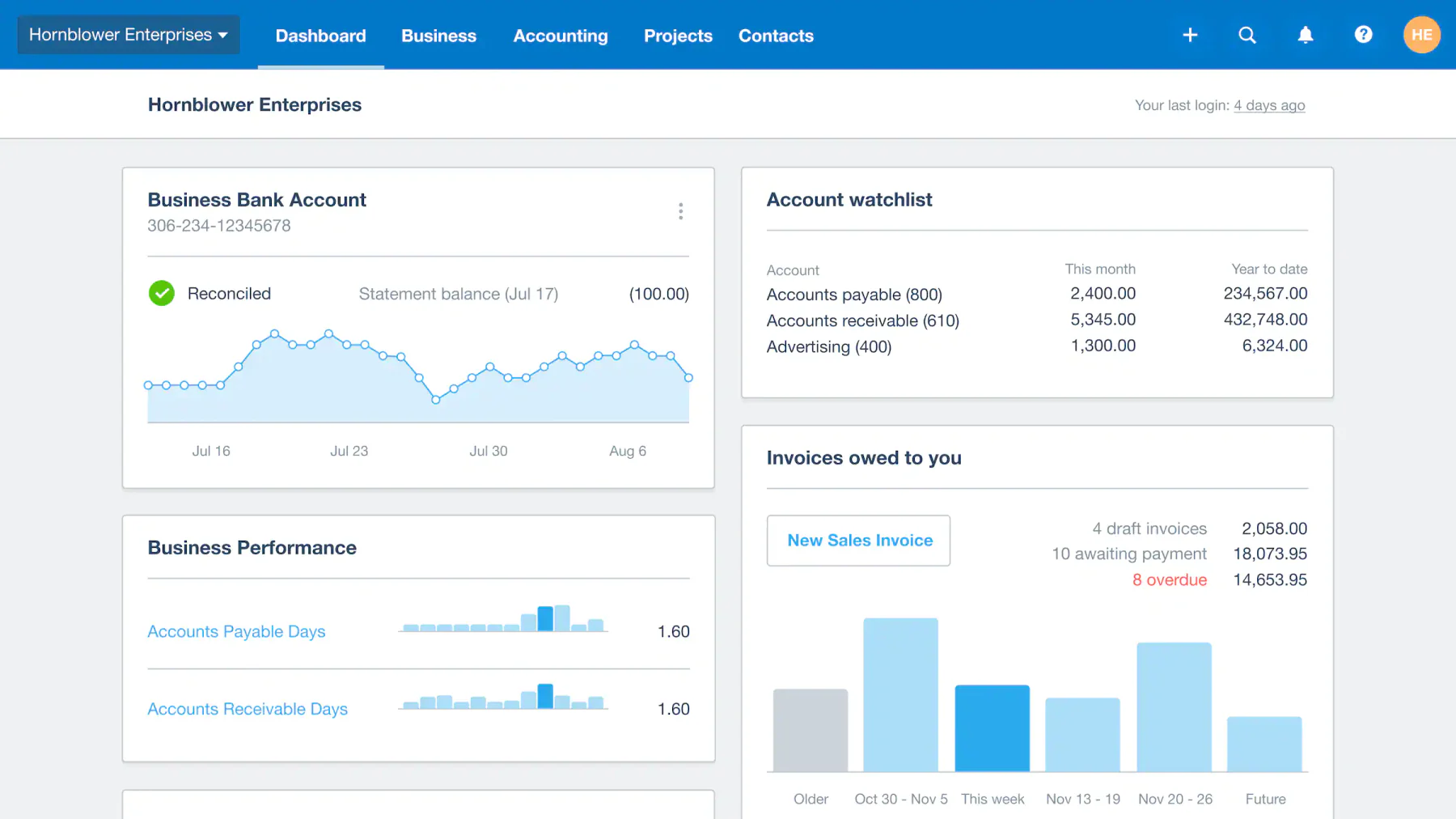
Xero Retail Accounting Software is a cloud-based platform designed to simplify financial management for retail businesses by automating tasks like invoicing, inventory tracking, and payroll.
Additionally, retail accounting by Xero offers real-time financial insights, seamless integration with other systems, and enhanced accuracy.
Features:
- Online invoicing
- Claim expenses
- Bank reconciliation
- Sales tax management
- Analytics and reporting
Why we chose it:
We chose Xero Accounting for retail business for its cloud-based accessibility, intuitive interface, and powerful integration with retail systems.
Pricing: starts from ~₱440/month.
| Pros | Cons |
|
|
7. QuickBooks Retail Business Software
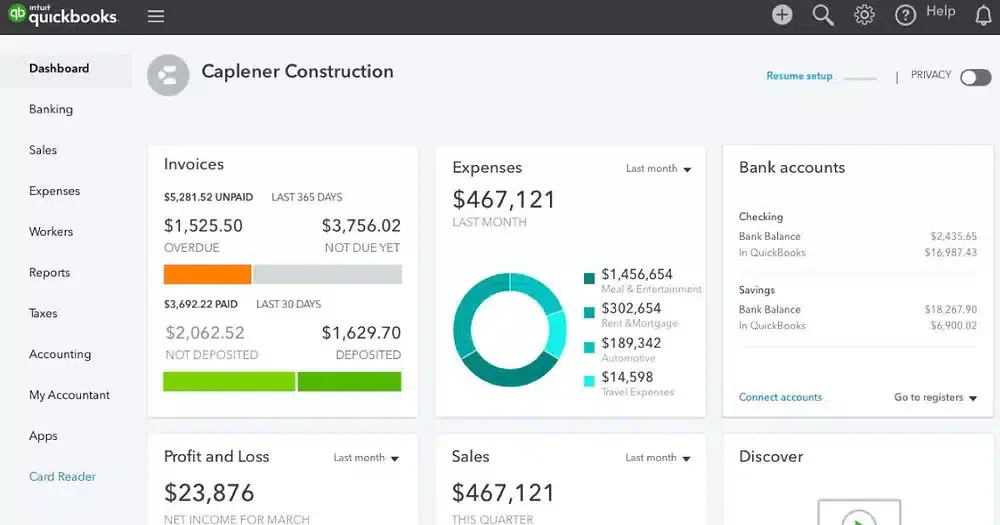
QuickBooks offers retail business software designed to streamline financial management, inventory tracking, and sales operations for retail businesses.
Moreover, retail accounting software by QuickBooks provides real-time financial insights, simplified tax preparation, and seamless integration with other business tools.
Features:
- Invoice and expense tracking
- Tax and inventory management
- GST & VAT tracking
- Roles and permissions
- Insights and reports
Why we chose it:
We chose QuickBooks Accounting for retail business for its user-friendly interface, comprehensive accounting tools, and strong integration with other retail software.
Pricing: starts from ~₱340/month
| Pros | Cons |
|
|
8. Lightspeed
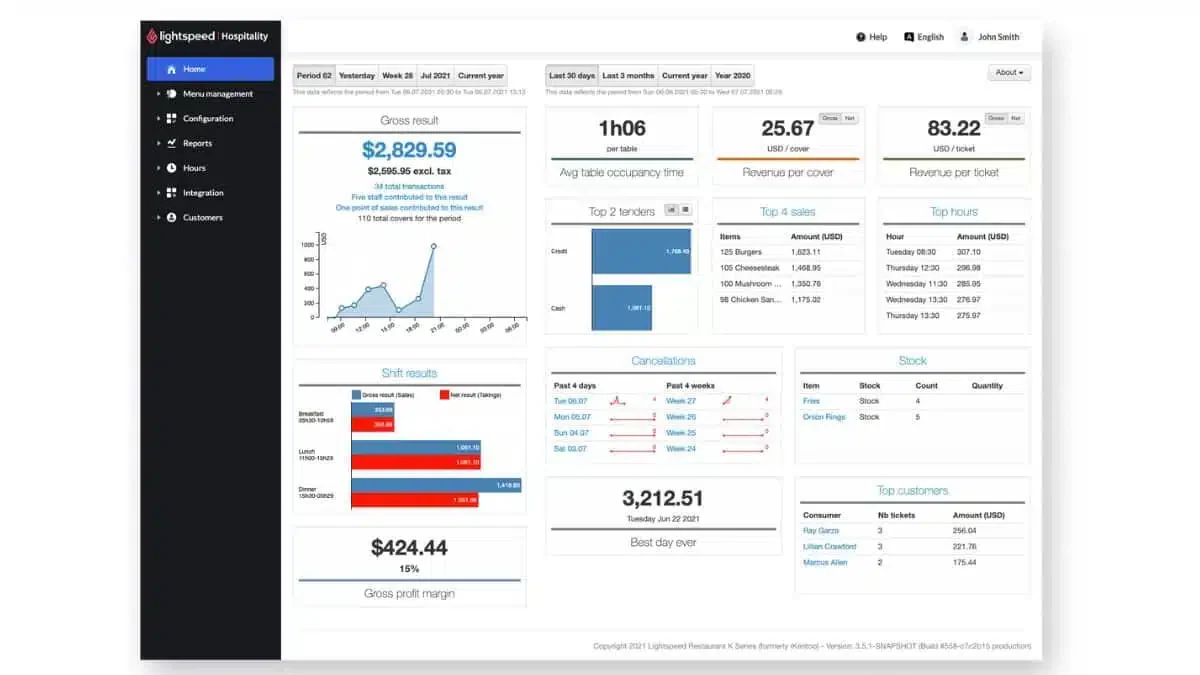
Lightspeed offers accounting for retail business to manage financial operations in retail businesses, including sales, inventory, and customer data. The benefits of retail accounting software include real-time analytics, seamless integration with POS solutions for operations, and enhanced financial accuracy.
Features:
- Tax calculation and compliance
- Multi-location management
- Inventory management
- Automated data sync
- Real-time financial data
Why we chose it:
We chose Lightspeed for its seamless integration with POS systems, real-time data syncing, and ease of use tailored for retail businesses.
Pricing: Available upon request (contact the team for a quote / consultation).
| Pros | Cons |
|
|
9. SQL Accounting Software for Retail Shop
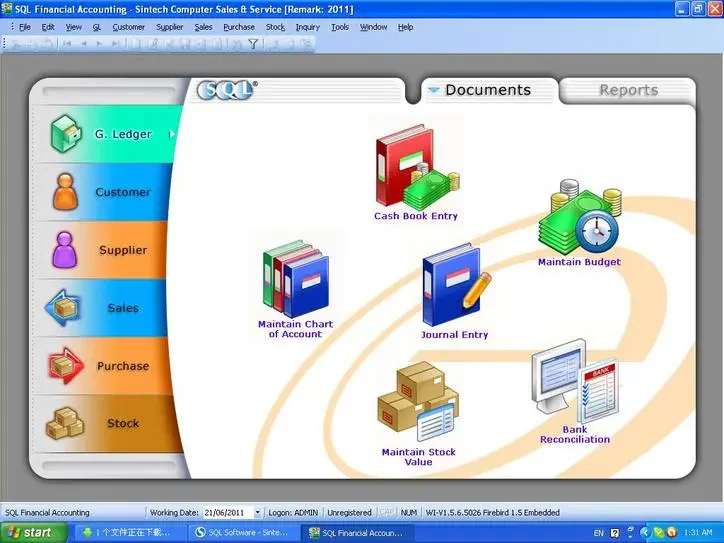
SQL Accounting Software for Retail Business is a financial management tool for streamlining tasks like sales tracking, inventory management, and accounting. The retail accounting software enhances efficiency, accuracy, and compliance, helping retailers manage their finances seamlessly.
Features:
- General ledger
- Commission calculation
- Sales and service tax
- Analytics and reporting
Why we chose it:
We chose SQL Accounting for retail business for its robust features, multi-currency support, and seamless integration with retail systems.
Pricing: starts from ~₱710/month
| Pros | Cons |
|
|
10. Bukku Accounting Software for Retail Business
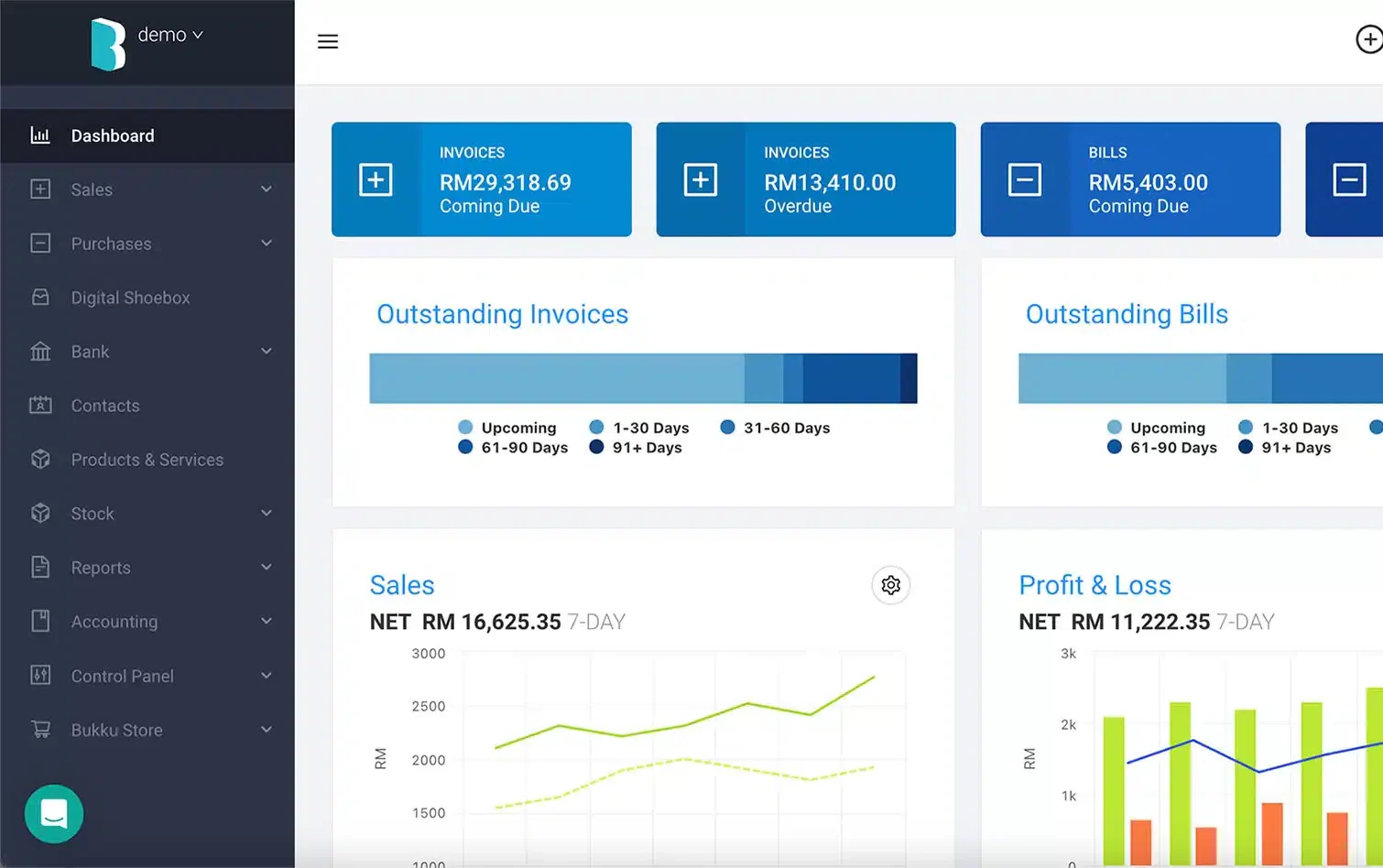
Bukku Accounting Software for Retail Business simplifies financial management by automating tasks like invoicing, expense tracking, and inventory control.
Furthermore, this accounting for retail business offers numerous benefits, which include increased efficiency, real-time financial insights, and ease of use for businesses.
Features:
- Invoicing and payment management
- Expense tracking and reconciliation
- Inventory management
- Financial reporting
Why we chose it:
We chose Bukku Accounting Software for its ease of use, robust automation features, and seamless integration capabilities, making this retail accounting software ideal for retail businesses.
Pricing: starts from ~₱710/month
| Pros | Cons |
|
|
Full Comparisson of Retail Accounting Software
| Brand | Best for | Pros | Cons |
|---|---|---|---|
| 1) HashMicro | Best for retailers needing full ERP visibility | 1) User-friendly 2) Localized compliance 3) Unlimited users | 1) Longer implementation 2) Demo queue 3) Complex setups |
| 2) NetSuite | Best for growing businesses needing scalable finance tools | 1) Customizable system 2) Strong integrations 3) Multilingual support | 1) No fixed pricing 2) Requires add-ons 3) Clunky interface |
| 3) Sage 50 | Best for SMEs needing strong reporting and inventory accuracy | 1) Customizable records 2) Strong security 3) Ecosystem integration | 1) High cost 2) Steep setup 3) Occasional crashes |
| 4) Wave | Best for small retail shops needing simple, free accounting | 1) Free plan 2) Simple UI 3) Mobile invoicing | 1) Limited features 2) No integrations 3) Few reports |
| 5) FreshBooks | Best for retailers wanting easy invoicing and expense tracking | 1) Easy invoicing 2) Intuitive UI 3) Time tracking | 1) Limited advanced tools 2) Weak integrations 3) Extra user fees |
| 6) Xero | Best for retailers wanting cloud access and automation | 1) Cloud-based 2) Clean interface 3) Wide integrations | 1) Slow on large data 2) No phone support 3) Limited reporting |
| 7) QuickBooks | Best for shops needing user-friendly tax and bookkeeping tools | 1) Full accounting toolkit 2) Cloud access 3) Strong mobile app | 1) Lacks industry features 2) User limits 3) Price jumps on upgrade |
| 8) Lightspeed | Best for POS-driven retailers needing synced accounting | 1) 24/7 support 2) Easy interface 3) POS syncing | 1) Steeper learning curve 2) Overwhelming features 3) Internet dependent |
| 9) SQL | Best for retailers needing secure multi-tax compliance | 1) Advanced security 2) Open-period workflow 3) Remote access | 1) Requires add-ons 2) Firebird engine issues 3) Technical instability |
| 10) Bukku | Best for small retailers needing simple automated bookkeeping | 1) Easy UI 2) Strong automation 3) Good integrations | 1) Learning curve 2) Extra fees for premium 3) Dependent on internet |
How to Choose the Best Accounting Software for Your Retail Business

Not every retailer needs the same system. A single-branch clothing store in Cebu has different requirements than a 20-branch grocery chain in Luzon. Here’s what to actually look at:
1. Do you need BIR-CAS accreditation? If you’re required to use a Computerized Accounting System for BIR, make sure the software is accredited or can generate compliant reports. Not all international software meets this requirement out of the box.
2. How many branches and users? Some tools charge per user. If you have 5 stores with 3 staff each needing access, costs add up fast. Check whether pricing is per-user or flat-rate.
3. Does it integrate with your POS? The biggest time-saver is automatic data sync between your point-of-sale and accounting system. If you’re using a local POS, verify compatibility before buying.
4. What’s your budget—really? Free tools like Wave work fine for micro-retailers. But once you’re processing 500+ transactions monthly or managing inventory across locations, you’ll likely need a paid solution in the ₱1,000–₱10,000/month range.
Strategy for Succesful Retail Accounting
Efficient management of finances is crucial for the success of any retail business. Utilizing retail accounting software not only streamlines operations but also provides valuable insights into your business’s financial health.
Here are six essential tips to help you leverage your accounting software for maximum benefit:
| Best Practices | Description |
| Maintain Comprehensive Records | Document every transaction, including sales, purchases, and tax bills, to maintain a complete financial overview. |
| Regular Reconciliation | Perform daily checks and balances of all transactions to ensure accuracy and detect discrepancies early. |
| Monitor Profit Margins | Track financial inflows and outflows consistently to understand business profitability. |
| Stay Compliant and Secure | Collect required tax information and store it securely while following local regulations. |
| Utilize Detailed Reporting | Generate regular reports through accounting software to understand trends and overall financial health. |
| Segregate Financials | Separate business and personal finances to simplify financial management and improve transparency. |
Incorporating these strategies into your daily business routines ensures a robust financial system that supports sustainable growth. Regular use of specialized software not only helps in maintaining accurate records but also empowers you to make informed decisions based on real-time financial data.
BIR Compliance: What Philippine Retailers Need to Know
If your retail business grosses over ₱3 million annually, you’re required to use a BIR-accredited Computerized Accounting System (CAS) or point-of-sale system. Here’s what to check:
- CAS Accreditation: Some software (like HashMicro) is already BIR-accredited. Others may require you to apply for a Permit to Use separately.
- VAT Reports: Your software should generate Output VAT and Input VAT summaries that match BIR Form 2550M/Q requirements.
- Sales Invoices: If you’re VAT-registered, invoices must include your TIN, business name, and proper VAT breakdown.
- Audit Trail: BIR requires that your system maintains unalterable transaction logs.
Conclusion
There’s no single “best” accounting software for every retailer. The right choice depends on your store’s size, how many branches you’re managing, and whether you need BIR-accredited reporting.
If you’re a solo operator or micro-retailer, free tools like Wave can handle the basics. Growing businesses with multiple locations will benefit from more integrated systems like HashMicro, NetSuite, or QuickBooks where inventory, sales, and accounting live in one place.
Whatever you choose, the goal is the same: spend less time on bookkeeping and more time actually running your business.
FAQ’s About Retail Accounting Software
-
What is retail accounting?
Retail accounting is a method retailers use to estimate the cost of goods sold (COGS) and inventory value. It calculates these by applying a cost-to-retail ratio, simplifying accounting for businesses with extensive inventories. This method is standard in industries like fashion and grocery stores.
-
What is the best accounting method for retail business?
FIFO (First-In-First-Out) is a retail accounting method that presumes the earliest inventory items are the first to be sold. Retail businesses often use this approach with time-sensitive products, such as high-fashion clothing or convenience store inventory management.
-
What is the best retail accounting software?
HashMicro offers robust accounting software for retail businesses, providing real-time financial insights, seamless POS integration, and strong inventory management. It’s customizable and user-friendly, helping you efficiently manage your finances while focusing on growth.
-
What types of software are commonly used in retail businesses?
Retailers typically rely on several types of software to manage daily operations efficiently. These include POS systems, inventory and order management tools, CRM solutions, eCommerce platforms, vendor management systems, and marketing automation software.
-
How does ERP work in the retail industry?
ERP software for retail unifies essential business functions, such as inventory, sales, finance, supply chain, and customer management, into a single integrated platform. This centralization improves visibility, streamlines workflows, and enhances decision-making across the entire retail operation.
-
What Are the 3 Most Common Pitfalls of Retail Accounting Software?
1. Weak inventory + COGS tracking → stock, turnover, and shrinkage become inaccurate (especially without POS sync).
2. Poor sales tax handling → wrong calculations/reporting can trigger compliance issues and penalties.
3. Payroll limitations → errors or manual processing slow payouts and increase compliance risk.