















Is your sales team struggling to follow up leads on time, or are customer details scattered across multiple tools? Do you find it hard to track conversations, meetings, and deal progress in one clear view?
For many Singaporean businesses, CRM software has become a practical solution for organizing customer data, managing sales pipelines, and ensuring consistent customer engagement. It helps teams work with shared information and make decisions based on real-time insights.
With the right CRM software, businesses can improve sales productivity, strengthen customer relationships, and gain better visibility across the entire customer journey, creating a more efficient and scalable sales operation.
Key Takeaways
CRM software is a system that helps businesses manage customer interactions, combining tools for sales, marketing, and customer service.
Selecting the right CRM is essential, as the right system can streamline operations, enhance customer relationships, and support business growth.
Find a more comprehensive review of the 15 CRM software in Singapore for 2026, complete with their key features and considerations for businesses of different sizes.
Getting to Know CRM Software
Customer Relationship Management (CRM) software is a tool that helps businesses organise, track, and manage customer interactions. It works by centralising data so teams can access insights to build stronger, more personalised relationships.
Beyond just storing contact details, CRM platforms integrate sales, marketing, and customer service into one system. This allows businesses to streamline workflows, monitor performance in real time, and ensure every interaction is consistent.
Suppose you’re wondering what is CRM in today’s context. In that case, it’s more than just a database; it’s a strategy supported by technology that helps businesses nurture relationships, close deals faster, and deliver better customer experiences.
For companies in Singapore, where customers demand fast, tailored responses, CRM software is essential for staying competitive and improving the overall customer experience.
Quick Recommendations of CRM System
I’ve reviewed a variety of CRM platforms in Singapore, looking at their features, usability, and overall value for different types of businesses. This makes it easier to see which tools stand out and why they’re worth considering.
Here are my quick recommendations for some of the best Customer Relationship Management tools to help improve sales tracking, customer engagement, and integration with other systems like marketing or accounting software.
Best Because
Widely used enterprise CRM with scalable features

 Zoho
Zoho
Best Because
Provides AI-based insights and automation for sales teams.
What Defines the Best CRM Tools?

The best CRM tools don’t just store customer information; they actively help businesses turn that data into meaningful action. A strong platform should make it easy to track interactions, automate routine tasks, and give teams a clear view of every customer journey.
What sets great cloud-based customer relationship software apart is how well it adapts to different business needs. From sales pipelines and marketing campaigns to customer support tickets, the right system keeps everything connected in one place.
It should also be intuitive enough for teams to use daily without extra effort, while offering flexibility to scale as the business grows. In short, the best CRM tools are those that simplify work, improve customer experiences, and deliver insights that drive smarter decisions.
Here are some key traits that define a great CRM:
- Ease of use: A simple interface that lets teams adopt it quickly.
- Automation: Handles repetitive tasks like follow-ups or reminders.
- Integration: Works seamlessly with other tools, from email to accounting software.
- Scalability: Grows alongside your business without extra hassle.
- Analytics: Provides clear insights into customer behaviour and team performance.
CRM Compliance for Singapore’s PDPA
Businesses in Singapore must use a CRM system that complies with the Personal Data Protection Act (PDPA) when collecting, using, and disclosing personal data. Since CRM platforms store vast amounts of customer information, understanding PDPA requirements is essential before choosing any solution.
What the PDPA Means for Your CRM
Under Singapore’s PDPA, businesses must follow key obligations such as consent, purpose limitation, accuracy, protection, retention, and accountability when handling personal data. In CRM workflows, that means getting clear opt-in for marketing, keeping records accurate, and securing stored customer information.
Another common gap is the Do Not Call (DNC) Registry. If your CRM supports calls or SMS marketing, you must screen numbers against the DNC Registry before outreach. Failing to do so can result in penalties of up to S$1 million or 10% of annual turnover in Singapore, whichever is higher.
Key PDPA Features to Look for in a CRM
When evaluating CRM platforms for your Singapore business, consider these compliance-friendly features:
- Consent management tools: The ability to record and track customer consent for different types of communication and data usage.
- Data access and correction workflows: Built-in processes allowing customers to request access to their data or correct inaccuracies, as required under PDPA.
- Automated data retention policies: Features that help you delete or anonymise personal data once it’s no longer needed for business purposes.
- DNC Registry integration or checking capability: Tools to screen contact lists against the national DNC Registry before launching outbound campaigns.
- Audit trails and logging: Comprehensive records of who accessed or modified customer data, supporting accountability requirements.
- Role-based access controls: Restricting data access to authorised personnel only, reducing the risk of breaches.
Best CRM Software in Singapore 2026
When I looked for the best CRM platforms, I focused on tools that fix common issues in Singapore, such as scattered data, slow follow-ups, and impersonal interactions. From dozens of options, these stood out for usability, flexibility, and real impact.
These are the CRM tools I’d recommend exploring in 2026 if you want to streamline workflows, keep your teams aligned, and deliver the kind of customer experience that truly makes a difference.
1. HubSpot CRM
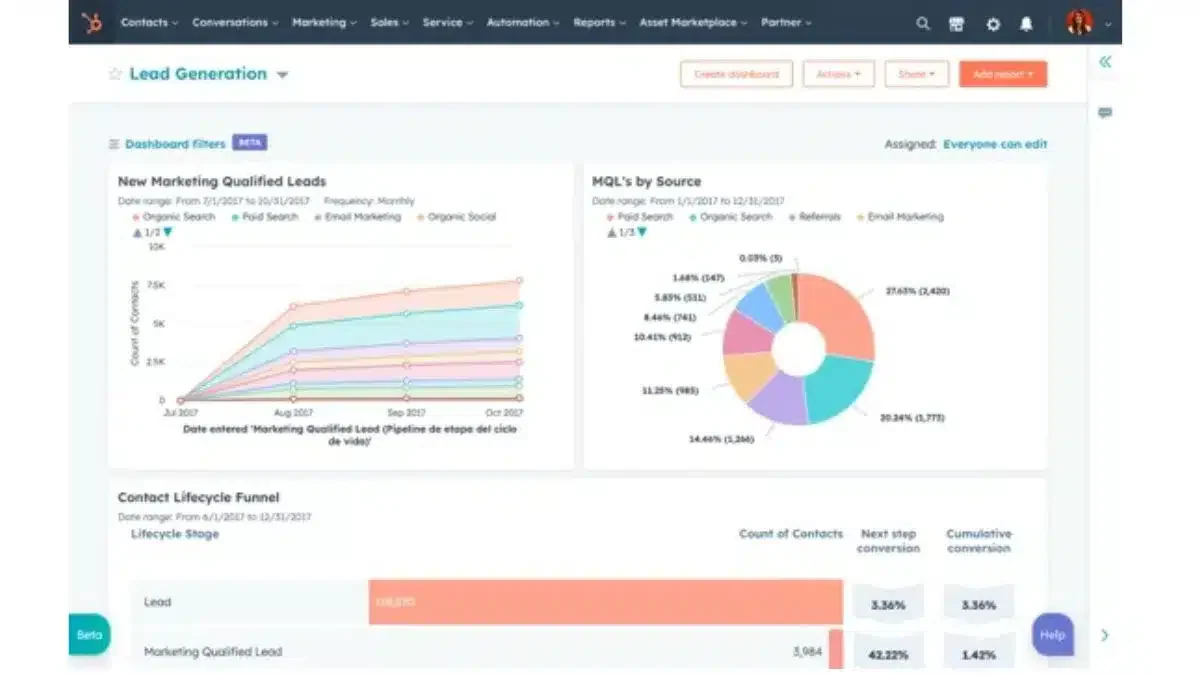
HubSpot CRM has built its reputation as a user-friendly platform designed to help businesses automate and streamline their inbound marketing and sales processes. It is widely appreciated for its easy setup and user-centric features that integrate seamlessly with various marketing tools.
Key Features:
- Lead and pipeline management
- Email tracking and templates
- Integrated marketing automation tools
- Reporting dashboards
- Extensive third-party integrations
| Pros | Cons |
|
|
2. Salesforce Sales Cloud
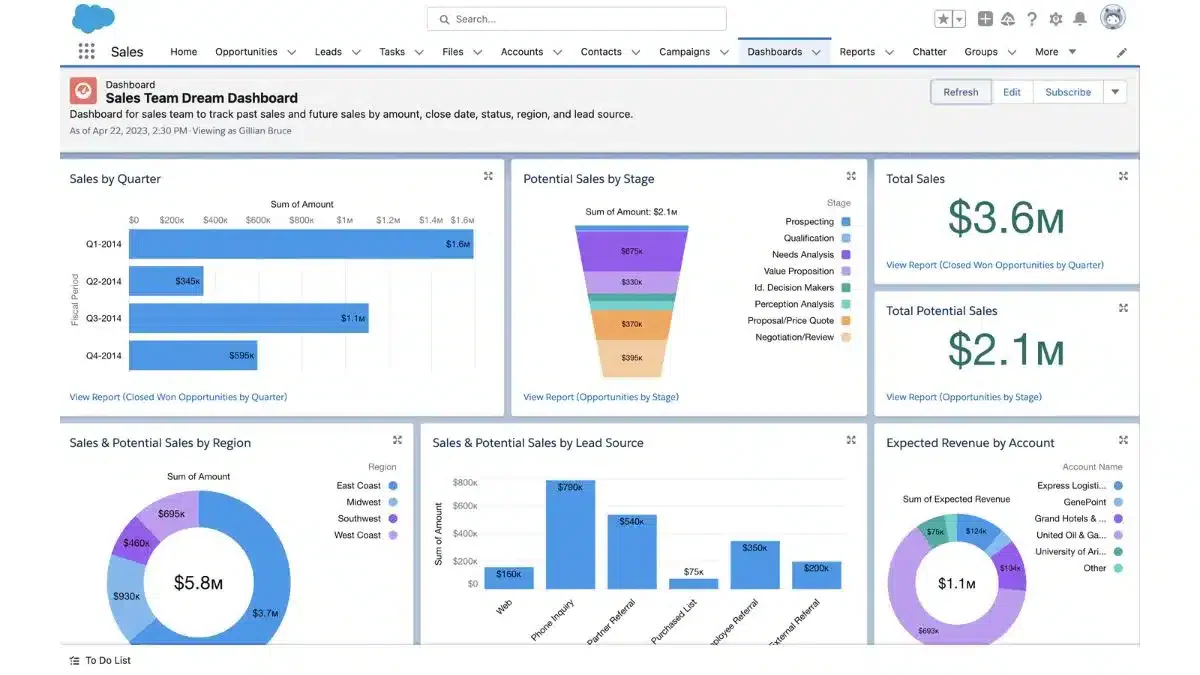
Salesforce Sales Cloud is a widely used CRM software known for its comprehensive suite of tools designed for businesses seeking to optimize their sales processes and customer interactions. Adapting CRM features to business needs robust platform that enterprises across industries trust.
Key Features:
- AI-powered analytics and forecasting
- Customizable dashboards and reports
- Advanced lead management
- Wide range of integrations
- Mobile app for on-the-go management
| Pros | Cons |
|
|
3. HashMicro CRM Software
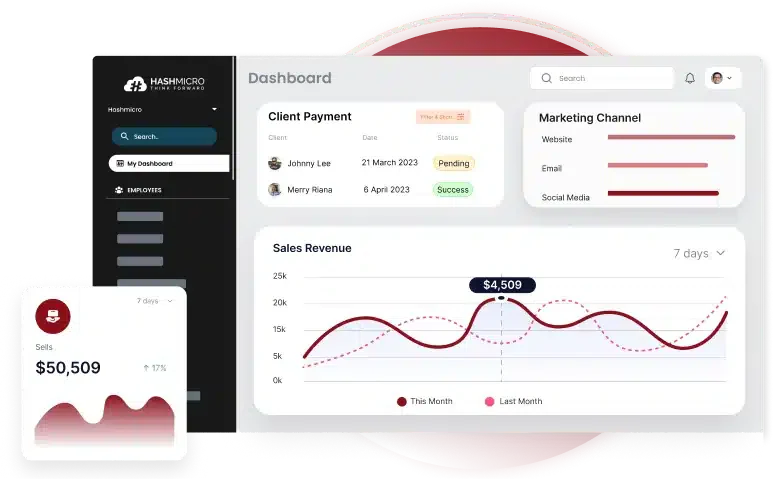
HashMicro offers an integrated ERP system with a robust CRM module designed to enhance business efficiency and scalability. This versatile solution centralizes sales, providing businesses with a seamless and user-friendly platform that drives growth across industries.
Below are some key features offered by HashMicro:
- CRM Leads Management
- Leads Quality Scoring (Hash Quality Score)
- Leads & Opportunities Management
- Activity Scheduling, Management & Reminders
- In-depth CRM Report
| Pros | Cons |
|
|
4. Zoho CRM
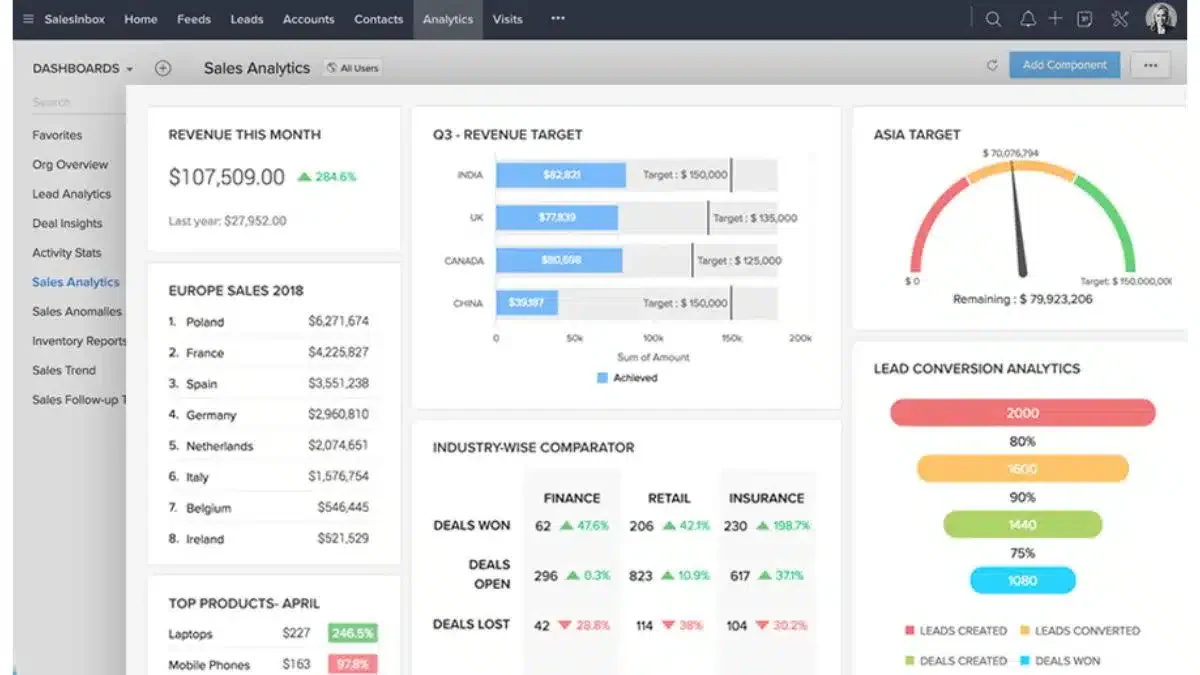
Zoho CRM stands out for its AI-powered automation and data analytics capabilities, making it an excellent choice for property management CRM software for businesses aiming to enhance their lead management processes. It is well-regarded for its versatility and scalability across industries.
Key Features:
- AI-driven sales assistant
- Sales forecasting and analytics
- Multi-channel communication tools
- Automated workflows
- Lead scoring and segmentation
| Pros | Cons |
|
|
5. Pipedrive
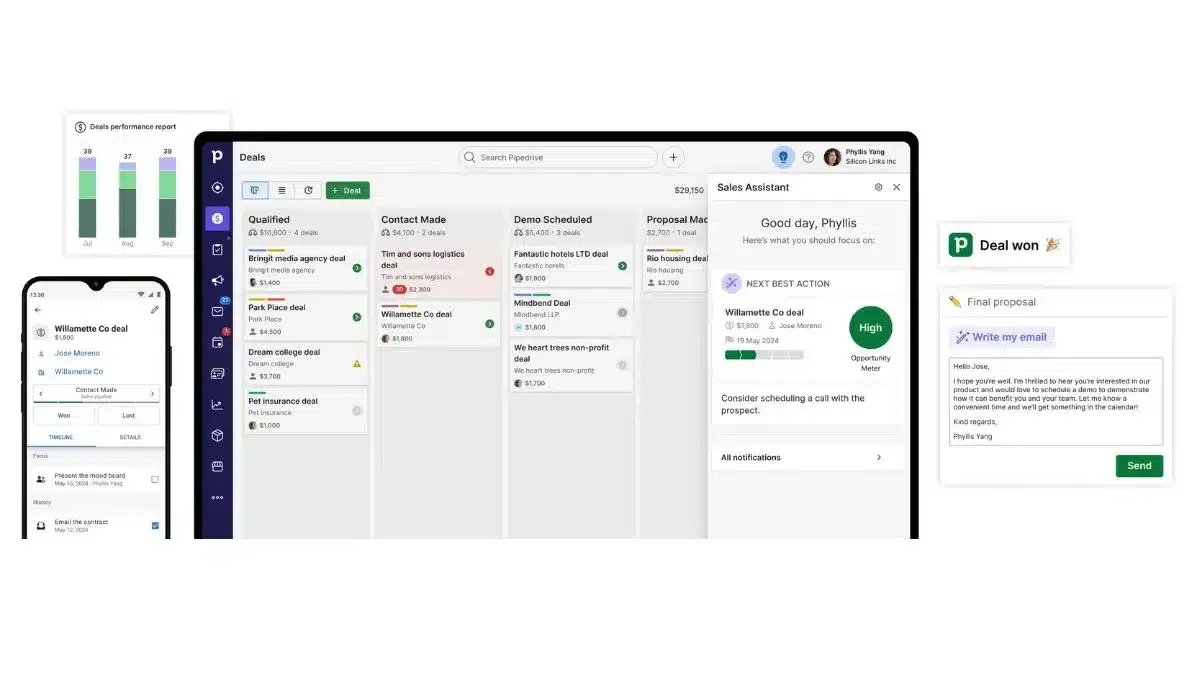
Pipedrive is designed for simplicity, offering a visually engaging CRM software that focuses on pipeline management and sales process optimization. It is ideal for sales teams looking for an intuitive tool to boost sales productivity.
Key Features:
- Visual sales pipeline management
- Lead and deal tracking
- Customizable workflow automation
- Reporting and insights
- Integration with email and calendar tools
| Pros | Cons |
|
|
6. Freshsales
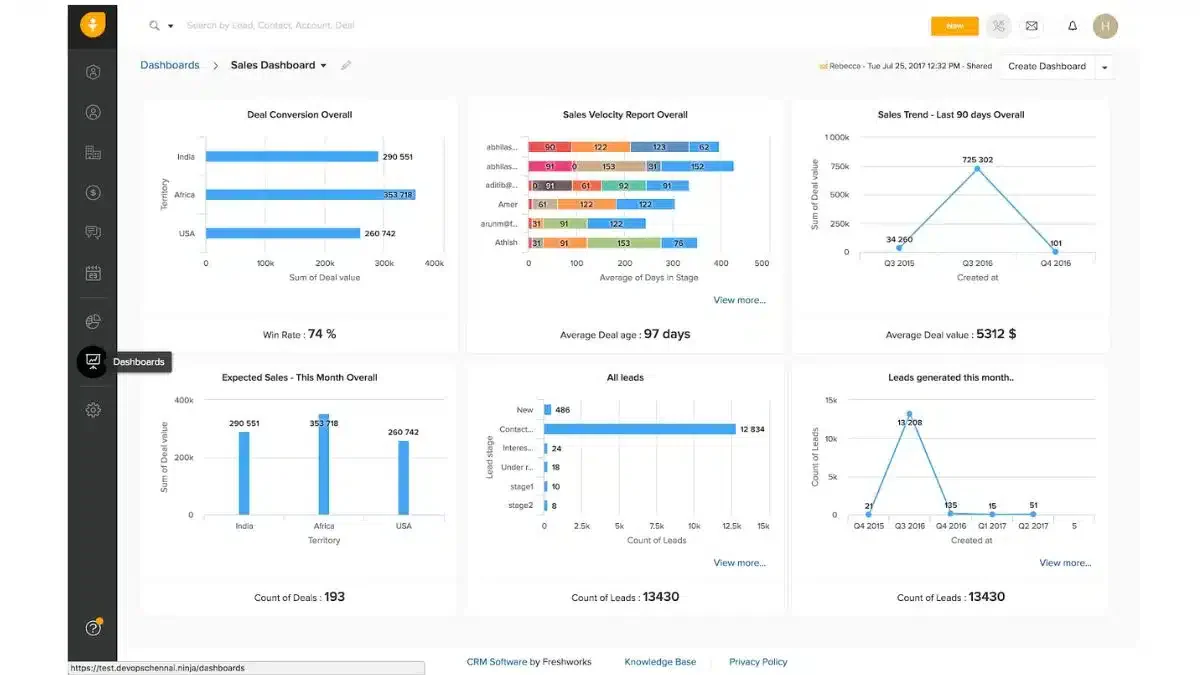
Freshsales is a CRM software built to enhance customer engagement and simplify lead management. It offers a user-friendly interface and a range of automation tools, ideal for businesses focused on improving sales cycles and customer relationships.
Key Features:
- Integrated lead scoring and pipeline management
- Email tracking and campaign automation
- Real-time reporting and analytics
- Multi-channel communication
- Easy integration with other Freshworks products
| Pros | Cons |
|
|
7. Insightly
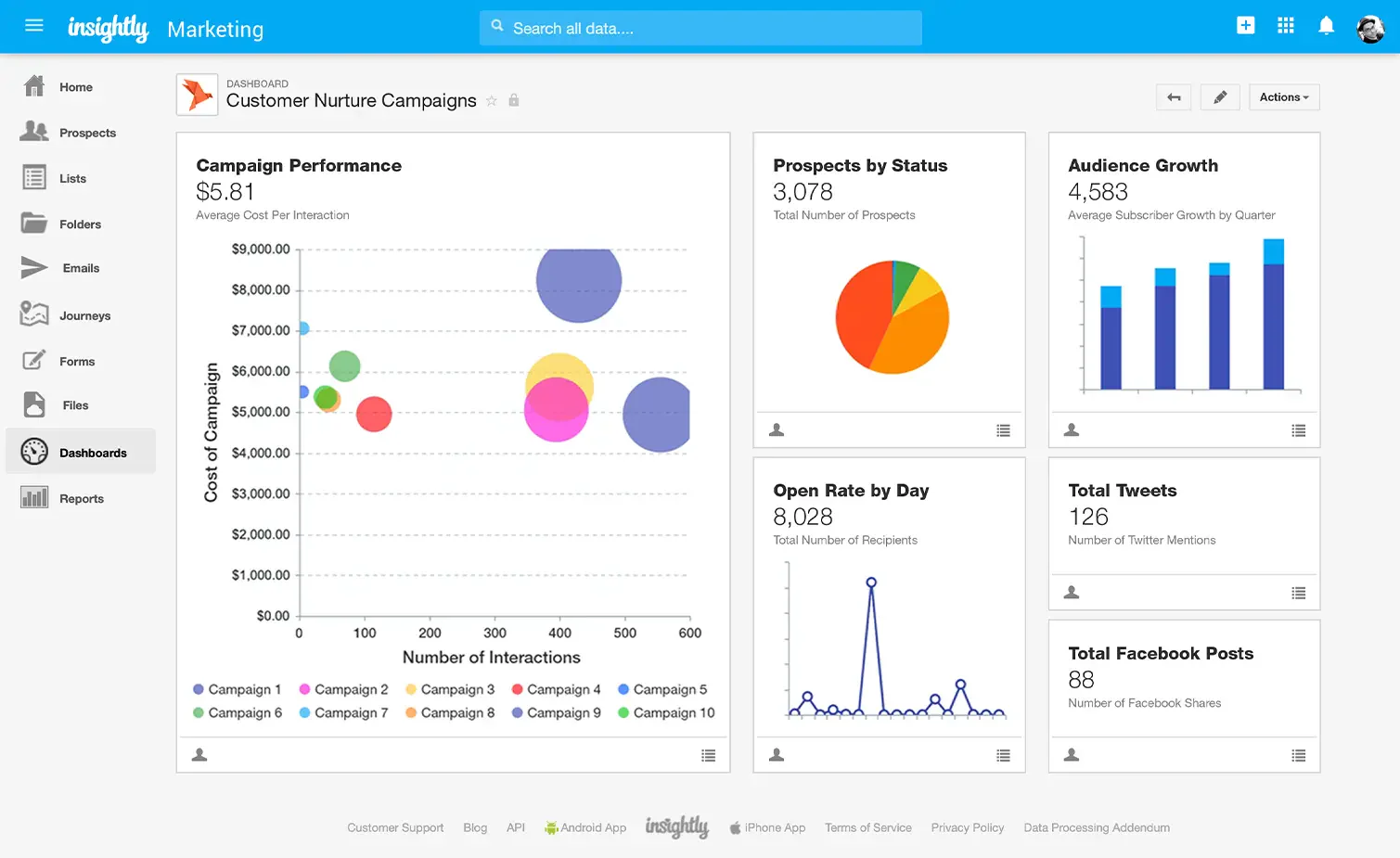
Insightly provides CRM software that combines project management with customer relationship tools, making it an excellent choice for businesses seeking to manage customer data while also effectively overseeing projects.
Key Features:
- Lead and project management
- Workflow automation
- Customizable dashboards and reports
- Integration with popular apps like Google Workspace
- Task and event tracking
| Pros | Cons |
|
|
8. Copper
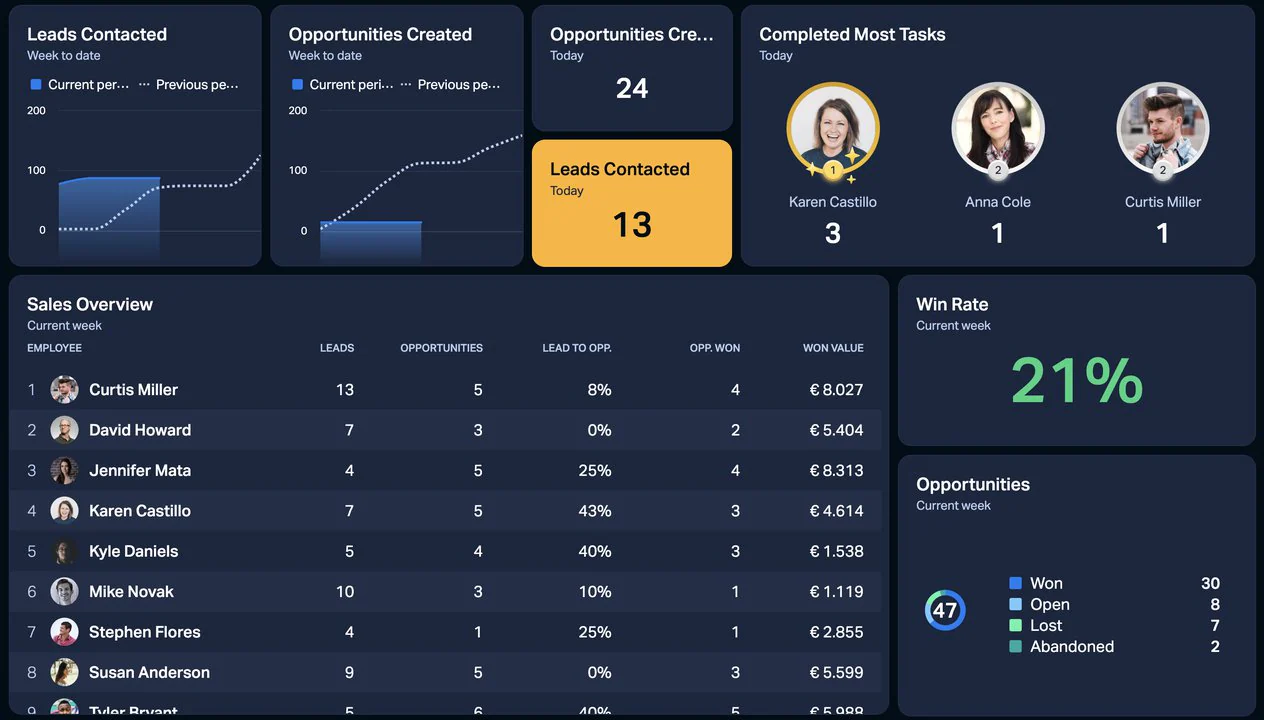
Copper is designed for businesses that use Google Workspace, offering deep integrations with Gmail, Google Calendar, and other Google apps. It provides an intuitive and streamlined experience for teams already using Google tools.
Key Features:
- Seamless Google Workspace integration
- Smart data entry and workflow automation
- Email tracking and collaboration tools
- Advanced reporting and analytics
- Customizable pipeline management
| Pros | Cons |
|
|
9. monday.com
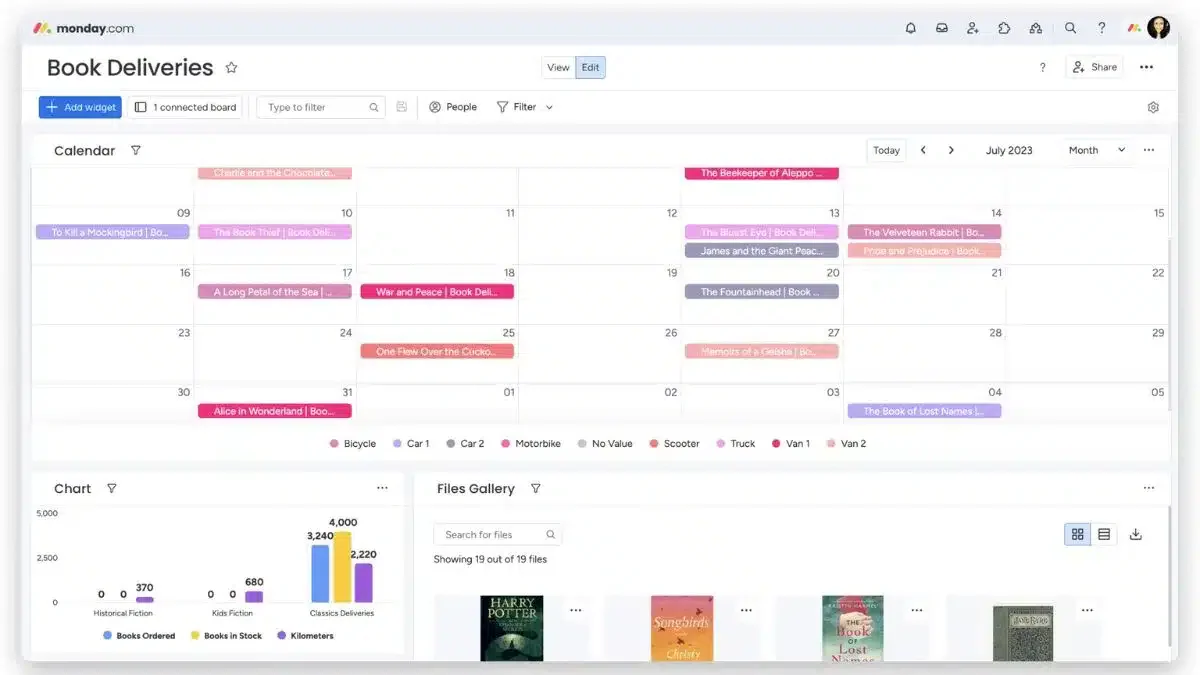
Monday.com is a CRM software that offers a powerful project and task management solution with strong customer relationship features. It helps businesses organize workflows, track leads, and manage sales pipelines effectively.
Key Features:
- Customizable workflows and dashboards
- Lead and project tracking
- Sales and task management automation
- Visual reporting tools
- Easy integrations with various apps
| Pros | Cons |
|
|
10. Apptivo CRM
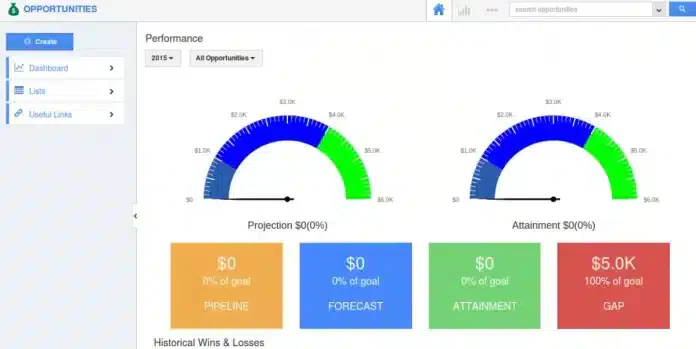
Apptivo CRM is a versatile platform with a broad array of features, including sales tracking, invoicing, and project management. It is highly customizable and suitable for businesses of all sizes.
Key Features:
- Sales pipeline management
- Project and task management
- Invoicing and billing tools
- Workflow automation
- Customizable dashboards
| Pros | Cons |
|
|
11. BIGContacts
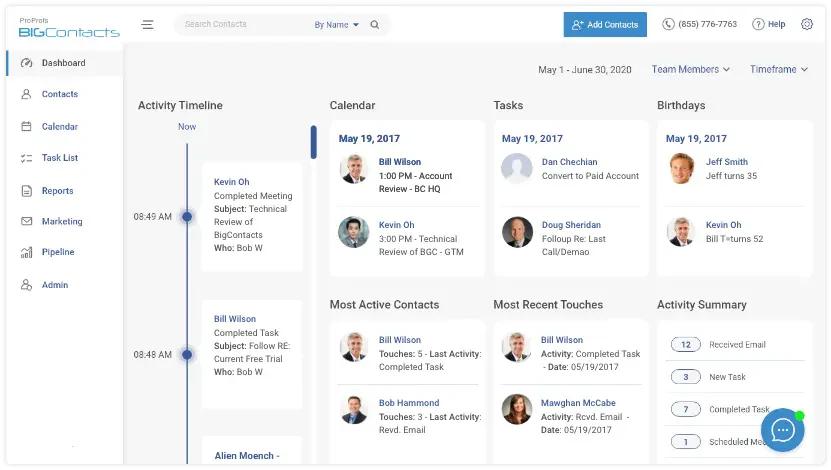
BIGContacts is a simple, user-friendly CRM software designed for small and medium businesses. It offers essential CRM features with a focus on ease of use and affordability.
Key Features:
- Contact and lead management
- Sales pipeline tracking
- Task and reminder system
- Email marketing automation
- Integration with Google Apps
| Pros | Cons |
|
|
12. Microsoft Dynamics 365
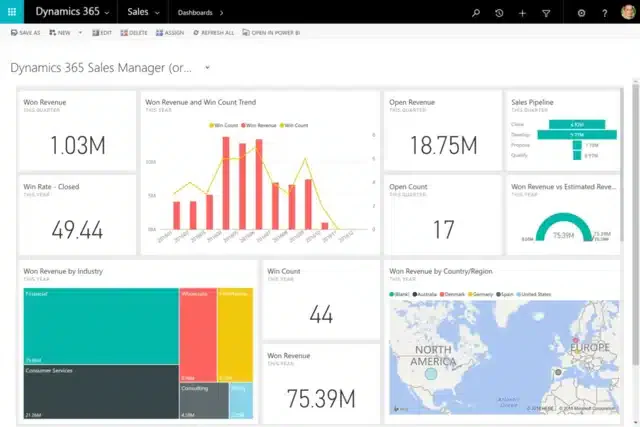
Microsoft Dynamics 365 is a powerful CRM that integrates seamlessly with other Microsoft products, making it ideal for businesses already using Microsoft tools. It offers a wide range of features for sales, marketing, and customer service teams.
Key Features:
- Integration with Microsoft products
- AI-driven insights and forecasting
- Customizable workflows and dashboards
- Customer service and support tools
- Sales and marketing automation
| Pros | Cons |
|
|
13. Close CRM
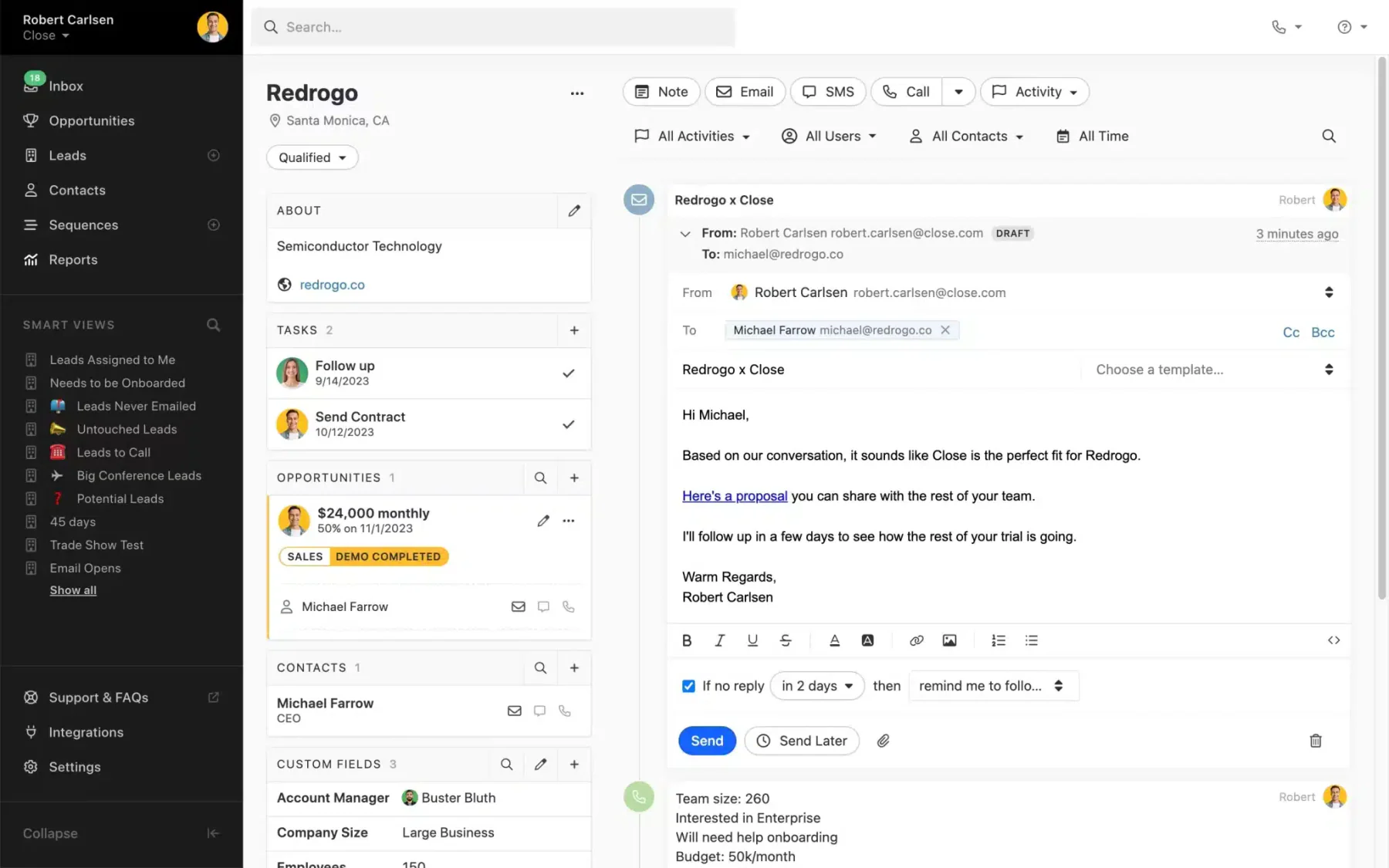
Close CRM is designed with sales teams in mind, offering a streamlined platform to manage pipelines and close deals faster. With its built-in communication tools and simple interface, it helps teams focus on selling rather than admin work.
Key Features:
- Built-in calling, SMS, and email
- Visual sales pipeline tracking
- Automated reminders and follow-ups
- Custom reports and analytics
- Integrations with other tools
| Pros | Cons |
|
|
14. Nutshell CRM
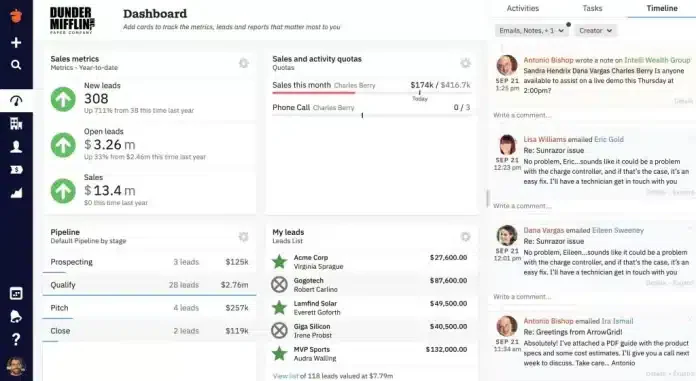
Nutshell CRM is a user-friendly platform built to simplify sales and customer management for small to mid-sized businesses. Its focus on usability and collaboration makes it a reliable option for teams that want powerful features without the complexity of enterprise systems.
Key Features:
- Intuitive pipeline and contact management
- Email automation and tracking
- Customizable sales reporting
- Team collaboration tools
- Integrations with apps like Google Workspace
| Pros | Cons |
|
|
15. Nimble CRM
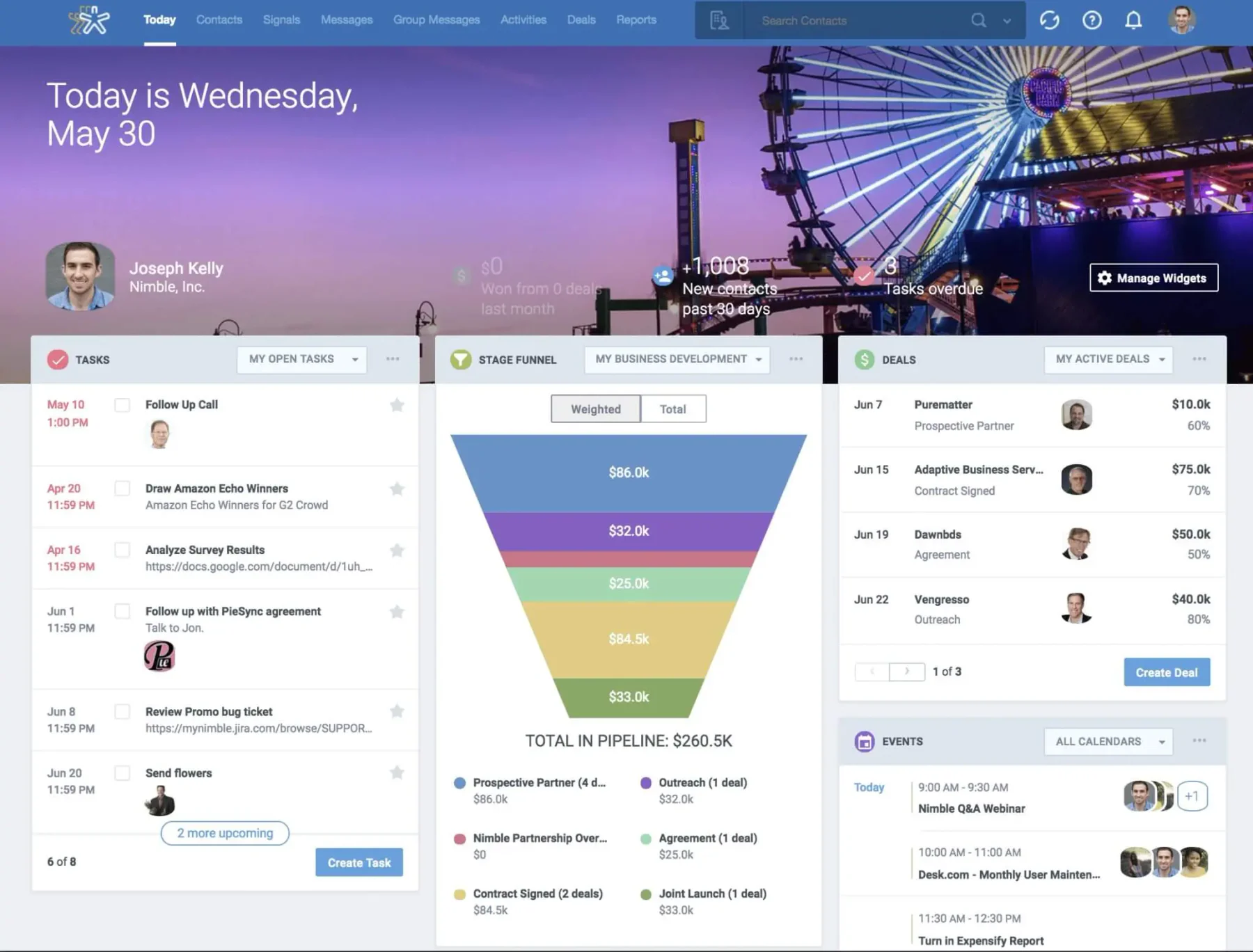
Nimble CRM is a lightweight yet powerful solution designed for businesses that want simple relationship management without heavy complexity. Known for its strong social media integration, Nimble helps teams build better connections by unifying contacts, communication, and insights in one place.
Key Features:
- Unified contact management
- Social media integration
- Built-in email tracking and engagement tools
- Pipeline and deal tracking
- Task and calendar management
| Pros | Cons |
|
|
Choosing the Right Customer Relationship System

Selecting the right Customer Relationship Management tools is crucial for any Singaporean business aiming to improve customer engagement and streamline operations. With so many CRM tools available, evaluating each option is essential based on your company’s size, goals, and workflow.
Below are six key factors to consider when choosing the most suitable tools for customer relationship management:
- Define your business needs: Start by identifying the specific challenges your business wants to solve, whether it’s lead tracking, sales CRM automation, or customer service. The best customer relationship management tools will address these needs directly and support your day-to-day processes.
- Prioritise key features: Look for CRM systems that align with your goals, such as marketing integration, real-time reporting, or mobile accessibility. Choosing CRM tools that support your sales and customer journey can boost overall team productivity.
- Check for ease of use: A user-friendly interface can make all the difference in CRM adoption across your team. If your staff can’t navigate the system easily, even the most powerful CRM customer relationship management tools won’t deliver results.
- Evaluate integration capabilities: Ensure the CRM integrates smoothly with your existing business tools, email platforms, marketing automation, or accounting software. Seamless integration makes your customer relationship management tools far more efficient and central to operations.
- Consider your budget: Review the CRM’s pricing structure to see if it fits within your financial plans, whether a monthly subscription or a per-user model. Be sure to compare value, not just cost, to avoid sacrificing necessary functionality for savings.
- Think long-term with scalability: Choose a CRM that scales with your business as it grows in size and complexity. Scalable customer relationship management tools will help future-proof your operations without requiring a migration to another system later.

Conclusion
Choosing the right CRM tools helps businesses strengthen customer relationships, increase sales, and grow efficiently. In Singapore, the best option is the one that matches your goals, industry, and team needs.
Interested in enhancing customer experience as well as overall operational performance in your business? Consult with our expert and experience how these scalable solutions can transform your customer relationships and business performance.
FAQ About CRM Software
What are the 4 types of CRM?
Grasping the four main types of CRM operational, analytical, collaborative, and strategic—is essential for choosing the right system that can effectively support your business growth.
Is CRM easy to learn and use?
In general, CRM software is fairly easy for teams to adopt. However, the learning curve can vary depending on the platform and the team’s level of experience and training. Some systems are designed to be more intuitive and user-friendly than others.
What are the three CRM tools?
Interactive experiences strongly influence customer journeys across all marketing channels. Modern enterprise CRM combines sales, marketing, and customer service tools. Key types include Operational CRM for process automation, Collaborative CRM for team coordination, and Analytical CRM for data-driven insights.